I read “The Ultimate Sales Machine” by Chet Holmes after a client recommended it. Have you read it?
For instance, I learnt that only 10% of people will proactively learn and enjoy doing so? 90% will only do so when they have to as part of their job. That is what sorts the best from the rest.
A main theme throughout the book is the need for “Pig headed determination” to bring about change. And the same I see with HighLevel clients – the ones with pig-headed determination to “work their HighLevel system” have the greatest success.
“The Dream 100 Concept” is one of the major strategies outlined first by Chet Homes in The Ultimate Sales Machine. A super-powerful strategy. I was just watching Youtube video from Russell Brunson on how he uses the Top 100 strategy, well worth a watch https://youtu.be/DqeTvepQvgg?si=ze4otMxQyrlzKi5Chttps://youtu.be/nol9a1LIbcY
It is the best business book I have read in ages and certainly resonates with “HighLevel thinking”.
If you are a HighLevel user then I can show you how to build a Dream 100 Workflows to enable you to easily co-ordinate an integrated follow-up campaign containing not only emails but direct mail, telephone, text and social media. To learn more simply schedule a Discovery call.
If you’re looking for help setting up HighLevel workflows, you’re not alone. I recently worked with a client of MarketerM8.com (my HighLevel agency) who was struggling to create effective workflows in HighLevel. They wanted to automate their lead management, appointment scheduling, and follow-up processes but weren’t sure how to set everything up correctly. That’s where I stepped in.
Building HighLevel Workflows from Scratch
My client’s biggest challenge was understanding how to create and optimise workflows to save time and improve efficiency. They didn’t know how to map out their processes, trigger specific actions, or use conditions to ensure the right actions happened at the right time. I guided them through the setup process, showing them how to create workflows that streamlined their entire customer journey.
Automating Lead Management and Follow-Ups
One of HighLevel’s most powerful features is the ability to automate workflows. My client wanted to ensure that leads were followed up with promptly and didn’t fall through the cracks. I helped them create workflows that triggered automatic emails, SMS messages, and tasks based on lead status and behaviour. With automation in place, they could focus on building relationships rather than micromanaging every interaction.
Monitoring and Optimising Workflows
Creating workflows is only half the battle. I showed my client how to monitor workflow performance using HighLevel’s reporting tools and make adjustments to improve efficiency. By tracking metrics like response rates and conversion rates, they were able to continually improve their automated processes.
Need Help Setting Up Your HighLevel Workflows?
If you’re struggling to set up HighLevel workflows—whether it’s building workflows from scratch, automating lead management, or monitoring performance—I can help. A well-structured workflow system can transform your business efficiency.
If you’re looking for help setting up the HighLevel social media planner, you’re not alone. I recently worked with a client of MarketerM8.com (my HighLevel agecny) who was struggling to use HighLevel’s social media planner effectively. They wanted to simplify their social media scheduling and posting, but weren’t sure how to set everything up for consistent, automated marketing. That’s where I stepped in.
Setting Up the HighLevel Social Media Planner from Scratch
My client’s biggest challenge was figuring out how to connect their social media accounts and schedule content consistently. They were overwhelmed by the interface and didn’t understand how to create content calendars, plan posts in advance, or use templates effectively. I guided them through the entire setup—showing them how to link their social accounts, create and schedule posts, and use the content library to stay organised.
Automating Social Media Posts for Better Efficiency
HighLevel’s social media planner offers powerful automation tools, but my client didn’t know how to leverage them. I helped them build workflows that automated post scheduling, allowing them to focus more on content creation and less on manual posting. With HighLevel’s automation tools, they were able to plan posts weeks in advance and stay consistent across multiple platforms.
Tracking Performance and Improving Content
Understanding how your content is performing is essential. I showed my client how to use HighLevel’s analytics tools to monitor engagement, identify high-performing content, and adjust their strategy accordingly. With clear metrics in place, they could finally make data-driven decisions about their social media marketing.
Need Help Setting Up Your HighLevel Social Media Planner?
If you’re struggling to set up your HighLevel social media planner—whether it’s connecting accounts, scheduling content, or tracking performance—I can help. A well-optimised social media planner can save you time and ensure your marketing is consistent and effective.
If you’re looking for help setting up document signing in HighLevel, you’re not alone. I recently worked with a client of MarketerM8.com (my HighLevel agency) who was struggling to set up HighLevel’s document signing feature. They had been using DocuSign but wanted a more streamlined, all-in-one solution for managing contracts and agreements within HighLevel. That’s where I stepped in.
Setting Up HighLevel Document Signing from Scratch
My client’s biggest challenge was understanding how to create and send documents for e-signature through HighLevel. They weren’t sure how to upload contracts, format signature fields, or automate the process of sending documents to clients. I guided them through the entire setup—showing them how to create documents, add signature fields, and send them out for signing directly from HighLevel.
Automating Document Signing and Follow-Ups
One of HighLevel’s biggest strengths is its automation capabilities. My client wanted to ensure their document signing process was as smooth as possible, with automatic follow-ups and notifications to ensure agreements were signed on time. I helped them build workflows that automatically triggered reminders and follow-ups for unsigned documents, saving them valuable time and reducing delays.
Integrating Document Signing with Their Sales Process
To make the most of HighLevel’s document signing feature, I showed my client how to connect it to their sales pipeline. This allowed them to easily track which agreements were pending, signed, or rejected—giving them a clear overview of their document management process.
Need Help Setting Up Document Signing in HighLevel?
If you’re struggling to set up document signing in HighLevel—whether it’s formatting documents, automating follow-ups, or integrating it with your sales process—I can help. A well-implemented document signing setup can save you time and improve client satisfaction.
Sales is a game of timing, trust, and value. Every salesperson has experienced the sting of hearing “no” from a potential customer. It’s easy to feel disheartened, but what if “no” doesn’t mean “never”? In many cases, it simply means, “Not yet.”
𝗧𝗶𝗺𝗶𝗻𝗴 𝗜𝘀 𝗘𝘃𝗲𝗿𝘆𝘁𝗵𝗶𝗻𝗴
Business needs evolve constantly. Budgets shift, priorities change, and decision-makers reassess their goals. A prospect saying “no” today may be grappling with issues like budget constraints, competing priorities, or uncertainty about how your solution fits into their strategy. In my experience, patience and persistence have been key. Recently, two clients who initially declined discussions about HighLevel software over a year ago have now returned, ready to move forward. What changed? Their businesses evolved, and they recognised that the tools I offered could drive the growth they needed. And since I first mentioned HighLevel they have heard other people now talking about how good the software is.
𝗪𝗵𝘆 𝗣𝗲𝗿𝘀𝗶𝘀𝘁𝗲𝗻𝗰𝗲 𝗣𝗮𝘆𝘀 𝗢𝗳𝗳
Persistence in sales isn’t about badgering or being pushy—it’s about staying relevant and present. Here’s how you can do it effectively:
𝗦𝘁𝗮𝘆 𝗶𝗻 𝗧𝗼𝘂𝗰𝗵: Maintain regular, value-driven contact through newsletters, social media updates, or personal check-ins.
𝗢𝗳𝗳𝗲𝗿 𝗖𝗼𝗻𝘁𝗶𝗻𝘂𝗲𝗱 𝗩𝗮𝗹𝘂𝗲: Share relevant industry insights, case studies, and success stories. This keeps your solution top-of-mind when circumstances change.
𝗧𝗿𝗮𝗰𝗸 𝗖𝗵𝗮𝗻𝗴𝗲𝘀 𝗶𝗻 𝗧𝗵𝗲𝗶𝗿 𝗕𝘂𝘀𝗶𝗻𝗲𝘀𝘀: Keep an eye on news or updates about their business. Changes like expansion, new hires, or product launches can signal readiness for your offer.
𝗥𝗲𝘃𝗶𝘀𝗶𝘁 𝘁𝗵𝗲 𝗖𝗼𝗻𝘃𝗲𝗿𝘀𝗮𝘁𝗶𝗼𝗻: Periodically revisit previous “no” responses with a tailored message: “Last time we spoke, X was a challenge. Has that changed? We’ve helped similar businesses achieve Y.”
𝗪𝗵𝗲𝗻 𝘁𝗵𝗲 𝗧𝗶𝗺𝗲 𝗜𝘀 𝗥𝗶𝗴𝗵𝘁
By staying persistent, you position yourself as the go-to solution when the client’s circumstances change. Those two HighLevel clients of mine are a perfect example. They weren’t ready when I first approached them, but because I maintained the relationship, they knew who to call when the time was right.
𝗙𝗶𝗻𝗮𝗹 𝗧𝗵𝗼𝘂𝗴𝗵𝘁
In sales, “no” is rarely final. It’s a placeholder that says, “Not now.” Keep showing up with genuine value, and you’ll be the first person they think of when their “no” turns into “yes.” If you’re curious about how HighLevel can transform your business when the time is right 😉 feel free to book a Discovery Call
HighLevel’s AI Voice Agent is a game-changing solution designed to handle inbound calls, engage customers in natural, conversational dialogues, and perform tasks aligned with your specific business objectives. The Voice AI Agent will be your personal office employee, answering calls, fielding leads, and collecting customer information for further follow-up! Powered by advanced speech recognition and natural language processing, this innovative tool ensures your customers receive seamless, personalized service around the clock.
Key Features of the AI Voice Agent
Natural Conversations: The AI Voice Agent intuitively understands and responds to customer queries, creating a fluid, conversational experience.
Advanced Speech Recognition: It transcribes and interprets spoken words with precision, ensuring clear communication.
Seamless Integration: Easily connects to your CRM and other business tools to streamline operations.
Customizable Responses: Tailor the AI agent’s tone and messaging to align with your brand identity.
24/7 Availability: Provides uninterrupted support, enhancing customer satisfaction and trust.
How the AI Agent Handles Calls
Inbound Calls:
During business hours, calls to the designated number are automatically answered by the AI agent.
After hours, calls follow your customized settings, such as redirecting to voicemail or forwarding to another number.
Call Actions:
Update Contact Records: Automatically saves collected details to customer profiles.
Trigger Workflows: Activates predefined workflows to ensure efficient follow-up actions.
End Calls Gracefully: Politely concludes calls when appropriate.
Call Transfers: Transfers to a human agent when necessary for seamless customer service.
Send SMS: Sends relevant follow-up messages or important information via text.
Frequently Asked Questions
1. Can I use my existing HighLevel phone numbers with the AI Voice Agent?
Yes, you can assign any available phone number in your account, provided it’s not already configured for specialized functions like IVR.
2. Can the AI Voice Agent collect customer information and create contact records?
Absolutely. The agent can collect data such as name, email, and address, automatically updating or creating contact profiles.
3. Can the AI Voice Agent schedule appointments during calls?
While the agent gathers information and triggers workflows, direct appointment scheduling requires integration with your calendar system through workflows.
4. Is it possible to have multiple AI Voice Agents and phone numbers?
Yes! You can create multiple agents with unique configurations and phone numbers to support different departments or services.
5. How do I update the AI Voice Agent’s knowledge base?
You can train the AI agent on new information by updating the “Agent Goals” section with revised prompts or business details.
6. Can the AI Voice Agent handle call routing and transfers?
Yes, the agent can transfer calls to human agents based on specific conditions you configure.
7. Is re-billing available for agencies reselling the AI Voice Agent?
Yes, re-billing options are available. Contact our support team for guidance on setting this up.
8. Does the AI Voice Agent work with my own Twilio account?
Currently, the AI Voice Agent’s voice capabilities are exclusive to the LC Phone System and do not function with direct Twilio integrations.
Unlock the Power of AI for Your Business
By integrating HighLevel’s AI Voice Agent, you can revolutionize how your business interacts with customers—enhancing service quality, streamlining operations, and ensuring consistency in every interaction.
💡 Take the next step toward improving your customer experience! Book a discovery call with Julian today to see how this powerful tool can transform your business. Click here to schedule a Discovery Call.
HighLevel’s introduction of Custom Objects in Workflow Automation is a revolutionary leap forward for businesses seeking personalized, efficient, and scalable CRM and marketing solutions. This powerful feature opens up endless possibilities for tailoring customer interactions, automating repetitive tasks, and managing complex data structures—all while enhancing the overall client experience.
What Are Custom Objects in HighLevel?
Custom Objects allow businesses to create unique data records beyond the standard contact, company, or opportunity fields. These objects can represent anything—from pets at a veterinary practice to properties for a real estate agency. They are fully customizable and can be linked to existing contacts or other objects, forming a relational database within HighLevel.
This flexibility means businesses can structure their data in a way that mirrors their specific needs, enabling more precise workflows and tailored communication.
Why Custom Objects Are a Game-Changer
Data Personalization
Custom Objects enable you to track data unique to your business. Whether it’s tracking client vehicles in an automotive shop, student progress in an educational setting, or product warranties in retail, Custom Objects ensure that every detail is organized and accessible.
Workflow Integration
Custom Objects seamlessly integrate with HighLevel’s Workflow Builder, allowing you to automate processes tied to these records. Trigger actions, send messages, or update records automatically based on specific criteria.
Enhanced Customer Experience
By automating personalized communications—such as appointment reminders, follow-up messages, or milestone celebrations—businesses can deliver a superior customer experience that drives loyalty and satisfaction.
Scalability
For growing businesses, managing large amounts of data can quickly become overwhelming. Custom Objects provide a scalable way to keep data organized and workflows efficient as your client base expands.
Examples of HighLevel Custom Objects in Action
Veterinary Clinics: Manage pets as custom objects linked to their owners. Automate vaccination reminders, send birthday greetings, or follow up after appointments.
Real Estate Agencies: Use properties as custom objects tied to clients. Automate notifications for new listings or schedule reminders for contract deadlines.
Fitness Studios: Track memberships, workout plans, or fitness goals as custom objects. Automate milestone celebrations or membership renewal reminders.
Healthcare Providers: Use patient records and treatment plans as custom objects to automate appointment scheduling and follow-ups.
How to Set Up Custom Objects in Workflows
Define Your Objects
Identify the unique data points you need to track. For example, if you’re a property manager, you might set up custom objects for properties and maintenance requests.
Create Relationships
Link your custom objects to relevant contacts or other objects. For instance, connect a “Pet” object to its corresponding owner in a veterinary practice.
Build Workflows
Use the Workflow Builder to create automated processes based on your custom objects. For example, trigger an email when a custom object field (e.g., warranty expiration date) reaches a specific value.
Test and Optimize
Run test workflows to ensure they function as expected. Make adjustments as needed to refine the automation.
Unlock the Full Potential of HighLevel
HighLevel’s Custom Objects Workflow Automation is more than a new feature—it’s a tool for businesses to reimagine their CRM and marketing strategies. From simplifying administrative tasks to delivering hyper-personalized customer experiences, the possibilities are endless.
Learn more about HighLevel features at MarketerM8 – a HighLevel agency
Ready to explore how Custom Objects can transform your business? Book a discovery call with Julian to dive into the future of CRM and marketing automation.
Marketing agencies juggle multiple clients, campaigns, and deliverables, often leading to administrative overload. HighLevel’s Custom Objects Workflow Automation provides a powerful solution, enabling agencies to manage campaigns more effectively while enhancing client relationships.
How It Works
Custom Objects allow agencies to create data records for campaigns, deliverables, or client-specific information. These objects can be linked to client profiles, making it easy to automate communications and track progress.
For example:
Campaign Milestone Notifications: Set up workflows to notify clients about key campaign updates, such as ad approvals, launch dates, or performance metrics.
Client Reporting Automation: Create workflows that automatically send monthly or quarterly performance reports based on stored data.
Task Completion Updates: Notify clients when specific deliverables, such as ad creatives or website updates, are completed and ready for review.
By automating these tasks, marketing agencies can reduce manual admin work and dedicate more time to creativity and strategy. This not only improves efficiency but also strengthens client trust and satisfaction.
Why It Matters
Custom Objects Workflow Automation enables agencies to:
Provide timely, accurate updates to clients.
Ensure no campaign detail falls through the cracks.
Scale operations without sacrificing personalization.
Whether you’re running Facebook ad campaigns, designing websites, or managing email marketing, Custom Objects help your agency stay organized and deliver an outstanding client experience.
Learn more about HighLevel features at MarketerM8 – a HighLevel agency
Book a discovery call with Julian to discover how Custom Objects Workflow Automation can streamline your agency’s CRM and marketing operations.
Recruitment agencies often face challenges in managing candidate profiles, job openings, and placements. HighLevel’s Custom Objects Workflow Automation simplifies these processes while improving client and candidate satisfaction.
How It Works
Custom Objects like job listings, candidates, and placements enable recruitment teams to automate repetitive tasks and focus on building relationships.
For example:
Candidate Matching: Automatically notify candidates about new roles that match their skill sets.
Interview Scheduling: Send automated reminders to candidates and employers about upcoming interviews.
Placement Follow-Ups: Keep in touch with both the candidate and employer after a successful placement to ensure satisfaction.
This approach streamlines recruitment workflows and enhances the agency’s reputation.
Learn more about HighLevel features at MarketerM8 – a HighLevel agency
Travel and hospitality businesses thrive on delivering exceptional guest experiences. HighLevel’s Custom Objects Workflow Automation ensures every client interaction is seamless and personalized.
How It Works
Custom Objects like bookings, itineraries, and preferences allow businesses to automate key touchpoints in the guest journey.
For example:
Pre-Arrival Notifications: Send guests reminders about check-in details and local attractions.
Upsell Campaigns: Offer upgrades or add-ons like spa packages or guided tours based on guest preferences.
Post-Stay Follow-Ups: Automate thank-you messages and invite guests to leave reviews or book their next stay.
This level of automation enhances guest satisfaction and builds loyalty.
Learn more about HighLevel features at MarketerM8 – a HighLevel agency


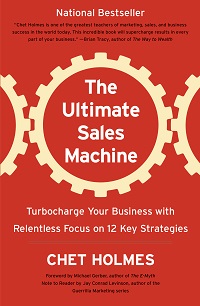 I read “The Ultimate Sales Machine” by Chet Holmes after a client recommended it. Have you read it?

 If you’re looking for help setting up HighLevel workflows, you’re not alone. I recently worked with a client of

 HighLevel’s AI Voice Agent is a game-changing solution designed to handle inbound calls, engage customers in natural, conversational dialogues, and perform tasks aligned with your specific business objectives. The Voice AI Agent will be your personal office employee, answering calls, fielding leads, and collecting customer information for further follow-up! Powered by advanced speech recognition and natural language processing, this innovative tool ensures your customers receive seamless, personalized service around the clock.