HighLevel Ask AI Chrome Extension: Stop Asking Questions. Start Giving It Jobs

HighLevel Ask AI Chrome browser extension

HighLevel Ask AI Chrome browser extensionHighLevel’s Ask AI is becoming considerably more interesting.

And with the LeadConnector Ask AI Chrome Extension, you can now have HighLevel’s AI assistant available while you’re working in your browser.

At first glance, you might think:

“So what? It’s another AI Chrome extension.”

But I think that misses what makes Ask AI interesting.

Yes, you can ask it to research something, summarise a webpage, explain something or help write an email.

But Ask AI is increasingly able to actually help you use HighLevel.

Sometimes it can do the work itself.

Sometimes it can investigate a problem and fix it.

And when it can’t complete something itself, it can guide you through what you need to do.

I’ve already seen this happening with real HighLevel problems.

And I think it changes how we should think about using AI inside HighLevel.

Rather than simply asking Ask AI questions, we should increasingly start giving Ask AI jobs.

What Is the LeadConnector Ask AI Chrome Extension?

Ask AI is HighLevel’s built-in AI assistant.

HighLevel has been steadily increasing what Ask AI can do. It isn’t simply there to answer questions or generate text.

Ask AI is increasingly able to interact with HighLevel itself and help users perform tasks.

The LeadConnector Ask AI Chrome Extension takes that concept outside the normal HighLevel interface and makes Ask AI available while you’re working in Chrome.

That’s important because a huge amount of what we do doesn’t happen directly inside our CRM.

We might be looking at:

  • Our own website
  • A customer’s website
  • A prospect’s website
  • Technical documentation
  • Supplier websites
  • Online applications
  • Industry websites
  • Competitors
  • Other browser-based business software

Instead of constantly jumping between what you’re looking at and HighLevel, Ask AI can increasingly sit alongside you.

But researching webpages is only the beginning.

A Simple Example: A Font That Was Driving Me Mad

Here’s a real example from my own HighLevel account.

I had a problem with one of my HighLevel funnel pages.

The font in the navigation section was wrong.

I’m pretty savvy when it comes to building websites and funnels. I understand HTML and CSS, and I’ve built enough websites over the years to normally be able to figure these things out.

But I couldn’t solve this one.

It was one of those little niggles that wasn’t business critical, but every time I looked at the page it annoyed me.

So I asked Ask AI.

I simply gave it the URL and asked it to analyse the page and work out what was causing the problem.

It visited the page, analysed it and identified the issue.

But this is the bit I found particularly interesting.

Once it had identified the problem, it gave me a choice.

It could either fix the problem itself, or it could give me instructions so I could fix it manually.

A problem I’d spent time trying to diagnose myself had suddenly become a conversation with an AI HighLevel expert.

And a real niggle was solved.

That, to me, is far more interesting than asking AI to write another email.

From “Tell Me How” to “Do It For Me”

This is the change I think HighLevel users need to understand.

We’ve become accustomed to asking AI questions.

You might ask:

“How do I change the navigation font on a HighLevel funnel?”

The AI gives you some instructions.

You then go into HighLevel, find the appropriate settings and make the changes yourself.

That’s useful.

But we’re moving towards something different.

Instead, I was effectively able to say:

“There’s something wrong with the font on this page. Can you find out what’s causing it?”

The AI investigated the problem.

Then it offered to fix it.

That’s a completely different experience.

We’re moving from:

Ask AI → Get instructions → Do the work

towards:

Ask AI → AI investigates → AI does the work

And when Ask AI can’t do everything itself, it can fall back to showing you what to do.

That distinction is important.

Another Practical Example: Creating a HighLevel Workflow

Workflows are another area where I think this becomes extremely useful.

HighLevel workflows are incredibly powerful.

They’re also one of the areas where new HighLevel users can quickly become overwhelmed.

You might have:

  • Triggers
  • If/Else conditions
  • Wait steps
  • Emails
  • SMS messages
  • WhatsApp messages
  • Opportunity updates
  • Internal notifications
  • Tasks
  • Multiple branches

Rather than starting with:

“How do I create a HighLevel workflow?”

we can increasingly start by giving Ask AI the outcome we want.

For example:

“When somebody completes this quote form, I want an opportunity created in the New Enquiry stage, an email sent immediately, a text message sent five minutes later and the salesperson notified.”

You’re not asking for a lesson about workflows.

You’re giving Ask AI a job.

Ask AI can then help create the workflow and configure the individual steps it is able to control.

And that potentially makes quite a complicated part of HighLevel considerably more accessible.

But What Happens When the Workflow Doesn’t Work?

This is possibly even more useful.

Anyone who has built complicated HighLevel workflows will know the feeling.

Everything looks right.

But something isn’t happening.

Perhaps contacts aren’t receiving an SMS.

Perhaps an opportunity isn’t moving stages.

Perhaps an If/Else branch isn’t behaving as expected.

Perhaps the contact is sitting at a Wait step and you can’t work out why.

You can spend ages opening actions and checking settings trying to find the problem.

Now imagine asking Ask AI:

“This workflow should send an SMS five minutes after the form is completed, but the SMS isn’t being sent. Can you analyse the workflow and find the problem?”

Ask AI can help investigate the setup.

Perhaps there’s an incorrect condition.

Perhaps the workflow is waiting for something that never happens.

Perhaps the contact doesn’t meet one of the filters.

Perhaps the SMS action is sitting inside the wrong branch.

Perhaps there’s simply a configuration setting you’ve overlooked.

Then we get back to the same principle as my funnel page.

Where Ask AI can make the required change, it can potentially fix the problem.

Where it can’t, it can explain what you need to change yourself.

So instead of spending an hour staring at a workflow, the conversation potentially becomes:

“This workflow isn’t working.”

Ask AI investigates.

“I’ve found the problem.”

Then either:

“I can fix that for you.”

Or:

“Here’s what you need to change.”

For anyone who regularly builds HighLevel workflows, that’s potentially incredibly useful.

A Much More Advanced Example: HighLevel Custom Objects

I’ve also seen this from the opposite end of the HighLevel spectrum.

One of our MarketerM8 clients wanted to use Custom Objects.

If you’ve never explored Custom Objects, this isn’t simply creating another custom field.

Custom Objects allow you to create your own types of records inside HighLevel and establish relationships between them and other records.

It’s considerably more advanced.

And I’ll admit that Custom Objects and creating the relationships between them isn’t my strongest area of HighLevel.

In this particular case, the client ended up understanding what he needed to do better than I did.

How?

He used Ask AI alongside the unlimited HighLevel technical support available through MarketerM8.

Ask AI was able to complete much of the setup itself.

There were still instances where it couldn’t perform a particular step automatically.

When that happened, Ask AI explained what the client needed to do.

So it wasn’t 100% autonomous.

But that’s almost what makes the example more interesting.

The experience became:

Ask AI does what it can → identifies what it can’t do → guides the human through the remaining steps.

Between Ask AI, the client’s own knowledge and technical support, he was able to work through a fairly sophisticated HighLevel implementation.

And I think that gives us a glimpse of where this is heading.

Ask AI Doesn’t Need to Be 100% Autonomous to Be Useful

There’s a temptation with AI agents to judge them in very black-and-white terms.

Either:

“The AI can do everything.”

Or:

“I still had to do something myself, so what’s the point?”

I don’t think that’s the right way to look at it.

Imagine Ask AI can complete 80% of a complicated HighLevel task itself and then gives you precise instructions for the remaining 20%.

That’s still potentially a huge productivity improvement.

Think about the three examples we’ve just looked at.

Fixing my funnel

Ask AI analysed a live webpage, diagnosed the problem and offered to fix it.

Creating and troubleshooting a workflow

You can describe the outcome you’re trying to achieve and Ask AI can help build it. If something doesn’t work, you can ask it to help diagnose what’s wrong rather than trying to find the problem yourself.

Setting up Custom Objects

A client was able to use Ask AI to help implement something relatively advanced. Ask AI did some of the work and guided him through the parts it couldn’t complete itself.

These are very different use cases.

But they all demonstrate the same change.

Ask AI is moving from answering questions towards helping accomplish outcomes.

Think of Ask AI as Your HighLevel Assistant

This is probably the simplest way I’d explain the opportunity.

Don’t think of Ask AI purely as another version of ChatGPT.

Think of it as an increasingly capable HighLevel assistant.

You give it an objective.

It works out how much of that objective it can accomplish.

If it can perform the action, it does it.

If it needs more information, it asks you.

If it can’t perform a particular action, it explains what you need to do.

That opens up far more interesting possibilities.

Start With the Little Niggles

You don’t have to start by asking Ask AI to build complicated Custom Objects.

In fact, I wouldn’t.

Start with the annoying little things that normally consume your time.

For example:

“Why doesn’t this funnel page look right?”

“Analyse this page and tell me why the mobile version isn’t displaying correctly.”

“This workflow isn’t doing what I expect. Can you find the problem?”

“I need this workflow to do X, Y and Z. Can you build it?”

“Where is the setting that controls this?”

“Can you fix this for me?”

That last question is increasingly worth asking.

Rather than automatically assuming Ask AI can only give you instructions, ask whether it can actually make the change itself.

The worst that happens is that it tells you how to do it.

Then Start Giving Ask AI Bigger Jobs

Once you’re comfortable with the idea, start giving Ask AI outcomes rather than individual questions.

Instead of:

“How do Custom Objects work?”

Try:

“I need to create a Custom Object to store properties belonging to a contact. A contact could have multiple properties. Help me design and set this up correctly.”

Instead of:

“How do HighLevel workflows work?”

Try:

“Build me a workflow that creates an opportunity, sends an email and text, and alerts the salesperson when this form is completed.”

And if it goes wrong:

“This workflow isn’t doing what it should. Find the problem and fix what you can.”

Instead of asking where a particular setting is located:

“This is what I’m trying to achieve. Can you sort it?”

That’s a very different way of interacting with software.

Give Ask AI a Problem, Not Just a Question

This may actually be the biggest change in how we need to think about using AI.

Most of us have learned to use AI by asking questions.

But increasingly, the better approach could be to give it problems.

Instead of:

“What CSS controls this font?”

Try:

“This font is wrong. Find out why and fix it.”

Instead of:

“Tell me how Custom Objects work.”

Try:

“This is what I’m trying to achieve using Custom Objects. Help me build it.”

Instead of:

“How do I troubleshoot a HighLevel workflow?”

Try:

“This workflow isn’t working properly. Find out why.”

It’s a subtle change in language.

But it’s a major change in expectation.

And Then There Is the Browser

This is where the LeadConnector Ask AI Chrome Extension becomes particularly interesting.

HighLevel doesn’t exist in isolation.

During a normal working day you might be using customer websites, supplier portals, Google, documentation, online applications, industry websites and numerous other browser-based systems.

Putting Ask AI into Chrome means your HighLevel assistant can increasingly be available where you’re actually working.

There are some obvious uses.

You could visit a prospect’s website and ask:

“Summarise this company before I call them.”

You could read some technical documentation and ask:

“Explain this to me in plain English.”

You could visit a competitor and ask:

“How does their proposition differ from ours?”

Useful?

Absolutely.

But I don’t think that’s the really exciting bit.

The exciting bit is moving beyond:

“Tell me about what I’m looking at.”

towards:

“Help me do something about what I’m looking at.”

My funnel example is a perfect illustration.

I didn’t really want a beautifully written AI report explaining my navigation font.

I wanted the bloody font fixed.

And that’s the difference.

Imagine Giving Ask AI These Jobs

Once you start thinking in terms of outcomes rather than questions, the possibilities become much more interesting.

Imagine saying:

“Look at this funnel and find anything that’s broken.”

Or:

“Check this page and identify anything that doesn’t look right.”

Or:

“I want to capture this information against every customer. Work out the best way to structure it in HighLevel.”

Or:

“Look at this process and tell me whether I should use Custom Fields, Custom Objects or Opportunities.”

Or:

“I need customers to complete this form, pay a deposit and then book an appointment. Help me build it.”

Or:

“This workflow isn’t behaving as expected. Diagnose it and fix what you can.”

Or simply:

“I want to automate this process. Work out the best way of doing it in HighLevel.”

Some of those jobs Ask AI may be able to complete itself.

Some it may partially complete.

Others it may need to guide you through.

But that boundary is moving.

And it’s moving quickly.

Could This Make HighLevel Easier to Use?

I think it could.

HighLevel’s greatest strength has historically also been one of its weaknesses.

It can do an enormous amount.

That means there’s also an enormous amount to learn.

Workflows.

Opportunities.

Calendars.

Conversations.

Forms.

Funnels.

Websites.

Payments.

Automations.

Custom Objects.

AI Agents.

And hundreds of settings and features sitting behind them.

For a new user, it can be overwhelming.

Traditionally, the solution has been training, documentation, technical support or paying somebody who understands HighLevel.

Those things aren’t disappearing.

But AI adds another layer.

Instead of needing to understand exactly where something lives inside HighLevel and how it works before you can use it, increasingly you can explain what you’re trying to achieve.

Ask AI can then help bridge that knowledge gap.

This Is Particularly Interesting for MarketerM8

This fits very neatly with how we approach HighLevel at MarketerM8.

We’re not trying to turn every business owner into a HighLevel expert.

The objective is to help businesses use the technology to solve actual business problems.

With MarketerM8 you have HighLevel.

You have our weekly workshops showing you how different parts of the platform work.

You have unlimited HighLevel technical support.

And increasingly, you have Ask AI sitting alongside you.

My Custom Objects example demonstrates this perfectly.

The client didn’t need me to become the world’s leading Custom Objects expert before he could move forward.

Between his own knowledge, Ask AI and technical support, he worked it out.

That’s a very different way of using business software.

We’re Not at Full Autonomy Yet

It’s important not to get carried away.

Ask AI can’t currently do absolutely everything for you.

There will be situations where it can perform the task itself.

There will be situations where it can perform part of the task.

And there will be situations where it can only explain what you need to do.

That’s where we are today.

But look at the direction of travel.

AI used to tell us what to do.

Then it started to do things with us.

Now it’s increasingly starting to do things for us.

The interesting question is what that looks like in another six months, twelve months or two years.

Stop Asking Ask AI Questions. Start Giving It Jobs.

If you’re already using HighLevel, my suggestion is very simple.

The next time you have a niggle, a problem or something you’re not quite sure how to build, don’t immediately start searching through documentation.

Give Ask AI the problem.

Explain what you’re trying to achieve.

Give it the relevant information.

Give it a URL if there’s a webpage it needs to investigate.

Then ask:

“Can you sort this for me?”

You might be surprised how much it can already do.

And if it can’t do everything?

Ask it to show you how to finish the job.

Because Ask AI doesn’t need to replace you to be useful.

It just needs to make what you’re trying to accomplish easier, faster and less frustrating.

From what I’m already seeing, it’s beginning to do exactly that.

And the LeadConnector Ask AI Chrome Extension makes that assistant even more accessible while you’re working around the web.

Julian Mills HighLevel Consultant and Marketing Automation Strategist

About the Author

Julian Mills

HighLevel Consultant & Marketing Automation Strategist

Julian Mills helps business owners automate lead generation, sales follow-up, customer communication and business processes using HighLevel and MarketerM8. Since 2009 he has helped businesses implement CRM, marketing automation and AI-powered systems that save time, improve customer experience and generate more sales.

About Julian
Book a Discovery Call
Join a Free HighLevel Workshop
Learn About HighLevel with MarketerM8
HighLevel Events & Tickets: An Eventbrite Alternative Built Into Your CRM

events & tickets highlevel module

events & tickets highlevel moduleIf you run workshops, seminars, networking meetings, training sessions or other events, there is another reason to take a look at HighLevel.

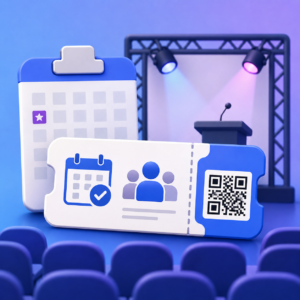
HighLevel now includes Events & Tickets, bringing event management and ticketing directly into the platform.

You can create online or in-person events, offer free or paid tickets, create Early Bird and VIP ticket options, take registrations, manage attendees and even scan QR code tickets with your phone as people arrive.

But for me, the really interesting bit is that this isn’t another standalone piece of event software.

Events & Tickets sits inside the same HighLevel system you can already use for your CRM, email marketing, SMS, WhatsApp, payments, websites, automations and sales pipelines.

What is HighLevel Events & Tickets?

Events & Tickets is HighLevel’s event management and ticketing functionality.

You can create a public event page and choose whether people need to purchase a ticket or simply RSVP.

Events can be online or in person, so it could be used for everything from an online workshop or webinar through to a networking event, seminar, conference or live performance.

For ticketed events, you can create multiple ticket types, including both paid and free tickets.

You can control the price, number of tickets available and exactly when each ticket goes on and off sale.

HighLevel also supports coupon codes, event schedules, speakers, attendee notifications and QR code check-in.

In other words, this isn’t simply an event registration form. It is a proper event ticketing system.

Different ticket types, including Early Bird tickets

You don’t have to sell every ticket at the same price.

HighLevel lets you create multiple ticket types, each with its own price, quantity and sale period.

For example:

  • Early Bird . £25, available until 31 August
  • General Admission . £35
  • VIP . £75
  • Guest / Speaker . Free

That means you can use Early Bird pricing to encourage people to book sooner.

You could make the Early Bird ticket available until a particular date or limit it to a certain number of tickets.

Once the sale period ends, that ticket is no longer available for purchase.

You could therefore offer the first 50 places at an Early Bird price before moving everyone onto General Admission.

HighLevel also supports event-specific coupon codes, giving you another way of offering promotional pricing.

What could you use Events & Tickets for?

There are plenty of possibilities.

Paid workshops and seminars

Let’s say you run a business workshop for 50 people.

You can create the event, publish the event page and offer Early Bird and General Admission tickets.

People register and pay online.

As the event approaches, you can communicate with attendees and send reminders.

When people arrive, their ticket contains a unique QR code.

Open the HighLevel mobile app, scan the QR code with your phone and the attendee is checked in.

No printed attendee list and no separate check-in application required.

Business and networking events

Perhaps you organise a monthly networking meeting.

You may not want to charge anything at all.

Create a free RSVP event, allow people to register and keep track of who is attending.

You now also have their contact information inside the same system you use for your marketing and CRM.

Online workshops and webinars

Events don’t have to take place at a physical venue.

You can create an online event and provide attendees with the meeting link and joining instructions.

That makes Events & Tickets potentially useful for webinars, demonstrations, online training and virtual workshops.

Conferences and larger events

For something more substantial, you can add schedules and speaker information to your event.

You could then have several ticket levels, such as Early Bird, General Admission and VIP, while limiting the number available at each level.

Classes and special events

There are lots of other possibilities.

Training days, open days, product launches, customer events, live performances, conferences and one-off classes could all potentially be managed through Events & Tickets.

Your phone becomes the ticket scanner

This is one of the features that makes the module feel like a proper event ticketing system.

For in-person events, attendees receive a ticket containing a unique QR code.

When they arrive at the venue, you can use the HighLevel mobile app to scan their ticket and check them in.

If somebody can’t find their ticket, you can also find them on the attendee list and check them in manually.

HighLevel can flag tickets that have already been checked in or that belong to a different event.

So for an in-person workshop, seminar or larger event, your phone effectively becomes your ticket scanner.

Free events as well as paid events

Ticketing doesn’t automatically mean you have to charge.

HighLevel supports both paid ticketed events and free RSVP events.

You can also have free ticket types.

This is important because businesses run events for very different reasons.

Sometimes the event itself is the product and you want to make money from ticket sales.

Other times the event is part of your marketing.

You might run a free seminar because you know that a percentage of the people attending will subsequently become customers.

Or you might want to give complimentary tickets to speakers, sponsors or VIP guests while everyone else purchases a ticket.

HighLevel gives you flexibility around how you structure that.

Your attendee is already in your CRM

This is probably the biggest advantage of having Events & Tickets inside HighLevel.

An event doesn’t really start when somebody walks through the door.

There is a complete customer journey.

Someone discovers your event.

They register.

They may purchase a ticket.

They need confirmation.

They may need reminders.

They attend.

You might want to follow up afterwards.

Perhaps you want to invite them to another event.

Or perhaps attending the event is actually part of a wider sales process.

Because the event functionality sits alongside your CRM and marketing tools, you can start thinking about the complete journey:

Registration → Confirmation → Reminders → Event → Follow-up → Next Offer

For many businesses, that could be much more valuable than simply being able to sell the ticket.

Email, SMS and WhatsApp reminders

This is another area where having event management inside HighLevel gets interesting.

HighLevel already gives you multiple ways of communicating with your contacts.

So your event communication doesn’t have to rely solely on email.

You could build an attendee journey using email, SMS and WhatsApp.

Immediately after registration:
Send the confirmation and ticket information.

One week before:
Send an email with more information about the event.

The day before:
Send an SMS or WhatsApp reminder.

The morning of the event:
Send a final reminder with useful information.

After the event:
Send a thank-you message, slides, recording or next offer.

And because these communication tools are part of HighLevel, they can be incorporated into your wider workflows and automations.

WhatsApp is particularly interesting because for many businesses it has become an important way of getting time-sensitive messages noticed.

Rather than relying entirely on someone spotting an email reminding them that your event starts tomorrow, you could use WhatsApp or SMS as part of the reminder sequence.

Or combine channels.

Send the detailed information by email, followed by a short WhatsApp reminder the day before.

HighLevel Events & Tickets vs Eventbrite

The obvious comparison for the module is Eventbrite.

But before comparing the two, there is an important distinction to make.

Event ticketing platforms broadly fall into two camps.

Discovery platforms

Platforms such as Eventbrite don’t just provide the technology for selling tickets.

They also operate a marketplace where people actively search for events.

That discovery element can be extremely valuable.

If you’re organising a public event, festival, entertainment event or something where you want the ticketing platform itself to help you find an audience, Eventbrite has an obvious advantage.

People can potentially discover your event who may never previously have heard of your business.

Direct-sale ticketing platforms

The other model is direct-sale ticketing.

Here, you already have, or generate, the audience yourself.

People might discover your event through:

  • Your website
  • Your email database
  • Social media
  • Google
  • Facebook or Instagram advertising
  • Your existing customers
  • Partners or affiliates
  • Your sales team

In this situation, you don’t necessarily need your ticketing provider to find the audience.

You need the software to create the event, sell the tickets, manage attendees and help you communicate with them.

And this is where HighLevel Events & Tickets becomes particularly interesting.

HighLevel is much closer to the direct-sale ticketing model.

You bring the audience. HighLevel helps you manage what happens next.

So is HighLevel an Eventbrite alternative?

For many businesses, yes, potentially.

If you use Eventbrite primarily to create an event, sell tickets, manage attendees and scan people in at the door, HighLevel can now provide many of those core functions.

You can create free and paid tickets, offer Early Bird pricing, create different ticket levels, use coupon codes and scan QR tickets from your phone.

But HighLevel then goes much further into CRM and marketing.

Someone could:

Discover your event → Visit your landing page → Buy a ticket → Enter your CRM → Receive email/SMS/WhatsApp reminders → Attend → Have their QR ticket scanned → Receive automated follow-up

All within the same platform.

That is a very different proposition from simply selling a ticket.

The Eventbrite discovery advantage

There is an important reason why I wouldn’t simply say HighLevel makes Eventbrite redundant.

Eventbrite is also a discovery platform.

People actively visit Eventbrite looking for events.

HighLevel doesn’t currently provide an equivalent consumer event marketplace.

So if Eventbrite is generating a meaningful percentage of your ticket sales through people discovering your event on its platform, that needs to be taken into consideration.

But ask yourself an important question:

Where do your attendees actually come from?

If you’re already generating most of your registrations through your own database, website, social media, advertising or existing customers, the Eventbrite marketplace may be less important to you.

In that situation, a direct-sale ticketing system built into your CRM starts to make a lot of sense.

Eventbrite ticket fees

Another area businesses will naturally compare is the cost of selling tickets.

Eventbrite applies ticketing fees to paid tickets, while free tickets don’t attract Eventbrite ticketing fees.

HighLevel Events & Tickets works differently because ticketing is functionality within the wider HighLevel platform rather than an Eventbrite-style discovery marketplace charging a ticketing fee on each paid ticket.

There may still be normal payment-processing costs when accepting card payments, so this shouldn’t be confused with there being no cost whatsoever to process a transaction.

But if you sell a significant number of paid tickets, it is certainly something worth comparing.

Eventbrite, your CRM and Zapier

Then there is the integration question.

Let’s say you use Eventbrite to sell your tickets but HighLevel or another CRM to manage your contacts and marketing.

You now have two separate systems.

If you want an Eventbrite ticket purchase to trigger activity in your CRM, you may need a native integration or an automation tool such as Zapier.

For example:

Ticket purchased in Eventbrite → Integration/Zapier → Contact updated in CRM → Marketing automation begins

There is nothing inherently wrong with that approach.

Sometimes connecting specialist software is exactly the right solution.

But it is another integration to configure and maintain.

With HighLevel Events & Tickets, the event, attendee, CRM and marketing tools are already part of the same platform.

So rather than asking:

“Can HighLevel replace Eventbrite?”

I think the better question is:

“Do I need an event discovery marketplace, or do I need a direct-sale ticketing system integrated with my CRM and marketing?”

If discovery is important, Eventbrite may have the advantage.

If you’re already generating your own audience and want ticketing to become part of a wider customer journey, HighLevel becomes a very interesting Eventbrite alternative.

HighLevel as an alternative to other event ticketing software

Of course, Eventbrite isn’t the only event and ticketing platform available.

There are lots of specialist solutions, and depending on your requirements they all have their own advantages.

But Events & Tickets means HighLevel can now be considered as an alternative to a growing number of popular event ticketing platforms, particularly if you also need CRM, marketing and automation.

If you’re currently searching for an alternative to any of the following, HighLevel may now be worth considering:

  • Eventbrite alternative
  • Ticket Tailor alternative
  • TicketSource alternative
  • TryBooking alternative
  • Humanitix alternative
  • FIXR alternative
  • Skiddle alternative
  • Eventcube alternative
  • Universe alternative
  • Billetto alternative

I wouldn’t suggest that HighLevel automatically replaces every feature of every one of these platforms.

Some specialist ticketing systems have functionality designed for particular types of venues, festivals, charities or large-scale events.

The important difference is what else you need your software to do.

If all you need is specialist ticketing, one of those dedicated platforms may be the right answer.

But if events form part of your wider marketing and sales process, HighLevel becomes a much more interesting proposition.

Alongside creating your event and selling tickets, HighLevel can also give you:

  • Free and paid tickets
  • Early Bird and different ticket levels
  • Coupon codes
  • Online and in-person events
  • QR code tickets and mobile check-in
  • CRM and contact management
  • Email marketing
  • SMS
  • WhatsApp
  • Automated reminders and follow-up
  • Sales pipelines
  • Calendars and appointment booking
  • Websites and landing pages
  • Payments
  • Marketing automation

For example, someone could discover your event through a HighLevel landing page, buy an Early Bird ticket, receive their confirmation by email, get a WhatsApp reminder the day before, have their QR ticket scanned at the door and then automatically receive your follow-up campaign afterwards.

All within the same platform.

That is why I wouldn’t necessarily describe HighLevel as simply another ticketing platform.

It is event ticketing connected to the rest of your CRM, sales and marketing system.


Another piece of software you may no longer need?

Events & Tickets is part of a much bigger trend I have been watching with HighLevel.

HighLevel keeps adding functionality.

Websites.

Funnels.

Email marketing.

SMS.

WhatsApp.

Social media.

Reviews.

Online courses.

Communities.

Calendars and appointments.

Payments and e-commerce.

AI.

And now Events & Tickets.

Individually, there are specialist platforms for almost every one of these areas.

But that isn’t really the point.

For many small and medium-sized businesses, the attraction of HighLevel is having more of these functions connected together.

Instead of having:

CRM + email platform + booking system + event software + automation tool + Zapier + other integrations

you can potentially bring much more of it into one system.

That can mean fewer subscriptions, fewer integrations to maintain, less duplication of customer data and fewer places for things to go wrong.

Events & Tickets with MarketerM8

If you already use MarketerM8, there is some particularly good news.

Events & Tickets is included FREE as part of your existing MarketerM8 account.

marketerm8 workshop courses and communities highlevelThere isn’t another MarketerM8 subscription to add simply because HighLevel has introduced another useful module.

So your existing MarketerM8 account has gained another piece of functionality. And we cover Events & Ticketing in our Live Workshop #10 Online Courses, Communities & Events.

And I think that is an important part of the HighLevel story.

The platform keeps evolving and new functionality continues to be added.

If you’re a MarketerM8 customer and would like to start using Events & Tickets, get in touch and we’ll help you get started.

Not using MarketerM8?

If you’re currently using separate systems for CRM, email marketing, WhatsApp, event ticketing, calendars, automation and other parts of your marketing, it might be worth looking at what HighLevel can now bring together.

This is really the bigger story behind Events & Tickets.

It isn’t simply:

“HighLevel can now sell tickets.”

It is that another previously separate part of the customer journey can now sit inside the same platform.

And HighLevel keeps adding more.

If you’d like to see what HighLevel and MarketerM8 could do for your business, I’m more than happy to give you a demo and show you what is possible. Book a Discovery Call.

Read the Highlevel release notes.


HighLevel Events & Tickets FAQs

Where do I find Events & Tickets in my HighLevel account?

You can find Events & Tickets in the Memberships section of your HighLevel sub-account.

From there you can create and manage your events, ticket types, attendees and event settings.

Why can’t I see Events & Tickets in my HighLevel account?

As of 12 August 2026, Events & Tickets is still in Beta and isn’t automatically available in every HighLevel account.

HighLevel’s current timetable indicates that the feature should become generally available around 30 November 2026.

If you’re a MarketerM8 customer, you don’t need to wait for the general release. Get in touch with us and we can request early access to Events & Tickets for your account.

This particular FAQ was last updated on 12 August 2026. HighLevel’s release timetable may change.

Can I sell paid tickets with HighLevel?

Yes. HighLevel Events & Tickets supports paid tickets.

You can create multiple ticket types with different prices, quantities and periods during which they are available for sale.

Can I create free events in HighLevel?

Yes. You can use HighLevel for free events as well as paid events.

You can create a free RSVP event or include free ticket types within a ticketed event.

This makes it suitable for free workshops, networking meetings, webinars, open days and customer events as well as events where you charge for admission.

Can I offer Early Bird tickets in HighLevel?

Yes.

HighLevel allows each ticket type to have its own sale period, so you could create an Early Bird ticket at a lower price that is only available until a particular date.

For example:

Early Bird £25 → General Admission £35 → VIP £75

You can also limit the number of tickets available at each level.

Does HighLevel Events & Tickets have QR code tickets?

Yes.

Attendees receive tickets containing a unique QR code.

For an in-person event, you can use the HighLevel mobile app to scan the QR code when the attendee arrives and check them into the event.

If necessary, attendees can also be checked in manually.

Can HighLevel Events & Tickets be used for online events?

Yes. HighLevel supports online as well as in-person events.

This makes it suitable for webinars, online workshops, virtual training and other online events as well as physical events.

Can HighLevel send event reminders?

Yes.

One of the advantages of using HighLevel is that your event sits alongside its wider communication and automation tools.

You can use email, SMS and WhatsApp as part of your attendee communication and follow-up.

For example, you could send an email confirmation when somebody registers, a WhatsApp reminder the day before and an automated follow-up after the event.

Is HighLevel an alternative to Eventbrite?

Potentially, yes.

If you primarily need a direct-sale ticketing platform to create events, sell tickets, manage attendees and check people in, HighLevel Events & Tickets is worth considering as an Eventbrite alternative.

The important difference is that Eventbrite is also a discovery platform, with a marketplace where consumers can find events.

HighLevel takes a different approach.

You generate the audience, while HighLevel provides the ticketing, CRM, marketing and automation tools to manage the wider customer journey.

Does HighLevel charge a commission on event ticket sales?

HighLevel Events & Tickets doesn’t use the same Eventbrite-style ticketing fee model.

However, normal payment-processing charges may still apply when accepting card payments.

The exact cost will depend on the payment provider and configuration you use.

Do I need Zapier to connect HighLevel Events & Tickets to my CRM?

No.

This is one of the big advantages of using HighLevel for event ticketing.

Your Events & Tickets functionality and your HighLevel CRM are already within the same platform.

This means you don’t need Zapier simply to move an attendee from separate ticketing software into HighLevel before you can start using HighLevel’s CRM and marketing tools.

Is HighLevel Events & Tickets included with MarketerM8?

Yes.

Events & Tickets is included FREE as part of your MarketerM8 account.

So if you’re already a MarketerM8 customer, this gives you another piece of functionality without needing another MarketerM8 software subscription.


Julian Mills HighLevel Consultant and Marketing Automation Strategist

About the Author

Julian Mills

HighLevel Consultant & Marketing Automation Strategist

Julian Mills helps business owners automate lead generation, sales follow-up, customer communication and business processes using HighLevel and MarketerM8. Since 2009 he has helped businesses implement CRM, marketing automation and AI-powered systems that save time, improve customer experience and generate more sales.

About Julian
Book a Discovery Call
Join a Free HighLevel Workshop
Learn About HighLevel with MarketerM8

FieldTask for HighLevel: What It Is, How It Works and How to Get It

Fieldtask highlevel integration

Fieldtask highlevel integrationIf you run a service or trade business, you may have come across FieldTask while looking for software to manage jobs and people working out in the field.

FieldTask provides many of the tools you would expect from field-service software, including job management, scheduling, routes, time tracking, photographs, forms and job sign-off.

But there is something important to understand before you get started.

FieldTask is designed specifically for HighLevel. You need a HighLevel sub-account to use it, and FieldTask has confirmed to us that the app must be installed by the HighLevel agency managing that account.

FieldTask does not currently provide HighLevel accounts themselves.

If you already use HighLevel, speak to your existing agency about adding FieldTask.

If you don’t have HighLevel, you have two choices. You can set up your own HighLevel agency account and configure everything yourself, or you can work with an existing HighLevel agency such as MarketerM8 that can provide your sub-account and help you get FieldTask installed and configured.

We’ve already been assisting clients with FieldTask implementations, so we’ve had practical experience of setting up the combination.

What Is FieldTask?

FieldTask is a field-service management application designed for businesses that send people out to customers to deliver work.

That could include businesses such as:

  • Plumbers
  • Electricians
  • Cleaning companies
  • Heating and HVAC businesses
  • Pest control businesses
  • Landscapers
  • Property maintenance companies
  • Installation businesses
  • Mobile repair businesses

HighLevel is already very strong at managing leads, customers, sales and marketing.

FieldTask extends that into the operational side of the business.

HighLevel Manages the Customer. FieldTask Manages the Job.

This is probably the simplest way to understand the relationship.

HighLevel can manage:

  • Leads and enquiries
  • CRM and customer records
  • Sales pipelines
  • Email, SMS and WhatsApp
  • Phone calls
  • Calendars and appointments
  • Quotes and payments
  • Automated follow-up
  • Review requests
  • Customer reactivation
  • Marketing campaigns

FieldTask can manage:

  • Jobs and work orders
  • Field operatives
  • Scheduling and dispatching
  • Routes and locations
  • Time on site
  • Job photographs
  • Forms and notes
  • Customer signatures
  • Job progress
  • Job completion

Put them together and you can start managing much more of the complete customer journey:

Enquiry → Sale → Job → Completion → Payment → Review → Repeat Business

And that is what makes the combination interesting.

Why Not Just Use Traditional Field-Service Software?

There are already some excellent field-service applications available, including ServiceM8, Jobber, Tradify, Simpro and others.

Many do a very good job of managing work in the field.

The challenge often comes with everything surrounding the job.

  • How did the customer become a lead?
  • How are enquiries followed up?
  • How are quotes chased?
  • How are customers reminded about appointments?
  • How do you request a Google review afterwards?
  • How do you market another service to the customer six months later?

This is where HighLevel brings something different to the equation.

Rather than having one system for marketing, another CRM and another application for job delivery, HighLevel and FieldTask can form part of the same connected ecosystem.

An Example of HighLevel + FieldTask in Practice

Imagine you run a cleaning, plumbing, electrical or property-maintenance business.

Someone visits your website and requests a quote.

The enquiry enters HighLevel and an opportunity is created in your sales pipeline.

HighLevel can automatically acknowledge the enquiry, notify your team and start the appropriate follow-up.

The customer accepts the quote.

At that point, the process moves from selling the job to delivering the job.

That’s where FieldTask takes over more of the operational work.

The job can be scheduled and allocated to the appropriate operative. The person delivering the work can access the job details, location and instructions.

While on site they can record time, complete forms, add photographs and collect signatures.

Once the work has been completed, HighLevel can continue the customer journey.

For example, you could automatically send:

  • A thank-you message
  • A payment reminder
  • A Google review request
  • A follow-up offer
  • A reminder when the customer is likely to need the service again

It becomes one connected process rather than several isolated pieces of software.

The Real Opportunity Is Connecting Sales and Operations

This is the part of FieldTask that particularly interests me.

For years I’ve worked with businesses where sales and marketing operate in one system while job delivery happens somewhere else.

That creates duplication. Customer information gets entered twice. Staff have to jump between different applications. Automations stop when the sale is made. Nobody follows up properly once the job is completed.

The software itself isn’t necessarily the problem.

The problem is that the systems don’t connect.

FieldTask has been created specifically around HighLevel, which potentially allows a service business to extend its CRM much further into the operational side of the business.

We’ve Been Setting Up FieldTask for Clients

At MarketerM8, we’ve already been assisting clients with installing and configuring FieldTask alongside HighLevel.

What interested me during those implementations wasn’t simply the list of FieldTask features.

It was being able to take an existing HighLevel system that was already managing customers, communications and workflows and extend it into the actual delivery of the service.

For example, FieldTask can provide field teams with tools such as:

  • Route planning
  • Map visibility
  • Job-time tracking
  • Before-and-after photographs
  • On-site forms
  • Customer sign-off
  • Job reports

Those operational features can then sit alongside the CRM and marketing functionality already available within HighLevel.

You Don’t Necessarily Need to Replace Everything

If you’re already using specialist software within your business, I’m not suggesting you should immediately throw everything away.

There are some very mature field-service systems available, and some industries have very specialist requirements.

The sensible starting point is to map how your business currently works.

  • What happens when someone makes an enquiry?
  • How is the opportunity followed up?
  • How do you quote?
  • How does the job get booked?
  • Who allocates it?
  • What does the operative need while on site?
  • What happens when the job is complete?
  • How do you invoice?
  • How do you get the review?
  • How do you generate the next sale?

Once you understand that process, you can decide where HighLevel and FieldTask should fit.

The software should fit the business. The business shouldn’t have to fit the software.

FieldTask vs ServiceM8, Jobber, Tradify and Simpro

If you’re researching FieldTask, there’s a reasonable chance you’re also considering systems such as ServiceM8, Jobber, Tradify or Simpro.

I wouldn’t claim that FieldTask automatically replaces every one of them.

The right choice depends on the complexity of your operation and the specialist functionality you require.

But there is an important difference worth considering.

With many traditional field-service systems, the starting point is:

How do we manage the job?

With HighLevel + FieldTask, you can think more broadly:

How do we manage the entire customer journey from first enquiry through to repeat business?

For many small and medium-sized service businesses, that could be a much more valuable question.

How Do You Get HighLevel for FieldTask?

If you’ve discovered FieldTask but don’t currently have HighLevel, there are essentially two ways you can get everything set up.

Option 1: Set Up HighLevel and FieldTask Yourself

You can go directly to HighLevel, set up your own HighLevel agency account and manage everything yourself.

From there, you’ll need to learn how to configure the agency, create and set up the HighLevel sub-account for your business, and then work out how to install and configure FieldTask within it.

This gives you complete control and may be the right option if you’re technically confident and enjoy setting up software yourself.

However, it’s worth understanding what you’re taking on.

You’re effectively learning three things at the same time:

  1. How to set up and manage a HighLevel agency
  2. How to configure a HighLevel sub-account around your business
  3. How to install and configure FieldTask so the two systems work together

HighLevel is an extremely powerful platform, but with that power comes a learning curve. Add FieldTask and the integration between the two, and there’s quite a lot to understand if you’re starting from scratch.

If you’re happy to do that yourself, you can set up your own HighLevel account here.

Option 2: Let MarketerM8 Help You Set Everything Up

The alternative is to work with an existing HighLevel agency that already understands the platform and has experience setting up FieldTask.

That’s where MarketerM8 comes in.

We can provide the HighLevel sub-account you need, configure the foundations and install FieldTask for you.

We’ve already been assisting clients with FieldTask implementations, so rather than you having to learn HighLevel, FieldTask and how the two systems fit together at the same time, we can help you get the system up and running.

More importantly, we don’t simply install the software.

We look at how your business actually works and how the complete process should fit together:

Lead → Sale → Job → Payment → Review → Repeat Business

That means configuring HighLevel around your sales and customer journey while using FieldTask for the operational side of delivering the work.

Find out more about HighLevel with MarketerM8.

Which Route Is Right for You?

If you enjoy working with software, have the time to learn HighLevel and want complete control over your own setup, the DIY route may make perfect sense.

If you primarily want to run your service or trade business rather than become a HighLevel expert, working with MarketerM8 can remove much of that initial learning curve and help you get to a working system faster.

Neither approach is necessarily right or wrong.

The important thing is understanding that getting a HighLevel account is only the starting point. The real value comes from configuring HighLevel and FieldTask so they work together around the way your business actually operates.

Frequently Asked Questions

What is FieldTask?

FieldTask is a field-service management application built specifically to work with HighLevel. It adds job-management and field-team functionality to HighLevel’s CRM, sales and marketing platform.

Do you need HighLevel to use FieldTask?

Yes. FieldTask requires a HighLevel sub-account. FieldTask has also confirmed to us that the app needs to be installed by the HighLevel agency managing that account.

Can I get HighLevel myself to use FieldTask?

Yes. You can set up your own HighLevel agency account, create your own sub-account and then install and configure FieldTask yourself.

Alternatively, you can work with an existing HighLevel agency such as MarketerM8 and have us provide the sub-account and assist with the setup.

What does FieldTask add to HighLevel?

FieldTask adds specialist operational tools for managing jobs, field workers, scheduling, routes, time tracking, photographs, forms, signatures and job completion.

Is FieldTask a CRM?

FieldTask is primarily a field-service management application. HighLevel provides the CRM, sales, communications and marketing functionality around it.

Is FieldTask an alternative to ServiceM8 or Jobber?

It could be, depending on the needs of your business. FieldTask’s major distinction is that it has been designed specifically to work alongside HighLevel rather than operating as an entirely separate CRM and field-service platform.

Can MarketerM8 set up HighLevel and FieldTask?

Yes. MarketerM8 can provide the HighLevel sub-account required for FieldTask and assist with installing and configuring the system around your business.

Want to Use FieldTask?

If you’ve discovered FieldTask and think it could be a good fit for your service or trade business, we can help you get the complete system in place.

MarketerM8 can provide your HighLevel account, install FieldTask and help configure the customer journey around it.

Or, if you’d rather build everything yourself, that’s an option too.

Set up HighLevel yourself or have MarketerM8 set it up for you.

Would you like to discuss your specific requirements?  Book a Discovery Call with Julian.

Julian Mills HighLevel Consultant and Marketing Automation Strategist

About the Author

Julian Mills

HighLevel Consultant & Marketing Automation Strategist

Julian Mills helps business owners automate lead generation, sales follow-up, customer communication and business processes using HighLevel and MarketerM8. Since 2009 he has helped businesses implement CRM, marketing automation and AI-powered systems that save time, improve customer experience and generate more sales.

About Julian
Book a Discovery Call
Join a Free HighLevel Workshop
Learn About HighLevel with MarketerM8

🎓 HighLevel Live Training Workshop #3 : Calendars & Appointments Training Workshop : 24 November 2026

If customers, prospects or clients book appointments with your business, HighLevel’s calendar system can do considerably more than simply put an appointment in someone’s diary.

You can use HighLevel calendars to manage online bookings, availability, appointment confirmations, reminders, rescheduling, cancellations and follow-up.

But HighLevel calendars aren’t only about booking meetings with people.

Depending on your business, you can use calendars to manage people, services and bookable resources or rentals.

And because the calendar sits inside your HighLevel CRM, a booking can become part of a much bigger automated customer journey.

For example:

Customer books → Contact updated → Confirmation sent → Team notified → Reminders sent → Booking takes place → Follow-up triggered

That’s why our HighLevel Calendars & Appointments workshop isn’t simply about showing you where the calendar settings are.

It’s about understanding how to use HighLevel appointment booking and scheduling as part of your wider sales, marketing and customer service process.

The workshop is part of MarketerM8’s rolling programme of 13 free live HighLevel training workshops.


GoHighLevel calendar training free Calendars and Appointments workshop

Want to Master HighLevel Calendars?

Join our free live HighLevel Calendars & Appointments workshop and learn how to turn appointment and service bookings into an automated customer journey.

Register for the next Free HighLevel Calendars & Appointments Training Workshop

What Are HighLevel Calendars?

HighLevel includes appointment scheduling and calendar functionality that allows people to book available times with you, your team or, depending on the setup, a particular service or resource.

At its simplest, you can create a booking calendar, define availability and give somebody a link where they can choose an available time.

But that’s only the beginning.

Because HighLevel combines calendars with CRM, conversations, pipelines and automation, a booking can trigger other actions throughout the platform.

For example, you might want HighLevel to:

  • create or update the contact;
  • send an immediate booking confirmation;
  • notify a member of your team;
  • send email or SMS reminders;
  • update an opportunity in your sales pipeline;
  • trigger different follow-up depending on what happens;
  • or start another workflow after the booking.

That’s why I encourage people to think beyond simply creating a booking page.

Don’t Just Build a Calendar. Design the Booking Journey.

Before you start configuring a HighLevel calendar, think about what should happen before, during and after a booking.

Ask questions such as:

  • What is the customer actually booking?
  • Who should be allowed to book?
  • How far in advance can somebody book?
  • How much notice do we need?
  • How long should the booking be?
  • Do we need time between bookings?
  • Which member of staff, service or resource is required?
  • What information do we need from the person booking?
  • What confirmation should they receive?
  • How many reminders should we send?
  • What happens if they cancel?
  • What happens if they reschedule?
  • What happens if they don’t turn up?
  • What happens after the booking?

Those are business process questions.

Once we’ve answered them, we can decide how HighLevel should be configured.

Process first. HighLevel calendar settings second.

HighLevel Calendars Can Be About People, Services or Resources

One of the easiest ways to understand HighLevel calendars is to stop thinking of them simply as “appointment calendars”.

Instead, think about what the customer is actually trying to book.

Broadly, that may be:

  • a person;
  • a service;
  • or a resource.

That distinction can completely change how you design the booking process.

1. Booking a Person

This is the traditional appointment calendar.

A prospect or customer wants to book time with somebody.

For example:

  • a discovery call with a consultant;
  • a sales appointment;
  • a meeting with an account manager;
  • a coaching session;
  • a consultation;
  • or a customer review.

The booking is primarily based around that person’s availability.

2. Booking a Service

Sometimes the customer isn’t particularly interested in who they see.

They want to book a service.

For example:

  • an initial consultation;
  • a follow-up consultation;
  • a treatment;
  • an assessment;
  • a survey;
  • an installation;
  • a maintenance visit;
  • a training session;
  • or another defined service.

Different services may require different appointment durations, availability, staff, preparation and follow-up.

This means the booking journey can be structured around what the customer wants rather than expecting them to understand your internal team structure.

For many service businesses, that’s a much more natural way to design online booking.

3. Booking a Resource or Rental

There are also situations where the customer isn’t primarily booking a person or service.

They’re booking access to a resource.

Depending on the requirements and how the availability is structured, calendar-style booking can potentially be useful for things such as:

  • meeting rooms;
  • treatment rooms;
  • studio space;
  • training rooms;
  • equipment;
  • vehicles;
  • facilities;
  • or other rental and bookable assets.

The questions are similar, but the thinking is slightly different.

When is the resource available?

How long can somebody book it for?

Do we need a buffer between bookings?

Can several resources of the same type be available simultaneously?

What should the customer receive when they reserve it?

What happens when the rental or booking finishes?

For straightforward resource booking, HighLevel may be able to provide a useful solution.

For complex rental operations involving stock management, variable rental periods, deposits, damage management or other specialist requirements, dedicated rental software may still be more appropriate.

The objective isn’t to force HighLevel to do everything. It’s to use HighLevel where it genuinely fits the process.

Different Ways Businesses Can Use HighLevel Calendars

There’s no single correct way to use a HighLevel calendar.

The right setup depends on how your business works and what your customers need to book.

Sales and Discovery Calls

If your business books discovery calls, consultations or sales appointments, you can give prospects a link where they can choose an available time.

Once they book, HighLevel can confirm the appointment and start the appropriate follow-up process.

This removes much of the back-and-forth involved in arranging meetings manually.

Customer Appointments

HighLevel calendars can also be used for appointments with existing customers.

Depending on your business, that might include reviews, consultations, service appointments, onboarding sessions or follow-up meetings.

Service Bookings

A service business may want customers to start by choosing what they want to book.

For example, a clinic might offer several appointment types of different lengths.

A consultant might offer an initial discovery call, a paid consultation and a follow-up session.

A training company might offer several types of training session.

Thinking in terms of services can make the booking experience considerably easier for the customer.

Team Calendars

If several people in your business take appointments, you may need more than a simple individual calendar.

HighLevel provides options for creating calendars that work across teams and users.

This becomes useful when you want bookings distributed among appropriate members of staff rather than everything being booked with one person.

Round-Robin Appointment Booking

A round-robin calendar can distribute appointments across a group of people.

For example, if you have three salespeople, you may not want prospects choosing a particular salesperson.

You might simply want the next appropriate available person to receive the appointment.

HighLevel can help manage that process.

Rental and Resource Bookings

For some businesses, the booking revolves around the availability of a room, piece of equipment or another resource.

This can open up uses for HighLevel calendars beyond traditional sales and consultation appointments.

However, resource and rental requirements vary enormously, so map the complete process before deciding whether HighLevel is the right tool.

HighLevel Calendar Availability

One of the fundamental parts of setting up a HighLevel calendar is defining when bookings can be made.

This sounds simple, but it’s worth thinking through carefully.

You may need to consider:

  • working hours;
  • different availability on different days;
  • minimum notice periods;
  • how far ahead somebody can book;
  • appointment or booking duration;
  • buffers between bookings;
  • existing diary commitments;
  • individual team members’ availability;
  • service availability;
  • and resource availability.

A badly configured calendar can create just as much administrative work as having no booking system at all.

The objective is to make booking easier for the customer without creating diary or resource problems for your team.

Connect HighLevel With Your Existing Calendar

For many users, HighLevel isn’t the only calendar they use.

You may already manage your diary through Google Calendar or Microsoft Outlook.

Connecting your calendars is important because you don’t want somebody booking a HighLevel appointment at a time when you’re already busy elsewhere.

When setting things up, make sure you understand which calendars should affect your availability and where new appointments should appear.

It’s one of those relatively small setup decisions that can prevent much bigger problems later.

Appointment Confirmation Is Only the Beginning

Once somebody has booked, don’t simply leave them waiting until the appointment.

HighLevel gives you an opportunity to create a much better experience.

An immediate confirmation can reassure the person that the booking was successful.

It can also explain:

  • when the appointment or booking is;
  • where it will take place;
  • who they’ll be speaking to;
  • how to join an online meeting;
  • anything they need to prepare;
  • what they’ve booked;
  • and how to reschedule or cancel if necessary.

A good confirmation message can prevent confusion before it occurs.

Use HighLevel Appointment Reminders to Reduce No-Shows

A person booking an appointment today may be enthusiastic about attending.

Three days later, life gets in the way.

That’s why appointment reminders can be so valuable.

HighLevel allows appointment communication to be automated, so you can remind people before their meeting without someone on your team having to do it manually.

Depending on your business and setup, reminders might use:

  • email;
  • SMS;
  • or other appropriate communication channels.

The objective isn’t to bombard people.

It’s to give them a useful reminder at an appropriate time.

What Happens When Someone Cancels or Reschedules?

A good booking system needs to account for things not going according to plan.

People cancel.

People reschedule.

People don’t turn up.

Rather than treating these as exceptions that somebody has to manually sort out every time, think about the process you want HighLevel to support.

For example, if somebody cancels, should they be encouraged to choose another time?

If somebody doesn’t attend, should they automatically receive a message with a new booking link?

If somebody reschedules, should the appropriate team member be notified?

This is where calendars and workflows start working together.

Connect Your HighLevel Calendar to Your Sales Pipeline

If appointments form part of your sales process, they shouldn’t necessarily exist in isolation from your pipeline.

Imagine somebody books a sales consultation.

You might want the process to look something like this:

New enquiry → Qualified → Appointment booked → Appointment attended → Proposal sent → Won/Lost

Now the appointment isn’t simply a diary entry.

It’s part of the journey from prospect to customer.

That’s one of the major advantages of having appointment booking inside your CRM.

HighLevel Calendars and Workflows Work Particularly Well Together

Calendars become considerably more powerful when combined with HighLevel workflows.

A booking can become the trigger for an automated sequence.

For example:

Booking made → Send confirmation → Notify team → Wait → Send reminder → Booking takes place → Trigger appropriate follow-up

That’s much more useful than simply receiving an email saying somebody has booked.

And once you understand the principle, you can adapt the automation around the way your own business operates.

Can HighLevel Replace Calendly?

This is a common question.

For many businesses, HighLevel’s calendar functionality may remove the need for a separate appointment scheduling tool.

But I wouldn’t approach it simply as:

“HighLevel has calendars, so cancel Calendly.”

Instead, ask what your current scheduling system does and whether HighLevel can meet those requirements.

If it can, consolidating appointment booking into the same platform as your CRM, workflows, pipelines and communications can have significant advantages.

But the objective is to improve your business systems, not simply reduce the number of software logos on your credit card statement.

HighLevel Calendar Training Backed by Real Marketing Experience

This is another area where I think context matters.

I’m not simply teaching you how to configure a HighLevel calendar.

I’ve worked hands-on in direct marketing since 1996 and with CRM and marketing automation since 2009.

Since 2009, I’ve helped hundreds of businesses improve, automate and systemise their marketing.

I’m also a Certified Entrepreneurs Circle Marketing Coach and have helped Entrepreneurs Circle GenieAI subscribers apply AI and marketing automation within their businesses.

Through my own HighLevel agency, MarketerM8, I’ve personally onboarded more than 100 HighLevel users.

So when we look at calendars and appointments, we can consider three things:

  • the customer journey;
  • the business process and automation;
  • and how HighLevel should be configured to support them.

That’s very different from simply learning which buttons to click.

What Will You Learn in the HighLevel Calendars & Appointments Workshop?

This free live workshop is designed to help you understand how HighLevel calendars work and how to apply them practically within your business.

We’ll explore areas such as:

  • how HighLevel calendars work;
  • creating appointment calendars;
  • setting availability;
  • appointment duration and buffers;
  • connecting external calendars;
  • individual and team calendars;
  • round-robin appointment booking;
  • service-based bookings;
  • bookable resources and rental-style use cases;
  • booking forms;
  • appointment confirmations;
  • reminders;
  • cancellations and rescheduling;
  • connecting appointments to workflows;
  • how calendars can work with sales pipelines;
  • and common calendar setup mistakes to avoid.

The objective isn’t simply to build a calendar.

It’s to understand how HighLevel can help create a better booking and follow-up process.


Free HighLevel Calendars and Appointments training workshop

Learn HighLevel Calendars Live

Join Julian Mills for this free live HighLevel calendar training workshop and learn how to manage appointments, services, availability, reminders and booking automation.


Register for the next Free HighLevel Calendars & Appointments Training Workshop

Calendars & Appointments Is Part of Our Free HighLevel Training Programme

The Calendars & Appointments workshop is part of MarketerM8’s rolling programme of 13 free live HighLevel training workshops.

The programme is designed to help you learn HighLevel one practical area at a time.

If you’re completely new to the platform, start with our HighLevel Foundations for Beginners training.

You can then move into subjects such as email marketing, calendars, sales pipelines, workflows, database management, forms, websites, social media, reputation management, ecommerce, advertising and AI.

You don’t need to learn everything at once.

Learn the parts of HighLevel your business actually needs.

Do I Need to Be a MarketerM8 Customer?

No.

You don’t have to be a MarketerM8 subscriber to attend our free live HighLevel training workshops.

You can attend if you’re already using HighLevel, considering the platform or simply want to understand more about how its calendar and appointment functionality works.

What If I Need Help Setting Up My Own HighLevel Calendars?

A live workshop can teach you how the functionality works.

But your own booking process may need something more specific.

Perhaps you need help:

  • mapping your appointment journey;
  • setting up calendars for several members of staff;
  • structuring different services;
  • creating round-robin booking;
  • setting up resource or rental-style bookings;
  • integrating calendars with your existing diaries;
  • automating appointment reminders;
  • connecting bookings to a sales pipeline;
  • building no-show follow-up;
  • or training your team.

That’s where I can provide remote HighLevel training and Done-With-You implementation.

For larger projects and teams, on-site HighLevel training and implementation is also available throughout the UK and internationally.

If you’re experiencing a technical issue rather than needing training or consulting, take a look at my guide to HighLevel support in the UK.

Frequently Asked Questions About HighLevel Calendars & Appointments

Does GoHighLevel Have a Calendar?

Yes.

HighLevel includes appointment scheduling and calendar functionality as part of the platform.

You can create booking calendars, define availability and allow people to schedule appointments with you or members of your team.

The major advantage is that appointment booking can work alongside your HighLevel contacts, workflows, conversations and sales pipelines.

How Do HighLevel Calendars Work?

You create a calendar based on the type of appointment, service or booking you want to offer and configure factors such as availability, duration and the users involved.

You can then provide people with a booking link or incorporate the calendar into your wider online customer journey.

Once somebody books, HighLevel can use automation to manage confirmation, reminders and follow-up.

Can HighLevel Calendars Be Used for Different Services?

Yes.

HighLevel calendars can be structured around different appointment or service types, depending on your requirements.

For example, a consultant might offer an initial consultation, a follow-up meeting and a longer strategy session.

Different services can require different durations, availability, team members and follow-up.

This can work particularly well for consultants, clinics, trades, training providers and other service businesses.

Can HighLevel Be Used for Rentals or Resource Bookings?

Potentially, yes, depending on the type of rental or resource.

Calendar-style availability can make HighLevel useful for some bookable rooms, equipment, facilities, vehicles or similar resources.

However, more complex rental businesses may require specialist functionality such as detailed inventory management, variable rental periods, deposits or damage management.

Map the requirements first rather than assuming HighLevel should replace specialist rental software.

Can GoHighLevel Replace Calendly?

For many businesses, potentially yes.

HighLevel provides appointment scheduling functionality that overlaps with dedicated booking tools such as Calendly.

The additional advantage is that your booking system can sit inside the same platform as your CRM, marketing automation, sales pipeline and communications.

However, check your particular requirements before replacing an existing scheduling system.

Can HighLevel Connect to Google Calendar?

Yes.

HighLevel can integrate with external calendars, including Google Calendar, allowing your existing diary commitments to be taken into account when managing availability.

Make sure you configure the integration correctly so HighLevel understands which calendars should affect your availability and where appointments should be created.

Can HighLevel Connect to Outlook Calendar?

HighLevel provides calendar integrations for users working with Microsoft calendar environments as well.

The exact configuration depends on your account and calendar setup, so it’s worth checking HighLevel’s current documentation when connecting external calendars.

Can HighLevel Send Appointment Reminders?

Yes.

HighLevel can use automation to send appointment confirmations and reminders.

This is useful for reducing manual administration and helping decrease missed appointments.

Think carefully about the timing and number of reminders rather than simply sending as many as possible.

Can HighLevel Send SMS Appointment Reminders?

Yes, where SMS is configured for your HighLevel account.

SMS can be particularly useful for appointment reminders because people often see text messages quickly.

You may choose to combine SMS with email depending on the appointment and your audience.

Can HighLevel Send Email Appointment Reminders?

Yes.

Email can be used for booking confirmations, reminders and other appointment-related communication.

An email also gives you space to provide useful information such as joining instructions, preparation requirements or directions.

What Is a HighLevel Round-Robin Calendar?

A round-robin calendar distributes appointments among a group of users.

For example, a business with several salespeople may want incoming discovery calls distributed across the sales team rather than every appointment going to the same person.

This can help manage availability and distribute opportunities more effectively.

Can Several Staff Members Use HighLevel Calendars?

Yes.

HighLevel supports calendar setups involving multiple users.

The right structure depends on whether customers need to choose a particular person, a particular service or simply the next appropriate available appointment.

Can HighLevel Automatically Follow Up After an Appointment?

Yes.

This is one of the benefits of combining calendars with HighLevel workflows.

What happens after an appointment can trigger further actions depending on your setup.

That might include sending follow-up information, updating a sales process or starting another automated sequence.

Can HighLevel Follow Up With Appointment No-Shows?

Yes, you can build processes around appointment status and follow-up.

For example, someone who doesn’t attend could receive an appropriate message inviting them to rebook.

The exact process should reflect your business rather than automatically treating every no-show identically.

Can a HighLevel Booking Update My Sales Pipeline?

Yes, calendars can be used alongside HighLevel workflows and opportunities.

This means an appointment can become part of your wider sales process rather than existing as an isolated diary event.

For businesses where appointments are an important sales milestone, this can be particularly useful.

Can Customers Reschedule HighLevel Appointments?

HighLevel provides functionality for managing appointment changes, including rescheduling, depending on how your calendar and communications are configured.

Make the process as straightforward as possible for customers.

It’s usually better for somebody to reschedule easily than simply fail to attend because changing the appointment was too difficult.

Can Customers Cancel HighLevel Appointments?

Yes, cancellation can form part of the booking process.

You should also think about what happens after somebody cancels.

For example, should they receive an opportunity to choose another time?

That’s where combining the calendar with automation becomes useful.

Can I Add Questions to a HighLevel Booking Form?

HighLevel allows you to collect information as part of your booking process.

Think carefully about what you genuinely need to know before the appointment.

Every additional question creates extra work for the person booking, so only collect information that has a purpose.

Can I Use HighLevel Calendars for Paid Appointments?

Depending on your HighLevel setup and the type of booking, payments can be incorporated into booking and sales processes.

This can be useful where a customer needs to pay for a consultation, session or other service rather than simply reserving a free appointment.

Is the HighLevel Calendars & Appointments Workshop Free?

Yes.

The Calendars & Appointments workshop is part of MarketerM8’s programme of free live HighLevel training workshops.

There’s no charge to attend the live workshop.

Do I Need to Be a MarketerM8 Customer to Attend?

No.

You can attend the free HighLevel training workshops without being a MarketerM8 subscriber.

Can I Ask Questions During the HighLevel Calendar Workshop?

Yes.

That’s one of the advantages of attending live HighLevel training rather than relying entirely on prerecorded tutorials.

You can see the platform being used and ask questions about the subject we’re covering.

What Should I Learn After HighLevel Calendars?

If appointments are part of your sales process, I’d recommend learning about HighLevel Sales Pipelines & Opportunities.

If you want to automate confirmations, reminders, no-show follow-up and post-appointment communication, the HighLevel Workflows & Automation workshop is another natural next step.

You can explore all the subjects in our free HighLevel training programme.

Ready to Learn HighLevel Calendars & Appointments?

Don’t think of a HighLevel calendar as simply somewhere people book a time.

Think about what is being booked.

A person?

A service?

A resource?

Then think about the complete journey:

Booking → Confirmation → Reminder → Appointment or Service → Follow-up

Then decide how HighLevel can help you make that journey easier for the customer and more efficient for your business.

That’s exactly what our Calendars & Appointments workshop is designed to help you do.


Register for free GoHighLevel Calendars and Appointments training

Ready to Improve Your Booking Process?

Join our free live HighLevel Calendars & Appointments workshop and learn how to manage people, services and bookable resources with HighLevel.


Register for the next Free HighLevel Calendars & Appointments Training Workshop

Julian Mills HighLevel Consultant and Marketing Automation Strategist

About the Author

Julian Mills

HighLevel Consultant & Marketing Automation Strategist

Julian Mills helps business owners automate lead generation, sales follow-up, customer communication and business processes using HighLevel and MarketerM8. Since 2009 he has helped businesses implement CRM, marketing automation and AI-powered systems that save time, improve customer experience and generate more sales.

About Julian
Book a Discovery Call
Join a Free HighLevel Workshop
Learn About HighLevel with MarketerM8

Best Booking Software for Small Businesses 2026: Calendly, Cal.com, Acuity, SimplyBook.me, Zoho Bookings or HighLevel?

Best Booking Software for Small Businesses 2026 Calendly, Cal.com, Acuity, SimplyBook.me, Zoho Bookings or HighLevel

Best Booking Software for Small Businesses 2026 Calendly, Cal.com, Acuity, SimplyBook.me, Zoho Bookings or HighLevel

If you are looking for the best booking software for a small business, Calendly is probably one of the first names you will come across.

But what exactly are you trying to book?

A 30-minute sales call is very different from booking a massage, reserving a place on a training course or hiring a piece of equipment for three days.

And what if you are a developer and need to build a completely bespoke scheduling process into an application?

That is why comparing booking systems purely on their calendar features can be misleading.

Solutions such as Calendly, Cal.com, Acuity Scheduling, SimplyBook.me, Zoho Bookings and HighLevel overlap, but they are not all solving exactly the same problem.

HighLevel in particular has changed considerably. What was once primarily an appointment scheduling system now includes Service Calendars, classes, rooms and equipment, events and dedicated rental booking.

So which booking system should a small business choose?

Quick Answer: Which Is the Best Booking Software?

If you simply want people to schedule meetings with you, Calendly remains an excellent option.

If you are a developer, SaaS company or have an unusual scheduling requirement, Cal.com offers considerably more flexibility and customisation.

If customers need to choose services, staff and appointment times, Acuity Scheduling and SimplyBook.me are strong contenders.

If physical resources such as rooms or equipment need to be scheduled, Zoho Bookings is worth considering, particularly for businesses already using Zoho.

But if you want your bookings connected directly to your CRM, sales pipeline, email, SMS, WhatsApp, payments, reviews and marketing automation, HighLevel becomes particularly interesting.

And importantly, this does not always have to be an either/or decision. HighLevel can also integrate with specialist platforms such as Cal.com where you need their particular capabilities.

The real question is not simply which software has the best calendar. It is what needs to happen before and after somebody makes a booking.

Booking Software Comparison

Software Best For Services Classes Resources Rentals CRM & Marketing
Calendly Meetings and sales calls Limited Limited Limited No Integrations
Cal.com Developers and custom scheduling Yes Yes Customisable Custom use cases Integrates with HighLevel
Acuity Scheduling Appointment-based service businesses Yes Yes Some Limited Limited
SimplyBook.me Services, classes and memberships Yes Yes Yes Limited Some
Zoho Bookings Businesses using the Zoho ecosystem Yes Yes Yes Some resource booking Via Zoho apps
HighLevel Businesses wanting booking + CRM + marketing Yes Yes Yes Yes Yes

There Are Really Four Types of Online Booking

Before comparing software, it helps to understand what you actually need.

1. Appointment Scheduling

This is the classic Calendly use case.

Someone needs to find an available time in your diary and book a meeting.

Typical examples include discovery calls, sales meetings, consultations, account reviews, interviews and online demonstrations.

For this requirement, a straightforward appointment scheduler may be all you need.

2. Service Booking

Now consider a beauty salon.

The customer isn’t simply asking:

“When is Sarah available?”

They might want:

Cut and blow dry → Sarah → 60 minutes → Saturday morning

Or perhaps:

Massage → 90 minutes → any therapist → appropriate treatment room

The availability of the booking may depend upon the service, member of staff, room and even a particular piece of equipment.

That is a much more complex scheduling problem.

3. Classes and Group Bookings

Classes work differently again.

You may have:

Tuesday Pilates Class → 7pm → 15 places available

Instead of the first customer making that time unavailable, multiple customers can book until the capacity has been reached.

This model is useful for fitness classes, training courses, workshops, martial arts, group coaching and educational sessions.

4. Rental and Resource Booking

Finally, sometimes customers are booking something rather than someone.

Examples include meeting rooms, photography studios, cars, vans, holiday accommodation, bikes, trailers, tools, carpet cleaning machines, audio equipment and event equipment.

A customer may need to reserve an asset for several hours, days, weeks or even months.

We have now moved a long way beyond simply finding a gap in someone’s diary.

Calendly: Best for Straightforward Meeting Scheduling

Calendly became popular for a very good reason. It makes arranging meetings easy.

Instead of exchanging emails trying to find a convenient time, you send somebody a link. They choose an available appointment and the meeting is booked.

Calendly has developed beyond basic scheduling and now includes features such as team scheduling, round-robin appointments, routing forms, reminders and integrations.

Its real strength, however, remains meeting scheduling.

If your requirement is essentially:

“Let somebody choose an available time to speak to me or somebody on my team.”

Calendly should certainly be on your shortlist.

However, if you also need a CRM, sales pipeline, email marketing, text messaging and automation, it is worth asking whether you really need another standalone system purely for scheduling.

Cal.com: Best for Developers and Custom Scheduling

Cal.com deserves a slightly different place in this comparison.

You can certainly use Cal.com as a conventional online booking system. It supports individual and team scheduling, routing, payments, recurring events, workflows and integrations.

But one of its biggest strengths is its flexibility for developers, SaaS businesses and organisations with unusual scheduling requirements.

Cal.com provides APIs, webhooks and extensive customisation options, making it particularly interesting if you want to build scheduling into your own application, customer portal or specialist business process. There is even a HighLevel integration with Cal.com.

There is also a self-hosted community version called Cal.diy for organisations that want greater control over the underlying scheduling infrastructure.

For the average small business that simply wants customers to book appointments, services or rentals, that level of flexibility may be unnecessary.

But for developers or businesses with a genuinely unusual booking requirement, Cal.com can be an extremely powerful option.

Best for: developers, SaaS businesses and organisations requiring highly customised scheduling.

Cal.com and HighLevel Can Work Together

Interestingly, this does not necessarily have to be a choice between Cal.com and HighLevel.

HighLevel now provides a direct Cal.com integration within its Workflow Builder.

A Cal.com booking being:

  • Created
  • Rescheduled
  • Cancelled
  • Completed

can trigger automation inside HighLevel.

HighLevel workflows can also create, find, reschedule and cancel Cal.com bookings.

This creates an interesting option for a business that needs the specialist flexibility of Cal.com for scheduling but still wants HighLevel to manage the wider CRM and customer journey.

For example:


Specialist Cal.com Booking
↓
HighLevel CRM
↓
Opportunity Created or Updated
↓
Email / SMS / WhatsApp Follow-Up
↓
Sales or Service Process
↓
Review Request
↓
Future Marketing

This illustrates an important principle.

You do not always have to replace specialist software with HighLevel.

Sometimes the better solution is to use a specialist application for the job it does particularly well and connect it to HighLevel for everything surrounding the customer relationship.

Acuity Scheduling: Strong for Appointment-Based Services

Acuity Scheduling moves further into the world of service businesses.

It supports online appointment booking, multiple calendars and locations, payments, deposits, invoicing and automated appointment notifications.

It is particularly relevant to coaches, consultants, therapists, beauty businesses, health and wellness businesses, personal trainers and professional services.

Acuity’s payment capabilities are useful because a business can require payment or a deposit as part of the booking process rather than simply reserving a time.

Best for: businesses where selling appointments and services is the main requirement.

SimplyBook.me: Strong for Services, Classes and Memberships

SimplyBook.me goes considerably further than straightforward meeting scheduling.

It supports services, classes, events, online payments, reminders and memberships.

For example, a fitness business can create a class, assign an instructor, specify how many people can attend and allow customers to book until the class is full.

SimplyBook.me can also work with resources required to deliver services, making it much closer to a complete service business booking platform than a simple calendar application.

Best for: businesses where classes, appointments, memberships and service bookings are central to day-to-day operations.

Zoho Bookings: Worth Considering for Resource Scheduling

Zoho Bookings is particularly worth considering if your business already uses other products in the Zoho ecosystem.

Its resource-based approach can be useful where physical assets have to be scheduled alongside services and people.

Resources can include things such as rooms, venues, equipment and vehicles.

The wider attraction of Zoho is that Bookings can sit alongside other Zoho applications such as CRM.

This gives Zoho a similar philosophical advantage to HighLevel. You do not necessarily need to build your business around a collection of completely unrelated applications.

Best for: organisations already committed to the wider Zoho ecosystem, particularly where resource scheduling is important.

HighLevel: Booking Has Become Much More Than a Calendar

This is where the comparison has become particularly interesting.

A few years ago I would mainly have described HighLevel’s calendar as an alternative to Calendly.

That description now seriously undersells it.

HighLevel now provides several different types of scheduling and booking, including:

  • One-to-one appointments
  • Round-robin calendars
  • Service Calendars
  • Class bookings
  • Rooms and equipment
  • Event calendars
  • Rental bookings

HighLevel Service Calendars

Service Calendars are designed specifically for service-based businesses.

A business can create individual services, group them into categories and display them through a single Service Menu.

For example, a beauty business might offer:

Hair

  • Cut and blow dry
  • Hair colouring
  • Styling

Beauty

  • Facial
  • Manicure
  • Massage

Individual services can have their own duration, availability and staff assignments. Businesses can also take payment during the booking process.

Customers can even be given the option to select the member of staff they want.

Rooms and Equipment

This is an important addition for many service businesses.

Imagine a clinic with:

  • 5 therapists
  • 3 treatment rooms
  • 2 specialist machines

It is not enough to know whether the therapist is available.

The appropriate room and equipment must also be available.

HighLevel allows rooms and equipment to be associated with Service Calendars and uses their availability to help prevent scheduling conflicts.

This opens the system up to businesses such as clinics, salons, photography studios, training centres and businesses where particular equipment is required to deliver a service.

Classes and Group Bookings

HighLevel can also handle bookings where several people attend the same session.

For example:

Beginners Yoga
Tuesday 7pm
12 places available

Bookings continue until the available capacity is reached.

That makes the system relevant to fitness classes, workshops, courses, martial arts, group coaching and other group activities.

HighLevel Rentals Changes the Comparison Again

One of the most significant recent developments is HighLevel Rentals.

This is a dedicated booking system designed for businesses managing rentable assets such as:

  • Properties
  • Cars and other vehicles
  • Equipment
  • Rooms
  • Other bookable assets

Unlike a traditional appointment, rentals can span multiple hours, days, weeks or months.

HighLevel can manage availability, listings, inventory and pricing, as well as payments and security deposits.

Consider a small business hiring carpet cleaning machines.

A customer could select a machine, choose when they need it, check availability and make the booking.

Or consider a photography studio.

Instead of:

“Book a meeting with Steve.”

The customer might book:

Studio One → Saturday → 10am to 4pm

That puts HighLevel into a very different category from a traditional appointment scheduler.

The Big Difference: What Happens Before and After the Booking?

This is where I think many small businesses should reconsider the way they choose booking software.

Imagine someone hires a carpet cleaning machine.

A standalone rental system might handle:

Booking → Payment → Confirmation

But the complete customer journey might actually be:


Google or Facebook Ad
↓
Landing Page
↓
Enquiry
↓
CRM Contact
↓
Rental Booking
↓
Payment
↓
Confirmation
↓
SMS Collection Reminder
↓
Equipment Collected
↓
Return Reminder
↓
Equipment Returned
↓
Review Request
↓
Future Marketing

That is where HighLevel becomes a very different proposition.

The booking is not the system. The booking is one step within the customer journey.

The Same Principle Applies to Service Businesses

Imagine a beauty clinic receives a lead from Facebook.

The person does not necessarily book immediately.

With HighLevel, the process could potentially become:


Facebook Lead
↓
Contact Added to CRM
↓
Immediate Text Message
↓
Follow-Up Email
↓
Customer Books Treatment
↓
Deposit Taken
↓
Appointment Reminders
↓
Treatment Takes Place
↓
Review Request
↓
Future Marketing

The booking system is no longer separate from the marketing system.

It is part of it.

Do You Really Need Another Piece of Software?

It is surprisingly easy for a small business to end up with a technology stack looking something like this:

  • Calendly for appointments
  • Mailchimp for email
  • A CRM for customer records
  • Another platform for text messages
  • WhatsApp for messaging
  • Another platform for reviews
  • Zapier trying to connect everything together

There is nothing necessarily wrong with any of those individual products.

The problem is that you have to make all the systems talk to one another.

Every connection becomes another potential point of failure.

HighLevel takes a different approach.

The calendars sit alongside the contact database, conversations, opportunities, workflows, email, SMS, WhatsApp, payments, websites, forms and other marketing tools.

For many small businesses, that integration can be more valuable than having the most sophisticated standalone calendar on the market.

When HighLevel Is NOT the Right Booking System

There is an important caveat.

HighLevel does not automatically replace every specialist booking or operational platform.

Imagine a vehicle hire company with 500 vehicles.

It may require fleet maintenance, mileage tracking, vehicle inspections, damage reporting, insurance management, driver verification, telematics and complex rental agreements.

That business may quite rightly need specialist fleet rental software.

Likewise, a large hotel is unlikely to replace its specialist property management and distribution systems simply because HighLevel can take rental bookings.

Sometimes specialist operational software is exactly the right answer.

But that does not necessarily mean the specialist system also needs to run your marketing.

The Cal.com example demonstrates this particularly well. You can use specialist or highly customisable booking technology where it is needed and still connect the customer journey into HighLevel.

Which Booking Software Should a Small Business Choose?

  • Choose Calendly if you primarily need straightforward meeting scheduling.
  • Consider Cal.com if you are a developer, SaaS company or have a highly customised scheduling requirement.
  • Consider Acuity if appointments and paid services are at the heart of your business.
  • Consider SimplyBook.me if you need a specialist system for services, classes and memberships.
  • Consider Zoho Bookings if you already operate within the Zoho ecosystem or require resource scheduling.
  • Consider HighLevel if you want appointments, services, resources or rentals connected directly to your CRM and marketing automation.
  • Use HighLevel alongside specialist software when the specialist application solves an operational requirement better but you still want the wider customer journey in one CRM.

Start With the Customer Journey, Not the Calendar

This is probably the most important advice I can give.

Don’t start by asking:

“Which booking software should we buy?”

Instead, map the entire process.

Ask:

  • How does somebody first discover your business?
  • How do they enquire?
  • What information do you need from them?
  • What exactly are they booking?
  • Do they need to choose a member of staff?
  • Does a room or piece of equipment need to be available?
  • Do they need to pay a deposit or pay in full?
  • What reminders should they receive?
  • What happens if they don’t book?
  • What happens after the appointment?
  • How do you ask for a review?
  • How do you encourage them to come back?

Once you understand that complete process, choosing the right software becomes considerably easier.

The calendar is only one part of the system.

Frequently Asked Questions

What is the best booking software for a small business?

There is no single best booking system for every small business. Calendly is particularly good for meeting scheduling. Cal.com offers greater flexibility for developers and unusual scheduling requirements. Acuity and SimplyBook.me suit service businesses, while Zoho Bookings is particularly relevant to businesses using the Zoho ecosystem. HighLevel is particularly attractive when booking needs to connect directly with CRM, payments and marketing automation.

What is the difference between Calendly and Cal.com?

Both can handle online appointment scheduling. Calendly is particularly well known for making meeting scheduling straightforward for individuals and teams. Cal.com places greater emphasis on customisation, APIs, developer tools and the ability to build scheduling into other applications and specialist processes.

Can Cal.com integrate with HighLevel?

Yes. HighLevel’s Workflow Builder can respond to Cal.com bookings being created, rescheduled, cancelled or completed. HighLevel workflows can also create, find, reschedule and cancel Cal.com bookings. This makes it possible to use Cal.com for specialist scheduling while HighLevel manages the CRM, communications and wider customer journey.

Is HighLevel an alternative to Calendly?

Yes. HighLevel can handle traditional online appointment scheduling, including individual and round-robin calendars. However, its capabilities now go considerably further because it also supports services, classes, rooms and equipment, events and rentals.

Can HighLevel be used for service bookings?

Yes. HighLevel Service Calendars allow businesses to create different services, group them into a Service Menu, assign staff, define duration and availability, take payments and associate rooms and equipment with bookings.

Can HighLevel book rooms and equipment?

Yes. Rooms and equipment can be created as resources and associated with Service Calendars. This is useful where delivering a service depends upon a treatment room, meeting room, machine or other physical resource being available.

Can HighLevel manage classes and group bookings?

Yes. HighLevel supports class-style calendars where multiple customers can reserve places within the same session up to a defined capacity.

Can HighLevel be used for rental bookings?

Yes. HighLevel now has a dedicated Rentals system for bookable assets such as properties, vehicles and equipment. Rentals can span hours, days, weeks or months and can include availability, inventory, pricing, payments and security deposits.

Does HighLevel replace specialist rental or booking software?

Not necessarily. A relatively straightforward business may be able to manage its booking requirements entirely inside HighLevel. More complex businesses may still need specialist operational software. In those situations, the specialist system can potentially handle the complex operational requirement while HighLevel handles CRM, communications, follow-up and marketing.

Is Calendly still worth using?

Absolutely. If your main requirement is simply allowing prospects or customers to find an available time and book a meeting, Calendly remains a strong solution. The question is whether you need a separate scheduling application if your CRM or marketing platform already provides the functionality you require.

What should I look for when choosing booking software?

Look beyond the booking itself. Consider staff availability, services, resources, payments, reminders, cancellations, follow-up, CRM integration, marketing automation and what should happen after the customer attends. The best solution is the one that supports the complete customer journey with the least unnecessary complexity.

Final Thoughts

Calendly remains an excellent meeting scheduling tool.

Cal.com is particularly interesting where developers or businesses need much greater control over the way scheduling works.

Acuity Scheduling and SimplyBook.me provide strong options for appointment and service-based businesses.

Zoho Bookings deserves consideration, particularly for businesses already invested in the wider Zoho ecosystem.

But HighLevel is increasingly difficult to describe as simply another Calendly alternative.

Its booking capabilities can now cover appointments, services, classes, events, rooms, equipment and rentals.

More importantly, those bookings can become part of a wider CRM and marketing automation system.

And where a specialist system such as Cal.com is the better tool for a particular booking requirement, HighLevel can work alongside it.

For a small business, that raises a much more interesting question:

Do you really need another standalone booking application?

Or would you be better with a system where the booking is simply one stage in the customer’s complete journey?


Want Help Choosing or Setting Up the Right Booking System?

At MarketerM8, we help businesses design and build practical HighLevel systems around the way the business actually works.

That starts with understanding the complete customer journey rather than simply switching on another piece of software.

We can help you map out the process, decide whether HighLevel can replace your existing booking software, identify where specialist software should remain, and then connect the booking process into your CRM, payments, follow-up and marketing automation.

If you are already using HighLevel but suspect you are only using a fraction of what it can do, or you are considering moving from Calendly, Cal.com or another booking platform, get in touch with MarketerM8 and we can talk through what would work best for your business.

Julian Mills HighLevel Consultant and Marketing Automation Strategist

About the Author

Julian Mills

HighLevel Consultant & Marketing Automation Strategist

Julian Mills helps business owners automate lead generation, sales follow-up, customer communication and business processes using HighLevel and MarketerM8. Since 2009 he has helped businesses implement CRM, marketing automation and AI-powered systems that save time, improve customer experience and generate more sales.

About Julian
Book a Discovery Call
Join a Free HighLevel Workshop
Learn About HighLevel with MarketerM8

Want to Run Your Own Google, Facebook or LinkedIn Ads? AI Just Made It Much Easier

Want to Run Your Own Google, Facebook or LinkedIn Ads AI Just Made It Much Easier HighLevel

Want to Run Your Own Google, Facebook or LinkedIn Ads AI Just Made It Much Easier HighLevel

Running your own online advertising sounds simple.

You want more customers, so you advertise your business on Google, Facebook, Instagram or LinkedIn.

Then you actually open the advertising platform.

Campaign objectives. Audiences. Ad groups. Keywords. Placements. Conversion tracking. Pixels. Bidding strategies.

It can quickly become complicated.

That’s one reason so many small businesses hand their advertising over to an agency.

But things are changing.

HighLevel already has an Ad Manager that lets you create and manage Google, Facebook, Instagram and LinkedIn advertising from one place.

Now AI is being built into it too.

And that could make running your own advertising considerably easier.

What Is HighLevel Ad Manager?

HighLevel is primarily a CRM and marketing automation platform.

But built into the system is an Ad Manager that connects to:

  • Google Ads
  • Facebook Ads
  • Instagram Ads
  • LinkedIn Ads

Rather than continually jumping between different advertising platforms, you can create campaigns and monitor results from inside HighLevel.

Your adverts still run through Google, Meta or LinkedIn and you still pay those platforms for the advertising.

HighLevel simply gives you an easier place to manage everything.

Now You Can Ask AI to Help Build the Campaign

This is the latest development that makes Ad Manager particularly interesting.

HighLevel’s Ask AI can now help you build and manage advertising campaigns.

Instead of starting with dozens of settings, you can describe what you are trying to achieve.

For example:

“Create a Google Search campaign promoting our emergency plumbing service within 20 miles of Manchester.”

Or:

“Create a Facebook lead generation campaign for our free home energy survey.”

AI can then help put the campaign together.

You review it before it goes live.

At the moment this AI campaign-building capability is focused on Google and Meta advertising.

HighLevel Ad Manager already supports LinkedIn advertising too. As of August 2026, the equivalent AI support for LinkedIn is still on the way.

Does That Mean Anyone Can Run Their Own Ads?

Potentially.

It certainly removes a lot of the technical barriers.

You don’t necessarily need to understand every button and setting inside Google Ads or Meta Ads Manager just to get started.

But AI doesn’t make advertising foolproof.

You still need a good offer, the right audience, a sensible budget and effective follow-up.

The AI can help you build the campaign.

It can’t make people buy something they don’t want.

And this brings us to what I think is actually the most interesting part of HighLevel Ad Manager.

A Real Example: A UK Cleaning Company

I recently worked with a cleaning company here in the UK.

We wanted to try some Facebook advertising.

Within about an hour we had their first Facebook ads live.

That was impressive in itself.

But it wasn’t the thing that struck me most.

What really impressed me was how everything connected together.

Someone responded to the Facebook advert.

HighLevel automatically created the contact.

A new Sales Opportunity appeared in the pipeline.

Emails went out automatically.

Text messages went out automatically.

WhatsApp follow-up started automatically.

The enquiry wasn’t simply sitting inside Facebook waiting for somebody to notice it.

The whole follow-up process was already happening.

And then there was another important part.

We could follow what happened to the lead after Facebook had generated it.

A Lead Isn’t a Sale

Most advertising reports concentrate heavily on leads.

You spend £500.

You generate 25 enquiries.

Therefore your Cost Per Lead is £20.

Useful information.

But an enquiry isn’t a sale.

For many advertising agencies, generating the enquiry is effectively where their responsibility ends.

From a business owner’s perspective, that’s only half the story.

I want to know:

How many of those enquiries actually became customers?

Because one campaign might generate lots of cheap leads that never buy anything.

Another might generate fewer, more expensive leads that turn into excellent customers.

If we’re only measuring Cost Per Lead, we could easily make the wrong decision.

What If the Customer Buys Offline?

This is particularly important for service businesses.

Imagine someone clicks your Facebook advert and makes an enquiry.

Your team calls them.

Perhaps they visit your showroom, shop or office.

Or perhaps you visit them at their home.

Eventually they buy.

That’s an offline sale, but the journey started with an online advert.

HighLevel lets us connect the advertising activity with what subsequently happens inside the CRM.

When that Sales Opportunity eventually becomes a sale, we can go much further than:

“Facebook generated a lead.”

We can start saying:

“Facebook generated a customer.”

That’s much more useful information.

What If the Customer Buys Online?

The same principle applies if you’re selling online.

HighLevel has its own built-in ecommerce functionality for selling products and services online.

And because the ecommerce functionality and Ad Manager sit within HighLevel, ecommerce sales can be connected directly with your advertising reporting.

So the journey could be:

Facebook Ad → HighLevel Store → Purchase

or:

Google Ad → HighLevel Store → Purchase

Now we’re not simply looking at how many people clicked an advert.

We can connect advertising spend with the sales and revenue being generated.

Online or Offline. The Number I Really Want Is Cost Per Sale

Whether the customer buys through an online store, over the phone or face-to-face, the important question is:

How much did it cost us to acquire that customer?

Imagine two Facebook campaigns.

Campaign A

Ad spend: £1,000
Leads: 50
Cost per lead: £20
Sales: 2

Cost per sale: £500

Campaign B

Ad spend: £1,000
Leads: 25
Cost per lead: £40
Sales: 5

Cost per sale: £200

If we only looked at Cost Per Lead, Campaign A looks twice as good.

But it isn’t.

Campaign B is producing customers for less than half the cost.

That’s why I want to see:

  • Total Ad Spend
  • Cost Per Click
  • Cost Per Lead / Enquiry
  • Number of Sales
  • Revenue Generated
  • Cost Per Sale / Customer Acquisition Cost

That’s when advertising reporting becomes genuinely useful.

And We Can Feed Conversion Information Back to Facebook

There’s another clever part to this.

With the appropriate conversion tracking configured, HighLevel can send conversion events back to Meta.

So rather than Facebook simply knowing:

“This person filled in a form.”

we can feed information further through the customer journey.

Facebook can potentially learn which leads actually progress and convert.

That matters because the more useful information we can give the advertising platform about the results we actually want, the better information its algorithms have to work with.

We don’t just want Facebook to find us people who fill in forms.

We want it to help us find customers.

Google Advertising Can Work the Same Way

The same principle applies to Google Ads.

Someone searches for the product or service you offer.

They click your advert.

They make an enquiry.

HighLevel captures the lead and starts the follow-up.

HighLevel also supports Google offline conversions, including events further down the sales process.

Again, we’re going beyond simply measuring clicks and enquiries.

We’re connecting advertising to what actually happens inside the business.

What About LinkedIn?

HighLevel Ad Manager also supports LinkedIn.

This can be particularly useful for B2B companies because LinkedIn allows you to target people using professional criteria such as industry, job role, seniority and company size.

For example:

Managing Directors of UK manufacturing businesses

or:

HR Directors working for companies with more than 100 employees.

HighLevel lets you manage LinkedIn alongside Google and Meta from the same advertising dashboard.

As of August 2026, the Ask AI campaign-building functionality hasn’t yet caught up with LinkedIn.

But it is coming.

Do You Still Need an Advertising Agency?

Sometimes.

If you’re spending tens of thousands of pounds every month on PPC, you may still want a specialist managing it.

But plenty of businesses aren’t doing anything like that.

Perhaps you want to spend £500 promoting a local service.

Run a Facebook campaign for an event.

Advertise a webinar.

Promote a new product.

Test an offer.

Historically your options were often:

Learn Google or Facebook Ads yourself.

Or:

Pay someone else to do it.

AI is creating another option.

Get AI to help you do it yourself.

For many smaller businesses, that could be very attractive.

Advertising Is Only the Start

This is why I think HighLevel Ad Manager is more interesting than simply finding an easier piece of software for creating ads.

The advert is only the start of the process.

Think about the complete journey:


Advert
↓
Lead
↓
CRM
↓
Email + SMS + WhatsApp Follow-Up
↓
Sales Opportunity
↓
Online or Offline Sale
↓
Revenue
↓
Conversion Data

That’s the bigger picture.

Advertising + CRM + Automation + Ecommerce + Sales

all connected together.

For the cleaning company, that was what really struck me.

It wasn’t simply:

“Great, we’ve created a Facebook advert.”

It was:

“We’ve created an entire lead generation, follow-up and sales tracking system.”

And we had the first ads running in about an hour.

The Bit I Think Matters Most

AI helping you create an advert is useful.

But I don’t think that’s the biggest story here.

The real benefit is being able to connect the advertising with what happens next.

Generate the lead.

Follow it up automatically.

Track it through the pipeline.

Record when it becomes a sale.

Or, if you’re selling online, connect the advertising directly with your ecommerce sales.

Then you can start answering the question that really matters:

How much did it cost me to acquire a customer?

That’s a much more useful question than:

How many clicks did my advert get?

Frequently Asked Questions

Can I use AI to create Google Ads?

Yes. HighLevel Ask AI can help create and manage Google advertising campaigns from within HighLevel Ad Manager.

Can AI create Facebook and Instagram ads?

Yes. Ask AI can also help with Meta campaigns covering Facebook and Instagram.

Does HighLevel Ad Manager work with LinkedIn?

Yes. HighLevel Ad Manager supports LinkedIn Ads.

As of August 2026, AI campaign creation for LinkedIn is still on the way.

Can I manage Google, Facebook and LinkedIn Ads in one place?

Yes. HighLevel Ad Manager brings Google, Facebook, Instagram and LinkedIn advertising together into one dashboard.

Do I Still Need Google Ads, Meta and LinkedIn Advertising Accounts?

Yes.

HighLevel Ad Manager doesn’t replace the underlying advertising platforms.

You still need to set up the appropriate advertising accounts with Google, Meta for Facebook and Instagram, or LinkedIn.

You then connect those accounts to HighLevel Ad Manager.

Your adverts still run on the respective advertising platforms and Google, Meta or LinkedIn will charge your credit or debit card directly for your advertising spend.

HighLevel simply gives you one place to create, manage and monitor those advertising campaigns.

So, for example, if you decide to spend £500 on Facebook advertising, that advertising spend is paid to Meta. You can then use HighLevel to help create the campaign, manage it, capture and follow up the leads and track what happens through to the eventual sale.

Can HighLevel Track Whether an Advertising Lead Becomes a Sale?

Yes, with the appropriate tracking configured.

That sale might happen online through HighLevel’s ecommerce functionality or offline after the lead has progressed through your sales pipeline.

This means you can go beyond Cost Per Lead and start looking at Cost Per Sale.

Can HighLevel Track Ecommerce Sales From Advertising?

HighLevel has ecommerce functionality built into the same platform as its CRM and Ad Manager, allowing online sales and advertising performance to be connected rather than treated as completely separate systems.

Can Conversions Be Sent Back to Facebook?

Yes. HighLevel supports Meta Conversion API workflow actions that can send conversion events back to Meta.

This means advertising platforms can receive information about events further through the customer journey rather than only the initial enquiry.

Can I Run Google or Facebook Ads Myself?

Yes.

You don’t have to employ an advertising agency.

There is still a learning curve and you still need a sensible marketing strategy, but AI and tools such as HighLevel Ad Manager are making the technical side considerably easier.

Want to See HighLevel Ad Manager in Action?

If you’ve wanted to try Google, Facebook, Instagram or LinkedIn advertising but have been put off by the complexity, HighLevel Ad Manager is worth a look.

AI is now making campaign creation easier.

But for me, the real advantage is what happens after someone responds.

The lead enters your CRM.

The follow-up starts.

The opportunity enters your sales pipeline.

The customer buys online or offline.

And ultimately you can measure the number that really matters:

How much did it cost to win the customer?

We cover this in Workshop #11: Ecommerce & Ad Manager, part of our regular series of live HighLevel workshops at MarketerM8.

We’ll look at how HighLevel’s ecommerce and advertising tools work, how they connect with the rest of HighLevel and how you can start putting them to use in your own business.

Join our next E-commerce and Ad Manager Workshop.


Would you like to discuss your requirements in detail and explore your options with HighLevel and the Ad Manager?  –Book a Discovery Call with Julian

Would you like to learn more about HighLevel – check out the HighLevel Agency – MarketerM8

Julian Mills HighLevel Consultant and Marketing Automation Strategist

About the Author

Julian Mills

HighLevel Consultant & Marketing Automation Strategist

Julian Mills helps business owners automate lead generation, sales follow-up, customer communication and business processes using HighLevel and MarketerM8. Since 2009 he has helped businesses implement CRM, marketing automation and AI-powered systems that save time, improve customer experience and generate more sales.

About Julian
Book a Discovery Call
Join a Free HighLevel Workshop
Learn About HighLevel with MarketerM8

Do You Still Need a Credit Card Reader? How HighLevel Tap to Pay Turns Your Phone Into a Payment Terminal

highlevel tap to pay mobile credit card payments replace reader

highlevel tap to pay mobile credit card payments replace readerFor years, taking a face-to-face card payment meant having a credit card machine.

For small businesses, companies such as SumUp made this much easier. Buy a relatively inexpensive card reader, connect it to your phone and pay a percentage of each transaction.

But do you actually need the card reader anymore?

If you’re using HighLevel, you can use Tap to Pay technology to take face-to-face payments through the HighLevel mobile app.

But for me, the interesting part isn’t getting rid of a £30 card reader. It’s what happens before and after the payment.

A Payment Terminal Knows You’ve Been Paid. HighLevel Knows Who Paid You

This is the big difference.

If you’re already using HighLevel to manage your customers, the payment doesn’t have to sit in a completely separate system.

It can become part of the customer journey.

Enquiry → Appointment → Deposit → Service → Balance Payment → Review Request → Repeat Business

That’s where I think HighLevel becomes particularly interesting for service businesses.

A payment terminal knows you’ve been paid. A CRM knows who paid you, what they bought and what should happen next.

Example: Take the Balance When the Job Is Finished

Imagine you’re a photographer.

A customer books a £600 photography session and pays a £100 deposit online.

HighLevel manages the appointment, sends the confirmation and reminds the customer beforehand.

You complete the photography session and there is £500 outstanding.

Open the appointment in the HighLevel mobile app and collect the balance there and then.

The customer taps their card against your phone.

Paid.

HighLevel specifically supports collecting the balance of service appointments through the mobile app using Tap to Pay and other payment methods.

See HighLevel’s guide to collecting service appointment payments.

The same principle could apply to a beautician, consultant, cleaner, electrician, plumber, installer or almost any other business providing a service face-to-face.

What About Outstanding Invoices?

This could be particularly useful for trades and other service businesses.

Imagine you’ve just completed a £750 job and the customer already has an outstanding invoice.

HighLevel’s mobile POS can bring together due and overdue invoices, estimates and appointment payments through its Active Transactions functionality.

Instead of leaving and hoping the customer pays later, you can potentially collect the payment while you’re standing in front of them.

Open the transaction. Take the payment. Invoice paid.

Learn more about Active Transactions in HighLevel POS.

Then Let the Automation Take Over

This is where the comparison with a simple card payment system becomes more interesting.

Getting paid doesn’t have to be the end of the process.

A successful payment could become the trigger for what happens next.

Payment received → Thank-you message → Aftercare information → Google review request → Referral request → Future follow-up

That’s why I wouldn’t look at HighLevel Tap to Pay simply as a replacement for a SumUp reader.

It’s another part of an integrated customer management system.

HighLevel Gift Cards Make This Even More Interesting

HighLevel now also has its own electronic gift card functionality.

Businesses can create and sell gift cards, send them directly to customers and track balances and redemptions within HighLevel.

A salon, photographer, therapist or other service business could therefore sell a £100 gift card online and allow the recipient to use that value when paying for a service.

So you potentially have one system handling:

  • Online payments
  • Deposits
  • Invoices
  • Face-to-face payments
  • Outstanding balances
  • Gift cards

And all of this sits alongside the customer’s CRM record.

Read HighLevel’s guide to Electronic Gift Cards.
Read my blog post about selling Electronic Gift Cards.

For businesses selling services rather than traditional ecommerce products, that’s a very useful combination.

What If You Have Several People Taking Payments?

There’s another potential saving which isn’t about transaction fees.

Imagine you have five engineers out visiting customers.

Traditionally, you might buy five card readers.

Those card readers have to be allocated, charged, carried around and replaced if they get lost or damaged.

If your employees already have compatible smartphones, Tap to Pay potentially removes the need for that additional hardware.

Their phone becomes the payment device.

You’ll obviously need to consider permissions, supported devices and how employees access HighLevel, but for mobile teams it’s an interesting use case.

Is HighLevel Tap to Pay Cheaper Than SumUp?

Sometimes. But not always.

And I wouldn’t choose between them purely on the headline transaction fee.

At the time of writing, SumUp’s standard UK pay-as-you-go plan charges 1.69% for most in-person payments.

Its Payments Plus plan costs £19 per month and reduces eligible domestic debit and credit card transactions to 0.99%.

View current SumUp UK pricing.

Stripe’s published UK Terminal pricing is currently 1.4% + 10p for EEA cards, with an additional 10p per Tap to Pay authorisation.

View current Stripe Terminal pricing.

So the cheapest option depends on your average transaction size, volume and the types of cards your customers use.

For lots of smaller payments, SumUp could be cheaper.

For larger transactions, Stripe’s lower percentage can become more attractive compared with SumUp’s standard PAYG rate.

But I think concentrating on a few pence difference misses the bigger point.

The Real Cost Is Often Having Too Many Disconnected Systems

I regularly come across businesses using one system for appointments, another for email marketing, another for payments, another for reviews and perhaps another CRM holding the customer information.

Individually, every piece of software might work perfectly well.

The problem is getting everything to work together. Thats Multi System Chaos.

That’s one of the reasons I like HighLevel.

Rather than continually adding another piece of software every time you need another feature, you can bring more of the customer journey into one system.

Payments are a great example.

Instead of:

Customer → SumUp → Payment

You could have:

Customer → HighLevel Phone App → Payment → CRM Updated → Automation → Review → Repeat Business

The transaction is only one part of the process.

Who Could Use HighLevel Tap to Pay?

I think the strongest opportunity is with businesses that take payment after delivering a service.

  • Tradespeople and installers
  • Cleaners
  • Photographers
  • Beauticians and salons
  • Therapists
  • Consultants and coaches
  • Training companies
  • Mobile service businesses
  • Events and venues
  • Home service companies

If you regularly finish a job standing next to your customer and then need to get paid, being able to take that payment using the phone already in your pocket makes a lot of sense.

So, Do You Still Need a Card Reader?

Possibly not.

But I don’t think getting rid of the card reader is actually the most important part.

The bigger opportunity is connecting the payment to everything else you do with that customer.

The enquiry. The appointment. The reminders. The deposit. The invoice. The final payment. The review request. The referral. And eventually the next sale.

That’s where HighLevel Tap to Pay becomes much more than another way of taking a card payment.

It’s another step towards having one connected system managing the complete customer journey.

And for many small service businesses, I think that’s considerably more valuable than saving a few pounds on a card reader.

Frequently Asked Questions

Can HighLevel take contactless payments in person?

Yes. HighLevel’s mobile POS supports Tap to Pay on compatible devices, allowing a customer to make a contactless payment using a supported card or digital wallet.

Do I need a card reader to use HighLevel Tap to Pay?

No. Tap to Pay uses the NFC capabilities of a compatible smartphone, so a separate card reader is not be required. HighLevel also supports compatible Stripe and Square readers where a dedicated terminal is preferred.

Can I take payment for an existing HighLevel invoice?

Yes. HighLevel allows users with the appropriate permissions to collect payment for existing invoices from the mobile app, including using Tap to Pay on supported devices.

Can I take a deposit online and the balance face-to-face?

Yes. This is particularly useful for service businesses. A customer can pay a deposit when booking and the outstanding appointment balance can then be collected through HighLevel’s mobile POS.

Is HighLevel Tap to Pay cheaper than SumUp?

Not always. The cheapest option depends on your transaction values, volume, card types and payment provider. The bigger HighLevel advantage is that the payment can be connected with your CRM, appointments, invoices and marketing automation.

Does HighLevel support gift cards?

Yes. HighLevel allows businesses to create, sell, send and track electronic gift cards. Gift cards can be redeemed through supported HighLevel checkout experiences, making them particularly useful for service and appointment-based businesses.

Who is HighLevel Tap to Pay best suited to?

It is particularly relevant to service businesses that take payments face-to-face, including tradespeople, photographers, cleaners, salons, therapists, consultants, installers, trainers and mobile service teams.

Want to Learn More?

Would you like to learn more about HighLevel? Check out MarketerM8 a HighLevel reseller.
Or book a Discovery Call with Julian to discuss your specific requirements.

Julian Mills HighLevel Consultant and Marketing Automation Strategist

About the Author

Julian Mills

HighLevel Consultant & Marketing Automation Strategist

Julian Mills helps business owners automate lead generation, sales follow-up, customer communication and business processes using HighLevel and MarketerM8. Since 2009 he has helped businesses implement CRM, marketing automation and AI-powered systems that save time, improve customer experience and generate more sales.

About Julian
Book a Discovery Call
Join a Free HighLevel Workshop
Learn About HighLevel with MarketerM8

How to Sell Electronic Gift Cards for Your Business. Even If You Don’t Have an Online Shop

Sell electronic gift cards for services appointments and offline sales HighLevel supports online and staff assisted redemption

Sell electronic gift cards for services appointments and offline sales HighLevel supports online and staff assisted redemption

Electronic gift cards are no longer just for ecommerce retailers. HighLevel now enables businesses to sell digital gift cards online and redeem them when a member of staff collects a payment on the customer’s behalf.

That makes electronic gift cards practical for salons, clinics, photographers, coaches, tradespeople, training providers, entertainment venues and many other service businesses whose customers often buy over the phone or face-to-face.

Quick Answer

If you sell products through an ecommerce platform such as Shopify, you may already have access to gift card functionality. However, many businesses do not operate a conventional online shop.

They sell appointments, treatments, experiences, professional services or made-to-order products. Customers may book over the phone, visit a reception desk, accept a quotation or speak directly to a member of staff before paying.

HighLevel provides an alternative for these businesses. You can sell electronic gift cards through an online checkout and then apply the customer’s available gift card balance when your business records or collects a payment through supported HighLevel payment flows.

This means the gift card is no longer restricted to a customer completing their own online checkout.

Key Takeaways

  • Electronic gift cards are suitable for services, appointments, experiences and offline sales, not just ecommerce products.
  • Customers can purchase HighLevel gift cards through an online checkout.
  • Staff can apply a gift card when collecting or recording supported payments inside HighLevel.
  • A gift card can cover the full cost or form part of a split payment.
  • HighLevel automatically updates the remaining gift card balance after redemption.
  • Invalid, expired and zero-balance gift cards are identified during the payment process.
  • The buyer and recipient can become part of your wider CRM and marketing system.
  • Dedicated gift card redemption through HighLevel Calendars and POS is listed as a future enhancement.

Why Electronic Gift Cards Aren’t Just for Online Retailers

When most people think about gift cards, they picture large retailers or ecommerce websites.

That is understandable. Platforms such as Shopify have made it relatively straightforward for an online retailer to sell a digital gift card and allow the recipient to redeem it during an online checkout.

But what about a business that does not sell products through an online shop?

What about a hair salon, photographer, martial arts school, theatre, carpet cleaner, driving instructor or beauty clinic?

These businesses may have websites, but their customers do not necessarily place products into a shopping basket and proceed through a conventional ecommerce checkout.

Instead, customers might:

  • Call to discuss what they need.
  • Book an appointment.
  • Visit the business in person.
  • Ask for a quotation.
  • Pay a deposit over the phone.
  • Pay the balance after the service has been delivered.
  • Speak to a receptionist before making payment.

Traditional ecommerce gift card functionality does not always fit these customer journeys.

That has left many service businesses relying on printed vouchers, handwritten certificates, spreadsheets or separate gift voucher software.

The Missed Opportunity for Service Businesses

Services can make excellent gifts.

Consider how many people would be pleased to receive:

  • A massage or beauty treatment.
  • A family photography session.
  • A course of golf lessons.
  • A theatre experience.
  • A personal training package.
  • A beginner’s martial arts course.
  • A professional car valet.
  • A whole-house carpet clean.
  • A gardening package.
  • A set of driving lessons.
  • A restaurant or afternoon tea experience.
  • A coaching or training session.

Yet many businesses make these gifts unnecessarily difficult to buy.

A potential customer may have to telephone during opening hours, wait for someone to produce a voucher, collect it from the premises or arrange for it to be posted.

Every additional step creates another opportunity for the buyer to abandon the purchase and choose a more convenient gift elsewhere.

An electronic gift card removes much of this friction. The customer can purchase it online, receive confirmation immediately and pass the details to the recipient without waiting for the business to open.

“Gift cards turn services that people need into experiences that other people can give.”

What Is an Electronic Gift Card?

An electronic gift card, sometimes described as a digital gift card, e-gift card or electronic gift voucher, represents a prepaid value that can be used against a future purchase.

Rather than receiving a physical plastic card or paper voucher, the buyer or recipient receives digital details, normally including a unique gift card code.

The recipient presents that code when making a purchase. The business validates it, applies the available balance and updates the amount remaining.

A gift card might have a fixed value, such as £25, £50 or £100. Alternatively, the business can position the card around a particular service or experience, while assigning an appropriate monetary value behind the scenes.

For example:

  • £75 photography gift card.
  • £100 beauty treatment gift card.
  • £150 home cleaning gift card.
  • £250 new homeowner electrical check gift card.
  • £300 personal training gift card.

The Problem with Many Gift Card Systems

Many gift card systems are designed around a simple ecommerce journey:

  1. The customer selects a product online.
  2. They add it to a basket.
  3. They enter a gift card code during checkout.
  4. The gift card value is deducted from the order.

That model works well when every purchase happens through a website.

It becomes more awkward when a customer telephones the business, pays an invoice, visits reception or asks a member of staff to process the payment.

A service business therefore needs more than the ability to sell a gift card online. It also needs a practical way for staff to redeem it during the payment journeys the business already uses.

HighLevel’s New Offline Gift Card Redemption

HighLevel has expanded its gift card functionality so businesses can now redeem a customer’s gift card while recording or collecting payments directly inside the platform.

Previously, gift cards could only be redeemed by customers through customer-facing checkouts.

Under the updated system, a member of staff can enter the customer’s gift card code, validate it and apply the available balance during supported business-initiated payment flows.

Gift card redemption is currently supported through:

  • Orders: Record Payment, then Charge a Card.
  • Invoices: Record Payment, then Charge a Card.
  • Contacts: Charge Now.
  • Contacts: Create Subscription.
  • Subscriptions: Create Subscription.

This is particularly useful when someone calls your business and asks to use a gift card. Your team can apply the code while collecting the payment rather than directing the customer to complete a separate online checkout.

It can also be used during an in-person conversation where a member of staff processes the payment through one of the supported HighLevel screens.

However, it is important to distinguish this from dedicated point-of-sale functionality. HighLevel has listed gift card redemption through POS and Calendars as forthcoming enhancements rather than capabilities included in the current release.

You can read the official HighLevel gift card update here.

What Happens When the Gift Card Does Not Cover the Full Cost?

A customer does not have to use a gift card for a transaction of exactly the same value.

If the available gift card balance covers the entire payment, the transaction can be completed using the gift card.

If the balance is lower than the amount due, HighLevel applies the gift card balance first. The remaining amount can then be collected through the customer’s saved payment method.

For example, imagine a customer has a £75 gift card and books a service costing £120.

  • £75 is redeemed from the gift card.
  • The remaining £45 is collected from the customer.
  • The transaction details show the two elements separately.
  • The gift card balance is updated automatically.

This is far easier than manually calculating balances and maintaining a spreadsheet of partially redeemed vouchers.

What Should a Gift Card System Do?

Feature Why It Matters
Sell gift cards online Customers can make purchases at any time, including outside normal opening hours.
Provide a unique gift card code The business can identify and validate the correct card.
Allow staff-assisted redemption Customers are not forced to complete their own online checkout.
Support partial redemption The customer can use part of the value and retain the remaining balance.
Allow split payments A gift card can be combined with another payment method.
Update balances automatically Staff do not need to maintain manual records.
Show transaction history The business has a clearer audit trail.
Identify invalid cards Staff receive appropriate validation messages before completing payment.
Connect with a CRM The business can continue communicating with purchasers and recipients.
Support marketing automation Gift card sales can trigger confirmations, reminders and follow-up campaigns.

Real-World Examples

Hair and Beauty Salon

Sarah wants to buy her mother a £100 birthday gift. She visits the salon’s website, purchases an electronic gift card and receives the details immediately.

Her mother later calls the salon and books a £65 treatment.

The receptionist enters the gift card code while collecting payment. £65 is deducted and the remaining £35 stays available for another visit.

Photography Studio

A family purchases a £250 photography gift card for new parents.

Several months later, the recipients contact the studio to arrange a session. The photographer agrees on the package and applies the gift card when collecting the deposit or final payment.

Martial Arts School

Grandparents purchase a gift card towards a beginner’s martial arts course.

The parents later speak to the school, choose the appropriate class and complete the enrolment with a member of staff.

The gift card balance can be applied as part of that staff-assisted transaction.

Theatre or Entertainment Venue

A customer receives a £150 gift card for Christmas but prefers to speak to the box office before choosing a performance.

The box office team reserves the seats and enters the gift card code while processing the payment. Any remaining amount can be collected separately.

Carpet Cleaning Company

A customer buys a £150 electronic gift card as a housewarming present.

The recipient contacts the cleaning company for a quotation. Once the work and price have been agreed, the office applies the gift card against the invoice and collects any additional amount due.

Electrician

An electrical contractor creates a gift card offer aimed at people moving into a new home.

Friends or family can contribute towards an electrical inspection, smart home installation or lighting upgrade.

The electrician can redeem the card when charging the customer or collecting payment against the relevant order or invoice.

HighLevel Versus Shopify Gift Cards

Shopify is an excellent ecommerce platform. If your primary business is selling products through an online shop, its built-in gift card functionality may already provide what you need.

HighLevel is aimed at a different and often overlooked use case.

Business Requirement Shopify HighLevel
Traditional ecommerce catalogue Strong fit Available, but not its only focus
Online gift card sales Yes Yes
Service and appointment-based businesses May require additional applications or configuration Designed to combine CRM, appointments, payments and automation
Staff-initiated payment flows Primarily commerce and POS focused Gift cards can be applied through supported Orders, Invoices, Contacts and subscription flows
Sales and marketing CRM May require additional tools Built into the wider platform
Email, SMS and WhatsApp automation Usually requires applications or integrations Available within the platform
Pipeline and lead management Not its primary purpose Core functionality

The question is not necessarily which platform has the longest feature list.

The more useful question is:

Does your business primarily need an ecommerce store, or does it need a CRM and marketing system that can also sell and redeem gift cards?

Using HighLevel Alongside Job Management Software

Many service businesses already use job management software such as ServiceM8, Simpro, Tradify, Fergus or another industry-specific system.

These platforms are normally used to manage operational activity, including:

  • Quotes.
  • Jobs.
  • Scheduling.
  • Engineers and field teams.
  • Materials.
  • Timesheets.
  • Invoicing.

HighLevel does not necessarily need to replace that operational software.

Instead, it can manage the customer-facing sales and marketing journey:

  • Capturing enquiries.
  • Following up leads.
  • Sending email and text campaigns.
  • Managing sales opportunities.
  • Operating an AI receptionist.
  • Requesting customer reviews.
  • Running referral campaigns.
  • Selling gift cards.
  • Reactivating previous customers.

I often describe this as the difference between managing the job and managing the customer lifecycle.

Your job management software can continue organising the work. HighLevel can help generate the enquiry, nurture the prospect, sell the gift card, communicate with the customer and encourage future purchases.

Gift Cards Are Also a Marketing Tool

A gift card should not be viewed only as another payment method.

It can also be a powerful marketing tool.

Generate Revenue in Advance

The business receives payment before the product or service is delivered. This can improve cash flow, particularly around Christmas and other seasonal events.

Reach New Customers

The person receiving the gift card may never have used your business before. Someone else has effectively paid to introduce them to you.

Increase the Final Transaction Value

A recipient with a £100 gift card may choose a £150 service and pay the additional £50 themselves.

Encourage Repeat Business

If part of the balance remains after the first transaction, the customer has a reason to return.

Create Seasonal Campaigns

Gift cards can be promoted around:

  • Christmas.
  • Mother’s Day.
  • Father’s Day.
  • Valentine’s Day.
  • Birthdays.
  • Weddings.
  • New homes.
  • New babies.
  • Staff rewards.
  • Customer referral programmes.

The Advantage of Connecting Gift Cards to Your CRM

Standalone gift voucher software may solve the immediate problem of issuing and redeeming a card.

HighLevel offers a wider opportunity because gift cards sit inside a broader customer relationship and marketing platform.

Depending on how your system is configured, a gift card purchase can form part of an automated customer journey.

For example, you could:

  1. Confirm the purchase immediately.
  2. Send the buyer clear instructions.
  3. Notify your team about a high-value purchase.
  4. Tag the contact as a gift card purchaser.
  5. Add the contact to a relevant marketing segment.
  6. Send reminders before an important seasonal campaign.
  7. Follow up after redemption.
  8. Request a review after the service has been delivered.
  9. Invite the customer to make another purchase.

The gift card is therefore not an isolated transaction. It becomes part of a managed customer lifecycle.

More Than Gift Card Software

A business might initially consider HighLevel because it needs a way to sell electronic gift cards.

However, HighLevel also provides tools for:

  • Customer relationship management.
  • Sales pipelines.
  • Online forms and surveys.
  • Appointment calendars.
  • Email marketing.
  • SMS marketing.
  • WhatsApp communication.
  • Invoices and payments.
  • Websites and funnels.
  • Review management.
  • Courses and communities.
  • Marketing automation.
  • AI chat and voice agents.

This is important because many small businesses have built a disconnected collection of software over the years.

They may have one system for email, another for appointments, another for gift vouchers, another for reviews and another for customer records.

Each additional application creates another subscription, another integration and another place where customer data can become fragmented.

HighLevel will not replace every specialist system used by every business. However, it can often reduce the number of separate tools needed to manage the customer journey.

Frequently Asked Questions

Can I sell electronic gift cards without Shopify?

Yes. You do not need a Shopify store to sell electronic gift cards. HighLevel enables businesses to create and sell gift cards through supported online payment pages, while also connecting the purchaser and transaction to a wider CRM and marketing platform.

Can I sell gift cards for services?

Yes. A gift card represents a monetary value, so it can be used towards eligible services as well as physical products. This makes gift cards suitable for salons, clinics, photographers, trainers, venues, tradespeople and other service businesses.

Can a customer redeem a HighLevel gift card over the phone?

Yes, in a staff-assisted payment scenario. A member of your team can enter the gift card code while collecting payment through supported HighLevel Orders, Invoices, Contacts or subscription payment flows.

Can a gift card be redeemed face-to-face?

A member of staff can apply the gift card while processing a supported payment inside HighLevel, even when the customer is physically present. However, dedicated gift card redemption through HighLevel POS is listed as an upcoming enhancement and should not be confused with the staff-assisted flows currently available.

Can customers use part of the gift card balance?

Yes. If the purchase is worth less than the available balance, the remaining amount stays associated with the gift card after a successful redemption.

What happens if the gift card is worth less than the purchase?

The available gift card balance can be used first. The remaining amount can then be charged using the customer’s saved payment method, with the split shown in the transaction details.

Can gift cards be used for subscriptions?

HighLevel supports gift card redemption when creating subscriptions through the relevant Contacts and Subscriptions flows. However, the current release notes state that gift cards cannot yet be redeemed on future-dated or scheduled subscriptions.

Can gift cards currently be redeemed through HighLevel calendars?

Not yet, according to the current HighLevel release notes. Gift card redemption through Calendars is listed as a forthcoming enhancement.

Does HighLevel track the remaining balance?

Yes. After a successful redemption, the associated gift card order is updated with the remaining balance.

Can HighLevel replace dedicated gift voucher software?

For many small and medium-sized businesses, it may remove the need for a separate gift voucher platform. The right choice will depend on the complexity of your gift card programme, accounting requirements, existing payment systems and how you want customers to redeem their cards.

Is HighLevel the Right Gift Card System for Your Business?

HighLevel is particularly worth considering when you:

  • Sell appointments, services or experiences.
  • Take payments over the phone.
  • Collect payments through invoices or orders.
  • Want customers to purchase gift cards online.
  • Need staff to apply gift card balances on behalf of customers.
  • Want gift card purchasers connected to your CRM.
  • Want to automate confirmations and follow-up marketing.
  • Already use HighLevel for sales, marketing or customer communication.
  • Want to reduce the number of disconnected applications in your business.

It may be less suitable if you operate a complex retail estate requiring advanced till hardware, multi-location stock control or specialist enterprise gift card functionality. In that situation, a dedicated retail or POS solution may still be necessary.

Final Thoughts

For years, electronic gift cards have been closely associated with ecommerce.

That has caused many service businesses to overlook them, even though services, appointments and experiences can make some of the most memorable gifts.

HighLevel’s expanded redemption functionality helps close the gap.

A business can sell a gift card online, then allow a member of staff to apply it when collecting a supported payment on the customer’s behalf. That makes gift cards far more practical for businesses whose customers call, visit in person, pay invoices or arrange services directly with the team.

More importantly, the gift card does not sit inside an isolated voucher system. It can form part of a wider CRM, payments and marketing automation strategy.

“The real value of a gift card is not simply the money collected today. It is the new customer relationship it can create tomorrow.”

Would You Like to Sell Electronic Gift Cards Through HighLevel?

At MarketerM8, we help UK businesses implement HighLevel around the way they actually work.

That can include setting up your gift cards, payment journeys, customer records, follow-up campaigns and wider marketing automation.

We do not simply switch on a piece of software and leave you to work everything out. We start by understanding your business, your customers and how payments are currently collected. We can then help you create a joined-up system that supports the complete customer journey.

Book a discovery call to discuss how electronic gift cards could work in your business.

Julian Mills HighLevel Consultant and Marketing Automation Strategist

About the Author

Julian Mills

HighLevel Consultant & Marketing Automation Strategist

Julian Mills helps business owners automate lead generation, sales follow-up, customer communication and business processes using HighLevel and MarketerM8. Since 2009 he has helped businesses implement CRM, marketing automation and AI-powered systems that save time, improve customer experience and generate more sales.

About Julian
Book a Discovery Call
Join a Free HighLevel Workshop
Learn About HighLevel with MarketerM8

Already Using Eventbrite, Spektrix or TicketSource? The Marketing System Every Entertainment Venue Should Add

Already Using Eventbrite, Spektrix or TicketSource The Marketing System Every Entertainment Venue Should Add HighLevel

Already Using Eventbrite, Spektrix or TicketSource The Marketing System Every Entertainment Venue Should Add HighLevelWhether you run a comedy club, theatre, live music venue, arts centre, concert venue, festival or multi-purpose entertainment venue, chances are you already have a ticketing or box office system in place.

Perhaps you are using Eventbrite, Spektrix, TicketSource, PatronBase, Ticketsolve, Ticket Tailor, TicketCo or another booking platform to sell tickets and manage events.These systems are excellent at what they do.But selling tickets is only one part of running a successful venue.How do you encourage people to come back? How do you promote your next event? How do you follow up venue hire enquiries? How do you answer customer questions when your box office is closed?

That is where HighLevel comes in.

At MarketerM8, we help entertainment venues use HighLevel as the marketing, CRM and customer communication platform that works alongside their existing ticketing software. The result is more repeat bookings, better customer engagement and less manual administration.

Your Ticketing Software Is Not the Problem

Most modern ticketing systems already do an excellent job of:

  • Selling tickets
  • Managing events
  • Processing payments
  • Managing seating plans
  • Handling memberships and season tickets
  • Producing box office reports
  • Managing refunds and exchanges

If your current platform already does these things well, there is usually no reason to replace it.

Instead, think of HighLevel as the marketing engine that sits alongside your booking system.

Your ticketing software manages the transaction.

HighLevel manages the relationship.

Ticketing Software vs HighLevel. Who Does What?

Feature Ticketing Software HighLevel
Sell tickets Yes Built-in ticketing coming soon
Seating plans Yes No
Box office management Yes No
Customer CRM Basic Advanced
Email marketing Basic Advanced automation
SMS marketing Limited Yes
WhatsApp messaging Rare Yes
AI phone receptionist No Yes
AI website chat No Yes
Marketing automation Basic Advanced
Landing pages Limited Yes
Sales funnels No Yes
Membership websites Limited Yes
Google review requests Limited Yes
AI review responses No Yes
Sales pipelines No Yes
Venue hire workflows No Yes
Customer win-back campaigns No Yes
Google and Facebook Ads Limited Yes

The two systems complement each other rather than compete.

Your ticketing platform manages events and bookings. HighLevel manages marketing, customer relationships, AI and automation.

Together they create a far more powerful solution than either platform on its own.

Why Entertainment Venues Need a CRM

Most ticketing systems are built around events.

HighLevel is built around people.

That is an important difference.

A ticketing system tells you somebody bought a ticket.

HighLevel helps you understand:

  • Which genres they enjoy
  • Which performers they regularly watch
  • How often they visit
  • Whether they usually attend as couples or groups
  • Whether they buy premium tickets
  • Whether they have hired your venue before
  • Their lifetime value
  • Which marketing campaigns they respond to

Instead of simply building a list of ticket buyers, you are building an audience that can be marketed to for years.

What HighLevel Adds

HighLevel allows entertainment venues to automate much of the customer journey.

For example:

  • Email marketing
  • SMS campaigns
  • WhatsApp messaging
  • AI Receptionist
  • AI Website Chat
  • Missed Call Text Back
  • Customer review requests
  • Google and Facebook advertising
  • Gift voucher campaigns
  • VIP membership programmes
  • Corporate booking enquiries
  • Venue hire workflows
  • Internal staff notifications
  • Customer win-back campaigns
  • Sales pipelines
  • Marketing automation

Rather than sending every announcement to your entire mailing list, you can send personalised campaigns based on customer interests and previous bookings.

One Customer Journey. Endless Possibilities.

Imagine somebody books tickets for a comedy night.

HighLevel could automatically:

  • Send a confirmation email
  • Provide directions and parking information
  • Recommend food and drink before the show
  • Send an SMS reminder on the day
  • Send a WhatsApp reminder shortly before the performance
  • Request a Google review afterwards
  • Promote the next comedy night
  • Add them to a VIP programme after several visits
  • Automatically re-engage them if they have not returned within six months

Exactly the same automation works for theatres, concerts, festivals, tribute acts, family entertainment and arts venues.

Integrating With Your Existing Ticketing System

One of the first questions we are asked is:

Will HighLevel work with our booking software?

In many cases, yes.

Ticketing Platform Integration Options
Eventbrite Zapier, API and webhooks
Spektrix Official Zapier integration and API
Ticket Tailor Zapier, Make and API
TicketSource API and custom integration options
PatronBase API
Ticketsolve API
TicketCo API

Our recommendation is always to use the most practical integration based on your existing systems.

The goal is not to replace software unnecessarily.

The goal is to create a better customer experience.

HighLevel now has Event and Ticketing built in

HighLevel now has it’s own integrated ticketing platform.

For some entertainment venues this could become an attractive all-in-one solution, combining ticket sales, CRM, marketing automation and AI within a single platform.

However, venues that benefit from marketplace exposure through services such as Eventbrite may still prefer to continue using their existing booking system while using HighLevel as the marketing platform.

Learn more about HighLevel Events and Ticketing.

A Real Example From One of Our Clients

One of MarketerM8’s clients is a large theatre group that was using Superchat to manage inbound customer service enquiries.

The platform worked well, but it cost more than €299 per month.

Following a review of their technology stack, we replaced Superchat with HighLevel’s built-in Conversations Hub together with its AI-powered customer communication features.

The result was:

  • One less monthly subscription
  • Lower software costs
  • A simpler technology stack
  • Better integration with the CRM
  • Improved visibility of every customer conversation

This perfectly illustrates one of HighLevel’s greatest strengths.

Many organisations gradually build a disconnected collection of software.

One application for email marketing.

Another for live chat.

Another for CRM.

Another for landing pages.

Another for reviews.

Another for forms.

Another for SMS.

Before long, you are paying for numerous subscriptions that do not always work particularly well together.

HighLevel takes a different approach.

Rather than becoming another specialist application, it continues to evolve into an increasingly complete business platform. New functionality is released regularly, allowing businesses to consolidate more of their marketing, sales, customer communication and automation into a single integrated system.

We do not recommend replacing software simply because you can.

We recommend reviewing your software stack regularly because HighLevel may now include features you are currently paying another provider to deliver.

Why AI Matters for Entertainment Venues

Artificial Intelligence is not just for large organisations.

HighLevel gives independent entertainment venues access to practical AI tools that improve customer service without increasing staffing costs.

Imagine somebody visits your website at 11:30pm and asks:

Do you still have tickets available for Saturday?

Instead of waiting until the box office opens the following morning, AI can answer common questions immediately, collect customer details and guide them towards booking.

The same technology can:

  • Answer venue hire enquiries
  • Qualify corporate bookings
  • Respond to frequently asked questions
  • Capture leads outside office hours
  • Assist customers through live chat
  • Help your team deliver a faster, more consistent customer experience

Why Work With MarketerM8?

Installing software is relatively straightforward.

Designing an automated customer journey that genuinely increases ticket sales is something different.

We do not simply help you configure HighLevel.

We help you map how customers discover your venue, book tickets, attend events and become loyal supporters.

We will recommend the most appropriate integrations, build the automations that save your team time and help you make the most of the software you are already paying for.

The Bottom Line

Your ticketing software already sells tickets.

HighLevel helps you build an audience.

By combining the two you can:

  • Increase repeat bookings
  • Improve customer communication
  • Build customer loyalty
  • Automate marketing
  • Reduce administration
  • Capture more enquiries
  • Improve reviews
  • Simplify your technology stack
  • Future-proof your business as HighLevel continues to evolve

If you are already using Eventbrite, Spektrix, TicketSource, PatronBase, Ticketsolve, Ticket Tailor or another booking platform, there is every chance you do not need to replace it.

You simply need a marketing platform that helps you get far more value from every customer who walks through your doors.

That is exactly where HighLevel fits.

Frequently Asked Questions

Can HighLevel replace our ticketing software?

Not necessarily. In many cases we recommend keeping the booking system you already know and trust while adding HighLevel as your CRM, marketing automation and AI platform.

Which ticketing systems integrate with HighLevel?

Popular platforms including Eventbrite, Spektrix, Ticket Tailor, TicketSource, PatronBase, Ticketsolve and TicketCo all offer integration options through APIs, Zapier, webhooks or custom middleware.

Can HighLevel send booking reminders?

Yes. HighLevel can automatically send reminders by email, SMS and WhatsApp, helping to reduce no-shows and improve the customer experience.

Can HighLevel increase repeat ticket sales?

Absolutely. Customer segmentation, loyalty campaigns, personalised marketing, AI-powered follow-up and automated re-engagement campaigns all help encourage customers to return more often.

Is HighLevel suitable for all entertainment venues?

Yes. Whether you operate a comedy club, theatre, music venue, arts centre, festival or multi-purpose entertainment venue, HighLevel can complement your existing ticketing software while providing the CRM, marketing automation and AI tools needed to grow your audience.

Julian Mills HighLevel Consultant and Marketing Automation Strategist

About the Author

Julian Mills

HighLevel Consultant & Marketing Automation Strategist

Julian Mills helps business owners automate lead generation, sales follow-up, customer communication and business processes using HighLevel and MarketerM8. Since 2009 he has helped businesses implement CRM, marketing automation and AI-powered systems that save time, improve customer experience and generate more sales.

About Julian
Book a Discovery Call
Join a Free HighLevel Workshop
Learn About HighLevel with MarketerM8

How Independent Park Home Dealerships Can Generate More Sales with HighLevel. Without Replacing the Software They Already Use

How Independent Park Home Dealerships Can Generate More Sales with HighLevel. Without Replacing the Software They Already Use

How Independent Park Home Dealerships Can Generate More Sales with HighLevel. Without Replacing the Software They Already UseBuying a residential park home, luxury lodge or static caravan home is one of the biggest lifestyle decisions many people will ever make.

Unlike buying a car or booking a holiday, customers rarely make a decision after one enquiry.

Instead, they might:

  • Search Google for park homes for sale
  • Browse Rightmove and specialist park home websites
  • Download brochures from several dealerships
  • Visit one or more showgrounds
  • Compare manufacturers and models
  • Discuss finance options
  • Visit again with their partner or family
  • Think about the decision for several months
  • Eventually place an order

That journey can last six to twelve months, and sometimes considerably longer.

Which raises one important question.

How do you stay in touch without becoming a nuisance?

For many independent park home dealerships, the honest answer is that they do not.

After a few follow-up calls and emails, many enquiries simply go quiet.

Some prospects buy from a competitor. Others postpone their move. Some forget which dealership they originally contacted.

That is exactly where HighLevel can help.

Your Existing Software Already Runs Your Dealership

One of the biggest misconceptions about HighLevel is that it is designed to replace your existing systems.

It is not.

If you are already using software such as:

  • Elite Dynamics
  • Microsoft Dynamics 365
  • HubSpot
  • Zoho CRM
  • Pipedrive
  • A specialist dealership management system
  • A well-organised spreadsheet

Keep using it.

These systems can be very good at managing:

  • Customer records
  • Quotations
  • Orders
  • Home specifications
  • Production updates
  • Delivery information
  • Warranties
  • After-sales support

HighLevel has a completely different job.

It helps your dealership with the marketing and sales:

  • Generate more enquiries
  • Respond faster
  • Automate follow-up
  • Convert more prospects into showground visits
  • Stay in touch throughout a long buying journey
  • Generate more customer reviews
  • Create more referrals

Your dealership software runs your business.

HighLevel helps you grow your business.

Where Most Park Home Dealerships Lose Sales

Independent dealerships spend a considerable amount of money generating enquiries.

Those enquiries may come from:

  • Google Ads
  • Facebook and Instagram
  • Rightmove
  • Park Home Living
  • Quickmove Properties
  • Specialist park home directories
  • Printed brochures
  • Local exhibitions
  • Open days
  • Search engine optimisation
  • Customer referrals

The problem is not always generating the initial enquiry.

The bigger problem is following up every enquiry consistently.

A typical park home buying journey might look like this:

Google search
↓
Website visit
↓
Brochure request
↓
Telephone enquiry
↓
Showground appointment
↓
Second visit with partner or family
↓
Discussion about finance and site fees
↓
Selection of manufacturer and model
↓
Optional upgrades and specifications
↓
Order placed
↓
Factory build
↓
Delivery and installation
↓
Customer moves in
↓
Review request
↓
Referral campaign

Most dealerships are good at managing the middle of this journey.

Once someone is actively discussing a particular home, requesting a quotation or preparing to place an order, the sales team normally takes control.

However, many dealerships struggle to manage the beginning and the end of the journey.

That means brochure requests are not always followed up, older leads are forgotten, completed customers are not asked for reviews and referral opportunities are missed.

Capture Every Park Home Enquiry Automatically

Whether someone finds you through Google, Rightmove, Facebook, a specialist park home website or your own website, HighLevel can help capture the enquiry and begin the follow-up process immediately.

A new prospect could automatically receive:

  • A personalised welcome email
  • A text message confirming their enquiry
  • A downloadable brochure
  • Directions to your showground
  • A link to book an appointment
  • Information about available homes and developments
  • A reminder for a member of your sales team to call

No enquiry has to sit in an inbox until someone notices it.

No prospect has to wait until Monday morning for a response.

HighLevel can ensure that the conversation begins within seconds.

Your AI Receptionist Can Work While You Sleep

One of the biggest opportunities for independent park home dealerships is handling enquiries outside normal opening hours.

Imagine a potential customer browsing Rightmove at 5pm on Sunday.

They have decided it might be time to downsize. They have found one of your homes and have a question about the development, the site fees or whether pets are allowed.

As they are keen, then take a chance and call the dealership office on Sunday at 5pm to ask if pets are allowed.

Normally, nobody answers.

They may leave a voicemail. They may call another dealership. They may simply forget to call back the following morning.

With HighLevel’s AI Voice Receptionist, the call can be answered immediately.

Your AI receptionist can:

  • Answer frequently asked questions (eg tell them there and then that pets are allowed)
  • Explain your opening hours
  • Capture the caller’s name and contact details
  • Ask what type of home they are looking for
  • Qualify the enquiry
  • Arrange a callback
  • Book a showground appointment
  • Send the details to your sales team

Your dealership can effectively continue capturing enquiries 24 hours a day, seven days a week.

Use Website Chat to Start More Conversations

Not every potential buyer wants to make a telephone call.

Some people would prefer to ask a quick question through website chat.

HighLevel’s Conversation AI can respond to enquiries, collect contact details and help potential buyers find the right information.

For example, a website visitor might ask:

  • Do you have any park homes available now?
  • Can I live in the home all year?
  • What are the monthly site fees?
  • Are pets allowed?
  • Do you offer part exchange?
  • Can I choose the interior specification?
  • How long does delivery take?
  • Can I book a visit this weekend?

The AI can provide an immediate response, collect the visitor’s details and notify your team when human follow-up is required.

Turn Brochure Requests into Showground Appointments

A brochure request should not be treated as a simple administrative task.

It should be treated as the beginning of a carefully planned customer journey.

Instead of sending one email containing a brochure and hoping the customer gets back in touch, HighLevel can automatically send a sequence of helpful communications.

Day One

  • Welcome email
  • Downloadable brochure
  • Text message confirming the request
  • Link to book a showground visit

Day Three

  • Video walkthrough of a popular model
  • Information about available layouts

Day Seven

  • Invitation to visit the showground
  • Directions and opening hours

Day Fourteen

  • Customer success story
  • Information about downsizing to a park home

Day Thirty

  • Information about finance, part exchange or purchasing options
  • Answers to common questions about site fees and residential licences

Day Sixty and Beyond

  • New homes and developments
  • Show home availability
  • Open day invitations
  • New video tours
  • Customer stories
  • Special offers

The prospect remains engaged without your sales team having to remember every follow-up.

Book More Showground Visits

For many independent dealerships, getting a prospective buyer onto the showground is the most important step in the sales process.

Once customers can walk around the homes, experience the space and speak to an adviser, the opportunity becomes far more tangible.

HighLevel can automate the complete appointment booking process.

Prospective buyers can:

  • Select an available date and time
  • Book directly through your website
  • Receive an immediate confirmation
  • Receive email and text reminders
  • Receive directions and parking information
  • Reschedule their appointment online

Your sales team can also receive automatic notifications, ensuring they are prepared for the visit.

This can reduce missed appointments and create a more professional customer experience.

Follow Up After Every Showground Visit

The follow-up after a showroom or showground visit is just as important as the visit itself.

HighLevel can automatically send a personalised message thanking the customer for attending.

It could then send:

  • Details of the models they viewed
  • Floor plans
  • Video walkthroughs
  • Optional extras and specifications
  • Information about finance or part exchange
  • A link to arrange a second visit
  • A reminder for a sales adviser to call

This helps keep the conversation moving without relying entirely on manual follow-up.

Stay Front of Mind Throughout a Long Buying Journey

Buying a residential park home is a major financial and lifestyle decision.

Customers may be:

  • Selling their current property
  • Downsizing after retirement
  • Comparing several residential parks
  • Considering different manufacturers
  • Discussing the move with their family
  • Waiting for a property sale to complete
  • Considering finance or part exchange

It is normal for the decision to take months.

The dealership that stays in touch in a helpful and professional way is far more likely to be remembered when the customer is ready to proceed.

HighLevel can send regular, useful communications without making the prospect feel pressured.

These could include:

  • Guides to choosing a residential park
  • Explanations of site fees
  • Advice about downsizing
  • Information about park home maintenance
  • Energy-efficiency information
  • Customer video testimonials
  • Updates about new developments
  • Invitations to open days
  • New show home announcements

Use WhatsApp, Email and Text Messaging

Different customers prefer different ways of communicating.

Some want email. Some prefer a phone call. Others are far more responsive through WhatsApp or text messaging.

HighLevel brings these conversations together.

Your dealership can use:

  • Email marketing
  • SMS messaging
  • WhatsApp messaging
  • Telephone calls
  • Website chat
  • AI voice conversations
  • Social media messaging

This makes it easier for prospects to communicate through the channel they find most convenient.

Help Customers Understand the Complete Buying Process

Many potential buyers are new to the park home industry.

They may not understand how purchasing a park home differs from buying a traditional property.

HighLevel can help educate customers throughout the process.

You can automatically send information about:

  • The difference between residential and holiday use
  • Pitch fees and site fees
  • Park rules
  • Residential licences
  • Choosing a park home manufacturer
  • Customising a new home
  • Delivery and installation
  • Part exchange
  • Finance options
  • Energy efficiency
  • Maintenance
  • Warranties
  • After-sales support

Instead of waiting for customers to ask every question, you can proactively build their confidence.

Integrate HighLevel with the Software You Already Use

Using HighLevel does not mean you throw away your existing systems.

It is designed to work alongside them.

Your dealership or manufacturing software can continue managing:

  • Customer records
  • Quotations
  • Specifications
  • Orders
  • Stock
  • Production
  • Factory build schedules
  • Delivery
  • Installation
  • Warranties
  • After-sales support

HighLevel can manage:

  • Websites
  • Landing pages
  • Forms
  • Brochure requests
  • Live chat
  • AI receptionists
  • Email marketing
  • Text messaging
  • WhatsApp
  • Appointment booking
  • Long-term lead nurturing
  • Review requests
  • Referral campaigns

Information can often be passed between systems using APIs, webhooks or third-party integration platforms.

Each platform continues doing the job it was designed to do.

Generate More Google Reviews

Reviews are particularly important when someone is making a major lifestyle decision.

Potential buyers want reassurance that your dealership is trustworthy, that your homes are well built and that your team provides good after-sales support.

HighLevel can automatically request a review after a home has been delivered, installed or handed over.

Review requests can be sent by:

  • Email
  • SMS
  • WhatsApp

HighLevel can also use AI to help draft professional replies to reviews, making it easier for your team to maintain an active and responsive online presence.

The review itself should always be written and submitted by the genuine customer.

Turn Happy Customers into Referrals

Park home communities can be close-knit.

A happy customer may have friends, neighbours or family members who are also considering downsizing or moving to a residential park.

HighLevel can automatically launch a referral campaign after a successful sale.

For example, a customer could receive:

  • A thank-you message after moving in
  • A request for feedback
  • An invitation to recommend a friend
  • A link to a simple referral form
  • A reminder several months later

One satisfied customer can become the source of several new enquiries.

Reactivate Older Park Home Enquiries

Most dealerships already have a valuable database of older enquiries.

These may include people who:

  • Previously downloaded a brochure
  • Visited the showground
  • Requested a quotation
  • Asked about a particular development
  • Delayed their plans because their property had not sold
  • Decided the timing was not right

These prospects may still be interested.

HighLevel can help you run reactivation campaigns inviting them to:

  • View newly available homes
  • Attend an open day
  • Download an updated brochure
  • Book another appointment
  • Discuss part exchange
  • Speak to an adviser

One well-planned campaign could revive opportunities that would otherwise remain forgotten in your database.

Your Dealership Software Runs Your Business. HighLevel Grows It.

Think of your existing dealership software as the system that manages your business.

Think of HighLevel as the system that helps you win more business.

One manages quotations.

The other generates and nurtures enquiries.

One manages orders.

The other keeps prospective buyers engaged.

One helps coordinate the production and delivery of the home.

The other helps you sell the next one.

Used together, they can create a more complete customer acquisition, sales and after-sales process.

Could HighLevel Work for Your Park Home Dealership?

If you run an independent UK park home dealership and want to increase enquiries, improve follow-up and convert more visitors into buyers, HighLevel could help.

There is no need to replace the software you already use.

Instead, we can explore how marketing automation and AI could work alongside your existing systems to:

  • Generate more enquiries
  • Respond more quickly
  • Book more showground appointments
  • Follow up prospects for longer
  • Save your sales team time
  • Generate more reviews
  • Create more customer referrals

Book a discovery call and let us explore how HighLevel could work for your park home dealership.

Frequently Asked Questions

Do I need to replace Elite Dynamics or my existing CRM?

No. HighLevel can complement your existing dealership software rather than replace it.

Continue using your CRM, ERP or dealership management system for quotations, specifications, orders, production and customer records. HighLevel can focus on marketing automation, lead nurturing, appointment booking and customer communications.

Can HighLevel capture enquiries from Rightmove and my website?

HighLevel can directly capture enquiries from your own website, landing pages, forms, advertising campaigns and chat tools.

Enquiries from third-party platforms such as Rightmove may also be passed into HighLevel, depending on the integration options available. This could be through email parsing, APIs, webhooks or third-party integration software.

Is HighLevel suitable for a small independent dealership?

Yes. Smaller dealerships can often gain the greatest benefit because automation allows a small team to provide consistent follow-up without employing additional administrative or marketing staff.

Can HighLevel integrate with our existing software?

In many cases, yes.

HighLevel supports APIs and webhooks and can also connect with other platforms through integration tools. The exact integration will depend on the software you already use and the information you want to share between the systems.

Can HighLevel help generate more Google reviews?

Yes. After a completed sale, delivery or installation, HighLevel can automatically invite customers to leave a Google review through email, SMS or WhatsApp.

It can also use AI to help draft responses to submitted reviews. The customer should always write and submit the actual review themselves.

Can AI really answer customer enquiries?

Yes. HighLevel’s AI Voice Receptionist and Conversation AI can answer common questions, capture contact details, qualify prospects, arrange callbacks and book showground appointments.

More complex or sensitive enquiries can be passed to a member of your team.

Can HighLevel follow prospects for several months?

Yes. This is one of its biggest strengths.

You can create long-term nurture campaigns containing emails, SMS messages, WhatsApp messages, appointment invitations, videos, brochures and helpful buying guides.

The communications can continue for as long as the typical buying journey requires.

Can HighLevel help us promote open days?

Yes. You can use HighLevel to build registration pages, promote the event by email and text, send reminders, collect attendee information and automatically follow up everyone who attends.

Can we use HighLevel across several dealership locations?

Yes. HighLevel can be configured to support multiple branches, showgrounds or dealership locations.

Enquiries can be assigned to the correct location, salesperson or sales pipeline based on geography, model interest or availability.

Julian Mills HighLevel Consultant and Marketing Automation Strategist

About the Author

Julian Mills

HighLevel Consultant & Marketing Automation Strategist

Julian Mills helps business owners automate lead generation, sales follow-up, customer communication and business processes using HighLevel and MarketerM8. Since 2009 he has helped businesses implement CRM, marketing automation and AI-powered systems that save time, improve customer experience and generate more sales.

About Julian
Book a Discovery Call
Join a Free HighLevel Workshop
Learn About HighLevel with MarketerM8