How to AI Search Optimise Your Website: 11 Practical Tips That Help AI Recommend Your Business

How to Optimise Your Website for AI Search 11 Practical Tips That Help AI Recommend Your Business

How to AI Search Optimise Your Website for AI Search 11 Practical Tips That Help AI Recommend Your BusinessA practical guide to Answer Engine Optimisation, Generative Search, and being discovered by AI

Artificial intelligence is rapidly changing how people find businesses online, no longer is Google Search the go to place for information – we now have AI Search. Consultants such as Julian Mills, who work daily with marketing automation, CRM systems, and real-world client websites, are already seeing the shift in behaviour and the power of AI Search Optimisation. Instead of scrolling through pages of traditional search results, many users now ask tools like ChatGPT, Gemini, Copilot, or Perplexity for direct answers.

This shift is often described using different names such as:

  • AI search
  • Generative search
  • AI-powered search
  • Answer engine optimisation (AEO)
  • Generative engine optimisation (GEO)

For simplicity, and because it is the most widely understood phrase, this guide will use the term AI search to describe the whole category.

If you want your website to remain visible as this change accelerates, you need to optimise not just for search engines, but for AI systems that summarise, recommend, and reference trusted sources.

Here is how to think about AI Search Optimisation it properly.


1. Create genuinely original, experience-based content

Simply publishing raw AI-generated text (AI Slop) is one of the fastest ways to be ignored by AI search systems. If the information already exists everywhere, there is no reason for an AI to reference your page.

  • Use AI as a starting point, not the finished product
  • Add personal insight, real experience, and case studies
  • Share outcomes, lessons learned, and practical results

AI models prioritise new value and authentic expertise. That is what earns citations. Isn’t it funny that as humans we want to use AI to generate content – yet what the AI wants is real content and insights from humans.

2. Answer real customer questions and use them to shape your content

The foundation of AI visibility is simple. Answer the exact questions your customers are already asking.

These questions appear every day in:

  • Sales calls
  • Support emails
  • Discovery meetings
  • Common objections during the buying process

If a prospect or customer asks it, many others are probably already asking AI the same thing.

Turn recurring questions into clear, helpful articles written in plain English. Keep explanations direct and useful. Focus on solving the problem before trying to sell anything.

This philosophy closely mirrors the approach taught in They Ask, You Answer by Marcus Sheridan, which remains one of the most practical mindsets for modern content creation. I would definitely recommend that your read this book – here is a non affiliate link to Amazon for They Ask, You Answer.

By consistently publishing content based on real customer conversations, you create material that is naturally aligned with how people search in AI tools.

3. Build topical authority, not isolated articles

AI systems look for trusted sources, not random blog posts.

  • Create a strong pillar article on a core topic
  • Publish supporting articles that explore sub-topics in depth
  • Link everything together logically
  • Think about you personal brand – become the expert in your field that AI Searches can reference. Rather than rely on a bog standard (boring) corporate website.

Over time, this signals that your website is a reliable authority, increasing the likelihood of AI referencing your content.

4. Use structure that AI can easily extract

AI tools favour content that is simple to interpret and summarise.

  • One clear H1 stating the topic
  • Logical H2 and H3 subheadings based on real questions
  • Bullet points, numbered steps, and short summaries

Well-structured content is far more likely to appear in AI-generated answers.

5. Optimise for meaning, not just keywords

Traditional SEO focused heavily on exact phrases. AI search focuses on context and understanding.

  • Write naturally using related terminology and synonyms
  • Explain who the content is for
  • Clarify the problems and situations the reader faces

Clarity beats keyword density every time.

6. Add concise FAQ sections

FAQ blocks are extremely valuable for AI visibility because they present:

  • Clear questions
  • Complete, self-contained answers
  • Easy-to-quote information

Keep answers short, accurate, and helpful. This increases the chance of being included in AI summaries.

7. Demonstrate real expertise and authorship

AI systems try to identify who created the knowledge they reference.

  • Naturally mention your name in the introduction
  • Include a short author bio at the end
  • Link to an About page showing credentials and experience
  • Share proof such as case studies or measurable results

Clear authorship improves trust and attribution.

8. Keep content fresh and evolving

AI systems prefer information that is maintained, updated, and expanded with new thinking.

  1. Revisit older articles regularly
  2. Use AI to identify gaps or updates
  3. Inject your latest experience and results
  4. Republish with meaningful improvements

Fresh insight signals ongoing authority.

9. Strengthen technical accessibility

Even the best content fails if AI systems cannot easily read it.

  • Fast loading speeds
  • Mobile-friendly design
  • Clean HTML structure
  • Proper indexing and crawlability
  • Structured data such as FAQ or Article schema

10. Study and Learn the β€œThey Ask, You Answer” mindset

they ask you answer marcus sheridan AI Search OptimisationFocus on transparency, usefulness, and honest answers to real customer concerns. This mindset aligns perfectly with how AI systems evaluate trustworthy content. I would definitely recommend that your read this book – here is a non affiliate link to Amazon for They Ask, You Answer.

11. Always optimise for humans first

This is the simplest and most important rule.

  • If readers trust the advice, AI will too
  • If someone bookmarks or shares the page, it signals real value
  • Helpful content earns citations, summaries, and visibility

The future of website visibility is AI-driven

Search is no longer just about blue links on Google. It is about being the trusted source behind the answer.

Businesses that publish original insight, demonstrate genuine expertise, answer real customer questions, and maintain high-quality structured content will become the sources AI systems rely on.

Those that rely on recycled, generic content will slowly disappear from visibility.


Written by Julian Mills – HighLevel consultant and marketing strategist.
About Julian Mills
The Dream 100 Strategy: A Modern Look at Chet Holmes’ Classic Client Acquisition Concept, by Julian Mills

ultimate sales machine

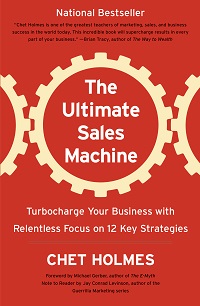
dream 100 list concept ultimate sales machine. HighlevelThe Dream 100 strategy is one of the most powerful client acquisition methods ever developed. Originally created by Chet Holmes and documented in his book The Ultimate Sales Machine, it is built on focus, persistence, and relationship building. This article by Julian Mills explains how to execute the timeless Dream 100 method with modern tools, AI technology, and CRM automation to generate predictable growth in 2025 and beyond.


Where the Dream 100 Strategy Came From

The Dream 100 concept was created by Chet Holmes while working with Charlie Munger at a publishing company. He identified 167 key prospects who controlled the majority of ad spend in his market. Instead of chasing thousands of leads, he focused on that small group with disciplined, structured follow-up.

Within a year, dozens of those companies became clients. This disciplined focus became known as the Dream 100 strategy.

Further reading: Chet Holmes – The Story of the Dream 100 Strategy.

Core Principles That Have Not Changed

  • Focus – zero in on your 100 most valuable prospects.
  • Research – understand their world before making contact.
  • Multi-channel contact – use varied touchpoints to build familiarity.
  • Persistence – it can take 8-12 touchpoints to get noticed.
  • Relationship building – trust and value over time win the deal.

The Modern Dream 100 Framework (2025 Edition)

  1. Identify your Dream Clients using segmentation and the 80/20 rule.
  2. Research deeply with AI tools and data platforms.
  3. Map a multi-channel campaign across email, social, phone, events, and direct mail.
  4. Personalise messaging and outreach.
  5. Nurture relationships over time with automated yet human-feeling touchpoints.
  6. Build micro-commitments that lead to larger engagements.
  7. Systemise everything with a CRM to make it repeatable and scalable.

Building Your Dream 100 List with AI

Chet’s team built lists manually. Today, that step is faster and smarter.

  • Use Outscraper or similar tools to extract targeted business data from Google Business.
  • Use ChatGPT or enrichment tools like Clay or Apollo to find senior decision makers and append job titles, emails, and LinkedIn profiles.
  • Segment by priority, geography, industry, or revenue. Score and rank for tiered outreach.

Why CRM Is Now Essential

Chet Holmes was obsessive about structured follow-up. He relied on call sheets and sales discipline. In 2025, a CRM does the heavy lifting.

HighLevel – and by extension MarketerM8 (UK agency, setup and support) – is ideal for Dream 100 because you can:

  • Create a dedicated Dream 100 pipeline with clear stages.
  • Automate personalised follow-up via email, SMS, calls, WhatsApp, and social prompts.
  • Log every interaction and handoff so nothing is missed.
  • Trigger nurture workflows when prospects engage.
  • Report on activity, conversion rates, and ROI with dashboards for accountability.

Lumpy Mail 2.0 – Offline Meets Online

Chet popularised β€œlumpy mail” to cut through the noise. Today, merge offline impact with online tracking:

  • Add QR codes linked to personalised landing pages.
  • Trigger CRM workflows the moment a scan occurs.
  • Sync follow-up emails, calls, and LinkedIn messages automatically.
  • Track delivery and engagement in real time.

10 Modern Innovations That Supercharge the Dream 100

  1. AI enrichment – ChatGPT, Clay, Apollo to build rich profiles quickly.
  2. Advanced CRM – HighLevel automates follow-up and pipeline control.
  3. Hyper-personalised video – Loom or Bonjoro to introduce yourself at scale.
  4. Retargeting ads – stay visible after the first touch on Google, Meta, and LinkedIn.
  5. LinkedIn Sales Intelligence – warm up prospects before outreach.
  6. Voice AI receptionists – never miss inbound calls and qualify 24-7.
  7. Smart direct mail – QR codes and triggers make post fully measurable.
  8. AI follow-up agents – persistent outreach without extra headcount.
  9. Workshop funnels – webinars, replays, and calendar booking to build authority. (Check out my free ebook on how to run live workshops using HighLevel)
  10. Zapier or Make integration – connect enrichment, CRM, campaigns, and reporting.

Execution Rhythm and Sales Cadence

The tools are powerful, but the cadence wins deals. Turn your strategy into a repeatable rhythm:

  • Run a weekly Dream 100 pipeline review.
  • Schedule automated and manual touchpoints.
  • Layer digital retargeting with human contact.
  • Treat this as a rhythm – not a one-off campaign.

Common Mistakes to Avoid

  • Targeting too many prospects – the clue is in the name: 100.
  • Insufficient research before outreach.
  • Stopping after one or two touchpoints.
  • Treating it as a short campaign rather than a long-term play.
  • Failing to align sales and marketing inside the CRM.

FAQs

What is the Dream 100 strategy?

The Dream 100 strategy is a focused marketing approach developed by Chet Holmes. It targets your 100 most valuable prospects with persistent, personalised outreach to build trust and win business.

How can AI help with Dream 100?

AI tools like ChatGPT and Outscraper can automate list building, contact enrichment, and research, so you can spend more time on strategy and follow-up.

Why use a CRM for Dream 100?

A CRM like HighLevel structures your pipeline, automates touchpoints, and ensures no opportunity slips away. It bakes discipline into your system.

Does direct mail still work in 2025?

Yes. When paired with QR codes, personalised URLs, and automated follow-up, direct mail becomes highly measurable and effective.

How do I modernise Chet Holmes’ method?

Layer AI enrichment, CRM automation, retargeting, LinkedIn intelligence, and workshop funnels on top of his proven focus and persistence.

Resources and References


Written by Julian Mills – HighLevel consultant and marketing automation strategist. About Julian Mills.


How to Easily Transfer Photos and Videos from Your Phone with Simple Transfer

simple transferHave you ever needed to get an image or video off your smartphone and onto your computer, only to find it more hassle than it should be?

For years, my go-to method was to email the photo to myself, then download it on my laptop, and finally open it in my editing app (I use GIMP 2 – a great free alternative to Photoshop, by the way). It worked… but let’s be honest, it was clunky and time-consuming.

That’s where Simple Transfer comes in.

This app is exactly what it sounds like – a simple way to transfer photos and videos wirelessly between your phone and your computer. No cables. No email gymnastics. No cloud uploads required.

Here’s how it works:

  • Install Simple Transfer on your iPhone or iPad.

  • Open a web browser on your computer and go to the local address the app provides (e.g. something like http://192.168.x.x).

  • Instantly see your photo library, ready to download.

  • Select the images or videos you want, and download them directly to your computer.

The interface is clean and intuitive, and best of all – the free version is more than enough for occasional use. It even retains photo quality and metadata (so your timestamps and photo info stay intact).

Whether you’re a content creator, a small business owner, or just someone who wants an easier way to organise their media, Simple Transfer is a brilliant little app that solves a common everyday problem.

Definitely worth a look if you’re tired of jumping through hoops just to get your images from A to B.


25 Powerful ChatGPT Tips and Hacks Every Marketer Should Know

chatgpt marketer tips and hacks for marketing

chatgpt tips for marketers and hacks for marketingIf you’re a marketer looking for ChatGPT tips to help you work smarter, not harder β€” you’re going to love this. ChatGPT isn’t just for writing blog posts and tinkering with emails. Used well, it’s a Swiss Army knife for marketers: a productivity booster, content machine, and thinking partner rolled into one.

In this post of ChatGPT tips, I’ve pulled together 25 of the most useful, creative, and under-the-radar ways marketers are using ChatGPT every day β€” plus a few time-saving ChatGPT tips I’ve picked up along the way.


The best way to think about ChatGPT is this: it’s like having a personal assistant in your pocket. And yes β€” there’s a mobile app. If you haven’t downloaded it yet, you’re missing out.

Once you start using ChatGPT this way β€” like a quick-access sidekick for questions, content, ideas, or tasks β€” you’ll be amazed how many times a day you end up saying, β€œLet me just ask ChatGPT.”

πŸ”§ Automation & Workflow Time-Savers

1. Clean & Format CSVs
Exported a messy lead list or a CRM data dump? Paste it into ChatGPT and ask it to:

  • Remove duplicates
  • Split full names
  • Reformat into usable columns for import

Great for prepping lists for email marketing, ads, or pipeline uploads.

2. Resize / Optimise Images for Email or Social
Upload a bulky image and ask for a resized 600px version for email. Or compress it for faster loading on social. Super useful when you need quick image tweaks without opening Canva or Photoshop. Recent post.

3. Generate Meta Descriptions in Bulk
Paste your blog titles or summaries and ask ChatGPT to generate SEO-friendly meta descriptions (150 characters max). You can even request keyword inclusion or tone tweaks.

4. Create UTM Tracking URLs in Bulk
Running a multi-channel campaign? Drop your base link and ask ChatGPT to build proper UTM-tagged URLs for each source (e.g. email, LinkedIn, ads). Google Analytics tracking made easy.

5. Summarise Reports, PDFs, or Meeting Notes
Upload meeting transcripts, SEO audits, or long reports and ask for bullet point summaries, action steps, or a one-page slide outline. A real game-changer for internal comms and client updates.


🌟 Content & Creative Power-Ups

6. Brainstorm Social Post Variations
Got a caption? Ask for 10 variations β€” serious, cheeky, persuasive, short-form β€” perfect for A/B testing or cross-platform use.

7. Write YouTube Hooks & Descriptions
Need a punchy opener, summary, and keyword-rich description for your next video? ChatGPT can do the lot, even timestamps.

8. Repurpose Long Content into Carousels or Reels
Drop in a blog post and ask for slide-by-slide captions or short-form video scripts. Excellent for giving old content new life on social.

9. Rewrite in Different Tones or Personas
Ask ChatGPT to rewrite something in a professional, fun, casual, or Gen Z tone. Or tailor it to different buyer personas.

10. Craft Scroll-Stopping Subject Lines
Tell it your email topic and ask for subject lines that use curiosity, urgency or humour. Helps lift open rates fast.


πŸ“Š Insights & Strategy

11. Analyse Competitor Copy
Paste in a landing page or ad and ask ChatGPT to break down their angle, tone, audience, and offer structure. Learn what they’re doing β€” and how to beat it.

12. Build Customer Avatars
Describe your product or service and ask ChatGPT to create buyer personas β€” complete with goals, pain points, objections and decision triggers.

13. Analyse Survey Results
Drop in open-ended survey responses and let ChatGPT group answers into themes, highlight quotes, or extract common feedback.

14. Cluster Keywords & Plan Blog Content
Feed in a long list of keywords from a tool like Ahrefs or Semrush and ask for clustered content ideas or pillar-cluster strategies.

15. Convert Podcast Transcripts into Blogs
Paste a transcript and ask for a blog summary, tweet thread, or pull-quote graphics. Brilliant for content repurposing.


πŸ› οΈ Funnels & Follow-Ups

16. Build Workshop or Webinar Outlines
Ask ChatGPT to structure a 60-minute workshop with an intro, teaching points, breakout Q&A, and call to action.

17. Create Lead Magnet Follow-Up Sequences
β€œWrite me a 5-part email nurture sequence for people who downloaded my PDF on X.” Simple, on-brand, and fast.

18. Script AI Chatbots or Voice Assistants
Use it to create a branded chatbot script for website enquiries, FAQs or even AI voice agents.

19. Audit Funnel Copy for Gaps
Paste in your sales page and ask: β€œWhere is trust missing?” or β€œWhat objections haven’t I handled?”

20. Generate High-Converting Hero Sections
Provide your offer and ask for a homepage headline, subhead and CTA combo β€” formatted and ready to test.


🧠 Thinking Partner & Creative Sparring Tool

21. Refine Your Positioning Statement
Ask ChatGPT to sharpen your elevator pitch. Or give it a try writing three different versions for three customer types.

22. Challenge Your Strategy
Say, β€œPlay devil’s advocate β€” what’s weak or missing in this marketing plan?” Let it surface blind spots.

23. Roleplay Sales Objections
Use it to simulate sales conversations β€” β€œAct like a hesitant client, challenge me on price.” Great training.

24. Turn Testimonials into Case Studies
Drop in a raw client testimonial and ask it to rewrite it into a proper case study using STAR or PAS framework.

25. Invent Lumpy Mail Campaigns
Tell it your campaign goal and ask for direct mail ideas involving physical items (β€œlumpy mail”) that tie into your message.


Final Thought

If you’re only using ChatGPT to write blogs or captions, you’re barely scratching the surface. The real magic happens when you start using it as your virtual marketing assistant, strategist, editor, analyst, and designer β€” all in one window. And be sure to install and use it on your mobile.

Do you have any smart ChatGPT tips that are not on the list? Let me know.Β  Julian


How to Add a Link at the Top of Your LinkedIn Profile (Desktop and Mobile Guide)

linkedin link top of profileIf you’re trying to drive traffic to your website, booking page, or lead magnet, then here’s a quick win you can implement in minutes β€” adding a clickable link right at the top of your LinkedIn profile.

This feature is officially called a β€œcustom button” and it appears just below your profile picture and headline. It’s visible to anyone who views your profile (even if they’re not a connection) β€” making it prime real estate.

Here’s how to set it up.


πŸ–₯️ On Desktop

  1. Go to your LinkedIn profile
    Click on the Me icon at the top right of LinkedIn and select View Profile.

  2. Click the pencil icon
    This is in the top-right corner of your introduction section (next to your photo and headline).

  3. Scroll down to the β€œWebsite” section
    You’ll see a section titled Custom button.

  4. Paste your URL and write a title
    This could be your booking link, portfolio, newsletter, or lead magnet.
    For example:

    • Link: https://yourdomain.com/booking

    • Title: Book a Discovery Call

  5. Click Save
    That’s it! You’ll now have a clear, clickable link right at the top of your profile.


πŸ“± On Mobile (LinkedIn App)

  1. Open the LinkedIn app on your phone.

  2. Tap your profile photo at the top left and select View Profile.

  3. Tap the pencil icon next to your name and headline.

  4. Scroll down to find the Website section.

  5. Enter your URL and a short, compelling title.

  6. Tap Save.


πŸ’‘ Pro Tips

  • Keep the button text short and action-based (e.g. Download My Free Guide, Book a Call, View Portfolio).

  • Use a clean, branded link (a long, messy URL doesn’t look great).

  • Consider updating this link regularly depending on what you’re promoting.


Final Thoughts

If you’re actively using LinkedIn for business, then this button is a no-brainer. Whether you’re a consultant, coach, freelancer, or job-seeker, this gives you a way to drive profile visitors to take meaningful action β€” straight from your headline area.

It takes less than 5 minutes to set up and could bring you qualified leads every week.


Need help turning your LinkedIn profile into a lead-generation asset?
Book a Discovery Call with Julian

Reference. LinkedIn help doc.

How use Nifty Images and HighLevel to personalise email images and make engaging emails

Have you ever received an eye-catching email with a personalised email images with your name? Here is an example that I received from Frank Kern.

Nifty images and highlevel

It certainly is striking – which is exactly what you want for your emails. Would you like to personalise the images in your HighLevel marketing emails?

Does it take some complicated voodoo magic to do this? Do you need to hire a developer?

The answer is no. Just head over to Nifty Images and set up a free trial which gives you 10,000 image views (not email opens). Then either use the stock images or upload your own. There are loads of settings – different fonts, colours, slope the text etc etc. Then simply copy & paste a line of code in your email. It’s a neat Nifty Images and HighLevel trick to have up your sleeve.


Image by Frank Kern


πŸ› οΈ A Handy ChatGPT Trick: Resize and Crop Your Images with AI

HighLevel Expert Julian Mills UK

Sometimes you just need a quick image resize β€” maybe for a profile picture, a website thumbnail, or a social media post β€” but you don’t want to mess around with clunky design software or lose quality by stretching things out of proportion. That’s where ChatGPT comes in with a surprisingly helpful trick.

🧠 Did you know ChatGPT can intelligently resize and crop your images?

I recently discovered that ChatGPT can resize an image to an exact size (like 300Γ—300 pixels) and keep the important part in focus β€” like your face β€” without stretching or distorting the photo.

I tested it with a headshot I had of me and Nigel Botterill. I just uploaded the image and gave ChatGPT a simple instruction:

β€œResize this image to 300Γ—300 pixels. Don’t stretch it β€” crop it intelligently to keep the aspect ratio. Focus on the area around my face.”

Here’s the original image:

And here’s the smartly cropped version with my face centered in a perfect square format:

It took just a few seconds, and it was spot on β€” no Photoshop needed.


πŸ’‘ How to Do It Yourself

Want to try it? Here’s the prompt template I used:

Resize this image to 300Γ—300 pixels. Don’t stretch it β€” crop it intelligently to keep the aspect ratio. Focus on the area around my face (or whatever subject you want to highlight).

Then just upload your photo, and ChatGPT will take care of the rest. You can change the dimensions to anything you like (e.g., 600Γ—400, 150Γ—150, etc.).

Sometimes the initial result may not exactly meet your requirements, in that case just feedback to ChatGPT and have it rework the image.


🧰 Bonus Tip: Save a Prompt Template

If you know you’ll want to do this kind of thing regularly, you can even ask ChatGPT to remember your favorite resizing prompt β€” like I did. Now it’s super fast to reuse.


βœ… Final Thoughts

This is one of those surprisingly practical AI tricks that saves time and avoids fiddling with image editors. Whether you’re prepping for a presentation, updating your profile pic, or just want a quick image crop β€” it’s a great tool to have up your sleeve.

Give it a try, and thank me later πŸ˜‰

Looking for me tips and GPT ideas. Check out this postΒ 25 Powerful ChatGPT Tips and Hacks Every Marketer Should Know

ChatGPT – Your Secret Travel Companion

chatgpt travel holiday local guide

chatgpt travel holiday local guideI was in Rome recently and normally I would have relied on Google Maps for the usual essentialsβ€”directions, train times, and navigating the city. But this time I thought to give ChatGPT a try. And I was impressed – it was like having a “local” in my pocket, offering insider knowledge that Google simply doesn’t provide.

Beyond the Basics

Google Maps is great for getting from A to B, but what if you want to know why you should take a particular route? Or where to stop along the way for the best espresso? That’s where ChatGPT comes in. It’s not just about logisticsβ€”it’s about enhancing the experience.

When I wanted to escape the tourist traps, ChatGPT suggested hidden gemsβ€”quiet piazzas, lesser-known viewpoints, and authentic restaurants tucked away from the crowds. It helped me phrase requests in Italian, so I didn’t have to fumble through a translation app. It even guided me through the maze of ticket options for attractions, ensuring I avoided unnecessary queues.

Spontaneity at its Best

One of the best parts of travelling is the unplanned moments. ChatGPT was invaluable for those. When I found myself near the Vatican with a couple of hours to spare, it quickly gave me recommendations tailored to my interestsβ€”suggesting an off-the-beaten-path museum instead of the predictable tourist checklist.

It also provided real-time cultural insights, like explaining local customs, tipping etiquette, and even what to wear to certain places to avoid standing out as a clueless tourist.

Give It a Go

If you’ve ever felt like you’re missing out on the real experience when you travel, ChatGPT is worth trying. It’s not just a guideβ€”it’s like having a well-informed friend on hand 24/7. Next time you’re on holiday, give it a go and see how it transforms your trip.

DotCom Secrets (2020 Edition Review) by Russell Brunson – A Must-Read for All HighLevel Users

dotcom secrets highlevel russell brunson

dotcom secrets HighLevel russell brunson

If you’ve never readΒ DotCom Secrets,Β get the 2020 editionβ€” and even if you read the 2015 edition years ago, get the new version.

It’s the blueprint for building a high-converting business, whether you’re online or offline. If you’re aΒ HighLevel user, this book should be at the top of your reading list. It’s aΒ brilliant set of marketing blueprintsΒ that willΒ help you make the most of HighLevel’s capabilities.

If you’re serious about growing a businessβ€”online or offlineβ€”DotCom Secrets by Russell Brunson is one of those books that belongs on your shelf. But if you’ve only read the 2015 edition, you’re missing out.


I recently went through the 2020 edition, and the difference is night and day. The original was already a solid playbook for online sales funnels, but the latest version is clearer, more actionable, and packed with fresh insights. With three more books under his belt (Expert Secrets, Traffic Secrets, and Unlock the Secrets), Brunson now has a more refined perspectiveβ€”and it shows.

Not Just for Online Businesses

A lot of people assume DotCom Secrets is only for digital businesses, but that’s not the case. Bricks-and-mortar businesses and traditional marketers will find this just as valuable. Why? Because the strategies in this book are not newβ€”they’re rooted in timeless direct response marketing principles.


As Dan Kennedy puts it in the foreword, what’s changed is the technologyβ€”not the tactics. The same principles that made press ads and direct mail work now apply to Facebook ads and email marketing. Whether you’re selling online courses or running a local service business, the psychology of persuasion and conversion remains the same.

What’s New in the 2020 Edition?

  • More Examples & Clarity – Concepts that were a bit vague in the original are now better explained with case studies and breakdowns.
  • Updated Strategies & Tactics – The online marketing landscape has shifted a lot since 2015, and Brunson has adapted. There’s a stronger focus on customer psychology and storytellingβ€”not just funnel mechanics.
  • Cross-Referenced with His Other Books – If you’ve read Expert Secrets or Traffic Secrets, you’ll notice how well these books tie together into a cohesive system.

Essential Reading for MarketerM8 & HighLevel Users

For anyone using HighLevel (or considering it), DotCom Secrets is essential reading. The book lays out blueprints for all types of funnelsβ€”Squeeze Funnels, Book Funnels, Webinar Funnels, and more.

Brunson naturally refers to ClickFunnels (his own software) as the tool to build these funnels, but the strategies and tactics outlined in DotCom Secrets apply just as well to HighLevel. Whether you’re running a coaching business, an agency, or selling digital products, the step-by-step frameworks in this book give you a roadmap for building effective funnels inside HighLevel.

If you’reΒ a MarketerM8 user, this book will help you better understand funnel strategy and give you proven templates to implement inside HighLevel. If you want to shortcut your learning curve, this is a must-read.

One Game-Changing Takeaway

One of my favourite insights comes from Secret #18 (Page 263) where Jim Edwards talks about the power of headlines. The takeaway? If you A/B test and find a headline that gets read twice as much, it doubles your revenue. That’s a simple yet massively overlooked growth hack.

Final Verdict

For MarketerM8 users, this book is the perfect companion to your HighLevel setupβ€”giving you the strategy behind the funnels, so you can focus on execution inside HighLevel.

Interested to learn more about HighLevel and creating sales funnels to sell you product or service then book a Discovery call with Julian here.


Have you read “The Ultimate Sales Machine” by Chet Holmes ⭐⭐⭐⭐⭐

ultimate sames machine chet holmesI read “The Ultimate Sales Machine” by Chet Holmes after a client recommended it. Have you read it?

For instance, I learnt that only 10% of people will proactively learn and enjoy doing so? 90% will only do so when they have to as part of their job. That is what sorts the best from the rest.

A main theme throughout the book is the need for “Pig headed determination” to bring about change. And the same I see with HighLevel clients – the ones with pig-headed determination to “work their HighLevel system” have the greatest success.

“The Dream 100 Concept” is one of the major strategies outlined first by Chet Homes in The Ultimate Sales Machine. A super-powerful strategy.Β I was just watching Youtube video from Russell Brunson on how he uses the Top 100 strategy, well worth a watchΒ  https://youtu.be/DqeTvepQvgg?si=ze4otMxQyrlzKi5Chttps://youtu.be/nol9a1LIbcY

It is the best business book I have read in ages and certainly resonates with “HighLevel thinking”.

I would definitely recommend it to HighLevel users as this could transform your sales process. Here is an article I wrote about how to use HighLevel to implement the Dream 100 strategy.

Here is the Amazon link (Note I do not earn commission)Β https://www.amazon.co.uk/Ultimate-Sales-Machin…/…/1591841607

If you are a HighLevel user then I can show you how to build a Dream 100 Workflows to enable you to easily co-ordinate an integrated follow-up campaign containing not only emails but direct mail, telephone, text and social media. To learn more simply schedule a Discovery call.

ultimate sales machine