

How to Transform Customer Service with WhatsApp & HighLevel Together

whatsapp and highlevel integration

whatsapp and highlevel integrationIf you’re using WhatsApp Business installed on a single mobile phone for customer service with WhatsApp you’re likely well aware of its limitations. While it’s a convenient tool for small-scale operations, it quickly becomes unmanageable as your business grows and more team members need access.

But here’s the game-changer: Integrating WhatsApp Business API with HighLevel for Customer Service with WhatsApp. This powerful combination eliminates the limitations of a single-device setup, providing your team with a streamlined, highly effective way to manage customer interactions. Even better, staff members can access WhatsApp messages via the HighLevel mobile app, ensuring your business never misses a beat.


Why the Single-Phone WhatsApp Business Setup Fails Your Business

Limited Accessibility

When WhatsApp Business is locked to a single mobile phone, your customer communication is shackled.

  • Single-device dependency: Only one person can handle messages at a time.
  • No collaboration: Staff can’t share conversations or seamlessly pass inquiries to the right person.
  • Service interruptions: If the phone is lost, damaged, or switched off, your entire customer service function grinds to a halt.

Lack of Scalability

If you’re using a single mobile phone, you’re missing out on:

  • Multi-user management: The ability to delegate tasks to the right team members.
  • Automated workflows: Efficient processes to handle repetitive queries and routine tasks.
  • Cross-device collaboration: Without the HighLevel mobile app, you can’t distribute messages to different staff members.

Zero CRM Integration

This is where your business is truly held back. When you operate from a single phone:

  • All interactions are stuck on one device.
  • Conversations aren’t logged in your CRM, making follow-ups a guessing game.
  • There’s no way to monitor customer interactions over time, leaving you with no historical context or actionable insights.

Inconsistent Customer Experience

  • Responses are often delayed because messages have to be handled manually.
  • Customers may receive confusing or conflicting messages if different staff members share the phone.
  • You’re always reacting, never proactively managing customer journeys.

How HighLevel Transforms Your WhatsApp Customer Service

Now, let’s examine how connecting WhatsApp Business API with HighLevel solves all these problems in one go.

Multi-User Accessibility via the HighLevel Mobile App

Forget about single-device limitations. By integrating WhatsApp Business API with HighLevel:

  • Your team can access WhatsApp messages through the HighLevel mobile app, empowering staff members to respond to inquiries from their own devices, wherever they are.
  • Messages are displayed on a unified dashboard, ensuring that no conversation falls through the cracks.
  • Conversations can be seamlessly assigned to the right team member or department for immediate attention.

Scalability & Automation

HighLevel offers a fully scalable solution:

  • Automated Workflows: Send instant replies, book appointments, or segment customers based on their queries.
  • Smart Routing: Automatically direct conversations to the most appropriate staff member based on predefined triggers.
  • Seamless Handoffs: Combine automated messages with live responses for a professional, polished customer experience.

Integrated CRM & Data Logging

With HighLevel, every customer interaction is stored and accessible through its powerful CRM:

  • View entire conversation histories at a glance.
  • Build detailed customer profiles that improve service quality.
  • Generate insights to refine your communication strategy.

Consistent, Professional Customer Experience

From automated messages to smart routing, HighLevel enables your team to provide a smooth, engaging customer experience. And when combined with the mobile app, your staff can respond promptly and accurately, regardless of where they are.


Single-Phone WhatsApp vs. HighLevel Integration: The Ultimate Comparison

Feature WhatsApp Business (Single Phone) WhatsApp Business + HighLevel
Access Control Single-device access Multi-user access via HighLevel mobile app & dashboard
CRM Integration None Automatic logging and CRM integration
Message Logging Limited to one phone Secure cloud storage accessible from any device
Automation Capabilities Basic (quick replies only) Comprehensive workflows and automation
Scalability None Scalable for teams of any size
Customer Experience Inconsistent, reactive Consistent, proactive, and responsive
Security & Backup Phone-dependent, high risk Secure, cloud-based storage
Collaboration Non-existent Complete collaboration across team members

How to Integrate WhatsApp Business API with HighLevel

Step 1: Obtain WhatsApp Business API Access

  • Apply through a WhatsApp Business Solution Provider (BSP).
  • Get your WhatsApp Business API account approved.

Step 2: Connect HighLevel to WhatsApp

  • Log into HighLevel and go to ‘Settings’ > ‘Integrations’ > ‘WhatsApp’.
  • Follow the prompts to authenticate your WhatsApp Business API and provide necessary

How to Send a Personal Video Message to Contacts Through the HighLevel Mobile App

julian Mills highlevel

highlevel support julian millsBuilding meaningful relationships with your leads and clients is the cornerstone of successful business growth. In a world where personalisation is key, sending a tailored video message can leave a powerful impression. With the HighLevel mobile app, it’s easier than ever to send a personal video message directly to your contacts – all from your smartphone.
In this guide, I’ll show you exactly how to do it and highlight some smart use cases that will help you enhance your client experience.


Why Use Video Messaging?

Video messaging offers that personal touch which written messages often lack. It shows you’re genuinely interested, willing to go the extra mile, and excited to help. Whether you’re welcoming a new client or following up with a fresh lead, a video message can make you stand out and build stronger connections.


How to Send a Video Message Through the HighLevel Mobile App

Important Note: This feature only works if you have a mobile phone number saved for the contact, as the link to the personalised video is sent via text message. Make sure you’ve collected this information before proceeding.

Step 1: Log into the HighLevel Mobile App

Open the HighLevel mobile app on your device and log in with your credentials.

Step 2: Navigate to Conversations

Tap on the “Conversations” tab at the bottom of the screen. This is where all your client and lead interactions are managed.

Step 3: Select or Search for the Contact

Scroll through your list or use the search bar to quickly locate the contact you want to reach.

Step 4: Open the Contact’s Message Thread

Tap on the contact’s name to open the conversation thread.

Step 5: Record Your Video Message

  1. Tap the “+” (Plus) button or the “Attachment” icon (this may vary slightly depending on your app version).
  2. Select the “Camera” option to record a new video or “Gallery” option to upload a pre-recorded video.
  3. Record your personalised message – keep it clear, friendly, and to the point.
  4. Tap “Stop” when you’re finished, and “Use Video” if you’re happy with the recording.

Step 6: Send the Video Message

Add a short text message if you wish, then hit “Send”. Your video will be delivered directly to your contact’s inbox.


Use Cases for Video Messaging

Welcoming New Leads

A new lead has booked a discovery call. Stand out from the crowd by sending them a warm, friendly video message like:

“Hi [Lead’s Name], thanks so much for booking a call with me! I’m looking forward to our chat on [Date]. In the meantime, if there’s anything specific you’d like me to prepare for, just let me know. See you soon!”

Onboarding New Clients

When you’ve just won a new client, a personalised welcome video can make them feel valued from the start:

“Hi [Client’s Name], welcome on board! I’m excited to be working with you to achieve [Their Goal]. I’ll be sending over the onboarding details shortly, but if you have any questions, feel free to reach out. Looking forward to a successful partnership!”

Following Up After a Sales Call

Keeping leads engaged after a sales call can be tricky. A simple follow-up video can be the difference between a sale and radio silence:

“Hey [Lead’s Name], it was great chatting with you today! I just wanted to follow up and see if you had any more questions or thoughts about moving forward. I’m here whenever you’re ready.”

Announcing Special Offers or Updates

Have something exciting to share? Deliver it with personality:

“Hey [Client’s Name], just wanted to let you know we’ve rolled out something fantastic! [Describe Offer/Feature]. Let me know if you’re interested in learning more. Would love to walk you through it!”

Requesting Reviews or Testimonials

Collecting testimonials feels much more personal when you ask face-to-face:

“Hi [Client’s Name], I’ve really enjoyed working with you to achieve [Their Goal]. If you’re happy with the service, I’d truly appreciate a quick review. It would mean a lot and help more people like you find us. Thanks again for your support!”

Sharing Important Updates or Instructions

Sometimes a short video explanation is far more effective than a long email:

“Hey [Client’s Name], just wanted to walk you through [New Process or Feature]. If you run into any issues, feel free to reach out. Happy to help!”


Tips for Creating Effective Video Messages

  • Be Authentic: Forget perfection – clients appreciate seeing the real you.
  • Keep It Short & Sweet: Aim for 30 to 60 seconds to hold their attention.
  • Show Enthusiasm: Your energy will be contagious and leave a lasting impression.

Start Using Video Messaging Today!

HighLevel’s mobile app makes it incredibly easy to build stronger connections with your leads and clients through personalised videos. Whether it’s welcoming a new client or following up after a call, video messaging can take your customer experience to the next level.

Ready to level up your client experience with HighLevel? Book a Discovery Call with Julian – click here. We’ll show you how to make the most of HighLevel’s powerful features to scale your business.


How HighLevel Can Help You Implement the Dream 100 Strategy

ultimate sales machine

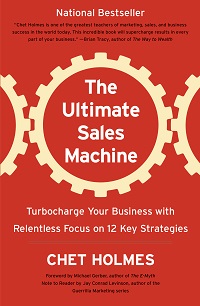
chet holms, dream 100, highlevelThe Dream 100 strategy, developed by Chet Holmes, is a marketing approach where you create a hyper-targeted list of your ideal clients – the Dream 100 – and build a dedicated marketing campaign to win them over. While the concept is simple, the execution requires precision, consistency, and strategic nurturing. This is where HighLevel software becomes a game-changer for marketers.

If you want to dive deeper into the brilliance of Chet Holmes’ methods, check out my book review of The Ultimate Sales Machine.

Understanding the Dream 100 Strategy

The Dream 100 strategy involves identifying the top 100 clients you would love to work with and then developing an ongoing marketing campaign to attract their attention, build relationships, and eventually convert them into loyal customers. It’s a focused, relationship-based approach that requires personalization and follow-through.

Why HighLevel Software?

HighLevel provides a comprehensive suite of marketing tools designed to help you create, manage, and automate your campaigns from one central platform. Its CRM, marketing automation, and sales funnel capabilities make it an ideal tool to implement and scale your Dream 100 strategy.

Steps to Implement the Dream 100 Strategy Using HighLevel

1. Identify Your Dream 100

  • Use HighLevel’s CRM to create a segmented list of your ideal clients.
  • Tag these contacts as “Dream 100” for easy filtering and targeted marketing.

2. Build Personalized Outreach Campaigns

  • Create dedicated email and SMS campaigns targeting your Dream 100 list.
  • Use HighLevel’s templates to craft highly personalized messages.
  • Schedule automated follow-ups to ensure consistent communication.

3. Develop Lead Nurturing Workflows

  • Build automated workflows using HighLevel’s automation tools to nurture your Dream 100 contacts over time.
  • Implement customized email sequences, SMS follow-ups, and even voice drops to stay top-of-mind.

4. Incorporate Direct Mail & Lumpy Mail Marketing

  • A key part of the Dream 100 strategy is sending physical marketing materials – direct mail and lumpy mail – to stand out from the digital noise.
  • Lumpy mail refers to sending a physical item or gift that contributes to your marketing message and makes your outreach memorable. It’s designed to create curiosity and engagement by being something tangible and unexpected.
  • HighLevel cannot create physical mail directly, but it excels at organizing and coordinating the necessary data.
  • Utilize HighLevel’s CRM to export contact lists, create tags, and track when direct mail should be sent.
  • Integrate HighLevel with third-party mailing services via Zapier or custom webhooks to automate the mailing process.
  • Track responses and follow-ups triggered by physical marketing to ensure cohesive messaging across all channels.

5. Leverage Multi-Channel Marketing

  • HighLevel allows you to integrate email, SMS, social media, and direct mail strategies into one cohesive system.
  • Use HighLevel’s social media scheduler to maintain a presence on relevant platforms where your Dream 100 audience spends their time.

6. Track Engagement & Optimize

  • Monitor email open rates, click-through rates, SMS replies, and other metrics to gauge interest.
  • Use HighLevel’s analytics dashboard to refine your approach and improve engagement.

7. Close the Deal with HighLevel’s Sales Tools

  • Utilize HighLevel’s built-in pipeline management features to track your progress and close deals.
  • Schedule meetings, handle follow-ups, and move your Dream 100 contacts through a structured sales process.

Key Benefits of Using HighLevel for the Dream 100 Strategy

  • All-In-One Platform: No need to juggle multiple tools; everything you need is under one roof.
  • Automation: HighLevel’s automation tools make sure your messages reach your Dream 100 without manual effort.
  • Personalization: Tailored messaging through HighLevel’s CRM enhances relationship-building.
  • Data-Driven Optimization: Use HighLevel’s reporting features to continuously refine your campaigns.
  • Direct Mail Coordination: HighLevel’s data management ensures seamless coordination with third-party mailing services.

Conclusion

HighLevel software provides all the tools you need to successfully execute your Dream 100 strategy, from organizing your contact list to automating outreach and tracking engagement. By leveraging HighLevel’s capabilities, you can streamline your marketing efforts, build stronger relationships, and ultimately, turn your Dream 100 into your dream clients.

Ready to see how HighLevel can transform your Dream 100 marketing? Book a Discovery Call with Julian and let’s get your campaign started!

Learn more about the features of HighLevel from my HighLevel agency site – MarketerM8.com


Need Help with HighLevel Email Marketing? I Can Help You Get It Right

julian Mills highlevel

highlevel help email marketing campaigns automationIf you’re searching for help with email marketing using HighLevel, you’re not alone. I recently worked with a client of MarketerM8.com (my HighLevel agency) who was struggling to understand how to send emails effectively with HighLevel. They were confused about the difference between using email campaigns and workflows, and how to set up and use email templates properly. That’s where I stepped in.

HighLevel Email Campaigns vs. Workflows: What’s the Difference?

One of the most common sources of confusion is understanding when to use an email campaign versus a workflow. Email campaigns are perfect for one-off broadcasts—like newsletters or special promotions—where you want to reach a list of contacts at once. However, they lack the automation features needed for ongoing sequences.

On the other hand, workflows are powerful automation tools that allow you to send targeted emails based on user actions or conditions. Whether it’s a welcome sequence, follow-up series, or re-engagement campaign, workflows provide far more control over timing and triggers.

I helped my client understand how to structure their marketing by using campaigns for broadcasts and workflows for automated sequences. This approach allowed them to engage their audience more effectively while saving time.

Setting Up and Using Email Templates Effectively

Another challenge my client faced was understanding how to set up and use email templates. They wanted to create consistent, branded messages without having to start from scratch every time. I guided them through creating templates, saving them for reuse, and integrating them within both campaigns and workflows.

HighLevel’s email template feature allows you to design and save professional-looking emails that can be quickly inserted into campaigns or workflows. I showed them how to customise templates with dynamic content, making their emails more personal and effective.

Tracking Email Performance and Making Improvements

Sending emails is one thing; making sure they work is another. I taught my client how to monitor open rates, click-through rates, and other important metrics using HighLevel’s reporting tools. With these insights, they were able to optimise their emails for better engagement.

Need Help Email Marketing with HighLevel?

If you’re struggling to send emails with HighLevel—whether it’s understanding campaigns vs. workflows, setting up templates, or tracking performance—I can help. Getting your email marketing right is crucial to your success.

Book a discovery call with me today, and let’s get your HighLevel email marketing setup working for you!

For official HighLevel help, visit their support page: HighLevel Help Center.

Setting Up a Website in HighLevel: How I Helped a Client Overcome Their Struggles

julian Mills highlevel

highlevel help websiteIf you’re struggling to set up a website in HighLevel, you’re not alone. Just recently, I worked with a client of MarketerM8.com (my HighLevel agency) who was having a tough time getting started. They knew they needed a website for their business, but HighLevel felt overwhelming. They hadn’t used website builders like Wix or Leadpages before, so the process seemed daunting. That’s where I came in.

Helping with HighLevel Website Setup

One of the biggest challenges my client faced was understanding the website builder in HighLevel. They didn’t know where to start, how to structure their pages, or how to customise the design to fit their brand. I guided them through the entire process, from selecting templates to adding their content, ensuring their site was both functional and professional.

Getting Started with SEO

Another hurdle was SEO. My client had no idea how to optimise their site for search engines, meaning their website wouldn’t be easily found by potential customers. I introduced them to the basics—how to choose the right keywords, structure their pages for better rankings, and set up metadata to improve visibility. I also advised them to read They Ask, You Answer by Marcus Sheridan, a book that has been a game-changer for many of my clients. It provides a clear, customer-focused approach to content marketing and SEO. You can read my review of the book here: They Ask, You Answer – My Review.

Automating the Contact Us Form

Finally, they needed help setting up a Contact Us form and integrating it with automation. They wanted enquiries to trigger automated follow-ups to make sales easier and more efficient. I showed them how to create and connect the form to HighLevel’s automation tools, ensuring leads were captured and followed up with seamlessly.

Need Help Setting Up Your HighLevel Website?

If you’re facing similar struggles—whether it’s getting started with the website builder, understanding SEO, or setting up automation—I can help. Setting up a website in HighLevel doesn’t have to be stressful. Let’s make it easy and get your business online the right way.

Book a discovery call with me today, and let’s get your website working for you!

For official HighLevel help, visit their support page: HighLevel Help Center.

ChatGPT – Your Secret Travel Companion

chatgpt travel holiday local guide

chatgpt travel holiday local guideI was in Rome recently and normally I would have relied on Google Maps for the usual essentials—directions, train times, and navigating the city. But this time I thought to give ChatGPT a try. And I was impressed – it was like having a “local” in my pocket, offering insider knowledge that Google simply doesn’t provide.

Beyond the Basics

Google Maps is great for getting from A to B, but what if you want to know why you should take a particular route? Or where to stop along the way for the best espresso? That’s where ChatGPT comes in. It’s not just about logistics—it’s about enhancing the experience.

When I wanted to escape the tourist traps, ChatGPT suggested hidden gems—quiet piazzas, lesser-known viewpoints, and authentic restaurants tucked away from the crowds. It helped me phrase requests in Italian, so I didn’t have to fumble through a translation app. It even guided me through the maze of ticket options for attractions, ensuring I avoided unnecessary queues.

Spontaneity at its Best

One of the best parts of travelling is the unplanned moments. ChatGPT was invaluable for those. When I found myself near the Vatican with a couple of hours to spare, it quickly gave me recommendations tailored to my interests—suggesting an off-the-beaten-path museum instead of the predictable tourist checklist.

It also provided real-time cultural insights, like explaining local customs, tipping etiquette, and even what to wear to certain places to avoid standing out as a clueless tourist.

Give It a Go

If you’ve ever felt like you’re missing out on the real experience when you travel, ChatGPT is worth trying. It’s not just a guide—it’s like having a well-informed friend on hand 24/7. Next time you’re on holiday, give it a go and see how it transforms your trip.

Which Is the Best Way to Set Up Your HighLevel Marketing System? Do It Yourself, Done With You, or Done For You?

highlevel consultant julian mills

highlevel - do it yourself, done with you or done for you When setting up HighLevel for your business, you have three main options: Do It Yourself (DIY), Done With You (DWY), or Done For You (DFY). But which approach is the best? That depends on your budget, technical ability, and how fast you want results.
Let’s break down each method so you can decide which is the right fit for your business.


Option 1: Do It Yourself (DIY) – The Hands-On Approach

If you like to be in control and don’t mind getting stuck into the details, the DIY approach might suit you. This involves setting up HighLevel yourself by following guides, watching tutorials, and troubleshooting as you go.

Pros:

✅ Cost-effective – The cheapest option because you’re not paying for external help.
✅ Full control – You know exactly how everything works.
✅ Flexible – You can tweak and optimise your system over time.

Cons:

❌ Time-consuming – Learning HighLevel from scratch takes time.
❌ Risk of mistakes – Without expert guidance, you might set things up inefficiently.
❌ Slower results – You’ll spend time figuring things out rather than generating leads.

Best for:

✔ Startups and solopreneurs who have more time than money.
✔ Tech-savvy marketers comfortable with automation tools.

Julian’s Tip:

There are loads of resources online – just do a Google Search. Also, check out the series of free, live workshops that we run at MarketerM8 for those thinking about HighLevel and those already using in. Live Online Workshops menu.


Option 2: Done With You (DWY) – A Guided Setup

DWY is a hybrid approach where you work with an expert to set up your HighLevel system while learning how to use it. This typically includes strategy sessions, implementation help, and training.

Pros:

✅ Faster implementation – You get expert input from day one.
✅ Hands-on learning – You’re involved in the process, so you gain skills.
✅ Customised setup – Your system is built around your business needs.

Cons:

❌ More expensive than DIY – You’re paying for expert time.
❌ Still requires effort – You need to dedicate time to learn and implement.

Best for:

✔ Business owners who want a structured setup but still want control.
✔ Teams who need training to manage HighLevel effectively.

Julian’s Tip:

Have to ever heard of Alex Hormozi? This is exactly how he implements a new technology / skill. It must work as he is now worth over $100M!! Check out what he as to say, in this instance he his talking about learning how to advertise. Watch here.


Option 3a: Done For You Service (DFY) – Hands-Free Setup

With the DFY option, an expert (or agency) sets up a beskpoke HighLevel for you, from automations and funnels to email sequences and integrations.

Pros:

✅ Fast setup – Your system is up and running quickly.
✅ Expert-level execution – Everything is built optimally from the start.
✅ No learning curve – You focus on running your business, not learning software.

Cons:

❌ Most expensive option – You’re paying for a complete setup.
❌ Less control – You’ll rely on someone else for changes and updates.
❌ Knowledge gap – If you don’t get proper training, you may struggle to manage it later.

Best for:

✔ Businesses that want HighLevel running ASAP with minimal involvement.
✔ Those with a budget who prefer to outsource rather than DIY.

Option 3b: Done For You (DFY) Niche Specific “System in a Box” – Hands-Free Setup

With the niche specific “system in a Box” a HighLevel agency with expertise in your area of business has created a HighLevel “Snapshot” that is tailored to your industry. For example you see these for dentists, accountants etc. It is the full plug and play, one size fits all solution.

Pros:

✅ Fastest setup – Your system is up and running very quickly.
✅ Cost – They can be low cost – but not always. Can cost ÂŁ300+ per month and over time this adds up.
✅ Niche expert-level execution – Everything is built specific for your industry by an agency with expertise in that niche.
✅ No learning curve – You focus on following the prescribed system to run your business, not learning software.

Cons:

❌ Black Box – You shoe-horn your business into the pre build system. Very difficult to customise later
❌ Less control – You’ll rely on someone else for changes and updates, if indeed they offer this option.
❌ Does not grow and adapt – Over time your buiness eveloves. This system will not. It will break or become redundant. Eventually you will either cancel HighLevel or revert to one of the other options – 1,2 or 3a.

Best for:

✔ Businesses starting out that want a quick, low cost, “plug and play” system and can shoe horn the business into the one size fits all solution.

Julian’s Tip:

Be sure there is support AFTER in initial set up for training,  updates, fixing bugs and make tweaks specific to your business. Be sure the know the costs for this


So, Which Is the Best Option?

The right choice depends on your situation:

  • If you have more time than money → DIY.
  • If you want to learn but need expert guidance → DWY.
  • If you want results fast and are happy to outsource → DFY.

If you’re serious about getting HighLevel working for your business but don’t want to waste time on trial and error, a Done With You service is often the best balance. You get expert guidance without losing control of your system.

Want to see how this works in practice?

Book a Discovery Call with Julian and he can help you to map out the best approach for your business. Check out Julians Highevel agency – MarketerM8

How to Migrate from Zoho to HighLevel: A Step-by-Step Guide

zoho to highlevel

zoho to highlevelMigrating from one CRM to another can feel like a daunting task, especially when shifting from a well-established system like Zoho to HighLevel. However, if you’re looking for a more integrated, agency-focused platform with better automation and lead management, HighLevel is the ideal choice.


In this guide, I’ll walk you through the essential steps to ensure a smooth transition from Zoho to HighLevel, so you can get up and running without disruption.


Why Migrate from Zoho to HighLevel?

Zoho is a robust CRM, but HighLevel offers an all-in-one solution tailored for marketers, agencies, and businesses that need advanced automation, sales funnels, and reputation management tools.

Some key reasons to switch:

  • All-in-One Functionality – Replace multiple tools with one streamlined platform.
  • Marketing Automation – HighLevel excels in sales and marketing automation.
  • Better Lead Nurturing – Engage and convert leads with SMS, email, and WhatsApp automation.
  • White-Label Capabilities – Perfect for agencies looking to offer branded solutions.
  • Simplified User Experience – Unlike Zoho’s extensive but sometimes cluttered interface, HighLevel focuses on ease of use.

If you’re ready to make the switch, here’s how to do it efficiently.


Step 1: Export Your Data from Zoho

Before migrating, ensure you have a full backup of your data from Zoho. This includes:

  • Contacts
  • Leads
  • Accounts
  • Deals
  • Emails
  • Notes and Attachments
  • Workflows

To export:

  1. Navigate to Zoho CRM Settings.
  2. Under Data Administration, select Export Data.
  3. Choose the relevant modules and export them as CSV files.
  4. Save these files securely for migration.

Step 2: Set Up Your HighLevel Account

If you haven’t already, sign up for HighLevel and configure your account settings.

  • Set up your company details.
  • Create user accounts and roles.
  • Familiarise yourself with the dashboard.

This ensures you have everything in place before importing your data.


Step 3: Import Data into HighLevel

Now, it’s time to transfer your data into HighLevel. Follow these steps:

  1. Contacts & Leads:
    • Go to Contacts in HighLevel.
    • Click Import Contacts and upload your CSV file.
    • Map the Zoho fields to HighLevel fields.
    • Confirm and import.
  2. Deals & Pipelines:
    • Set up pipelines in HighLevel under the Opportunities section.
    • Manually recreate your Zoho stages if needed.
    • Import deal records and assign them to the appropriate pipeline stage.
  3. Notes & Attachments:
    • Unfortunately, attachments aren’t always directly importable.
    • Manually add important notes to contact records.
  4. Emails & Workflows:
    • Zoho email history can’t be directly migrated. You may need to keep Zoho for reference.
    • Rebuild automation workflows inside HighLevel.
    • Use HighLevel’s AI automation to enhance your sequences.

Step 4: Rebuild Your Automations & Workflows

Zoho workflows don’t directly transfer to HighLevel. However, you can rebuild them using HighLevel’s automation tools.

  • Email Sequences – Set up nurture sequences using HighLevel’s email builder.
  • Text & WhatsApp Automations – Leverage HighLevel’s SMS & WhatsApp tools.
  • Lead Capture Forms – Recreate forms and embed them in your landing pages.
  • Pipelines & Follow-Ups – Automate lead progression with HighLevel workflows.

This step is where you’ll unlock the real power of HighLevel’s automation capabilities.


Step 5: Test & Optimise

Before fully switching, test everything:

  • Check contact details for accuracy.
  • Run test automations to ensure workflows trigger correctly.
  • Validate lead assignment and follow-ups.
  • Ensure your email and SMS templates work as expected.

Once confident, you can go live and start leveraging HighLevel’s full potential.


Step 6: Train Your Team & Go Live

Ensure your team is comfortable with the new system. Provide training on:

  • Managing contacts and opportunities.
  • Running automation workflows.
  • Sending emails, SMS, and WhatsApp messages.
  • Using the reporting dashboard.

With everything in place, you’re ready to make HighLevel your new central hub for CRM and marketing automation.


Final Thoughts: Need Help with Migration?

Migrating from Zoho to HighLevel is a game-changer for businesses looking to streamline their sales and marketing efforts. While the transition takes some planning, the long-term benefits far outweigh the effort.

If you want expert guidance to ensure a seamless migration, book a discovery call today: Book a Discovery Call

Let’s get you set up for success with HighLevel!

Original HighLevel document.

DotCom Secrets (2020 Edition Review) by Russell Brunson – A Must-Read for All HighLevel Users

dotcom secrets highlevel russell brunson

dotcom secrets HighLevel russell brunson

If you’ve never read DotCom Secrets, get the 2020 edition— and even if you read the 2015 edition years ago, get the new version.

It’s the blueprint for building a high-converting business, whether you’re online or offline. If you’re a HighLevel user, this book should be at the top of your reading list. It’s a brilliant set of marketing blueprints that will help you make the most of HighLevel’s capabilities.

If you’re serious about growing a business—online or offline—DotCom Secrets by Russell Brunson is one of those books that belongs on your shelf. But if you’ve only read the 2015 edition, you’re missing out.


I recently went through the 2020 edition, and the difference is night and day. The original was already a solid playbook for online sales funnels, but the latest version is clearer, more actionable, and packed with fresh insights. With three more books under his belt (Expert Secrets, Traffic Secrets, and Unlock the Secrets), Brunson now has a more refined perspective—and it shows.

Not Just for Online Businesses

A lot of people assume DotCom Secrets is only for digital businesses, but that’s not the case. Bricks-and-mortar businesses and traditional marketers will find this just as valuable. Why? Because the strategies in this book are not new—they’re rooted in timeless direct response marketing principles.


As Dan Kennedy puts it in the foreword, what’s changed is the technology—not the tactics. The same principles that made press ads and direct mail work now apply to Facebook ads and email marketing. Whether you’re selling online courses or running a local service business, the psychology of persuasion and conversion remains the same.

What’s New in the 2020 Edition?

  • More Examples & Clarity – Concepts that were a bit vague in the original are now better explained with case studies and breakdowns.
  • Updated Strategies & Tactics – The online marketing landscape has shifted a lot since 2015, and Brunson has adapted. There’s a stronger focus on customer psychology and storytelling—not just funnel mechanics.
  • Cross-Referenced with His Other Books – If you’ve read Expert Secrets or Traffic Secrets, you’ll notice how well these books tie together into a cohesive system.

Essential Reading for MarketerM8 & HighLevel Users

For anyone using HighLevel (or considering it), DotCom Secrets is essential reading. The book lays out blueprints for all types of funnels—Squeeze Funnels, Book Funnels, Webinar Funnels, and more.

Brunson naturally refers to ClickFunnels (his own software) as the tool to build these funnels, but the strategies and tactics outlined in DotCom Secrets apply just as well to HighLevel. Whether you’re running a coaching business, an agency, or selling digital products, the step-by-step frameworks in this book give you a roadmap for building effective funnels inside HighLevel.

If you’re a MarketerM8 user, this book will help you better understand funnel strategy and give you proven templates to implement inside HighLevel. If you want to shortcut your learning curve, this is a must-read.

One Game-Changing Takeaway

One of my favourite insights comes from Secret #18 (Page 263) where Jim Edwards talks about the power of headlines. The takeaway? If you A/B test and find a headline that gets read twice as much, it doubles your revenue. That’s a simple yet massively overlooked growth hack.

Final Verdict

For MarketerM8 users, this book is the perfect companion to your HighLevel setup—giving you the strategy behind the funnels, so you can focus on execution inside HighLevel.

Interested to learn more about HighLevel and creating sales funnels to sell you product or service then book a Discovery call with Julian here.


John saves $900/mo by moving to HighLevel

John Mayfield explains how he came to move, with Julians’ help to HighLevel for his all in one CRM and marketing automation system. And in the process saved himself $900/month.


Transcript

Hi, I’m John Mayfield with Global Real Estate School, and I want to just say I appreciate Julian so much. He’s been a tremendous help for me. We’ve been friends now for a couple of years.

And I remember listening to a Dan Kennedy audiobook about how good are you really taking care of your clients and your database, in other words, how often are you corresponding with them and staying in touch with them. And I remember my wife was with me in the car and she said, are we doing that? And I said, I need to do a better job. And she said, gosh, we really need to get our database up to date and stay in touch with those people.

And that’s when I found Julian. I did some research. He had some great reviews, set up a call with him, which by the way, he visited with me for like 30 minutes and didn’t even charge me anything.

But I hired Julian then. He has been such a tremendous help and was up and rolling with all of my different bootstrapped programs that I used. And it was last year that Julian said, you really need to take a look at this new program I’m using.

And I said, Julian, I just don’t have time to update my database and go through all of that. And about August, I decided, OK, it’s time to make the switch. And I began full time with GoHighLevel.

And a couple of things that I want you to know, number one, it probably saved close to 900 US dollars a month. I was paying for my educational platform, Customer Hub. Great program, but it was 100 bucks a month.

I was paying for Leadpages. Great program, loved it, but it was over $100 a month. Calendly, I was paying for, again, a great program.

But I had all of these tools and things that were in different locations and they all added up to a fee. And then my CRM I was using kept raising my fee because of the number of clients I had. And so, lo and behold, I literally saved $900 a month by switching to GoHighLevel.

But here’s the really great part of all of this. I didn’t want to do it because I knew it would be a lot of work, but the process of me updating my emails, really going through my database was so crucial and so helpful for me. So I just have to say, thank you, Julian.

This is a great program. He’s a great support person and a great person to lead you in the right direction. And this has been one of the best decisions I’ve ever made.

Plus, everything’s in one program. So I got rid of all my subscriptions. I log into GoHighLevel.

I do all of my work there, not having to go out to five, six, seven, eight different websites to do little pieces of work, tie it all together. I am all in on GoHighLevel and Julian Mills. Sorry for the lengthy video, but there’s just so much story and other things I could tell you about Julian and GoHighLevel, but it’s a great program.

It will save you money and it will save you time having everything right there.