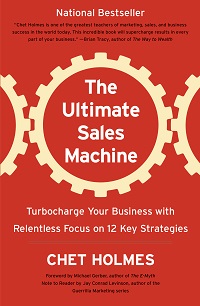
The Dream 100 Strategy: A Modern Look at Chet Holmes’ Classic Client Acquisition Concept, by Julian Mills

ultimate sales machine

dream 100 list concept ultimate sales machine. HighlevelThe Dream 100 strategy is one of the most powerful client acquisition methods ever developed. Originally created by Chet Holmes and documented in his book The Ultimate Sales Machine, it is built on focus, persistence, and relationship building. This article by Julian Mills explains how to execute the timeless Dream 100 method with modern tools, AI technology, and CRM automation to generate predictable growth in 2025 and beyond.


Where the Dream 100 Strategy Came From

The Dream 100 concept was created by Chet Holmes while working with Charlie Munger at a publishing company. He identified 167 key prospects who controlled the majority of ad spend in his market. Instead of chasing thousands of leads, he focused on that small group with disciplined, structured follow-up.

Within a year, dozens of those companies became clients. This disciplined focus became known as the Dream 100 strategy.

Further reading: Chet Holmes – The Story of the Dream 100 Strategy.

Core Principles That Have Not Changed

  • Focus – zero in on your 100 most valuable prospects.
  • Research – understand their world before making contact.
  • Multi-channel contact – use varied touchpoints to build familiarity.
  • Persistence – it can take 8-12 touchpoints to get noticed.
  • Relationship building – trust and value over time win the deal.

The Modern Dream 100 Framework (2025 Edition)

  1. Identify your Dream Clients using segmentation and the 80/20 rule.
  2. Research deeply with AI tools and data platforms.
  3. Map a multi-channel campaign across email, social, phone, events, and direct mail.
  4. Personalise messaging and outreach.
  5. Nurture relationships over time with automated yet human-feeling touchpoints.
  6. Build micro-commitments that lead to larger engagements.
  7. Systemise everything with a CRM to make it repeatable and scalable.

Building Your Dream 100 List with AI

Chet’s team built lists manually. Today, that step is faster and smarter.

  • Use Outscraper or similar tools to extract targeted business data from Google Business.
  • Use ChatGPT or enrichment tools like Clay or Apollo to find senior decision makers and append job titles, emails, and LinkedIn profiles.
  • Segment by priority, geography, industry, or revenue. Score and rank for tiered outreach.

Why CRM Is Now Essential

Chet Holmes was obsessive about structured follow-up. He relied on call sheets and sales discipline. In 2025, a CRM does the heavy lifting.

HighLevel – and by extension MarketerM8 (UK agency, setup and support) – is ideal for Dream 100 because you can:

  • Create a dedicated Dream 100 pipeline with clear stages.
  • Automate personalised follow-up via email, SMS, calls, WhatsApp, and social prompts.
  • Log every interaction and handoff so nothing is missed.
  • Trigger nurture workflows when prospects engage.
  • Report on activity, conversion rates, and ROI with dashboards for accountability.

Lumpy Mail 2.0 – Offline Meets Online

Chet popularised ā€œlumpy mailā€ to cut through the noise. Today, merge offline impact with online tracking:

  • Add QR codes linked to personalised landing pages.
  • Trigger CRM workflows the moment a scan occurs.
  • Sync follow-up emails, calls, and LinkedIn messages automatically.
  • Track delivery and engagement in real time.

10 Modern Innovations That Supercharge the Dream 100

  1. AI enrichment – ChatGPT, Clay, Apollo to build rich profiles quickly.
  2. Advanced CRM – HighLevel automates follow-up and pipeline control.
  3. Hyper-personalised video – Loom or Bonjoro to introduce yourself at scale.
  4. Retargeting ads – stay visible after the first touch on Google, Meta, and LinkedIn.
  5. LinkedIn Sales Intelligence – warm up prospects before outreach.
  6. Voice AI receptionists – never miss inbound calls and qualify 24-7.
  7. Smart direct mail – QR codes and triggers make post fully measurable.
  8. AI follow-up agents – persistent outreach without extra headcount.
  9. Workshop funnels – webinars, replays, and calendar booking to build authority. (Check out my free ebook on how to run live workshops using HighLevel)
  10. Zapier or Make integration – connect enrichment, CRM, campaigns, and reporting.

Execution Rhythm and Sales Cadence

The tools are powerful, but the cadence wins deals. Turn your strategy into a repeatable rhythm:

  • Run a weekly Dream 100 pipeline review.
  • Schedule automated and manual touchpoints.
  • Layer digital retargeting with human contact.
  • Treat this as a rhythm – not a one-off campaign.

Common Mistakes to Avoid

  • Targeting too many prospects – the clue is in the name: 100.
  • Insufficient research before outreach.
  • Stopping after one or two touchpoints.
  • Treating it as a short campaign rather than a long-term play.
  • Failing to align sales and marketing inside the CRM.

FAQs

What is the Dream 100 strategy?

The Dream 100 strategy is a focused marketing approach developed by Chet Holmes. It targets your 100 most valuable prospects with persistent, personalised outreach to build trust and win business.

How can AI help with Dream 100?

AI tools like ChatGPT and Outscraper can automate list building, contact enrichment, and research, so you can spend more time on strategy and follow-up.

Why use a CRM for Dream 100?

A CRM like HighLevel structures your pipeline, automates touchpoints, and ensures no opportunity slips away. It bakes discipline into your system.

Does direct mail still work in 2025?

Yes. When paired with QR codes, personalised URLs, and automated follow-up, direct mail becomes highly measurable and effective.

How do I modernise Chet Holmes’ method?

Layer AI enrichment, CRM automation, retargeting, LinkedIn intelligence, and workshop funnels on top of his proven focus and persistence.

Resources and References


Written by Julian Mills – HighLevel consultant and marketing automation strategist. About Julian Mills.
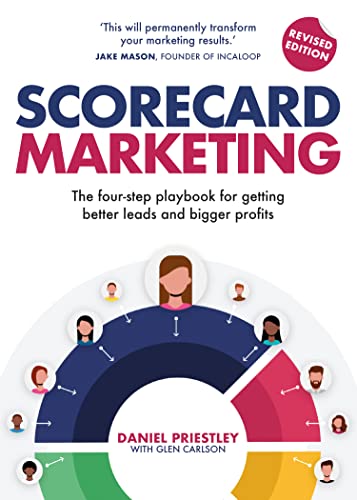

Book Review: Scorecard Marketing by Daniel Priestley

review scorecard marketing daniel priestley

review scorecard marketing daniel priestleyEvery now and then a business book comes along that’s refreshingly simple, immediately useful, and easy to put into action — and Scorecard Marketing is one of those books.

It’s a small, straightforward read that you can get through in a single sitting, but it punches well above its weight. Daniel Priestley gets straight to the point: he explains how using a ā€œscorecardā€ — essentially an online assessment or quiz — can transform the way you generate and qualify leads. It’s about moving beyond just collecting email addresses and instead gathering valuable data and insight about each potential customer right from the start.

The concept is brilliantly explained, and Priestley’s approach is clear, practical, and actionable. It’s also backed up by real-world examples, many of which use his own software, ScoreApp, which is woven throughout the book. And to be fair, it’s an excellent tool. I’ve implemented ScoreApp with several clients and have seen first-hand how it can generate leads and sparking meaningful conversations with prospects.

If I had one observation, it’s this: the book is focused almost entirely on the front end of the process — generating and scoring leads — and while Daniel touches on the importance of follow-up and building a sales team, there’s less emphasis on how technology and AI can support that next step. For me, that’s the missing piece of the puzzle.

That’s where I see huge potential in integrating a CRM and automation platform like HighLevel alongside ScoreApp. The two together are a perfect match — ScoreApp brings in the leads and delivers rich insight about them, while HighLevel can nurture those leads automatically, personalise follow-ups, and turn conversations into clients at scale.

Overall, Scorecard Marketing is an excellent, easy-to-read guide that demystifies one of the smartest lead generation strategies around. It’s well worth a place on your bookshelf — and even more valuable when combined with the right tools to handle what happens after the leads come in.

Check out my other post on this topic.Ā How to Build Daniel Priestley-ScoreApp Style Scorecards in HighLevel

What Is the Difference Between the HighLevel Starter, Unlimited and Pro/SAAS Agency Plans?

What Is the Difference Between the HighLevel Starter, Unlimited and Pro/SAAS Agency Plans?

What Is the Difference Between the HighLevel Starter, Unlimited and Pro/SAAS Agency Plans?There are two main ways you can buy HighLevel.
Unlike most software companies, HighLevel doesn’t employ a sales team or run big advertising campaigns. Yet in just six years, it has grown into a billion-dollar business. How? Through affiliate marketing and by recruiting an army of white-label agencies.

Purchase Option 1: Buy through a White label Agency.

Use this option if you simply want to use the software to “do” marketing for your business. Ā Each white-label agency packages HighLevel in its own way, often combining it with additional services, training, or consultancy under their own brand. With some white-label providers, you’d never even know it’s HighLevel “under the bonnet/ hood”.

You can buy HighLevel direct through one of these white-label partners — my own agency is called MarketerM8 (marketerm8.com).

Purchase Option 2: Buy direct from HighLevel.

Use this option if you want to become a HighLevel reseller (Agency). If you do, you’ll notice on their website that they’re not focused on selling to end users, but on recruiting white-label agencies.

And this is where the three direct pricing plans come in: Starter, Unlimited, and Pro (also called the SAAS Agency plan).


HighLevel Starter Plan – $97 per month

The Starter plan gives you up to three sub-accounts.

  • If you’re a business owner, you can run up to three businesses from one login.
  • If you’re a marketing freelancer or consultant, you could use one sub-account for yourself and resell the other two to clients.

What you get:

  • Full access to the core HighLevel toolkit — CRM, pipelines, funnels, websites, calendars, automation, surveys, forms, and more.
  • Unlimited and responsive tech support (for you as the agency owner).

The drawbacks:

  • Sub-accounts have no API access, custom records and lacks some other advanced features — these advanced features are only available to Pro/SAAS plan sub accounts.
  • No built-in rebilling to clients — if you resell accounts, you’ll have to handle payments offline.
  • No way to mark up additional services like phone numbers or email sending. This can be a problem if you’re VAT-registered, because you risk being out of pocket.
  • If you resell accounts, you are responsible for all client support. Clients cannot go direct to HighLevel support.

HighLevel Unlimited Plan – $297 per month

The Unlimited plan removes the sub-account cap and gives you as many sub-accounts as you like.

What you get:

  • Unlimited sub-accounts for clients or projects.
  • Everything included in the Starter plan.

The drawbacks: The same as the Starter plan — no API access, custom objects, no rebilling, no margin on services, and you still handle all client support.

Best for: Agencies that want to manage multiple client accounts but don’t need the full SAAS functionality. Ideal if you are bundling HighLevel with another product or service.


HighLevel Pro / SAAS Agency Plan – $497 per month

The Pro plan (often called the SAAS Agency plan) unlocks the full power of HighLevel.

With the Pro/SaaS agency things get really exciting. In practice, this means every sub-account you create is a full version of HighLevel with no restrictions. As a Pro agency, you can charge recurring subscription fees, automate billing, and operate like a software company — without worrying about product development, roadmaps, or hiring a team of developers.

Some agencies are now up to over 1,000 sub accounts – and just pay the $497/mo.Ā  Imagine if those 1000 sub accounts are paying the minimum $97/mo.Ā  That’s a monthly income of $97,000. Your job becomes marketing, selling, and supporting your sub-accounts, while HighLevel powers everything in the background. There really is no other business model out there as good as being a HighLevel Pro / SaaS agency.

What you get:

  • Everything in Unlimited. As many sub accounts as you can sell, no limit
  • SAAS mode – you can package, price, and sell HighLevel under your own brand as if it were your software.
  • Full rebilling for phone numbers, emails, texts, AI and other usage-based services. You can set your own mark-ups.
  • Your sub accounts get API access and custom records plus other advanced features.
  • The ability to create and control subscription tiers for your clients.


Which Plan Is Right for You?

  • Via a White Label Agency – nice and simple, no agency set up/management. Great if you just want one sub-account and use it to market your business.
  • Starter – great for one business needing three sub accounts or a freelancer with up to three accounts.
  • Unlimited – best for agencies managing many clients but not looking to run a SAAS model.
  • Pro/SAAS Agency – the most powerful option, designed for agencies and entrepreneurs who want to run their own branded software business with full rebilling.

Final Thoughts

HighLevel’s growth model is unique, and its pricing reflects the two audiences it serves: business owners who want an all-in-one CRM, and agencies who want to resell it as their own software.

šŸ‘‰ If you’d like to explore HighLevel as an end user whatign to “do” marketing for their business, check out MarketerM8 at marketerm8.com.

šŸ‘‰ If you would like to learn about becoming a HighLevel agency and get our help. Check out the MM8 HighLevel SaaS Entrepreneur Programme.

šŸ‘‰ Check out the Starter Agency here

šŸ‘‰ Check out the Unlimited Agency here

šŸ‘‰ Check out the Pro /SAAS Agency here

šŸ‘‰ Or, if you’d like to discuss which plan is best for your business, book a discovery call with Julian here.

How to Connect a Physical Desk Phone to HighLevel (VoIP Desk Phone)

how to connect a physical phone (VOIP) to HighLevel

how to connect a physical phone (VOIP) to HighLevelWhen most people think about HighLevel, they imagine a cloud-based system that handles everything — SMS, WhatsApp, email, pipelines, and even phone calls — all from your laptop or mobile. And for many teams, that’s enough.
But in some offices, there’s still a need for a physical desk phone. Reception staff, sales teams, and business owners often prefer a handset on the desk: it’s reliable, tactile, and familiar. Having a VoIP phone that rings in the office ensures nobody misses a call, and it can make call-handling smoother than relying on headsets or mobile apps alone.

The good news? You can connect a standard SIP VoIP desk phone to HighLevel — so inbound and outbound calls flow through the CRM, are recorded, and can trigger automations, while your team gets the comfort of a handset.


Why bother with a desk phone?

Here are a few practical benefits of connecting HighLevel to a VoIP handset:

  • Professional call handling: Pick up a handset, transfer calls, and manage conversations without fumbling for headsets.
  • Reliability: Desk phones are always plugged in, so you don’t rely on laptop batteries, mobile signals, or whether someone has the app open.
  • Shared office use: A ringing phone in reception or a shared workspace means calls won’t be missed.
  • Consistency: Staff can answer the phone in the same way as they always have, while still logging every call into HighLevel automatically.

What you’ll need

Before diving into setup, here’s the checklist of hardware and services you’ll need:

Services

  • HighLevel account with telephony enabled (using LeadConnector/Twilio).
  • Either:
    • The HighLevel VoIP Deskphone wizard (simplest method).
    • Or direct access to Twilio Console (for manual SIP configuration).

Hardware

  • An open SIP-compatible desk phone, such as:
      • Yealink T54W / T58W
      • Poly VVX 250/350/450
      • Grandstream GXP2170
      • Snom D785
    • Alternatively, a softphone app (e.g., Zoiper or Bria) can act like a desk phone on your computer.

    Network

    • A reliable internet connection.
    • Router configured to allow:
      • SIP traffic on ports 5060/5061
      • RTP media on ports 10000–20000/UDP
      • SIP ALG disabled (to prevent audio problems).

    How to connect your VoIP phone to HighLevel

    There are two main ways to get a desk phone talking to HighLevel.

    Path A (Recommended): HighLevel’s VoIP Deskphone Wizard

    This is the easiest option because it keeps all your calls inside HighLevel — including call logs, recordings, and automations.

    1. Open the wizard
      Go to HighLevel → Settings → Phone Numbers → Advanced Settings → VoIP Deskphone (SIP) → Get Started.
    2. Confirm your SIP domain
      HighLevel will suggest a SIP domain (something like yourlocation.sip.ashburn.twilio.com). Save this — you’ll need it in your phone.
    3. Create an extension
      Choose an extension (e.g. 201) and set a strong password.
    4. Assign the extension to a staff member
      Go to Settings → My Staff → [User] → Call & Voicemail Settings and enable Deskphone.
    5. Configure your phone
      On the phone’s admin page, enter:

      • Registrar/Server: your SIP domain.
      • Username/Auth ID: the extension number.
      • Password: the SIP password.
      • Transport: TLS (preferred) on port 5061.
      • Codecs: G.711 µ-law/a-law.
    6. Test your calls
      Use HighLevel’s built-in test feature to check inbound and outbound.

    Your handset will now ring alongside the HighLevel app, and all calls will still be tracked inside your CRM.

    Path B: Manual Setup via Twilio

    If you prefer to work directly with Twilio (or need more flexibility), you can register your handset with Twilio and keep HighLevel in the loop.

    1. Log into the correct Twilio sub-account
      Make sure you’re in the same sub-account that HighLevel uses.
    2. Create a SIP Domain
      Twilio Console → Programmable Voice → SIP Domains → Create New Domain.
    3. Enable SIP Registration
      Add a Credential List (username and password) and attach it to your domain.
    4. Configure your phone
      On the handset, enter:

      • SIP Server: your Twilio SIP domain.
      • Username/Password: from the Credential List.
      • Transport: TLS on port 5061.
      • Codecs: G.711.
    5. Keep HighLevel in control
      Make sure your Twilio number’s webhook still points to HighLevel, so inbound calls flow through the CRM.

    Using Interactive Voice Response (IVR) Menus with Desk Phones

    One of HighLevel’s most powerful and free telephony features is the ability to build IVR menus inside workflows. This means you can create professional call-routing systems without needing a separate PBX.

    • Inbound call flow:
      • Caller rings your HighLevel number.
      • The IVR workflow answers with a greeting (recorded or AI voice).
      • ā€œPress 1 for Sales, 2 for Support, 3 for Accountsā€¦ā€
      • Based on their choice, the call routes to the right staff member.
    • Where desk phones come in:
      • If ā€œSalesā€ is mapped to your sales team member in HighLevel, and that user has a desk phone registered, the desk phone will ring.
      • Calls are still logged, recorded, and can trigger follow-up automations.
      • The caller experience is professional and streamlined, while your team get the familiarity of a handset.

    This gives you the best of both worlds: a modern CRM-driven phone system with advanced routing and automation, plus the reliability and simplicity of a ringing phone on the desk.


    Troubleshooting tips

    • Can’t register the phone? Double-check the SIP domain, extension, and password.
    • Call connects but no audio? Open RTP ports (10000–20000) and turn off SIP ALG.
    • Outbound calls not logging in HighLevel? Use the HighLevel Deskphone wizard (Path A) — Twilio-only registrations may bypass CRM logging.

    Final thoughts

    For most businesses, using HighLevel’s web and mobile apps is enough. But if your office needs the reliability and comfort of a physical phone on the desk, integrating a VoIP handset is straightforward.

    The easiest method is to use HighLevel’s VoIP Deskphone wizard. This way, you get the best of both worlds — calls logged in your CRM, recordings available for review, and the familiar feel of a handset ringing on your desk.

    Better still, you can combine desk phones with IVR menus built in HighLevel workflows. This lets you route calls professionally — press 1 for sales, 2 for support — while still logging everything in the CRM and making sure the right physical phone rings.

    HighLevel isn’t just a marketing platform — it can also serve as a fully functioning business phone system – which can save you hundreds of pounts per month. And for many offices, that’s exactly what’s needed.

Recommedned link to purchase VOIP Desk Phones

HighLevel Help Documentation

Book a Discovery Call with Julian

How to Use the New HighLevel Xero Integration

how to use the highlevel xero integration

how to use the highlevel xero integrationIf you’ve been running your business using GoHighLevel and handling your finances separately, the brand-new Xero integration is here to change that. It bridges GoHighLevel and Xero so you can keep better accounting records, reduce manual work, and streamline your invoicing and compliance — especially useful if you operate globally.


Below I’ll walk you through what the integration offers, what’s still to come, how to set it up, and how you can make the most of it.


What the GoHighLevel ↔ Xero Integration Brings

Here are the key features currently live:

Feature What It Means for You
Contact Sync (Xero → GoHighLevel) Your active contacts in Xero import automatically into GoHighLevel. If a contact has no first/last name but has a company name, the company field is used. Existing GoHighLevel contacts get updated if matched by email or phone.
Invoice Sync (GoHighLevel → Xero) Invoices you create in GoHighLevel show up in Xero. This includes invoice numbers, line items, discounts, taxes. Statuses such as Sent, Partially Paid, or Void are synced in real time.
Tax & Currency Handling Tax rates map across automatically; if a tax rate doesn’t already exist in Xero, GoHighLevel will create it (including multi-component taxes). Also supports multi-currency invoicing, if your Xero plan allows.
Accounts Visibility Only accounts in Xero that are marked ā€œEnable payments to this accountā€ show up for mapping in GoHighLevel (excluding standard bank accounts). This helps ensure that invoices are posting to accounts that are enabled for payments.

What’s Not Included (Yet)

  • Receipts from GoHighLevel do not yet sync over into Xero.
  • Item catalogue (inventory list) doesn’t sync. Line items show up on invoices, but the products/items are not added into Xero’s product/inventory list automatically.

Why This Matters Especially if You’re Operating Globally

  • You can map each GoHighLevel sub-account to its own Xero organisation. So agencies can manage clients more cleanly.
  • Complex tax rules and multiple currencies are supported, so you spend less time manually converting or aligning things.
  • Overall fewer duplications and errors in your bookkeeping. Cleaner compliance and less back-and-forth.

Step-by-Step: How to Set It Up

  • Go to Settings → Integrations → Xero in GoHighLevel.
  • Log into your Xero account, and select which organisation you want to connect. Approve the permissions.
  • Choose your default posting account in Xero. Note: it has to be one that is marked ā€œEnable payments to this accountā€ (non-bank accounts only).
  • Map your tax rates. If some are missing in Xero, GoHighLevel will create them automatically.
  • Recommended: Send a test invoice from GoHighLevel to confirm that it appears correctly in Xero—line items, amounts, status, etc.

WARNING: When you enable this sync it will automatically pull in all your Xero contacts into your HighLevel account – customer AND suppliers. I recommend before syncing the two systems you tag all your existing HighLevel contacts. The after the sync you can easily locate the non tagged contacts in HighLevel and deal with them as required. If you fail to tag existing HighLevel contacts then you could have a very manual and time consuming clean up job to do. Also be careful that you do not have any automation set up that runs when a new contact is created. It could result in unintended emails etc going out to your existing customers and suppliers that are not already in Highlevel.


Tips to Get the Most out of It

  • Start with clean data: If your contacts in GoHighLevel or Xero are messy (duplicates, missing fields), tidy them before turning on sync so mapping works well.
  • Check your tax configurations: Because GoHighLevel creates missing tax rates automatically, double check they match your local/regional tax laws.
  • Use test invoices often: To verify that discounts, currency, tax, and item lines are being carried across correctly.
  • Plan for emerging features: Since items like receipts syncing or selective contact import are still pending, design your workflows so that adding these later won’t cause disruptions.

What’s Next? What’s on the Roadmap

  • Syncing receipts from GoHighLevel to Xero is coming.
  • More granular control over which contacts import from Xero into GoHighLevel (selective import) is also expected.

Bottom Line

The GoHighLevel ↔ Xero integration is a big step forward for anyone currently juggling manual data transfers, reconciliation headaches, or multiple systems.

If you already use or want to use GoHighLevel + Xero, this saves time, improves accuracy, and helps ensure your accounting is more trustworthy. For global businesses especially, with multiple currencies and tax jurisdictions, this makes scaling easier.

Book a Discovery call with Julian to learn more
HighLevel news release on HighLevel Xero integration

Alternative to ScoreApp for Survey Funnels. Check Out HighLevel Surveys, Quizzes and Automated Follow Up

daniel priestly scoreapp highlevel quiz

Alternative to ScoreApp. HighLevel quizzes, surveys and automated follow up
If you’ve come across Daniel Priestley or Dent Global, you’ll know that
Scorecards are one of their signature marketing tools. In fact,
Daniel co-founded
ScoreApp,
a platform designed to create diagnostic quizzes that engage prospects, deliver personalised insights, and position your business as the expert.

The good news? If you’re using HighLevel, you already have the
building blocks to create your own alternative version of ScoreApp—without paying for another subscription.


Why Scorecards Work

Scorecards are powerful because they:

  • Engage prospects interactively instead of passively asking for an email address.
  • Provide immediate value by giving tailored results or feedback.
  • Segment leads so your follow-up marketing is more relevant.
  • Position you as an authority, since you’re the one offering insight and diagnosis.

This approach is central to Daniel Priestley’s philosophy: show expertise, create assets, and build trust before you sell.


HighLevel vs ScoreApp: Key Considerations

āœ… Similarities

HighLevel includes quizzes and surveys that can be customised to replicate the scorecard experience. With them you can:

  • Ask multiple choice, scale-based, or open-ended questions.
  • Capture contact details seamlessly.
  • Trigger automations based on answers (emails, SMS, pipeline updates, task creation).

āš–ļø Differences

  • ScoreApp comes with more bells and whistles out of the box—beautiful reporting dashboards, polished visuals, and advanced personalisation.
  • HighLevel’s quizzes are simpler in design, but for most businesses that isn’t a major drawback. The core lead-gen and segmentation benefits are all there.

šŸ’° Pricing & Value

  • ScoreApp will typically cost Ā£200+ per month for a tool that does one job.
  • HighLevel (via MarketerM8)
    costs just Ā£97/month—and it’s not a one-trick pony. Alongside quizzes, you get at least 19 other tools: email marketing, SMS, WhatsApp, funnels, websites, AI chat, calendars, pipelines, memberships, social media planning, and more.

In other words, HighLevel is the better choice if you want your quiz to sit inside a full business-growth system.


How to Build a Scorecard in HighLevel

Here’s a simple process:

  1. Design your framework
    • Like Daniel’s Key Person of Influence method, break your topic into categories or pillars.
    • Write 3–5 questions per pillar.
  2. Set up a Quiz in HighLevel
    • Use the ā€œSurveys & Formsā€ section to build your quiz.
    • Add scoring logic or tags to track responses.
  3. Automate the results
    • When someone completes the quiz, trigger a workflow to:
    • Send them a personalised results email.
    • Tag them based on their answers.
    • Deliver a tailored call to action (book a call, download a guide, join a webinar).
  4. Nurture and convert
    • Follow up with targeted campaigns based on their score.
    • Position your service as the natural next step.

The Best of Both Worlds

Here’s the kicker: HighLevel can also integrate directly with ScoreApp. So if you want the polish and reporting of ScoreApp and the power of HighLevel’s automation, you can combine them for the perfect system.

That means:

  • ScoreApp handles the front-end quiz experience.
  • HighLevel handles the CRM, automation, and conversion engine behind the scenes.

Final Thoughts

Daniel Priestley has shown how effective ScoreApp can be as a marketing tool. With HighLevel, you can replicate the same interactive experience, keep costs low, and connect everything to your marketing system. And if you ever need more polish, you can still integrate ScoreApp for a hybrid solution.

šŸ‘‰ Want help setting up your own Scorecard-style quiz in HighLevel?
Book a discovery call with Julian

What If Alex Hormozi Had HighLevel at the Start?

what if alex hormozi had highlevel at the start

What if Alex Hormozi had HighLevel at the start
In his book $100M Leads, Alex Hormozi shares how, in the early days of building his gyms, he struggled with the tech side of marketing. He talks about wasting time fighting with clunky landing page builders, obsessing over design, and delaying the one thing that really mattered: getting leads through the door.

It’s a theme that runs through much of his work, including $100M Offers. The message is clear: success comes from getting the right offer in front of people quickly — not from spending weeks trying to perfect a landing page.

Fast forward to today

Now imagine if Hormozi had been starting out with HighLevel. Instead of wrestling with disconnected tools and slow progress, he could have:

  • Built a professional, high-converting landing page in minutes using HighLevel’s Funnels tool.
  • Connected that page seamlessly to email, text, and WhatsApp marketing — all inside one platform.
  • Taken payments directly with built-in ecommerce features.
  • Tracked every enquiry with a clear sales pipeline.
  • Even had AI agents answering the phone, chatting with website visitors, and following up with prospects 24/7.
  • To see the full suite of over 19 HighLevel tools, visit white-label HighLevel agency — MarketerM8.

It’s not hard to imagine how much faster his business would have grown if tools like this had existed back then.

Why this matters for you

Most small business owners today face the same bottlenecks Alex described in $100M Leads: too many moving parts, too many disconnected systems (Multi System Chaos), and too much wasted time. The difference is — you don’t have to.

HighLevel brings everything together in one platform. Landing pages, marketing automation, pipelines, payments, and AI support — all under one roof.

So the question isn’t what if Alex Hormozi had HighLevel back then? The real question is: why wouldn’t you use HighLevel now?


šŸ‘‰ Want to see HighLevel in action? Book a discovery call with Julian today and find out how to simplify your marketing and grow faster.
Book your call here.
šŸ‘‰ Check out my review of $100M Leads by Alex Hormozi.

How to Set Up Webinars in HighLevel

how to set up webinars in HighLevel

how to set up webinars in HighLevelWebinars are still a powerful way to educate prospects, build authority, and generate leads. But the real game-changer is when you combine them with HighLevel’s all-in-one CRM system. Instead of bolting together Zoom, Eventbrite, Mailchimp, and landing pages, you can run everything under one roof — registration, reminders, follow-up, replays, and even sales automation.
In this post, I’ll walk you through how to set up a webinar in HighLevel step by step.


Step 1. Decide on Your Webinar Format

Before you touch the tech, decide what kind of webinar you’re running:

  • Live Webinar – Interactive, real-time, often better for building trust.

  • Evergreen Webinar – Pre-recorded, runs on autopilot, but can feel less authentic.


Step 2. Set Up Your Webinar Funnel

Inside HighLevel, create a funnel that includes:

  1. Registration Page – Use a simple form (name + email) with a clear promise of value.

  2. Thank You Page – Confirm their registration and invite them to add the session to their calendar.

  3. Replay Page (optional) – Useful if you want to send recordings afterwards.

HighLevel’s drag-and-drop funnel builder makes this straightforward — no need for third-party webinar platforms that complicate things.


Step 3. Automate Your Reminders

This is where HighLevel shines. Build a workflow that:

  • Sends confirmation immediately after someone registers.

  • Sends reminders 24 hours, 1 hour, and 15 minutes before the webinar.

  • Includes SMS as well as email (attendance rates jump when you do this).

Pro tip: You can also use HighLevel’s Calendar & Appointment system to let people choose a webinar slot, especially if you’re running multiple dates.

Pro tip: You can also integrate a WhatsApp business account into your HighLevel account so you can send confirmations and reminders via WhatsApp messages.


Step 4. Deliver the Webinar

For delivery, you have options:

  • Native Zoom Integration – HighLevel connects directly to Zoom. Registrations can sync automatically if you are using Zoom Webinars.

  • YouTube Live or Facebook Live Embed – Stream directly and embed the video in your HighLevel funnel page.


Step 5. Follow Up Automatically

The fortune is in the follow-up. After your webinar, HighLevel can:

  • Send out the replay link.

  • Trigger a nurture sequence with related content.

  • Move attendees into your HighLEvel pipeline so your sales team (or AI Assistant) can follow up.

  • Tag attendees vs. no-shows so you can message each group differently.


Step 6. Track and Improve

Finally, use HighLevel’s reporting to measure:

  • Registration vs. attendance rates.

  • Engagement in the chat/Q&A.

  • Sales or bookings generated.

This data helps you refine the next one.


Webinars vs. Workshops

One last word: while HighLevel makes webinars simple, many small businesses find workshops work better. Webinars can sometimes feel like a polished sales pitch, whereas workshops are interactive, hands-on, and build trust over time. That’s why we run weekly HighLevel workshops at MarketerM8. They’re educational, practical, and — crucially — they generate leads without the hard sell.


Summary

HighLevel lets you set up the full end-to-end webinar system: funnels, reminders, delivery, and follow-up — all in one place. Whether you’re running a one-off webinar, an evergreen series, or turning your webinars into regular workshops, it’s an indispensable tool.

šŸ‘‰ Want to see it in action? Book a discovery call with Julian

šŸ‘‰ Webinars vs Workshops – the pros and cons of each

Alternatives to Webinars to Generate Leads and Sales

alternatives to webinars workshops

alternatives to webinars workshopsFor years, the default advice from marketing gurus has been: ā€œRun a webinar.ā€ Supposedly, this is the way to educate your audience, build authority, and then pitch them at the end.
And yes — webinars can work. But let’s be honest: for most small businesses, they’re often long, exhausting, and one-sided. You spend weeks building a slide deck, rehearsing your pitch, and then sitting through a 90-minute broadcast where you hope people don’t tune out before the final offer.

Worse still, most webinars — and especially ā€œevergreenā€ webinars — feel overly polished, rehearsed, and scripted. With AI now making it easier than ever to crank out slide decks, auto-generate scripts, and even fake ā€œliveā€ broadcasts, audiences have become wise to the format. What people really value today is realness and authenticity.

Why Webinars Work for Gurus (But Not SMEs)

Big-name gurus and marketing influencers can still pull off the webinar model. Why? Because they have:

  • Huge followings – they can fill hundreds of seats without breaking a sweat.

  • Slick production teams – the tech is seamless, the slides look professional, and the pitch is perfectly choreographed.

  • A proven ā€œscriptā€ – they’ve run the same webinar dozens of times, tested every line, and know exactly where the drop-offs happen.

In other words, they can afford to treat a webinar like a Broadway show.

But for SMEs, the reality is very different. You might not have thousands of people on your list, a design team polishing your slides, or the luxury of running the same presentation 30 times to refine it.

What works far better for smaller businesses is authenticity, connection, and interaction. And here are some alternative to webinars such as workshops, Q&A sessions, and challenges.


1. Run Short, Interactive Live Workshops

Instead of a 90-minute monologue, why not run a 30–45 minute interactive workshop?

The difference is huge: a workshop is about engagement. You’re teaching, demonstrating, asking questions, and letting your audience participate. It’s not about ramming through a sales deck — it’s about delivering genuine value.

And unlike one-off webinars, workshops work best as part of a planned series. Each one adds value, builds knowledge, and earns trust. Over time, attendees naturally move from being passive listeners to actively asking: ā€œSo how do I buy from you?ā€

This is the approach I’ve built an entire system around. I call it Workshop Marketing with HighLevel, and it’s about using regular, live workshops (not one-off webinars) to educate, build trust, and qualify leads naturally.

I’ve even written a free book — Workshop Marketing with HighLevel — which lays out the whole system step by step. It shows how you can turn a workshop into the centrepiece of your marketing, supported by automation, so that leads are nurtured and sales happen without the ā€œhard pitch.ā€

šŸ‘‰ Get your free copy here


2. Host Live Q&A Sessions

Sometimes the simplest approach is the most powerful. Block out 30 minutes, go live on LinkedIn, Facebook, or Zoom, and invite people to ask you questions.

The benefit is you’re positioned as an expert who can answer queries in real time. You don’t need slides, you don’t need weeks of prep — you just need to show up and be helpful.

And because it’s live and unscripted, it feels real — which is exactly what today’s audiences are craving.


3. Create a Workshop-Style Video Series

Instead of one giant webinar, break your knowledge into bite-sized sessions. Record short 10-minute videos and release them over a week as a mini-series.

This gives prospects a reason to keep engaging with you, and because it’s spread out, the consumption rate is often far higher. Each video can have a simple call to action — book a call, download a resource, or sign up for the next step.


4. Use Small Group Consultations

A great halfway house between a webinar and a 1-to-1 call is a small group consultation. Invite 5–10 people to join a private Zoom session where you walk them through a framework, and then take live questions about their specific situations.

This feels personal (and high-value) for the attendees, but it still leverages your time better than multiple one-to-one calls.


5. Run a Challenge

Five-day challenges have exploded in popularity over the last few years. You set a theme (for example, ā€œ5 Days to Better Client Onboardingā€), then give participants a small daily action, with a group call at the end to review results.

Challenges combine accountability, action, and community — three things most webinars lack. And by the end of the challenge, attendees have already made progress with your help, so they’re more inclined to take the next step.


Final Thought

Webinars aren’t dead — but they’re not the only game in town. For many small business owners, alternatives to webinars such as running live workshops, challenges, or Q&A sessions will create far more engagement, more trust, and ultimately, more sales.

The real advantage today is authenticity. While polished webinars and evergreen funnels can look slick (and yes, AI makes them easier to churn out than ever), it’s the unscripted, interactive, real experiences that win hearts and minds. That’s why workshops, live Q&As, and challenges are so powerful.

And whichever route you choose — whether you’re hosting a huge webinar, running a series of workshops, or leading a five-day challenge — MarketerM8 powered by HighLevel can be an indispensable tool to automate, manage, and scale the whole system.

šŸ‘‰ Download Workshop Marketing with HighLevel for free here

šŸ‘‰Book a Discovery call with Julian

10 Ways to Improve Your Webinar Conversions

10 ways to improve your webinar conversions

10 ways to improve your webinar conversionsWebinars are still one of the most effective ways to attract leads and build authority. The challenge? Turning attendees into clients. Many businesses see plenty of registrations, but struggle to get real conversions.

Here are 10 practical ways to improve your webinar conversions.

1. Start with a clear purpose

Conversions won’t happen by chance. Decide what you want people to do at the end of the session: book a call, sign up for a trial, or download a resource. Shape your content to guide them there.

2. Keep the registration simple

Don’t over-engineer the sign-up form. A name and email is usually enough. Every extra field will reduce your conversion rate before the webinar even starts.

3. Use automated reminders

The best content won’t help if nobody shows up. Send a confirmation email and at least two reminders (24 hours and one hour before). Email and SMS together work best.

4. Make the opening engaging

Conversions drop if people switch off early. Start strong. Explain what they’ll get by staying until the end, and set the expectation that you’ll share a clear next step. Even think about building part of your webianr right onto the sign up thank you page – so they get value right off the bat after signing up – so after getting early value they are much more likely to show up for the main event.

5. Focus on outcomes, not features

Attendees don’t want a feature tour; they want to know how you can solve their problem. Shift the focus from ā€œwhat it doesā€ to ā€œwhat it delivers.ā€

6. Encourage interaction

Engagement leads to conversions. Use polls, questions, or short exercises. People who type in the chat or answer a poll are far more likely to take action later.

7. Keep it concise

Don’t lose momentum by dragging on. Aim for 30–40 minutes of content plus 10–15 minutes for Q&A. Shorter, sharper sessions improve conversion rates.

8. Stop doing webinars

This sounds counter-intuitive, but one-off webinars rarely deliver consistent conversions. A smarter approach is to run a series of workshops. Each workshop builds on the last, creating trust and giving your audience reasons to come back. This structured format converts better than stand-alone webinars because it positions you as a trusted advisor, not just a sales guy.

I’ve written a guide on this approach — Workshop Marketing With HighLevel –Ā which shows you how to design a repeatable workshop series that generates clients week after week.

9. Have a strong call to action

Never end a webinar with a vague ā€œget in touch.ā€ Tell people exactly what to do and why it matters. Whether it’s booking a discovery call or downloading a guide, be clear and direct.

10. Record and repurpose

Your webinar isn’t just a live event. Record it, edit highlights, and use the content across social media, email nurturing, and your website. Repurposing helps keep conversions ticking long after the live session ends.


Improving webinar conversions isn’t about flashy slides or perfect delivery. It’s about guiding people through a clear journey, showing them the value you offer, and giving them a structured way to take the next step.

Download the Workshop Marketing Guide to learn how to turn one-off webinars into a repeatable workshop system that consistently generates new clients.

Get the Workshop Marketing Guide here Ā»