
What Would Steven Bartlett Think of HighLevel CRM (CRM & Marketing Automation Software)?

julian Mills highlevel

Disclaimer: This article is not affiliated with or endorsed by Steven Bartlett. It is a commentary piece that draws inspiration from publicly shared insights and interviews. All views are speculative and intended to explore how Steven’s business philosophies align with tools like HighLevel CRM.


steven bartlett highlevelSteven Bartlett, entrepreneur, investor, and host of The Diary of a CEO, is known for his sharp insights into business, marketing, and the future of entrepreneurship. Though he’s not officially connected to HighLevel software, his views on building scalable, customer-centric businesses align remarkably well with what HighLevel empowers entrepreneurs and marketers to achieve.

So, if Steven Bartlett were to adopt a CRM platform to scale a modern marketing agency or digital-first business—what would he think of HighLevel?


Obsession with Efficiency and Scale

Steven often talks about how the smartest entrepreneurs don’t just work harder—they build better systems. Whether it’s his take on delegation or investing in software that multiplies output, he’s all about reducing friction in business processes.

HighLevel CRM does exactly that. It’s not just a customer relationship manager—it’s an all-in-one platform that brings together email marketing, social media, communities, ad management (Facebook & Google), SMS, WhatsApp, sales funnels, landing pages, online courses, reputation management, automations, and more.

If your team is juggling five or six different tools, Steven would probably ask: “Why haven’t you simplified yet?”


The Shopify Example—and Why Integration Matters

Steven has openly promoted Shopify as a platform that helped launch The Diary of a CEO Conversation Cards with impressive speed. In just a few minutes, they were able to set up an online store and start taking orders—a great example of what modern, agile businesses can do with the right tools.

But setting up the shop is only half the equation. What happens after someone buys?

That’s where HighLevel shines. Its integration with Shopify means that business owners can build an end-to-end sales and marketing system: automate follow-ups, collect reviews, run loyalty programs, and nurture customers into long-term fans—all from one platform.

And communication? It doesn’t stop at email. HighLevel gives you native tools to follow up via SMS and WhatsApp, so you can connect with your customers where they actually are, in real time. It’s everything Steven advocates for—speed, relevance, and meaningful interaction.


Data-Driven Decision Making

Bartlett frequently highlights the importance of data and feedback loops—knowing your numbers and iterating quickly based on what the data tells you.

HighLevel supports this mindset with real-time analytics, tracking across campaigns, and reporting dashboards that show what’s converting and what’s not. You don’t have to guess—you can know.


Building Personalised Customer Experiences at Scale

Steven has spoken about the importance of human connection in marketing—how brands that feel personal, responsive, and human win. But to do that at scale, you need automation that doesn’t feel robotic.

That’s where HighLevel excels. It enables agencies and service providers to deliver timely, relevant messaging via smart automations—without losing the personal touch. Think of it as the digital infrastructure that helps you build real relationships, even with thousands of leads.


Entrepreneurial Agility—and Content Creation

One of Steven’s most consistent messages is that founders and marketers should stay agile—ready to pivot, test, and try new ideas. HighLevel, with its white-labelling capabilities and built-in tools for launching courses, memberships, and even SaaS offerings, gives you the tools to quickly spin up new revenue streams or adapt to changing market needs.

And let’s not forget content. Steven has built his entire brand through consistent, high-impact content on platforms like Instagram, LinkedIn, and YouTube. HighLevel’s built-in social media scheduler helps entrepreneurs do the same—batch and schedule posts across multiple platforms from one place, so showing up online becomes a system, not a stress.

Even better? AI-powered content tools built right into HighLevel allow team members to brainstorm, draft, and refine posts without needing a separate copywriter. From creating captions and email subject lines to generating blog ideas and social post variations, HighLevel’s built-in AI acts like your in-house creative assistant—supercharging productivity without compromising creativity.


Final Thoughts

Steven Bartlett may not officially endorse HighLevel—but if you’ve been inspired by his take on modern business building, it’s worth taking a closer look. HighLevel CRM gives solo operators and agency teams the firepower to scale without breaking the bank—or burning out.

Inspired to streamline your marketing systems like a modern-day CEO? Book a discovery call with Julian to explore how HighLevel could transform your business.

Disclaimer: This article is not affiliated with or endorsed by Steven Bartlett or GoHighLevel. The views expressed are solely those of the author and are based on publicly available information and personal interpretation. All product mentions and comparisons are made for illustrative and educational purposes only.


Why HighLevel Feels Like the CRM Infusionsoft Was Trying to Be All Along

Why HighLevel Feels Like the CRM Infusionsoft Was Trying to Be All AlongIf you’ve been in the digital marketing or small business world for more than a few years, there’s a good chance you’ve crossed paths with Infusionsoft (or Keap, as it’s now called). For a long time, Infusionsoft was the platform for ambitious business owners who wanted to automate their marketing, manage their contacts, and build a more scalable business without duct-taping together a dozen tools.
It promised a lot. And to be fair, in its early days, it delivered more than most.

But over time, many of us found ourselves working around Infusionsoft instead of with it. Sluggish user experience. Limited flexibility. Clunky campaign builder. And while the idea of “all-in-one” was great on paper, the reality became a patchwork of workarounds and Zapier connections.

Fast forward to 2025, and a new platform is dominating conversations: HighLevel.

And for those of us who once believed in Infusionsoft’s potential, HighLevel feels like the tool it was always meant to become — just
 better.


The All-in-One Dream: Then vs Now

Infusionsoft’s big draw was that it would replace multiple tools: CRM, email marketing, lead capture, e-commerce, automation, appointment booking — all in one place.

But the execution never quite lived up to the promise.

  • Automations felt powerful, but were rigid and hard to tweak once live.

  • The interface was clunky and felt years behind competitors.

  • Basic features (like landing pages or booking calendars) were either missing or required extra fees and add-ons.

  • And let’s not even talk about the price creep when your contact list grew


HighLevel entered the market with a fresh perspective: What if the all-in-one CRM actually worked like an integrated system? What if it was built by marketers, for marketers — not by developers guessing what businesses need?


Head-to-Head: HighLevel vs Infusionsoft/Keap

Feature Infusionsoft / Keap HighLevel
CRM & Pipelines Functional, but limited UI Visual, drag-and-drop pipelines
Email Automation Linear campaign builder Visual workflows + conditional logic
Forms & Surveys Basic forms, no surveys Fully integrated + conditional logic
Calendars & Booking Third-party tools needed Built-in calendar + round robin
Membership Sites Add-on via Kajabi/others Native + free with course builder
Mobile App Limited usability White-label mobile app available
White Labeling Not available Agency-ready white labeling
Pricing Contact-based pricing tiers Flat pricing + unlimited contacts

HighLevel isn’t perfect — no platform is — but it checks far more boxes out of the gate. And crucially, it keeps improving at a pace Keap simply hasn’t matched in years.


Snapshots: Create & Deploy a “Business in a Box”

One of HighLevel’s most powerful — and wildly underappreciated — features is the Snapshot system.

A Snapshot is more than just a copy of a campaign or workflow. It’s a full template of an account:
✅ Pipelines
✅ Workflows
✅ Funnels
✅ Emails
✅ Calendars
✅ Products
✅ Custom Fields
✅ Tags
✅ Settings

It’s everything.

You can literally build a complete marketing system once, package it up, and deploy it across new client accounts or niche audiences in seconds. Imagine giving new clients not just “some automations” but a fully functional marketing system, ready to personalise.

This is where HighLevel becomes not just a CRM, but a business-building platform. For agencies or consultants who serve a specific niche (lawyers, coaches, trades, salons, you name it), Snapshots let you create repeatable value at scale — and productise your knowledge.

Infusionsoft never had anything close.


For Keap Partners: Stop Earning 20% — Start Owning 100%

Let’s talk frankly.

If you’re a Keap Certified Partner, you know the deal:
You train clients on the system, set up automations, troubleshoot bugs, and help grow their business — and in return, you get a 20% commission on the software subscription.

That’s not a partnership. That’s a tip jar.

With HighLevel, you can white-label the platform, brand it as your own SaaS, and keep 100% of the revenue. Add on services, build Snapshots, and scale a real recurring-revenue business — not just an affiliate model.

This is how consultants become SaaS founders.

Why eke out a living on someone else’s platform when you can own the whole stack?


It’s Easier to Switch Than You Think

I get it — switching CRMs feels like major surgery.

But moving from Infusionsoft to HighLevel isn’t as painful as you might think. Many of your campaigns and automations can be reimagined and rebuilt faster in HighLevel’s workflow builder. Tags and segmenting are more intuitive. Pipelines are easier to track. And client onboarding, lead nurturing, and task automations can be set up in hours, not weeks.

If you’re still on Keap and you’ve got a growing feeling that you’re outgrowing it, you’re not alone — and you don’t have to go it alone either.

I help businesses and agencies migrate to HighLevel with a structured, stress-free plan that protects your current data, rebuilds your key automations, and gets you running fast — often within a week.


Final Thoughts: From “Making Do” to Moving Forward

Infusionsoft had its time — and many of us owe it a debt of gratitude for what it helped us learn.

But tools evolve, and businesses deserve platforms that move at their pace.

HighLevel doesn’t just replace Keap — it upgrades the entire experience. If you’ve been making do with a system that feels stuck in the past, this might be your sign to explore what’s possible today.


👇 Ready to see what switching to HighLevel could look like?

Book a discovery call with Julian — and let’s find out if HighLevel is the CRM your business was always meant to have.

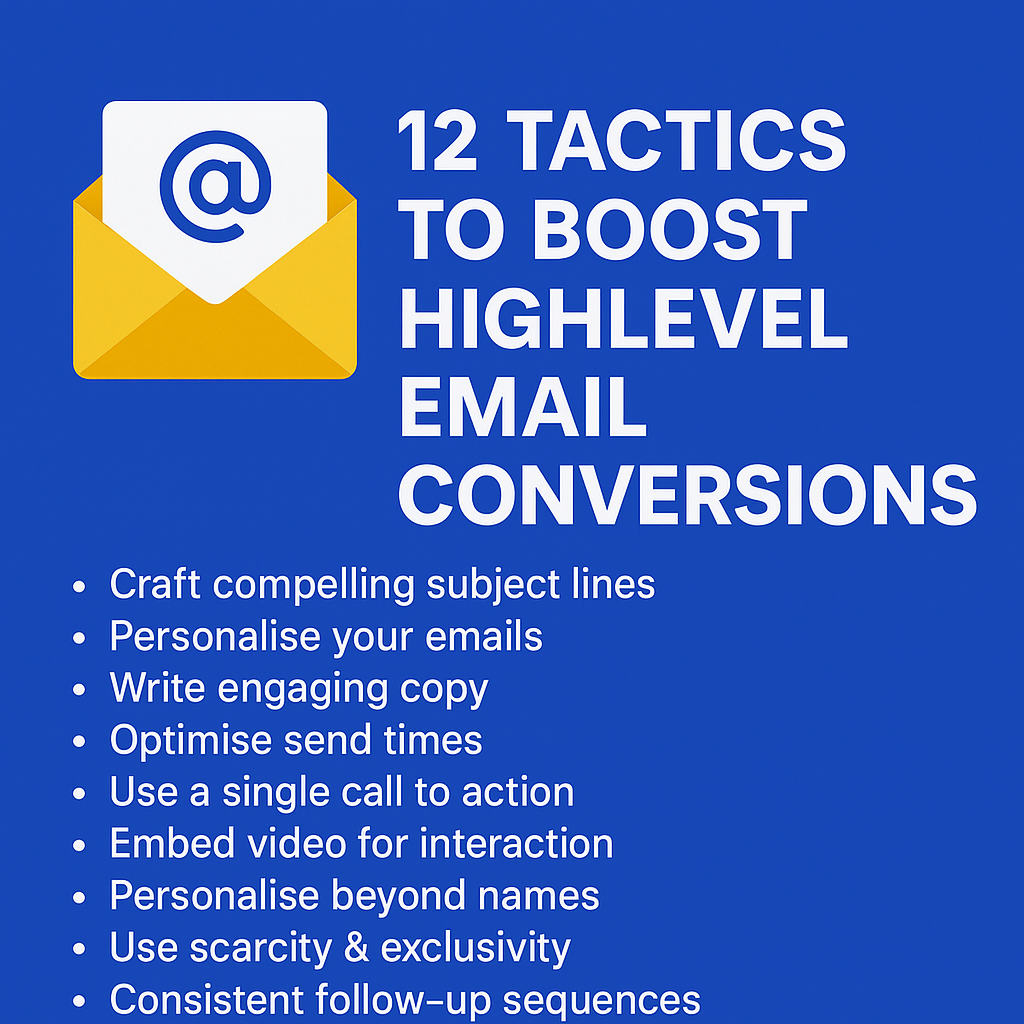
How to Boost Your HighLevel Marketing Email Conversion Rate – 12 Tactics

boost highlevel email conversion rate

boost highlevel email conversion rateIntroduction

When it comes to sending marketing emails from HighLevel, knowing the best tactics can significantly boost your open rates, click-through rates, and ultimately your conversion rate. HighLevel’s built-in email marketing tools are powerful, but only if you know how to use them effectively.

Here are Twelve Effective Tactics you can implement using HighLevel’s email marketing features to help:

  • Double your open rates
  • Triple your click-through rates
  • Dramatically boost your engagement

The first step to improving your emails’ effectiveness is getting them opened. So, let’s dive into some smart tactics to increase your open rates.


Tactic #1: Use Proven Subject Lines

Your subject line is the first impression your email makes. In HighLevel, you can easily customise subject lines for personalisation and testing. Make sure your subject lines fall under one of four categories: Curiosity, Benefit, Scarcity, or Results. Curiosity-based lines tease something unexpected, while Benefit-driven ones highlight value. Scarcity creates urgency, and Results showcase specific proof. For best results, include numbers or personalisation, such as the recipient’s name. With HighLevel’s split-testing feature, you can test multiple subject lines to see what works best.


Tactic #2: Emojis in Subject Lines

HighLevel supports emojis in subject lines, which can dramatically increase your open rates. Emojis add personality, colour, and even emotion to your emails. Our tests have consistently shown an increase in open rates by over 60% when emojis are included. Common choices include ✅ (Green Tick) for affirmation, ⏰ (Alarm Clock) for urgency, and ❀ (Heart) for warmth. Remember to test how your emojis display across devices. HighLevel’s preview and test features make this easy.


Tactic #3: The “Second” Subject Line (Preview Text)

The preview text, or ‘second subject line’, is the snippet of text that follows the main subject line in the inbox. In HighLevel, this can be easily customised to enhance your open rates. Instead of generic text, use your preview text to complement your subject line or overcome potential objections. For example, if your subject line is: “Swipe Our £15,000 Email Template,” your preview text could be: “It’s simpler than you think and works in any industry.” HighLevel allows you to test how this preview displays to ensure it looks appealing.


Tactic #4: From Name Matters

HighLevel allows you to personalise the ‘From’ name in your emails. Using a personal name rather than a company name makes your emails feel more genuine. Stick with a consistent ‘From’ name to build familiarity. When experimenting with new names, try blending them with your brand, e.g., “Julian at MarketerM8.” This approach offers the personal touch while still reminding recipients of your brand. Test your open rates in HighLevel to find what works best for your audience.


Tactic #5: Timing Matters (Avoid the Morning Purge!)

Timing can make or break your HighLevel email campaigns. Many people work from home on Mondays and Fridays, which can affect response rates. HighLevel’s scheduling tools allow you to send emails at the most effective times. Instead of blasting your entire list at once, consider using HighLevel’s Drip feature to spread your emails out over time. This allows you to avoid overwhelming your audience and improves your chances of getting noticed. Try sending emails later in the morning or in the afternoon when your audience is more likely to engage. Test different times to see what works best for your audience and adjust your strategy accordingly.


Tactic #6: The Magic Number of Links

With HighLevel, you can easily include links throughout your emails. The optimal number is four, but they should all lead to the same destination. Including too many different links can harm deliverability. Instead, place your primary link at various points within your email: early for eager readers, midway for direct calls-to-action, near the end for thorough readers, and in the P.S. for skimmers. HighLevel’s link tracking feature lets you monitor which placement works best.


Tactic #7: Use Images & GIFs

Images and GIFs can enhance your HighLevel emails. Adding visuals to your emails makes them more engaging and encourages clicks. HighLevel’s email editor supports the inclusion of images and GIFs. Use simple animations, such as flashing buttons or moving arrows, to draw attention to your call-to-action. Ensure your visuals are properly formatted to display correctly across devices.


Tactic #8: Use Video Thumbnails to Drive Clicks

While HighLevel doesn’t support embedding videos directly, you can still drive clicks by including a thumbnail image of a video with a play button overlay. When clicked, this can link to a HighLevel funnel or external page where the video is hosted. This approach is especially effective for product demos, testimonials, or personalised messages. Test this strategy to see how it boosts your click-through rates.


Tactic #9: Consistent Follow-Up Sequences

HighLevel excels at creating follow-up sequences. Rather than relying on a single email, build a series that progressively builds interest and addresses objections. Use automated workflows to target recipients who haven’t opened or clicked your first email. HighLevel’s visual workflow builder makes this easy, allowing you to structure sequences to maximise engagement.

Now it’s your turn to apply these HighLevel-specific tactics and watch your conversions skyrocket.


Tactic #10: Personalisation Beyond Names

With HighLevel, you can personalise emails far beyond just using a recipient’s name. Segment your audience based on interests, past interactions, or behaviour. If someone recently downloaded a lead generation guide, follow up with related content. HighLevel’s automation tools make setting up these follow-ups a breeze, improving your relevance and engagement.


Tactic #11: Use Scarcity & Exclusivity Wisely

HighLevel’s automation features are perfect for creating urgency and exclusivity. Limited-time offers, early access invitations, or special bonuses can be promoted using sequences and timed triggers. Plus, you can use HighLevel’s Countdown Timer feature to build urgency right within your emails. The visual timer creates a powerful psychological effect that encourages prompt action. Use phrases like “Only 3 spots left” or “Offer ends at midnight.” HighLevel allows you to set specific timers and triggers to build urgency.


Tactic #12: Test and Optimise

HighLevel’s split-testing tools allow you to test subject lines, content, and timing to see what works best. Continuously experiment and optimise your campaigns. Compare open rates, click-through rates, and conversions to identify the most effective approach. HighLevel’s reporting tools make this easy, so make testing a regular part of your email marketing routine.


Additional Resources:

Now it’s your turn to apply these HighLevel-specific tactics and watch your conversions skyrocket.

How to Follow Up Properly: The Ultimate Guide to HighLevel Follow-Up

highlevel consultant julian mills

highlevel follow-upIntroduction

In the world of business, one of the biggest gaps between leads and sales lies in follow-up. It’s not just about getting more leads; it’s about ensuring that every single lead receives consistent, valuable engagement. The truth is, most businesses are losing potential customers simply because they aren’t following up effectively. The good news? You can change that by implementing a robust follow-up strategy that works – and HighLevel is the perfect tool to make this happen.

This guide will walk you through a proven framework designed to double your lead conversions. And the best part? It’s built to be implemented seamlessly within HighLevel.

The Purpose of Follow-Up: Building Relationships, Not Just Making Sales

Effective follow-up is about building relationships. It’s not about selling all the time – it’s about providing value, establishing trust, and positioning yourself as the go-to solution when your prospect is ready to buy. While the end goal is sales, the journey to that point must feel natural and authentic to the prospect. Keep your sales pitch towards the end of your messages and never pitch in every email. Instead, focus on giving value and establishing a genuine connection.

The Comprehensive Follow-Up Blueprint

This framework is a structured approach over 60 days, designed to ensure your leads are continually nurtured with value-driven content aimed at overcoming objections, building trust, and educating them until they are ready to make a purchase.


🔍 The HighLevel Follow-Up Structure

Phase 1: The Initial Engagement (First 5 Days)

This phase is about building rapport and trust quickly. It’s about making sure you stand out and get remembered.

  • Day 1: Send a personal welcome video via the HighLevel mobile app. Make it friendly, engaging, and personalised. Explain how you’re here to help, here is an article on how to send a video message through the HighLevel mobile app. This first interaction should feel genuine and helpful.
  • Day 2: Share your personal story. Keep it engaging, authentic, and human. Use HighLevel’s email builder to craft this automated message. Share why you do what you do and how you help others.
  • Day 3: Provide a powerful industry insight your prospects should know. Share this through a well-crafted email or even a short, educational video sent via SMS or email.
  • Day 4: Share a client transformation story showcasing your impact. Use testimonials or case study links stored within HighLevel.
  • Day 5: A friendly reminder of your offer or service, with an invitation to ask questions or book a call.

Practical Example:

Using HighLevel, set up a workflow that triggers immediately when a new lead enters your funnel. Schedule messages for Day 1 to Day 5 with email and SMS communication options. Use HighLevel’s tagging system to track engagement.


Phase 2: Overcoming Objections (Next 10 Days)

For the following ten days, your goal is to address specific objections your prospects may have. You’re aiming for one piece of content every other day.

  • Five valuable pieces of content, each focused on handling a common objection or pain point.
  • Deliver these through HighLevel’s Workflow automation feature, which allows you to build sequences with timed triggers.
  • Address topics like pricing, effectiveness, ease of use, or why your solution is better than competitors.
  • Continue providing value in each interaction. Avoid making a hard pitch in these messages – focus on solving their problems and building credibility.

Practical Example:

Create a new Workflow for Objection Handling. Add triggers for Days 7, 9, 11, 13, and 15. Link your content (emails, videos, testimonials) to HighLevel’s CRM system for tracking.


Phase 3: Long-Term Nurturing (Following 45 Days)

For the remaining six weeks, you’ll deliver two pieces of valuable content per week. The focus here is on educating your audience, providing value, and demonstrating authority.

  • Alternate between success stories and insights relevant to their industry.
  • Use HighLevel’s automation tools to pre-schedule these communications and track engagement.
  • Consider using SMS broadcasts for quick touchpoints that re-engage inactive leads.
  • Again, avoid constant pitching. Instead, focus on a pesonal touch and providing value and insights that keep your prospects engaged.

Practical Example:

Use HighLevel to set up a long-term nurturing sequence. Add triggers for Days 17, 20, 24, 27, 31, 34, 38, 41, 45, 48, 52, 55, 59, and 60. This ongoing engagement keeps you at the forefront of your prospect’s mind.


📊 Visual Summary of the Follow-Up Framework

Days 1-5: Initial Engagement (Building Trust & Authority)

  • Personal Welcome Video, Personal Story, Industry Insight, Client Transformation, Invitation to Engage.

Days 6-15: Objection Handling (Building Confidence)

  • Address 5 common objections with valuable content.

Days 16-60: Long-Term Nurturing (Educating & Demonstrating Authority)

  • Deliver 2 pieces of content per week focused on value and authority.

Implementing the Blueprint with HighLevel

HighLevel’s marketing automation platform allows you to implement this strategy effectively with:

  • Workflows: Design automated campaigns that follow this structured approach.
  • SMS & Email Marketing: Schedule nurturing sequences and broadcast important messages.
  • Lead Scoring & Tags: Identify which leads are most engaged and focus your efforts where they matter.
  • CRM: Keep track of where each lead is in the follow-up process, ensuring no one falls through the cracks.

Why This Works

This approach works because it’s not just a follow-up sequence – it’s a value sequence. You’re not just asking for the sale; you’re educating, providing value, and building a relationship.

Conclusion

The biggest takeaway here is consistency. With HighLevel, you have the tools at your disposal to follow this framework to the letter and reap the rewards. Make sure every lead receives the attention it deserves. The person who asks the most – in the right way – wins.

Now, let’s get this set up in HighLevel so you can start turning more leads into sales.

Looking to subscribe to HighLevel, please check out my HighLevel agency – MarketerM8.

Looking for HighLevel Certified Admin? Here’s Why You Need a HighLevel Marketing Expert Instead

looking for highlevel certified admin - do you need one?If you’re looking for HighLevel Certified Admin, you’re probably feeling a bit overwhelmed by the sheer power and complexity of HighLevel. After all, it’s a robust marketing automation platform that offers a wealth of tools to help businesses streamline their marketing, sales, and client management processes. But here’s the thing: getting HighLevel set up and running smoothly is one thing—making it actually work to grow your business is another.

Why You Might Not Need a HighLevel Certified Admin

HighLevel Certified Admins are fantastic at getting the nuts and bolts of the platform sorted out. They’ll build your workflows, set up your pipelines, and make sure your dashboard looks the part. But let me ask you: are you looking for a tool technician or someone who truly understands how to make HighLevel drive your marketing success?

My approach is different. As someone who’s been in the marketing trenches since 2009, helping small businesses grow sales and save time with marketing automation, I focus on making HighLevel work for your marketing strategy—not just your software configuration. One client put it perfectly: “Julian, you are not selling HighLevel, you are selling marketing – and HighLevel is just the tool to enable the marketing.”

The Difference Between Implementation and Strategy

While a HighLevel Certified Admin is trained to implement the software, I’m here to help you leverage it. I focus on:

  • Creating marketing strategies that actually convert.
  • Building systems that save you time and increase revenue.
  • Helping you understand how to use HighLevel as a marketing powerhouse, not just a CRM.

A Better Long-Term Solution: Train Your HighLevel Admin / Champion

Rather than relying on an external HighLevel Certified Admin, my approach is to empower your business from within. I work with you to train a dedicated member of your staff to become your own in-house HighLevel Admin / Champion. This means you have your own expert who grows as your business and the HighLevel software evolves. It’s a smarter, more cost-effective, and sustainable approach that ensures your business retains expertise and flexibility as your marketing needs expand.

Why Real Experience Beats Certification

I’ve spent over a decade working hands-on with entrepreneurs, fine-tuning marketing processes that work in the real world. What I bring to the table goes beyond certification—it’s real-world, battle-tested experience in making marketing systems work.

HighLevel is a fantastic tool, but it’s just that—a tool. What truly matters is how you use it to grow your business. That’s where I come in. Rather than just setting things up for you, I help you build marketing systems that generate results.

Ready to Make HighLevel Work for You?

If you’re ready to stop spinning your wheels trying to figure out HighLevel on your own, let’s talk. You don’t need another technician; you need a marketing expert who knows how to make HighLevel deliver real results.

Book a discovery call with me today and let’s discuss how to turn your HighLevel setup into a marketing engine that drives real growth.

Still looking for HighLevel Certified Admin, here is the link to the listing.

How to Transform Customer Service with WhatsApp & HighLevel Together

whatsapp and highlevel integration

whatsapp and highlevel integrationIf you’re using WhatsApp Business installed on a single mobile phone for customer service with WhatsApp you’re likely well aware of its limitations. While it’s a convenient tool for small-scale operations, it quickly becomes unmanageable as your business grows and more team members need access.
But here’s the game-changer: Integrating WhatsApp Business API with HighLevel for Customer Service with WhatsApp. This powerful combination eliminates the limitations of a single-device setup, providing your team with a streamlined, highly effective way to manage customer interactions. Even better, staff members can access WhatsApp messages via the HighLevel mobile app, ensuring your business never misses a beat.


Why the Single-Phone WhatsApp Business Setup Fails Your Business

Limited Accessibility

When WhatsApp Business is locked to a single mobile phone, your customer communication is shackled.

  • Single-device dependency: Only one person can handle messages at a time.
  • No collaboration: Staff can’t share conversations or seamlessly pass inquiries to the right person.
  • Service interruptions: If the phone is lost, damaged, or switched off, your entire customer service function grinds to a halt.

Lack of Scalability

If you’re using a single mobile phone, you’re missing out on:

  • Multi-user management: The ability to delegate tasks to the right team members.
  • Automated workflows: Efficient processes to handle repetitive queries and routine tasks.
  • Cross-device collaboration: Without the HighLevel mobile app, you can’t distribute messages to different staff members.

Zero CRM Integration

This is where your business is truly held back. When you operate from a single phone:

  • All interactions are stuck on one device.
  • Conversations aren’t logged in your CRM, making follow-ups a guessing game.
  • There’s no way to monitor customer interactions over time, leaving you with no historical context or actionable insights.

Inconsistent Customer Experience

  • Responses are often delayed because messages have to be handled manually.
  • Customers may receive confusing or conflicting messages if different staff members share the phone.
  • You’re always reacting, never proactively managing customer journeys.

How HighLevel Transforms Your WhatsApp Customer Service

Now, let’s examine how connecting WhatsApp Business API with HighLevel solves all these problems in one go.

Multi-User Accessibility via the HighLevel Mobile App

Forget about single-device limitations. By integrating WhatsApp Business API with HighLevel:

  • Your team can access WhatsApp messages through the HighLevel mobile app, empowering staff members to respond to inquiries from their own devices, wherever they are.
  • Messages are displayed on a unified dashboard, ensuring that no conversation falls through the cracks.
  • Conversations can be seamlessly assigned to the right team member or department for immediate attention.

Scalability & Automation

HighLevel offers a fully scalable solution:

  • Automated Workflows: Send instant replies, book appointments, or segment customers based on their queries.
  • Smart Routing: Automatically direct conversations to the most appropriate staff member based on predefined triggers.
  • Seamless Handoffs: Combine automated messages with live responses for a professional, polished customer experience.

Integrated CRM & Data Logging

With HighLevel, every customer interaction is stored and accessible through its powerful CRM:

  • View entire conversation histories at a glance.
  • Build detailed customer profiles that improve service quality.
  • Generate insights to refine your communication strategy.

Consistent, Professional Customer Experience

From automated messages to smart routing, HighLevel enables your team to provide a smooth, engaging customer experience. And when combined with the mobile app, your staff can respond promptly and accurately, regardless of where they are.


Single-Phone WhatsApp vs. HighLevel Integration: The Ultimate Comparison

Feature WhatsApp Business (Single Phone) WhatsApp Business + HighLevel
Access Control Single-device access Multi-user access via HighLevel mobile app & dashboard
CRM Integration None Automatic logging and CRM integration
Message Logging Limited to one phone Secure cloud storage accessible from any device
Automation Capabilities Basic (quick replies only) Comprehensive workflows and automation
Scalability None Scalable for teams of any size
Customer Experience Inconsistent, reactive Consistent, proactive, and responsive
Security & Backup Phone-dependent, high risk Secure, cloud-based storage
Collaboration Non-existent Complete collaboration across team members

How to Integrate WhatsApp Business API with HighLevel

Step 1: Obtain WhatsApp Business API Access

  • Apply through a WhatsApp Business Solution Provider (BSP).
  • Get your WhatsApp Business API account approved.

Step 2: Connect HighLevel to WhatsApp

  • Log into HighLevel and go to ‘Settings’ > ‘Integrations’ > ‘WhatsApp’.
  • Follow the prompts to authenticate your WhatsApp Business API and provide necessary

How HighLevel Can Help You Implement the Dream 100 Strategy

ultimate sales machine

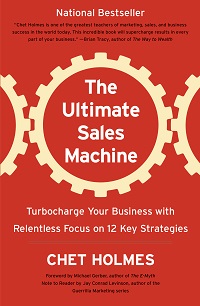
chet holms, dream 100, highlevelThe Dream 100 strategy, developed by Chet Holmes, is a marketing approach where you create a hyper-targeted list of your ideal clients – the Dream 100 – and build a dedicated marketing campaign to win them over. While the concept is simple, the execution requires precision, consistency, and strategic nurturing. This is where HighLevel software becomes a game-changer for marketers.

If you want to dive deeper into the brilliance of Chet Holmes’ methods, check out my book review of The Ultimate Sales Machine.

Understanding the Dream 100 Strategy

The Dream 100 strategy involves identifying the top 100 clients you would love to work with and then developing an ongoing marketing campaign to attract their attention, build relationships, and eventually convert them into loyal customers. It’s a focused, relationship-based approach that requires personalization and follow-through.

Why HighLevel Software?

HighLevel provides a comprehensive suite of marketing tools designed to help you create, manage, and automate your campaigns from one central platform. Its CRM, marketing automation, and sales funnel capabilities make it an ideal tool to implement and scale your Dream 100 strategy.

Steps to Implement the Dream 100 Strategy Using HighLevel

1. Identify Your Dream 100

  • Use HighLevel’s CRM to create a segmented list of your ideal clients.
  • Tag these contacts as “Dream 100” for easy filtering and targeted marketing.

2. Build Personalized Outreach Campaigns

  • Create dedicated email and SMS campaigns targeting your Dream 100 list.
  • Use HighLevel’s templates to craft highly personalized messages.
  • Schedule automated follow-ups to ensure consistent communication.

3. Develop Lead Nurturing Workflows

  • Build automated workflows using HighLevel’s automation tools to nurture your Dream 100 contacts over time.
  • Implement customized email sequences, SMS follow-ups, and even voice drops to stay top-of-mind.

4. Incorporate Direct Mail & Lumpy Mail Marketing

  • A key part of the Dream 100 strategy is sending physical marketing materials – direct mail and lumpy mail – to stand out from the digital noise.
  • Lumpy mail refers to sending a physical item or gift that contributes to your marketing message and makes your outreach memorable. It’s designed to create curiosity and engagement by being something tangible and unexpected.
  • HighLevel cannot create physical mail directly, but it excels at organizing and coordinating the necessary data.
  • Utilize HighLevel’s CRM to export contact lists, create tags, and track when direct mail should be sent.
  • Integrate HighLevel with third-party mailing services via Zapier or custom webhooks to automate the mailing process.
  • Track responses and follow-ups triggered by physical marketing to ensure cohesive messaging across all channels.

5. Leverage Multi-Channel Marketing

  • HighLevel allows you to integrate email, SMS, social media, and direct mail strategies into one cohesive system.
  • Use HighLevel’s social media scheduler to maintain a presence on relevant platforms where your Dream 100 audience spends their time.

6. Track Engagement & Optimize

  • Monitor email open rates, click-through rates, SMS replies, and other metrics to gauge interest.
  • Use HighLevel’s analytics dashboard to refine your approach and improve engagement.

7. Close the Deal with HighLevel’s Sales Tools

  • Utilize HighLevel’s built-in pipeline management features to track your progress and close deals.
  • Schedule meetings, handle follow-ups, and move your Dream 100 contacts through a structured sales process.

Key Benefits of Using HighLevel for the Dream 100 Strategy

  • All-In-One Platform: No need to juggle multiple tools; everything you need is under one roof.
  • Automation: HighLevel’s automation tools make sure your messages reach your Dream 100 without manual effort.
  • Personalization: Tailored messaging through HighLevel’s CRM enhances relationship-building.
  • Data-Driven Optimization: Use HighLevel’s reporting features to continuously refine your campaigns.
  • Direct Mail Coordination: HighLevel’s data management ensures seamless coordination with third-party mailing services.

Conclusion

HighLevel software provides all the tools you need to successfully execute your Dream 100 strategy, from organizing your contact list to automating outreach and tracking engagement. By leveraging HighLevel’s capabilities, you can streamline your marketing efforts, build stronger relationships, and ultimately, turn your Dream 100 into your dream clients.

Ready to see how HighLevel can transform your Dream 100 marketing? Book a Discovery Call with Julian and let’s get your campaign started!

Learn more about the features of HighLevel from my HighLevel agency site – MarketerM8.com


Need Help with HighLevel Email Marketing? I Can Help You Get It Right

julian Mills highlevel

highlevel help email marketing campaigns automationIf you’re searching for help with email marketing using HighLevel, you’re not alone. I recently worked with a client of MarketerM8.com (my HighLevel agency) who was struggling to understand how to send emails effectively with HighLevel. They were confused about the difference between using email campaigns and workflows, and how to set up and use email templates properly. That’s where I stepped in.

HighLevel Email Campaigns vs. Workflows: What’s the Difference?

One of the most common sources of confusion is understanding when to use an email campaign versus a workflow. Email campaigns are perfect for one-off broadcasts—like newsletters or special promotions—where you want to reach a list of contacts at once. However, they lack the automation features needed for ongoing sequences.

On the other hand, workflows are powerful automation tools that allow you to send targeted emails based on user actions or conditions. Whether it’s a welcome sequence, follow-up series, or re-engagement campaign, workflows provide far more control over timing and triggers.

I helped my client understand how to structure their marketing by using campaigns for broadcasts and workflows for automated sequences. This approach allowed them to engage their audience more effectively while saving time.

Setting Up and Using Email Templates Effectively

Another challenge my client faced was understanding how to set up and use email templates. They wanted to create consistent, branded messages without having to start from scratch every time. I guided them through creating templates, saving them for reuse, and integrating them within both campaigns and workflows.

HighLevel’s email template feature allows you to design and save professional-looking emails that can be quickly inserted into campaigns or workflows. I showed them how to customise templates with dynamic content, making their emails more personal and effective.

Tracking Email Performance and Making Improvements

Sending emails is one thing; making sure they work is another. I taught my client how to monitor open rates, click-through rates, and other important metrics using HighLevel’s reporting tools. With these insights, they were able to optimise their emails for better engagement.

Need Help Email Marketing with HighLevel?

If you’re struggling to send emails with HighLevel—whether it’s understanding campaigns vs. workflows, setting up templates, or tracking performance—I can help. Getting your email marketing right is crucial to your success.

Book a discovery call with me today, and let’s get your HighLevel email marketing setup working for you!

For official HighLevel help, visit their support page: HighLevel Help Center.

Setting Up a Website in HighLevel: How I Helped a Client Overcome Their Struggles

julian Mills highlevel

highlevel help websiteIf you’re struggling to set up a website in HighLevel, you’re not alone. Just recently, I worked with a client of MarketerM8.com (my HighLevel agency) who was having a tough time getting started. They knew they needed a website for their business, but HighLevel felt overwhelming. They hadn’t used website builders like Wix or Leadpages before, so the process seemed daunting. That’s where I came in.

Helping with HighLevel Website Setup

One of the biggest challenges my client faced was understanding the website builder in HighLevel. They didn’t know where to start, how to structure their pages, or how to customise the design to fit their brand. I guided them through the entire process, from selecting templates to adding their content, ensuring their site was both functional and professional.

Getting Started with SEO

Another hurdle was SEO. My client had no idea how to optimise their site for search engines, meaning their website wouldn’t be easily found by potential customers. I introduced them to the basics—how to choose the right keywords, structure their pages for better rankings, and set up metadata to improve visibility. I also advised them to read They Ask, You Answer by Marcus Sheridan, a book that has been a game-changer for many of my clients. It provides a clear, customer-focused approach to content marketing and SEO. You can read my review of the book here: They Ask, You Answer – My Review.

Automating the Contact Us Form

Finally, they needed help setting up a Contact Us form and integrating it with automation. They wanted enquiries to trigger automated follow-ups to make sales easier and more efficient. I showed them how to create and connect the form to HighLevel’s automation tools, ensuring leads were captured and followed up with seamlessly.

Need Help Setting Up Your HighLevel Website?

If you’re facing similar struggles—whether it’s getting started with the website builder, understanding SEO, or setting up automation—I can help. Setting up a website in HighLevel doesn’t have to be stressful. Let’s make it easy and get your business online the right way.

Book a discovery call with me today, and let’s get your website working for you!

For official HighLevel help, visit their support page: HighLevel Help Center.

Which Is the Best Way to Set Up Your HighLevel Marketing System? Do It Yourself, Done With You, or Done For You?

highlevel consultant julian mills

highlevel - do it yourself, done with you or done for you When setting up HighLevel for your business, you have three main options: Do It Yourself (DIY), Done With You (DWY), or Done For You (DFY). But which approach is the best? That depends on your budget, technical ability, and how fast you want results.

Let’s break down each method so you can decide which is the right fit for your business.


Option 1: Do It Yourself (DIY) – The Hands-On Approach

If you like to be in control and don’t mind getting stuck into the details, the DIY approach might suit you. This involves setting up HighLevel yourself by following guides, watching tutorials, and troubleshooting as you go.

Pros:

✅ Cost-effective – The cheapest option because you’re not paying for external help.
✅ Full control – You know exactly how everything works.
✅ Flexible – You can tweak and optimise your system over time.

Cons:

❌ Time-consuming – Learning HighLevel from scratch takes time.
❌ Risk of mistakes – Without expert guidance, you might set things up inefficiently.
❌ Slower results – You’ll spend time figuring things out rather than generating leads.

Best for:

✔ Startups and solopreneurs who have more time than money.
✔ Tech-savvy marketers comfortable with automation tools.

Julian’s Tip:

There are loads of resources online – just do a Google Search. Also, check out the series of free, live workshops that we run at MarketerM8 for those thinking about HighLevel and those already using in. Live Online Workshops menu.


Option 2: Done With You (DWY) – A Guided Setup

DWY is a hybrid approach where you work with an expert to set up your HighLevel system while learning how to use it. This typically includes strategy sessions, implementation help, and training.

Pros:

✅ Faster implementation – You get expert input from day one.
✅ Hands-on learning – You’re involved in the process, so you gain skills.
✅ Customised setup – Your system is built around your business needs.

Cons:

❌ More expensive than DIY – You’re paying for expert time.
❌ Still requires effort – You need to dedicate time to learn and implement.

Best for:

✔ Business owners who want a structured setup but still want control.
✔ Teams who need training to manage HighLevel effectively.

Julian’s Tip:

Have to ever heard of Alex Hormozi? This is exactly how he implements a new technology / skill. It must work as he is now worth over $100M!! Check out what he as to say, in this instance he his talking about learning how to advertise. Watch here.


Option 3a: Done For You Service (DFY) – Hands-Free Setup

With the DFY option, an expert (or agency) sets up a beskpoke HighLevel for you, from automations and funnels to email sequences and integrations.

Pros:

✅ Fast setup – Your system is up and running quickly.
✅ Expert-level execution – Everything is built optimally from the start.
✅ No learning curve – You focus on running your business, not learning software.

Cons:

❌ Most expensive option – You’re paying for a complete setup.
❌ Less control – You’ll rely on someone else for changes and updates.
❌ Knowledge gap – If you don’t get proper training, you may struggle to manage it later.

Best for:

✔ Businesses that want HighLevel running ASAP with minimal involvement.
✔ Those with a budget who prefer to outsource rather than DIY.

Option 3b: Done For You (DFY) Niche Specific “System in a Box” – Hands-Free Setup

With the niche specific “system in a Box” a HighLevel agency with expertise in your area of business has created a HighLevel “Snapshot” that is tailored to your industry. For example you see these for dentists, accountants etc. It is the full plug and play, one size fits all solution.

Pros:

✅ Fastest setup – Your system is up and running very quickly.
✅ Cost – They can be low cost – but not always. Can cost ÂŁ300+ per month and over time this adds up.
✅ Niche expert-level execution – Everything is built specific for your industry by an agency with expertise in that niche.
✅ No learning curve – You focus on following the prescribed system to run your business, not learning software.

Cons:

❌ Black Box – You shoe-horn your business into the pre build system. Very difficult to customise later
❌ Less control – You’ll rely on someone else for changes and updates, if indeed they offer this option.
❌ Does not grow and adapt – Over time your buiness eveloves. This system will not. It will break or become redundant. Eventually you will either cancel HighLevel or revert to one of the other options – 1,2 or 3a.

Best for:

✔ Businesses starting out that want a quick, low cost, “plug and play” system and can shoe horn the business into the one size fits all solution.

Julian’s Tip:

Be sure there is support AFTER in initial set up for training,  updates, fixing bugs and make tweaks specific to your business. Be sure the know the costs for this


So, Which Is the Best Option?

The right choice depends on your situation:

  • If you have more time than money → DIY.
  • If you want to learn but need expert guidance → DWY.
  • If you want results fast and are happy to outsource → DFY.

If you’re serious about getting HighLevel working for your business but don’t want to waste time on trial and error, a Done With You service is often the best balance. You get expert guidance without losing control of your system.

Want to see how this works in practice?

Book a Discovery Call with Julian and he can help you to map out the best approach for your business. Check out Julians Highevel agency – MarketerM8