Why and How to Use ChatGPT to Update and Refresh Blog Posts for Better SEO

how to use chatgpt to update blog posts for SEO

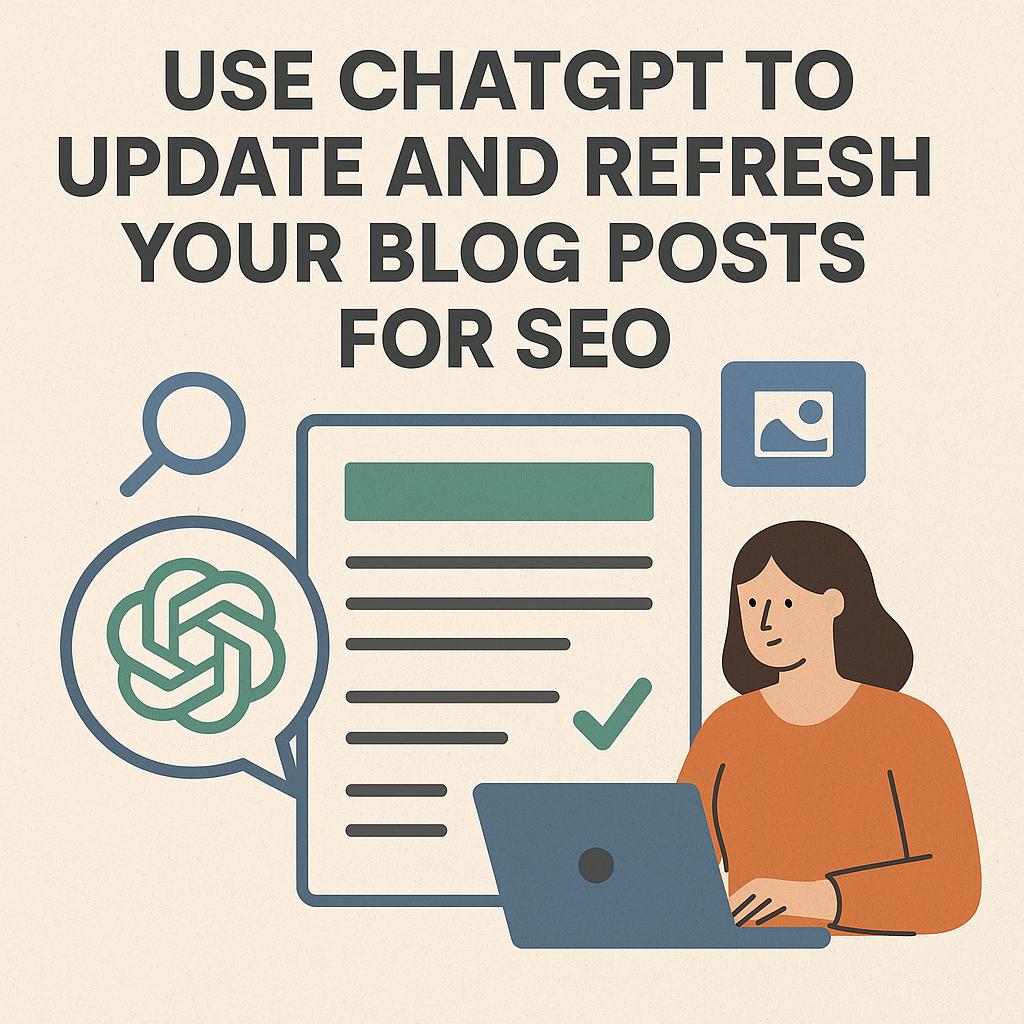
how to use chatgpt to update blog posts for SEOIn the fast-evolving world of digital marketing, maintaining relevance and visibility on search engines is essential for any business. One of the most effective ways to achieve this is by regularly updating and refreshing your blog posts.

However, the process of keeping blog content up-to-date can be time-consuming. This is where ChatGPT comes into play — an advanced AI tool that can help streamline the process and ensure your SEO rankings stay strong. In this post, we’ll explore why you should update your blog posts and how you can leverage ChatGPT to maintain their freshness and SEO performance.

Why You Should Update and Refresh Blog Posts

1. Improve SEO Rankings

Search engines like Google are constantly updating their algorithms, meaning strategies that worked for SEO in the past may no longer be effective today. By refreshing your blog posts regularly, you ensure your content remains relevant and in line with current search trends, giving you a better chance of ranking higher on search engine results pages (SERPs). This also involves revisiting keywords, adding new sections, and improving internal links—all of which can have a positive impact on SEO.

2. Keep Content Relevant and Accurate

Information changes over time. Whether it’s due to shifting trends, new statistics, or product updates, content can quickly become outdated. Regularly refreshing your blog posts ensures your audience is receiving the most accurate, up-to-date information. This builds trust and credibility with your audience, and search engines favour content that reflects the latest developments in a field.

3. Increase Organic Traffic

Even if your blog post is ranking well today, it may lose visibility as newer, more relevant content emerges. Updating older content gives it a second life and allows you to continue driving organic traffic to your site. Google rewards websites that consistently refresh their content, making it more likely that your blog will maintain visibility in search results.

4. Boost Conversion Rates

Outdated content may not resonate with your target audience. By keeping blog posts fresh, you ensure that they reflect the latest industry insights, helping your content to better align with the needs of your audience. This can lead to higher conversion rates, whether you’re encouraging visitors to subscribe, make a purchase, or book a consultation.

How ChatGPT Can Help You Update and Refresh Blog Posts

1. Content Expansion and Detail Enhancement

Over time, you may find that your original blog post doesn’t have the depth or detail needed to stand out in today’s competitive SEO landscape. ChatGPT can help you expand your content by adding relevant new information, case studies, or updated facts and figures. Simply input your original blog post and request suggestions for how to improve and expand it.

Example prompt for ChatGPT: “Can you expand on the section about SEO tips for small businesses by including the latest statistics and examples?”

2. Keyword Optimisation

SEO relies heavily on the use of relevant keywords. Over time, some keywords may become less effective, while new ones emerge. ChatGPT can assist in identifying these new keywords and incorporating them into your blog posts. The tool can also help you optimise headings, meta descriptions, and image alt text, all of which can improve your search engine visibility.

Example prompt for ChatGPT: “What are the current trending keywords in the SEO industry that I can incorporate into my blog post on SEO strategies?”

3. Improve Readability

Google places significant emphasis on user experience, which includes the readability of your content. If your blog post is overly complex or difficult to read, it could harm your SEO rankings. ChatGPT can help by suggesting ways to make your content clearer and more engaging. This could involve rewriting sentences for better clarity, breaking up long paragraphs, or adjusting the structure to improve flow.

Example prompt for ChatGPT: “Please rewrite the introduction to my blog post in a clearer and more engaging way.”

4. Fixing Broken Links and Adding Internal Links

As time goes on, links in your blog posts may become broken, which can negatively impact your SEO. ChatGPT can help you identify these broken links and suggest relevant new links to replace them. Additionally, adding internal links to other pages or blog posts on your website improves site navigation and strengthens SEO by passing link equity through your content.

Example prompt for ChatGPT: “Can you suggest internal links to other blog posts or pages on my website that I can add to this post on marketing automation?”

5. Content Rewriting for New Angles

Even after refreshing content, some blog posts may still feel a bit stale. ChatGPT can help you rewrite your content from a fresh perspective, incorporating new insights or offering a different viewpoint that resonates better with today’s audience. This allows your content to stay dynamic and adaptable to the ever-changing digital landscape.

Example prompt for ChatGPT: “Can you rewrite this blog post with a focus on how new AI tools are changing the way businesses approach digital marketing?”

6. Generate SEO-Friendly Titles and Meta Descriptions

A compelling title and a concise, keyword-rich meta description are essential for improving click-through rates (CTR) from search engine results. ChatGPT can generate multiple variations of blog post titles and meta descriptions that adhere to SEO best practices, helping to boost visibility and engagement.

Example prompt for ChatGPT: “Can you provide 5 SEO-friendly title ideas for my blog post on updating old content for SEO?”

Best Practices for Using ChatGPT to Update Blog Posts

  • Start with a Clear Goal: Before you begin updating your blog post, have a clear objective in mind. Are you aiming to increase traffic, improve readability, or update outdated content? This will help guide how you use ChatGPT to optimise the post.
  • Review the Output: While ChatGPT is an incredibly powerful tool, it’s important to review and refine the content it generates. Ensure that the updates align with your brand’s voice and tone.
  • Be Specific with Prompts: The more detailed your prompt, the better the results. If you need to expand a particular section, adjust the angle, or optimise for specific keywords, make sure to specify that in your request to ChatGPT.
  • Use ChatGPT in Stages: Don’t feel the need to update the entire blog post in one go. You can break the process into smaller tasks, such as enhancing one section at a time, reworking the introduction, or adding relevant links.

Conclusion

Using ChatGPT to update and refresh blog posts is an effective way to ensure your content remains relevant, accurate, and optimised for SEO. With the right prompts and approach, you can breathe new life into old blog posts, boost your SEO rankings, and continue to engage your audience. Whether you need to expand content, optimise for new keywords, or improve readability, ChatGPT is a valuable tool to help you maintain high-quality content.

If you’re ready to update your blog and ensure it stays ranking high in search engines, give ChatGPT a try for your next content refresh!


Here is another Post you may find of interest:

25 Powerful ChatGPT Tips and Hacks Every Marketer Should Know

25 Powerful ChatGPT Tips and Hacks Every Marketer Should Know

chatgpt marketer tips and hacks for marketing

chatgpt tips for marketers and hacks for marketingIf you’re a marketer looking for ChatGPT tips to help you work smarter, not harder — you’re going to love this. ChatGPT isn’t just for writing blog posts and tinkering with emails. Used well, it’s a Swiss Army knife for marketers: a productivity booster, content machine, and thinking partner rolled into one.


In this post of ChatGPT tips, I’ve pulled together 25 of the most useful, creative, and under-the-radar ways marketers are using ChatGPT every day — plus a few time-saving ChatGPT tips I’ve picked up along the way.


The best way to think about ChatGPT is this: it’s like having a personal assistant in your pocket. And yes — there’s a mobile app. If you haven’t downloaded it yet, you’re missing out.

Once you start using ChatGPT this way — like a quick-access sidekick for questions, content, ideas, or tasks — you’ll be amazed how many times a day you end up saying, “Let me just ask ChatGPT.”

🔧 Automation & Workflow Time-Savers

1. Clean & Format CSVs
Exported a messy lead list or a CRM data dump? Paste it into ChatGPT and ask it to:

  • Remove duplicates
  • Split full names
  • Reformat into usable columns for import

Great for prepping lists for email marketing, ads, or pipeline uploads.

2. Resize / Optimise Images for Email or Social
Upload a bulky image and ask for a resized 600px version for email. Or compress it for faster loading on social. Super useful when you need quick image tweaks without opening Canva or Photoshop. Recent post.

3. Generate Meta Descriptions in Bulk
Paste your blog titles or summaries and ask ChatGPT to generate SEO-friendly meta descriptions (150 characters max). You can even request keyword inclusion or tone tweaks.

4. Create UTM Tracking URLs in Bulk
Running a multi-channel campaign? Drop your base link and ask ChatGPT to build proper UTM-tagged URLs for each source (e.g. email, LinkedIn, ads). Google Analytics tracking made easy.

5. Summarise Reports, PDFs, or Meeting Notes
Upload meeting transcripts, SEO audits, or long reports and ask for bullet point summaries, action steps, or a one-page slide outline. A real game-changer for internal comms and client updates.


🌟 Content & Creative Power-Ups

6. Brainstorm Social Post Variations
Got a caption? Ask for 10 variations — serious, cheeky, persuasive, short-form — perfect for A/B testing or cross-platform use.

7. Write YouTube Hooks & Descriptions
Need a punchy opener, summary, and keyword-rich description for your next video? ChatGPT can do the lot, even timestamps.

8. Repurpose Long Content into Carousels or Reels
Drop in a blog post and ask for slide-by-slide captions or short-form video scripts. Excellent for giving old content new life on social.

9. Rewrite in Different Tones or Personas
Ask ChatGPT to rewrite something in a professional, fun, casual, or Gen Z tone. Or tailor it to different buyer personas.

10. Craft Scroll-Stopping Subject Lines
Tell it your email topic and ask for subject lines that use curiosity, urgency or humour. Helps lift open rates fast.


📊 Insights & Strategy

11. Analyse Competitor Copy
Paste in a landing page or ad and ask ChatGPT to break down their angle, tone, audience, and offer structure. Learn what they’re doing — and how to beat it.

12. Build Customer Avatars
Describe your product or service and ask ChatGPT to create buyer personas — complete with goals, pain points, objections and decision triggers.

13. Analyse Survey Results
Drop in open-ended survey responses and let ChatGPT group answers into themes, highlight quotes, or extract common feedback.

14. Cluster Keywords & Plan Blog Content
Feed in a long list of keywords from a tool like Ahrefs or Semrush and ask for clustered content ideas or pillar-cluster strategies.

15. Convert Podcast Transcripts into Blogs
Paste a transcript and ask for a blog summary, tweet thread, or pull-quote graphics. Brilliant for content repurposing.


🛠️ Funnels & Follow-Ups

16. Build Workshop or Webinar Outlines
Ask ChatGPT to structure a 60-minute workshop with an intro, teaching points, breakout Q&A, and call to action.

17. Create Lead Magnet Follow-Up Sequences
“Write me a 5-part email nurture sequence for people who downloaded my PDF on X.” Simple, on-brand, and fast.

18. Script AI Chatbots or Voice Assistants
Use it to create a branded chatbot script for website enquiries, FAQs or even AI voice agents.

19. Audit Funnel Copy for Gaps
Paste in your sales page and ask: “Where is trust missing?” or “What objections haven’t I handled?”

20. Generate High-Converting Hero Sections
Provide your offer and ask for a homepage headline, subhead and CTA combo — formatted and ready to test.


🧠 Thinking Partner & Creative Sparring Tool

21. Refine Your Positioning Statement
Ask ChatGPT to sharpen your elevator pitch. Or give it a try writing three different versions for three customer types.

22. Challenge Your Strategy
Say, “Play devil’s advocate — what’s weak or missing in this marketing plan?” Let it surface blind spots.

23. Roleplay Sales Objections
Use it to simulate sales conversations — “Act like a hesitant client, challenge me on price.” Great training.

24. Turn Testimonials into Case Studies
Drop in a raw client testimonial and ask it to rewrite it into a proper case study using STAR or PAS framework.

25. Invent Lumpy Mail Campaigns
Tell it your campaign goal and ask for direct mail ideas involving physical items (“lumpy mail”) that tie into your message.


Final Thought

If you’re only using ChatGPT to write blogs or captions, you’re barely scratching the surface. The real magic happens when you start using it as your virtual marketing assistant, strategist, editor, analyst, and designer — all in one window. And be sure to install and use it on your mobile.

Do you have any smart ChatGPT tips that are not on the list? Let me know.  Julian


How to Add a Link at the Top of Your LinkedIn Profile (Desktop and Mobile Guide)

linkedin link top of profileIf you’re trying to drive traffic to your website, booking page, or lead magnet, then here’s a quick win you can implement in minutes — adding a clickable link right at the top of your LinkedIn profile.


This feature is officially called a “custom button” and it appears just below your profile picture and headline. It’s visible to anyone who views your profile (even if they’re not a connection) — making it prime real estate.

Here’s how to set it up.


🖥️ On Desktop

  1. Go to your LinkedIn profile
    Click on the Me icon at the top right of LinkedIn and select View Profile.

  2. Click the pencil icon
    This is in the top-right corner of your introduction section (next to your photo and headline).

  3. Scroll down to the “Website” section
    You’ll see a section titled Custom button.

  4. Paste your URL and write a title
    This could be your booking link, portfolio, newsletter, or lead magnet.
    For example:

    • Link: https://yourdomain.com/booking

    • Title: Book a Discovery Call

  5. Click Save
    That’s it! You’ll now have a clear, clickable link right at the top of your profile.


📱 On Mobile (LinkedIn App)

  1. Open the LinkedIn app on your phone.

  2. Tap your profile photo at the top left and select View Profile.

  3. Tap the pencil icon next to your name and headline.

  4. Scroll down to find the Website section.

  5. Enter your URL and a short, compelling title.

  6. Tap Save.


💡 Pro Tips

  • Keep the button text short and action-based (e.g. Download My Free Guide, Book a Call, View Portfolio).

  • Use a clean, branded link (a long, messy URL doesn’t look great).

  • Consider updating this link regularly depending on what you’re promoting.


Final Thoughts

If you’re actively using LinkedIn for business, then this button is a no-brainer. Whether you’re a consultant, coach, freelancer, or job-seeker, this gives you a way to drive profile visitors to take meaningful action — straight from your headline area.

It takes less than 5 minutes to set up and could bring you qualified leads every week.


Need help turning your LinkedIn profile into a lead-generation asset?
Book a Discovery Call with Julian

Reference. LinkedIn help doc.

🛠️ A Handy ChatGPT Trick: Resize and Crop Your Images with AI

HighLevel Expert Julian Mills UK

Sometimes you just need a quick image resize — maybe for a profile picture, a website thumbnail, or a social media post — but you don’t want to mess around with clunky design software or lose quality by stretching things out of proportion. That’s where ChatGPT comes in with a surprisingly helpful trick.

🧠 Did you know ChatGPT can intelligently resize and crop your images?

I recently discovered that ChatGPT can resize an image to an exact size (like 300×300 pixels) and keep the important part in focus — like your face — without stretching or distorting the photo.

I tested it with a headshot I had of me and Nigel Botterill. I just uploaded the image and gave ChatGPT a simple instruction:

“Resize this image to 300×300 pixels. Don’t stretch it — crop it intelligently to keep the aspect ratio. Focus on the area around my face.”

Here’s the original image:

And here’s the smartly cropped version with my face centered in a perfect square format:

It took just a few seconds, and it was spot on — no Photoshop needed.


💡 How to Do It Yourself

Want to try it? Here’s the prompt template I used:

Resize this image to 300×300 pixels. Don’t stretch it — crop it intelligently to keep the aspect ratio. Focus on the area around my face (or whatever subject you want to highlight).

Then just upload your photo, and ChatGPT will take care of the rest. You can change the dimensions to anything you like (e.g., 600×400, 150×150, etc.).

Sometimes the initial result may not exactly meet your requirements, in that case just feedback to ChatGPT and have it rework the image.


🧰 Bonus Tip: Save a Prompt Template

If you know you’ll want to do this kind of thing regularly, you can even ask ChatGPT to remember your favorite resizing prompt — like I did. Now it’s super fast to reuse.


✅ Final Thoughts

This is one of those surprisingly practical AI tricks that saves time and avoids fiddling with image editors. Whether you’re prepping for a presentation, updating your profile pic, or just want a quick image crop — it’s a great tool to have up your sleeve.

Give it a try, and thank me later 😉

Looking for me tips and GPT ideas. Check out this post 25 Powerful ChatGPT Tips and Hacks Every Marketer Should Know

How to Follow Up Properly: The Ultimate Guide to HighLevel Follow-Up

highlevel consultant julian mills

highlevel follow-upIntroduction

In the world of business, one of the biggest gaps between leads and sales lies in follow-up. It’s not just about getting more leads; it’s about ensuring that every single lead receives consistent, valuable engagement. The truth is, most businesses are losing potential customers simply because they aren’t following up effectively. The good news? You can change that by implementing a robust follow-up strategy that works – and HighLevel is the perfect tool to make this happen.

This guide will walk you through a proven framework designed to double your lead conversions. And the best part? It’s built to be implemented seamlessly within HighLevel.

The Purpose of Follow-Up: Building Relationships, Not Just Making Sales

Effective follow-up is about building relationships. It’s not about selling all the time – it’s about providing value, establishing trust, and positioning yourself as the go-to solution when your prospect is ready to buy. While the end goal is sales, the journey to that point must feel natural and authentic to the prospect. Keep your sales pitch towards the end of your messages and never pitch in every email. Instead, focus on giving value and establishing a genuine connection.

The Comprehensive Follow-Up Blueprint

This framework is a structured approach over 60 days, designed to ensure your leads are continually nurtured with value-driven content aimed at overcoming objections, building trust, and educating them until they are ready to make a purchase.


🔍 The HighLevel Follow-Up Structure

Phase 1: The Initial Engagement (First 5 Days)

This phase is about building rapport and trust quickly. It’s about making sure you stand out and get remembered.

  • Day 1: Send a personal welcome video via the HighLevel mobile app. Make it friendly, engaging, and personalised. Explain how you’re here to help, here is an article on how to send a video message through the HighLevel mobile app. This first interaction should feel genuine and helpful.
  • Day 2: Share your personal story. Keep it engaging, authentic, and human. Use HighLevel’s email builder to craft this automated message. Share why you do what you do and how you help others.
  • Day 3: Provide a powerful industry insight your prospects should know. Share this through a well-crafted email or even a short, educational video sent via SMS or email.
  • Day 4: Share a client transformation story showcasing your impact. Use testimonials or case study links stored within HighLevel.
  • Day 5: A friendly reminder of your offer or service, with an invitation to ask questions or book a call.

Practical Example:

Using HighLevel, set up a workflow that triggers immediately when a new lead enters your funnel. Schedule messages for Day 1 to Day 5 with email and SMS communication options. Use HighLevel’s tagging system to track engagement.


Phase 2: Overcoming Objections (Next 10 Days)

For the following ten days, your goal is to address specific objections your prospects may have. You’re aiming for one piece of content every other day.

  • Five valuable pieces of content, each focused on handling a common objection or pain point.
  • Deliver these through HighLevel’s Workflow automation feature, which allows you to build sequences with timed triggers.
  • Address topics like pricing, effectiveness, ease of use, or why your solution is better than competitors.
  • Continue providing value in each interaction. Avoid making a hard pitch in these messages – focus on solving their problems and building credibility.

Practical Example:

Create a new Workflow for Objection Handling. Add triggers for Days 7, 9, 11, 13, and 15. Link your content (emails, videos, testimonials) to HighLevel’s CRM system for tracking.


Phase 3: Long-Term Nurturing (Following 45 Days)

For the remaining six weeks, you’ll deliver two pieces of valuable content per week. The focus here is on educating your audience, providing value, and demonstrating authority.

  • Alternate between success stories and insights relevant to their industry.
  • Use HighLevel’s automation tools to pre-schedule these communications and track engagement.
  • Consider using SMS broadcasts for quick touchpoints that re-engage inactive leads.
  • Again, avoid constant pitching. Instead, focus on a pesonal touch and providing value and insights that keep your prospects engaged.

Practical Example:

Use HighLevel to set up a long-term nurturing sequence. Add triggers for Days 17, 20, 24, 27, 31, 34, 38, 41, 45, 48, 52, 55, 59, and 60. This ongoing engagement keeps you at the forefront of your prospect’s mind.


📊 Visual Summary of the Follow-Up Framework

Days 1-5: Initial Engagement (Building Trust & Authority)

  • Personal Welcome Video, Personal Story, Industry Insight, Client Transformation, Invitation to Engage.

Days 6-15: Objection Handling (Building Confidence)

  • Address 5 common objections with valuable content.

Days 16-60: Long-Term Nurturing (Educating & Demonstrating Authority)

  • Deliver 2 pieces of content per week focused on value and authority.

Implementing the Blueprint with HighLevel

HighLevel’s marketing automation platform allows you to implement this strategy effectively with:

  • Workflows: Design automated campaigns that follow this structured approach.
  • SMS & Email Marketing: Schedule nurturing sequences and broadcast important messages.
  • Lead Scoring & Tags: Identify which leads are most engaged and focus your efforts where they matter.
  • CRM: Keep track of where each lead is in the follow-up process, ensuring no one falls through the cracks.

Why This Works

This approach works because it’s not just a follow-up sequence – it’s a value sequence. You’re not just asking for the sale; you’re educating, providing value, and building a relationship.

Conclusion

The biggest takeaway here is consistency. With HighLevel, you have the tools at your disposal to follow this framework to the letter and reap the rewards. Make sure every lead receives the attention it deserves. The person who asks the most – in the right way – wins.

Now, let’s get this set up in HighLevel so you can start turning more leads into sales.

Looking to subscribe to HighLevel, please check out my HighLevel agency – MarketerM8.

Why You Need a Knowledge Centre and How to Set It Up

Knowledge Centre

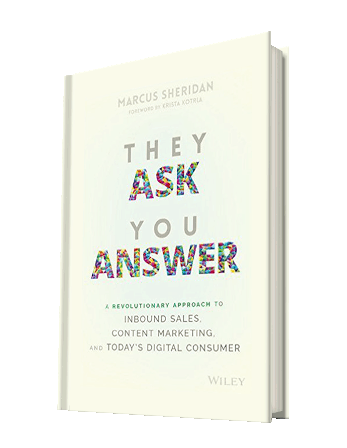
Knowledge CentreIn today’s hyper-competitive digital landscape, the way we engage with prospects and clients has fundamentally shifted. They want answers, and they want them now. If they can’t find what they’re looking for on your website, they’ll simply click away to your competitors. That’s where a well-structured Knowledge Centre comes in. Inspired by Marcus Sheridan’s brilliant framework in They Ask, You Answer (Read my review here), let’s break down why you need a Knowledge Centre and how you can go about setting it up.

Why You Need a Knowledge Centre

The core idea of They Ask, You Answer is simple but powerful: Anticipate your audience’s questions and answer them better than anyone else. When you do this effectively, you build trust, authority, and drive more qualified traffic to your website. A Knowledge Centre serves as the backbone of this approach. Here’s why:

  1. Builds Authority and Trust: When you openly address the most pressing questions your audience has, you position yourself as a trusted expert in your field.
  2. Improves SEO Performance: Regularly publishing high-quality, informative content that answers questions directly boosts your visibility on search engines.
  3. Enhances User Experience: When visitors can easily find the information they need, they are more likely to engage with your business, rather than bouncing off your site in frustration.
  4. Streamlines Sales Conversations: By providing answers upfront, your sales team spends less time educating prospects and more time closing qualified leads.

How to Set Up Your Knowledge Centre

Setting up a Knowledge Centre may sound daunting, but with the right approach, it’s entirely achievable. Here’s a step-by-step guide:

Step 1: Identify Your Audience’s Questions

Use tools like Google’s People Also Ask, forums, competitor research, and – most importantly – your own sales and support teams. What are the most common questions prospects and clients ask? List them out.

Step 2: Categorise Your Content

Group questions into categories that make sense for your business. For example, if you’re a HighLevel consultant, you might create categories like “Setup Guides”, “Automation Tips”, “Integrations”, and “Troubleshooting”.

Step 3: Create High-Quality Content

For each question, create detailed, honest, and helpful content. Don’t shy away from talking about cost, potential issues, or even comparing yourself to competitors. Transparency builds credibility.

Step 4: Structure Your Knowledge Centre

Create a dedicated Knowledge Centre page on your website, with categories neatly laid out for easy navigation. Think of it as a library where users can quickly find answers.

Step 5: Optimise for Search Engines

Apply SEO best practices to each piece of content. Make sure your titles are clear, use keywords naturally, and structure your content to be easily scannable.

Step 6: Regularly Update and Expand

The beauty of a Knowledge Centre is that it’s never truly finished. Continuously add new content based on evolving audience questions and feedback.

The Tools You’ll Need

  • Content Management System (CMS): WordPress, HighLevel, or HubSpot.
  • SEO Tools: Ahrefs, SEMrush, or even Google Analytics.
  • Knowledge Base Platforms: If you want a more structured setup, tools like Help Scout or Zendesk can be valuable.

Final Thoughts

A well-built Knowledge Centre is a content marketing powerhouse. It drives traffic, builds authority, and turns your website into the ultimate resource for your audience. And the best part? Once set up, it continues to work for you around the clock.

If you haven’t read They Ask, You Answer yet, you can grab a copy from Amazon here.

If you’re ready to elevate your marketing game with a robust Knowledge Centre or want some expert guidance, book a Discovery Call with Julian here.

Looking for HighLevel Certified Admin? Here’s Why You Need a HighLevel Marketing Expert Instead

looking for highlevel certified admin - do you need one?If you’re looking for HighLevel Certified Admin, you’re probably feeling a bit overwhelmed by the sheer power and complexity of HighLevel. After all, it’s a robust marketing automation platform that offers a wealth of tools to help businesses streamline their marketing, sales, and client management processes. But here’s the thing: getting HighLevel set up and running smoothly is one thing—making it actually work to grow your business is another.


Why You Might Not Need a HighLevel Certified Admin

HighLevel Certified Admins are fantastic at getting the nuts and bolts of the platform sorted out. They’ll build your workflows, set up your pipelines, and make sure your dashboard looks the part. But let me ask you: are you looking for a tool technician or someone who truly understands how to make HighLevel drive your marketing success?

My approach is different. As someone who’s been in the marketing trenches since 2009, helping small businesses grow sales and save time with marketing automation, I focus on making HighLevel work for your marketing strategy—not just your software configuration. One client put it perfectly: “Julian, you are not selling HighLevel, you are selling marketing – and HighLevel is just the tool to enable the marketing.”

The Difference Between Implementation and Strategy

While a HighLevel Certified Admin is trained to implement the software, I’m here to help you leverage it. I focus on:

  • Creating marketing strategies that actually convert.
  • Building systems that save you time and increase revenue.
  • Helping you understand how to use HighLevel as a marketing powerhouse, not just a CRM.

A Better Long-Term Solution: Train Your HighLevel Admin / Champion

Rather than relying on an external HighLevel Certified Admin, my approach is to empower your business from within. I work with you to train a dedicated member of your staff to become your own in-house HighLevel Admin / Champion. This means you have your own expert who grows as your business and the HighLevel software evolves. It’s a smarter, more cost-effective, and sustainable approach that ensures your business retains expertise and flexibility as your marketing needs expand.

Why Real Experience Beats Certification

I’ve spent over a decade working hands-on with entrepreneurs, fine-tuning marketing processes that work in the real world. What I bring to the table goes beyond certification—it’s real-world, battle-tested experience in making marketing systems work.

HighLevel is a fantastic tool, but it’s just that—a tool. What truly matters is how you use it to grow your business. That’s where I come in. Rather than just setting things up for you, I help you build marketing systems that generate results.

Ready to Make HighLevel Work for You?

If you’re ready to stop spinning your wheels trying to figure out HighLevel on your own, let’s talk. You don’t need another technician; you need a marketing expert who knows how to make HighLevel deliver real results.

Book a discovery call with me today and let’s discuss how to turn your HighLevel setup into a marketing engine that drives real growth.

Still looking for HighLevel Certified Admin, here is the link to the listing.

ChatGPT – Your Secret Travel Companion

chatgpt travel holiday local guide

chatgpt travel holiday local guideI was in Rome recently and normally I would have relied on Google Maps for the usual essentials—directions, train times, and navigating the city. But this time I thought to give ChatGPT a try. And I was impressed – it was like having a “local” in my pocket, offering insider knowledge that Google simply doesn’t provide.

Beyond the Basics

Google Maps is great for getting from A to B, but what if you want to know why you should take a particular route? Or where to stop along the way for the best espresso? That’s where ChatGPT comes in. It’s not just about logistics—it’s about enhancing the experience.

When I wanted to escape the tourist traps, ChatGPT suggested hidden gems—quiet piazzas, lesser-known viewpoints, and authentic restaurants tucked away from the crowds. It helped me phrase requests in Italian, so I didn’t have to fumble through a translation app. It even guided me through the maze of ticket options for attractions, ensuring I avoided unnecessary queues.

Spontaneity at its Best

One of the best parts of travelling is the unplanned moments. ChatGPT was invaluable for those. When I found myself near the Vatican with a couple of hours to spare, it quickly gave me recommendations tailored to my interests—suggesting an off-the-beaten-path museum instead of the predictable tourist checklist.

It also provided real-time cultural insights, like explaining local customs, tipping etiquette, and even what to wear to certain places to avoid standing out as a clueless tourist.

Give It a Go

If you’ve ever felt like you’re missing out on the real experience when you travel, ChatGPT is worth trying. It’s not just a guide—it’s like having a well-informed friend on hand 24/7. Next time you’re on holiday, give it a go and see how it transforms your trip.

The Secret to Getting More Leads: How to Create a Lead Magnet That Pulls in Customers

how to create a lead magnet

how to create a lead magnetIf you’ve ever struggled to generate consistent, high-quality leads for your business, you’re not alone. The truth is, most businesses don’t have a lead generation problem; they have a lead magnet problem. If the offer in your marketing isn’t enticing enough, it won’t attract the right people into your sales funnel. So you need a compelling free offer to entice your ideal customers to give you their contact details – we call this a lead magnet.

Not only does the lead magnet serve as a freebie to attract protentional customers but it gives you a valuable opportunity to start to grow – Know, Like and Trust with your potential customer – and ultimately this is required to get the sale “over the line”.

So, how do you create a lead magnet that grabs attention and compels your ideal customer to take action AND gives them real value? In this post, we’ll break it down step by step.

Step 1: Generate Lead Magnet Ideas

Coming up with the right lead magnet idea starts with understanding your audience’s pain points. Your lead magnet must solve a problem, provide value, and be something your ideal customer truly wants. Here’s how to brainstorm winning ideas:

a. Identify Common Questions & Pain Points

  • What questions do customers ask you the most?
  • What challenges are they facing right now?
  • What misconceptions or objections stop them from buying?

A great place to find this information is in customer emails, social media comments, or industry forums where your target audience hangs out.

b. Use Existing Content for Inspiration

  • Review your most popular blog posts or social media content—what topics get the most engagement?
  • Look at high-performing content from competitors for inspiration (without copying).
  • Repurpose existing content into a more digestible format—checklists, guides, or templates.

c. Leverage Industry Trends & Data

  • Are there any new trends or shifts in your industry that people need help navigating?
  • Have there been recent updates, laws, or best practices that impact your audience?
  • Use tools like Google Trends or AnswerThePublic to discover trending topics.

d. Choose a Lead Magnet Type That Fits

Different problems require different solutions. Here are some ideas based on what your audience might need:

  • Need quick answers? → Checklist, cheat sheet, swipe file
  • Need guidance? → E-book, how-to guide, mini-course
  • Want to improve skills? → Templates, toolkits, webinars
  • Want personalized insights? → Free consultation, quiz, assessment, Discovery / Strategy Call
  • A must have? → Simply offer a free item – a branded t-shirt, merchandise, cool item they just have to have. A competition.

Once you’ve identified a compelling idea, validate it by asking your audience for feedback or running a small test campaign.


Step 2: Crafting an Irresistible Headline

Your lead magnet title is everything. It’s the hook that draws people in. If your title doesn’t immediately grab attention, your lead magnet will be dead in the water.

Let’s look at a real-world example: When Tim Ferriss first launched his book, he originally titled it Drug Dealing for Fun and Profit. Predictably, it didn’t gain much traction. But after some careful testing, he changed it to The 4-Hour Workweek: Escape 9-5, Live Anywhere, and Join the New Rich.

Same book. Different title. Result? A New York Times bestseller that shaped an entire generation of entrepreneurs.

What changed? The offer in the title.

The lesson here is simple: Identify your audience’s biggest, most painful problem and present the solution in your headline.

Some high-performing lead magnet title formulas include:

  • X Ways to [Achieve Desirable Outcome] Without [Painful Struggle]
    • Example: 6 Ways to Get a Six Pack Without Doing a Single Sit-Up
  • [Do Something Difficult] in [Specific Timeframe] Even If [Limiting Belief]
    • Example: Pay Off Your Mortgage in 7 Years Even If You Have a Modest Income
  • How to [Achieve Goal] Without [Biggest Obstacle]
    • Example: How to Eliminate Belly Fat Without Giving Up Your Favourite Foods

Step 3: Touch on Burning Issues

Every point in your lead magnet should answer a pressing question your audience has. If your headline promises a solution, your content must back it up.

For example, if your lead magnet is called 5 Shocking Ways Hackers Are Stealing Your Data (And How to Protect Yourself), then your content needs to break down real cyber threats in simple, digestible terms.

Each section should build intrigue and keep them reading. Here’s how:

Use shocking or curiosity-driven subheads:

#1 – Think Your Password Keeps You Safe? Think Again!

#2 – The One Mistake That Lets Hackers Into Your Bank Account

Use bullet points to make it easy to skim

Give actionable steps they can implement immediately


Step 4: Keep It Simple

People are busy. They don’t have time to read a 50-page whitepaper. Short and actionable lead magnets work best. Aim for 5-6 pages max, and make sure it’s packed with value.

Here’s a simple way to create a lead magnet quickly:

➡ Compile your best blog posts into a short guide and format it into a PDF. ➡ Interview industry experts and compile their insights. ➡ Turn a checklist into a downloadable resource. ➡ Repurpose video content into a written guide.


Step 5: Format Matters—Make It Look Professional

Your lead magnet should look as valuable as it is. Even if it’s just a PDF, a well-designed cover and clean formatting will boost perceived value. Use:

Bold headlines & clear subheadings

Bullet points for quick scanning

Images and graphics to break up text


Conclusion

A well-designed lead magnet isn’t just about getting email addresses—it’s about attracting the right people who are ready to buy. If you want to see how to create a lead magnet that can transform your business, book a Discovery Call with Julian.

Let’s turn leads into sales—on autopilot.


How to Craft a Guarantee That Skyrockets Sales and Eliminates Customer Doubts

Why Your Business Needs a Guarantee—And How to Create One That Converts

Every business owner has heard of a guarantee. But few know how to craft one that wields its full sales potential. A powerful guarantee does more than just reassure your customers—it dismantles their scepticism, eliminates their risk, and makes your offer irresistible.

If you’re not using a strong guarantee in your marketing, you’re leaving money on the table. Worse, you’re placing all the risk on your customer—which, let’s face it, doesn’t inspire much confidence.

Let’s dive into how you can craft a guarantee so compelling that your competition will be left scrambling to keep up.


Why You Need a Guarantee

If you don’t have a guarantee, why should anyone trust you? Your prospects have been burned before. They’ve seen businesses overpromise and underdeliver. They’ve heard the hype and gotten nothing but disappointment in return.

So, ask yourself: Why should they believe you’re any different?

A well-structured guarantee removes this doubt. It shifts the risk from your prospect to your business. Instead of asking a complete stranger to gamble their money on your product or service, a strong guarantee reassures them that they have everything to gain and nothing to lose. And here’s the kicker: Guarantees don’t just make people feel safer—they increase sales. A well-executed guarantee can triple conversions while only being invoked in less than 5% of transactions.

With a strong guarantee your offer becomes a “no-brainer” for the customer.


The Psychology Behind a Guarantee That Converts

Risk is always present in any transaction. In most cases, it’s the buyer who carries the risk. Your guarantee flips that dynamic. It reassures your customers that they will get what they were promised—or they’ll get their money back.

A weak guarantee is vague, passive, and uninspiring. A powerful guarantee, on the other hand, is crystal clear, bold, and leaves no room for doubt. It tells your customers that you are so confident in what you offer, you’re willing to bet on it.

If you’re still worried about being taken advantage of, understand this: For every dishonest customer who abuses your guarantee, you’ll gain more than five honest ones who wouldn’t have bought otherwise. The numbers are is in your favour.


How to Create a Guarantee That Sells

1. Study the Competition

Before you craft your own guarantee, analyse what’s already out there. Search for guarantees in your industry. Take notes on what works and what falls flat. Do your competitors play it safe with generic “satisfaction guarantees”? Good. That’s your opportunity to outshine them.

2. Identify Your Strengths

What do you do better than anyone else? Do you deliver results faster? Offer superior quality? Have the best customer service? Build your guarantee around what makes your business exceptional.

3. Be Specific

Vague guarantees don’t cut it. Instead of saying “100% satisfaction guaranteed,” make a concrete promise: “If you don’t see a measurable improvement within 30 days, we’ll refund every penny—no questions asked.”

4. Offer a Meaningful Payback

What happens if a customer isn’t satisfied? Don’t just refund their money—surprise them with extra value. Offer a free consultation, an additional service, or a discount on future purchases. The goal is to turn a potential refund into an opportunity for customer loyalty.

5. Test, Measure, and Improve

A guarantee isn’t a set-it-and-forget-it tool. Track its impact. Run A/B tests. Experiment with different durations and wording. You might find that a 90-day guarantee outperforms a 30-day one—or that adding a unique name increases conversions.

6. Make It Visible

Your guarantee should be front and centre. Put it on your homepage, sales pages, ads, and checkout process. The more prominent it is, the more trust you build with potential buyers.

7. Name Your Guarantee

Naming your guarantee makes it more memorable and impactful. Here are some examples:

  1. 100% Money-Back Guarantee
  2. Unconditional, Money-Back Guarantee
  3. Your Money-Back, No Questions Asked
  4. My Personally Guarantee
  5. No Way You Can Lose
  6. 30-Day Free Trial
  7. No-Quibble, Money-Back Guarantee
  8. Iron-Clad Money-Back Guarantee

Examples of Powerful Guarantees in Action

Need inspiration? Here are some legendary guarantees that set industry standards:

1. John Lewis – The Price Match Promise

John Lewis built its reputation on trust, and its “Never Knowingly Undersold” policy was a big part of that. If you buy a product and find it cheaper elsewhere within seven days, they’ll refund the difference. It’s a clear, confidence-boosting commitment: shop with us, and you’ll never overpay.

2. Dyson – 30 Days to Change Your Mind

Dyson backs its premium pricing with a 30-day money-back guarantee. Not sure if their latest vacuum or air purifier is worth the investment? Try it for a month, risk-free. If you’re not convinced, return it—no hassle, no hard feelings. That’s how you stand behind a product.

3. Vodafone – A Network That Lets You Walk Away

In a competitive telecoms market, Vodafone UK turned the tables with its 30-day service guarantee. If you’re unhappy with your coverage or service after switching, you can cancel within the first month—no penalties, no lock-in. That’s a bold way to prove confidence in what you’re selling.

4. Whiskas – If Your Cat Won’t Eat It, You Don’t Pay

Even the best pet food brands know that cats can be fussy. That’s why Whiskas offers a money-back guarantee—if your cat turns its nose up at their food, you get a refund. It removes the risk and encourages pet owners to try new products without fear of wasting money.

These guarantees aren’t just words—they’re game changers.


Action Plan: Implement Your Power Guarantee Today

  1. List Your Features & Benefits: Identify what makes your product or service stand out.
  2. Define the Outcome: What tangible result does your customer get?
  3. Write It Down: Put your guarantee into words, making it clear, bold, and specific.
  4. Make It Public: Display your guarantee prominently in your marketing materials.

If you execute this right, your guarantee will become a powerful conversion tool that crushes doubt, builds trust, and drives sales.