
CRM for Blinds and Shutter Businesses: How HighLevel Helps You Follow Up and Win More Work

HighLevel CRM for Blinds & Shutter Installers

HighLevel CRM for Blinds & Shutter InstallersRunning an independent blinds and shutters business involves much more than measuring windows and fitting products.

You need to answer enquiries, arrange home surveys, prepare quotations, follow them up, order products, schedule installations and keep customers informed.

Then there are the sales opportunities that are easy to forget.

Someone wants shutters but has not accepted your quotation. A previous customer plans to do the bedrooms next year. A new prospect phones while you are halfway through an installation.

HighLevel can help independent blind and shutter resellers and fitters manage enquiries, automate follow-up, organise appointments and generate more opportunities from existing customers.

You can keep your specialist blinds software, use HighLevel’s built-in Service Appointments, or add FieldTask for more advanced field operations.


Part 1: Turn More Enquiries Into Customers

Keep track of enquiries, surveys and quotations

A useful CRM should show you who needs attention and what needs to happen next.

For a blinds and shutters business, customer records might include:

  • Address and postcode.
  • Products of interest, such as plantation shutters, roller blinds or motorised blinds.
  • Rooms and windows being considered.
  • Preferred styles and fabrics.
  • Survey appointment details.
  • Quotation value and follow-up date.
  • Future plans for other rooms.

Your sales pipeline could track:

Stage What your team needs to know
New enquiry Has someone responded?
Survey booked Who is visiting and when?
Survey completed Is the quotation ready?
Quotation sent When should we follow up?
Decision pending What questions or concerns remain?
Order accepted What happens next?

A customer who says “come back to me after the decorating” should have that information recorded, with a suitable follow-up date.

That makes the CRM useful in everyday work, rather than simply becoming another address book.

An AI receptionist while you are fitting or outside office hours

When you are measuring windows or fitting shutters, you cannot always stop to answer the phone.

Customers may also call after your office has closed.

HighLevel’s Voice AI can act as an AI receptionist, handling enquiries while you are unavailable. Its working hours and call routing can be configured around your business.

Your AI receptionist could:

  • Ask whether the caller wants blinds, shutters or both.
  • Collect contact details and requirements.
  • Answer common questions using information you have supplied.
  • Take a message for your team.
  • Help arrange an appointment through a suitably configured calendar.

For example, a homeowner calls in the evening about roller blinds for three bedrooms.

The AI receptionist can capture their enquiry and either help book a consultation or arrange for your team to follow up.

Questions needing expert advice, precise product pricing or confirmed delivery dates should be passed to a person.

Follow up quotations consistently

Customers may need time to compare styles, discuss the purchase or decide which rooms to complete first.

A useful follow-up gives them an opportunity to ask questions.

HighLevel supports estimates and workflows based on estimate status, including when an estimate is viewed. This can help organise follow-up around quotations produced within HighLevel.

A sequence could include:

  1. Check that the quotation arrived.
  2. Invite questions about the proposed products.
  3. Share a relevant installation example or customer testimonial.
  4. Ask whether they want to proceed or revisit the project later.

Messages should stop or change when the customer accepts, declines or requests a later follow-up.

If quotations come from specialist software, we would assess how their status can be recorded or exchanged before building the automation.


Part 2: Organise Home Surveys and Installations

Use service appointments for visits to customers’ homes

HighLevel’s Service Appointments support different services, staff availability, appointment durations and buffers.

Services v2 also includes an “Ask the Booker Location” option, allowing the customer’s service address to be saved against the appointment.

Possible appointment types include:

Appointment Purpose
Home survey and consultation Discuss options, show samples and take measurements.
Blinds installation Fit products once the order is ready.
Shutter installation Reserve sufficient time for the particular job.
Aftercare visit Manage adjustments, repairs or snagging.

Confirmations and reminders can explain who is attending, when the visit takes place and whether the customer needs to clear access to the windows.

For installations, your team should normally control booking once product availability and fitting time are confirmed.

Choose from three approaches to service delivery

1. Keep your existing specialist software

There is already software designed specifically for businesses selling and installing blinds and shutters.

Specialist options include:

  • Once Connected, including Once Mobile and Once Track: tools for on-site product pricing and quotations, quote and order tracking, supplier ordering and staff appointment calendars.
  • BlindMatrix: industry-specific software for blinds, curtains, shutters and awnings, connecting office staff, mobile workers and customer information.
  • Blindata: software for window-covering retailers and manufacturers, including ordering, scheduling, customer notifications and operational records. Its background is particularly strong in manufacturing.
  • ShutQuote: room-by-room quotations, pricing and margin calculations, with a job pipeline from accepted order through to installation completion.

If your existing system handles measurements, supplier prices, orders and fitting work effectively, there may be good reasons to keep it.

HighLevel can support the marketing and customer follow-up around that process.

We would assess which system holds each piece of information, what needs to be shared and whether an integration is available. These examples do not imply that ready-made HighLevel integrations exist.

2. Use HighLevel’s built-in Service Appointments

For businesses with straightforward scheduling needs, HighLevel’s own appointment tools may be sufficient.

You can create separate services for surveys, fitting and aftercare, assign staff and set suitable durations. Installation services can be hidden from the public booking list so your team controls scheduling.

Buffers can reserve time between visits. They do not automatically calculate driving time between customers, so service areas and travel still need planning.

3. Add FieldTask for more advanced field operations

If you manage several surveyors or fitting teams, you may need more detailed job scheduling and coordination.

FieldTask is a third-party app available through the HighLevel Marketplace. Its advertised features include:

  • Scheduling and dispatch.
  • Route planning and optimisation.
  • Work orders and job information.
  • Job photographs and checklists.
  • Signatures and time tracking.

It has additional user-based pricing and needs assessing against your requirements.

Read my guide: FieldTask for HighLevel: What It Is, How It Works and How to Get It.

FieldTask’s field operations features should be assessed separately from specialist blinds pricing. Do not assume that general quotation tools support your supplier price grids or made-to-measure calculations.

Keep customers informed as their order progresses

Customers want to know what happens after they place an order.

Your process can prompt staff to send updates, or trigger messages when confirmed milestones are recorded.

For example:

  • Your order has been placed.
  • Your products have arrived.
  • We are ready to arrange installation.
  • Your fitting appointment is confirmed.
  • Here is your aftercare information.

The information must be accurate. Automated messages should reflect confirmed progress and dates.


Part 3: Use Email Campaigns to Generate More Sales

A CRM can help a blinds company increase sales by recording customer interests and prompting relevant follow-up at the right time.

Here are eight campaign ideas. These are proposed examples, rather than claims about results achieved by our clients.

1. Turn enquiries into home surveys

Audience: People who enquired but have not booked a visit.

Example subject: “Ready to arrange your home blinds consultation?”

Explain what happens during the visit, how customers can see samples and how to arrange an appointment.

2. Follow up outstanding quotations

Audience: Customers with an unanswered quotation.

Example subject: “Any questions about your shutter quotation?”

Invite a reply and help resolve concerns about products, fitting arrangements or next steps.

3. Complete the rest of the home

Audience: Previous customers who bought for selected rooms or mentioned future plans.

Example subject: “Thinking about shutters for the bedrooms next?”

A customer buys shutters for the front windows and mentions decorating upstairs next spring. Record that plan and agree when to follow up.

Your later email can refer to the conversation and offer another survey.

4. Run relevant seasonal campaigns

Audience: Contacts with suitable interests and marketing permissions.

Example subject: “Are lighter mornings disturbing your sleep?”

Introduce appropriate blackout products or shading options for sunny rooms. Explain their actual benefits and limitations.

5. Introduce new products and upgrades

Audience: Customers whose interests or previous purchases match the offer.

Example subject: “Considering motorised blinds for your home?”

Introduce relevant products and offer to assess suitability. Check compatibility before suggesting an existing installation can be upgraded.

6. Revisit postponed projects

Audience: Prospects who delayed their purchase.

Example subject: “Is now a better time to revisit your blinds project?”

Use the recorded reason and timeframe to make the message relevant.

7. Encourage referrals

Audience: Customers after installation.

Example subject: “Know someone looking for new blinds or shutters?”

Make it easy to pass on your details or share a consultation link. If you offer a referral incentive, explain the actual terms.

8. Showcase local installations

Audience: Relevant contacts within your service area.

Example subject: “See how these shutters transformed a local home”

With permission, show the finished installation and explain why the customer chose those products. A short video testimonial can add the homeowner’s perspective.

Each campaign needs accurate records, appropriate marketing permissions and rules that stop or change messages when the customer’s situation changes.


Part 4: Build Trust With Reviews and Video Testimonials

Request reviews after completed installations

A completed installation is a natural point to ask about the customer’s experience.

HighLevel can send a review request through a workflow when an appropriate completion trigger is recorded.

A simple message can thank the customer and provide a direct review link.

Request, capture and display video testimonials

HighLevel can also request, capture and display customer video testimonials.

Customers receive a collector link and can record or upload a video from their phone or computer without installing an app. Your team can review submissions and display selected videos on your website through HighLevel’s review widgets.

For a blinds and shutters business, video offers useful social proof. Prospective customers can hear a homeowner describe the experience and, if they show it, see the finished installation.

You could ask:

  • What were you hoping to achieve?
  • How did you find the consultation and fitting?
  • What do you think of the finished result?

With permission, those videos can also be used in social posts, emails and product pages.

A homeowner explaining their new plantation shutters can help another customer picture what might work in their own home.

Build review and testimonial requests into your after-installation process, so collecting social proof becomes a consistent part of how you work.


Part 5: Build a System Around Your Business

Measure where sales opportunities are being lost

Useful measures include:

Measure What it helps you assess
Enquiries by source Where opportunities originate.
Enquiry-to-survey conversion Whether enquiries become appointments.
Quotation-to-order conversion How effectively quotations turn into sales.
Time spent awaiting a decision Where follow-up may be needed.
Reasons for postponing or declining What is preventing purchases.
Additional customer purchases Whether previous customers return.

These figures depend on consistent record keeping.

They can help you decide whether to focus on generating enquiries, booking surveys or improving quotation follow-up.

Start with strategy and train a CRM Champion

At MarketerM8, we begin by understanding how your business attracts enquiries, conducts surveys, prepares quotations and delivers installations.

Then we agree the priorities and build around your process.

That could mean retaining specialist software while introducing HighLevel for follow-up. It could mean using Service Appointments or adding FieldTask for a growing fitting team.

We also help train an internal CRM Champion, so someone in your business understands the setup and helps your team use it consistently.

You can read more about how I work with HighLevel clients.

For an overview of the platform and support available, visit MarketerM8’s HighLevel software and marketing automation website.


Frequently Asked Questions

Is HighLevel suitable for independent blind and shutter fitters?

Yes. It can be configured to manage customer records, enquiries, sales follow-up and appointments. Specialist pricing, supplier ordering and installation requirements should be assessed before choosing the setup.

Can HighLevel work alongside Once Connected, BlindMatrix or Blindata?

You can retain specialist software and use HighLevel alongside it. Whether information can be exchanged automatically depends on the software’s integration options and your requirements.

Can HighLevel answer calls while I am out fitting?

Yes. Voice AI can be configured to handle enquiries, capture details, answer supplied FAQs and help arrange appointments through suitable calendars. Working hours and call routing determine when it answers.

You can try our AI receptionist by calling Jenny on 07458 800 090.

Can HighLevel manage home surveys and installations?

Yes. Service Appointments support visit types, staff availability, durations and buffers. Services v2 can collect the address for the appointment.

What if I need fitter dispatch and route planning?

FieldTask adds field service capabilities to HighLevel, including dispatch and route optimisation. It is an optional third-party app with additional costs.

Read more in my FieldTask for HighLevel guide.

How can a CRM help a blinds company increase sales?

It helps organise quotation follow-up, revisit postponed projects and identify relevant opportunities with previous customers, such as completing additional rooms. It also helps your team record the next action for each opportunity.

Can HighLevel collect video testimonials?

Yes. Customers can record or upload videos through a collector link, and selected testimonials can be displayed in a website review widget.

Can HighLevel calculate made-to-measure product prices?

HighLevel supports estimates, but you should assess supplier price grids, dimensions and product configuration separately. Specialist blinds software may remain the best place to produce those calculations.


Want Help Setting Up HighLevel for Your Blinds and Shutters Business?

Whether you already use HighLevel or are considering it for the first time, we can help you work out how it fits your business.

We can review your current software, customer follow-up, survey booking and fitting process, then agree where improvements would be most useful.

Book a 20-Minute Discovery Call

Julian Mills HighLevel Consultant and Marketing Automation Strategist

About the Author

Julian Mills

HighLevel Consultant & Marketing Automation Strategist

Julian Mills helps business owners automate lead generation, sales follow-up, customer communication and business processes using HighLevel and MarketerM8. Since 2009 he has helped businesses implement CRM, marketing automation and AI-powered systems that save time, improve customer experience and generate more sales.

About Julian
Book a Discovery Call
Join a Free HighLevel Workshop
Learn About HighLevel with MarketerM8

Why Your HighLevel Automations Aren’t Generating More Sales

Why Your HighLevel Automations Aren't Generating More SalesYou’ve built some workflows in HighLevel. Your emails are going out, your SMS messages are being delivered and your contacts are moving through the automations.

Everything appears to be working.

But there’s one problem.

You’re not generating any more sales.

So what’s going wrong?

When business owners ask me to look at their HighLevel automations, they often expect me to find a technical problem.

And sometimes I do. A trigger isn’t firing, a contact is being added to the wrong workflow or an important follow-up message isn’t being sent.

But quite often the technology is doing exactly what it’s been told to do.

The problem isn’t the automation. It’s the marketing strategy behind it.

I’ve been working in direct response marketing since 1996 and with CRM and marketing automation systems since 2009. One thing I’ve learned is that automating a poor marketing process doesn’t magically turn it into a good one.

It simply allows you to run that poor process more efficiently!

Let’s look at some of the reasons your HighLevel automations might not be generating the results you expected.

1. You’re Automating Without a Clear Marketing Objective

One of the first questions I ask when reviewing an automation is:

What is this workflow supposed to achieve?

That might sound obvious, but you’d be surprised how often the answer is unclear.

Somebody has created a workflow because they saw a demonstration of a clever HighLevel feature, downloaded a snapshot or followed a tutorial.

Now the workflow is running, but nobody has really defined what success looks like.

Every marketing automation should have a clear purpose.

For example:

  • Convert new enquiries into booked appointments.
  • Encourage prospects to accept outstanding quotations.
  • Reactivate previous customers who haven’t purchased recently.
  • Reduce appointment no-shows.
  • Generate more Google reviews from satisfied customers.
  • Encourage existing customers to buy additional services.

Once you’ve defined the objective, you can design the messages, timing and actions around achieving it.

And importantly, you can measure whether it’s working.

2. Your Follow-Up Messages Aren’t Persuasive

Let’s imagine somebody enquires about your services.

HighLevel immediately sends an email saying:

“Thank you for your enquiry. We will be in touch shortly.”

That’s fine as an acknowledgement.

But what happens next?

Perhaps the prospect receives another email three days later saying:

“Just following up to see if you’re still interested.”

And then another one a week later:

“Just checking in again.”

Technically, you’ve got an automated follow-up campaign.

But from a direct response marketing perspective, it’s not particularly compelling.

Why should the prospect respond?

What new information have you given them?

Have you addressed any concerns or objections they might have?

Have you demonstrated why they should choose your business rather than a competitor?

Good follow-up marketing should give people a reason to take the next step.

That might involve sharing a relevant customer success story, answering a frequently asked question, explaining the benefits of your service or making a specific offer.

HighLevel can automate the delivery of your marketing messages. It can’t automatically make those messages persuasive.

3. You’re Treating Every Prospect the Same

Not every prospect is at the same stage of the buying process.

Some people are ready to buy immediately.

Others are researching their options.

Some have already received a quotation, while others are simply gathering information.

Yet I regularly see businesses sending everybody the same automated email sequence.

That’s a missed opportunity.

One of HighLevel’s strengths is the ability to tailor follow-up based on information about the contact and their interactions with your business.

For example, somebody who has requested a quotation might need a different sequence from somebody who has downloaded a free guide.

An existing customer might be interested in an additional service, while a brand-new prospect needs to understand why they should trust your business in the first place.

HighLevel gives you tools such as tags, custom fields, pipeline stages, forms and workflow conditions to help make your communications more relevant.

But somebody still needs to design the marketing strategy.

The more relevant your messages are to the recipient, the better your chances of generating a response.

4. Your Automations Stop Too Soon

Here’s another common problem.

A new enquiry comes in, the prospect receives an email and perhaps an SMS, and somebody attempts to call them.

If they don’t respond, that’s the end of the process.

But what if the prospect was simply busy?

What if they weren’t ready to make a decision that day?

What if they were planning to revisit the project in three months?

Without a structured follow-up process, those opportunities can easily be forgotten.

HighLevel makes it possible to create longer-term nurturing campaigns that keep your business in touch with prospects over time.

That doesn’t mean bombarding people with endless sales messages.

It means providing useful, relevant communications that help keep your business in mind until the prospect is ready to take the next step.

For example, a quotation follow-up sequence might run over several weeks, while a longer-term educational campaign could continue over several months.

Of course, you should always respect people’s communication preferences and ensure your marketing complies with applicable consent and data protection requirements.

The important thing is to have a deliberate follow-up strategy rather than simply giving up after one or two attempts.

5. Your Automations Aren’t Connected to Your Sales Pipeline

Your HighLevel sales pipeline and your marketing automations should work together.

Unfortunately, that’s not always what happens.

I’ve seen accounts where workflows send messages independently of what’s happening in the sales process.

That can lead to some awkward situations.

For example, a prospect accepts a quotation and becomes a customer, but continues receiving emails asking whether they’re ready to proceed.

Or a salesperson has already spoken to somebody and agreed the next step, but an automated sequence continues sending generic reminders.

These are the sorts of problems that can make a business appear disorganised.

Ideally, your workflows should respond to meaningful changes in the customer’s journey.

For example:

  • A new enquiry creates an opportunity in the appropriate pipeline.
  • Booking an appointment updates the opportunity and triggers reminders.
  • Sending a quotation starts a relevant follow-up sequence.
  • Accepting the quotation stops the sales follow-up and begins onboarding.
  • Completing the work triggers an appropriate review request.

When these processes are joined together properly, HighLevel becomes much more than a tool for sending automated messages.

It becomes a system that helps your team manage the entire customer journey.

6. You’re Not Testing or Improving Your Automations

It’s tempting to build a workflow, switch it on and move on to the next project.

But marketing automation shouldn’t be a set-and-forget exercise.

Just because a workflow is running doesn’t mean it’s producing the best possible results.

For example, you might discover that one email generates significantly more replies than another.

Or that prospects respond better when you ask them to book an appointment rather than simply reply to an email.

Perhaps a particular follow-up message is being sent too soon, or too late.

These are opportunities to improve performance.

Depending on your campaign and the information available, you might monitor:

  • How many enquiries turn into appointments.
  • How many appointments are attended.
  • How many quotations are accepted.
  • How many prospects reply to follow-up messages.
  • How many opportunities become paying customers.

The aim is to identify what’s working, what isn’t and what you should change next.

A small improvement in conversion rates can sometimes be worth far more than adding another complicated automation.

7. Nobody Understands the Marketing Strategy Behind the Workflows

Perhaps you hired a freelancer to build your HighLevel automations.

Or an agency installed a snapshot containing dozens of workflows.

Everything looked impressive when it was demonstrated.

But now, several months later, nobody in your business really understands how the automations fit together or what they’re supposed to achieve.

That’s a problem.

Because as your business changes, your marketing processes need to change too.

You might introduce a new service, change your sales process or discover that a particular follow-up campaign isn’t generating results.

If nobody understands the system, making even relatively small improvements can become difficult.

That’s one reason I encourage clients to develop an internal HighLevel CRM Champion.

Somebody who understands the business, knows how the marketing and sales processes work and can confidently manage the everyday requirements of HighLevel.

At MarketerM8, our approach is Done With You rather than simply Done For You.

We want clients to become self-sufficient, not permanently dependent on us for every little change.

If any of these problems sound familiar, you might also find my article 7 Signs Your HighLevel Account Isn’t Set Up Properly useful.

The Real Question: Is Your Marketing Working?

When reviewing a HighLevel account, it’s easy to get distracted by the technology.

There are workflows, triggers, conditions, webhooks, tags, custom fields and countless other features to explore.

And yes, it’s important that they’re configured correctly.

But from my perspective, the most important questions are much simpler.

Are you generating more enquiries?

Are you converting more of those enquiries into customers?

Are you generating more repeat business and referrals?

And are you making better use of the marketing opportunities already sitting in your database?

If the answer is no, then it’s worth looking beyond the technical setup and reviewing the marketing strategy itself.

Sometimes that means improving the messages.

Sometimes it means changing the follow-up process.

And sometimes it means simplifying an overly complicated system.

The objective isn’t to build more automations. It’s to build automations that help generate better business results.

Book a Free 30-Minute HighLevel Audit

I’ve been working in direct response marketing since 1996, with CRM and marketing automation systems since 2009 and HighLevel since 2023.

I’m also an Entrepreneurs Circle Certified Marketing Coach, and our MarketerM8 agency now hosts over 100 HighLevel sub-accounts.

If your HighLevel automations are running but you’re not seeing the marketing and sales results you expected, let’s take a look.

During a Free 30-Minute HighLevel Audit, we’ll discuss your business goals, look at relevant parts of your setup and identify practical opportunities for improvement.

You’ll leave with action points you can implement yourself or with your team.

There’s no obligation, and you don’t need to be a MarketerM8 customer.

Book Your Free 30-Minute HighLevel Audit →

Frequently Asked Questions

Why aren’t my HighLevel workflows generating more sales?

There could be a technical problem, but often the issue is the marketing strategy behind the workflow. Poor messaging, inadequate follow-up, irrelevant communications and a lack of clear objectives can all reduce results.

How can I improve my HighLevel automations?

Start by identifying the objective of each workflow. Check that the messages are relevant and persuasive, the timing makes sense, and the automation responds appropriately to changes in your sales pipeline. Then measure the results and make improvements.

Should I use email or SMS for HighLevel follow-up?

Both can be effective, depending on your audience and the purpose of the communication. Email is useful for sharing detailed information, while SMS can work well for timely reminders and short messages. Make sure you have the appropriate permissions and respect communication preferences.

Do I need to rebuild my HighLevel workflows?

Not necessarily. Many existing workflows can be improved by adjusting their triggers, timing, messages or conditions. It’s worth reviewing what’s already working before rebuilding everything.

Can you review my HighLevel automations if I’m with another agency?

Yes. My free 30-minute HighLevel audit is available to businesses regardless of which agency hosts their account. There’s no requirement to transfer to MarketerM8.

Julian Mills HighLevel Consultant and Marketing Automation Strategist

About the Author

Julian Mills

HighLevel Consultant & Marketing Automation Strategist

Julian Mills helps business owners automate lead generation, sales follow-up, customer communication and business processes using HighLevel and MarketerM8. Since 2009 he has helped businesses implement CRM, marketing automation and AI-powered systems that save time, improve customer experience and generate more sales.

About Julian
Book a Discovery Call
Join a Free HighLevel Workshop
Learn About HighLevel with MarketerM8
Do You Use Lots of Separate Online Marketing Tools? Could That Be a Security Risk?

Is HighLevel Secure & GDPR Compliant in the UK? Data Security Explained

Is HighLevel Secure & GDPR Compliant in the UK? Data Security Explained

There has been a trend in business software over the past decade that I think is worth questioning.

Every time we need to do something new, we add another piece of software.

Need email marketing? Add an email platform.

Need online appointments? Add a calendar system.

Need forms? Add a form builder.

Need a sales pipeline? Add a CRM.

Need social media scheduling, reviews, courses, funnels, automation or AI? There is an app for each of those too.

Before long, a business can have a collection of different systems all connected together with APIs, webhooks, Zapier, Make and various other integrations.

It can work extremely well.

But there is another question that I think businesses increasingly need to consider:

What does this do to your data security?

Every additional system is another system you have to secure

Using lots of different software platforms does not automatically make your business insecure.

But it does increase the number of things you have to manage.

Every additional platform can potentially mean:

  • another username and password
  • another set of user permissions
  • another company processing your customer data
  • another API or integration
  • another database containing some of your information
  • another account that needs closing when a member of staff leaves

It can also mean customer data moving between multiple systems.

A prospect fills in a form. Their details are passed to your CRM. The CRM talks to an automation platform, which triggers an email system and perhaps updates another application used for reporting.

None of those individual systems necessarily has a security problem.

The issue is that the overall architecture becomes more complicated.

And complexity matters when it comes to security.

This is an overlooked benefit of HighLevel

One of the things I increasingly like about HighLevel is consolidation.

HighLevel now effectively provides more than 22 different business, sales and marketing tools within one platform.

Instead of stitching together separate systems for CRM, email marketing, SMS, calendars, funnels, websites, forms, surveys, pipelines, reputation management, social media, courses, communities, automation and increasingly AI, much of it can operate within the same ecosystem.

That’s normally discussed as a cost or convenience benefit.

Instead of paying for lots of different software subscriptions, you have one platform. Instead of your team learning numerous systems, they can become proficient in one.

But there is another potential benefit:

Data security and data governance can become simpler.

You potentially have fewer suppliers processing your data, fewer integrations to maintain and fewer places where customer information needs to be transferred.

That doesn’t make HighLevel immune from cyber attacks. No software platform can sensibly make that claim.

It simply means there may be fewer moving parts to manage.

But how secure is HighLevel itself?

Of course, if we’re talking about consolidating more customer data and business processes into HighLevel, there’s an obvious question:

How secure is HighLevel itself?

HighLevel has invested significantly in security and achieved SOC 2 Type II certification in 2026, an independent assessment of how its security controls operate over time.

Its published security measures include AES-256 encryption for stored data, TLS encryption for data in transit, two-factor authentication, user permissions, audit logs, security monitoring, vulnerability scanning and penetration testing. HighLevel also holds ISO/IEC 27001 certification, the internationally recognised standard for information security management.

At MarketerM8, we add our own security precautions too.

For example, we enforce a four-hour inactivity timeout on our HighLevel accounts. If you’ve been inactive for four hours, HighLevel automatically logs you out.

We do occasionally have clients complain about this. They would understandably prefer to stay permanently logged in rather than having to enter their details again.

And I completely understand why. It can be a little inconvenient.

But we have to explain that the inconvenience is deliberate. It’s there for their security.

If somebody walks away from a computer while still logged in, or a device falls into the wrong hands, we don’t want an authenticated HighLevel session sitting there indefinitely.

It’s a small example of an important distinction:

HighLevel is responsible for securing the platform. We’re responsible for how we configure and use it.

The slightly scary thing about AI-built software

This whole subject has become considerably more important because of AI.

Tools such as Lovable and Claude Code have made software development incredibly accessible.

I’m not a software developer, but today I can describe a tool I want in plain English and potentially have a working application within an hour.

That’s an amazing feeling.

“I’ve just built my own software!”

And connecting that new application to your CRM is becoming increasingly easy too.

Give the AI access to an API, explain what you want to happen and you can have information flowing backwards and forwards remarkably quickly.

But there is a question the excitement can make very easy to forget:

Who thought about security?

Traditionally, if you commissioned a professional developer to build an application that accessed your customer database, you would expect security to form part of the development process.

  • Who should be allowed to access the application?
  • What information should each user be able to see?
  • Where are API keys stored?
  • Could somebody manipulate a request to retrieve another customer’s information?
  • Does the application really need access to your entire CRM database?
  • What gets logged?
  • Where is data stored?
  • What happens if somebody discovers a vulnerability?

With AI-assisted development, a business owner can go from an idea to a working application extraordinarily quickly, without necessarily knowing that these are questions they should even be asking.

The AI may have written perfectly functional code.

Functional doesn’t necessarily mean secure.

The one-hour software developer

We’re entering a world where somebody who has never written a line of code can create an application over their lunch break and connect it to a CRM containing thousands of customer records.

That’s incredibly exciting.

It’s also something we should treat with respect.

The barrier to creating software has collapsed.

The barrier to understanding application security hasn’t.

You might not know what authentication, authorisation, API scopes, server-side secrets, database permissions or input validation mean.

Your application doesn’t care.

The moment you connect it to real customer data, those things matter.

This doesn’t mean businesses shouldn’t use Lovable, Claude Code or other AI development tools.

Quite the opposite.

I think they’re going to enable businesses to create incredibly useful applications that previously would have been too expensive or time-consuming to develop.

But the fact that we can create something in an hour shouldn’t lead us to assume that it’s ready to be connected to sensitive customer information an hour later.

This is where HighLevel AI Studio gets interesting

HighLevel has now added another possibility.

AI Studio increasingly allows us to create our own websites, applications and online tools from prompts within the HighLevel ecosystem.

Imagine that my business needs:

  • a customer portal
  • a quotation calculator
  • an assessment tool
  • a lead qualification application
  • a reporting dashboard
  • a specialist booking tool
  • something completely specific to the way that business operates

Previously, I might have looked for another SaaS product or used something such as Lovable to create it and then connected that application to HighLevel.

That can be a perfectly good solution.

But now there is another question worth asking:

Can I build it in HighLevel AI Studio instead?

If the application primarily exists to work with information already inside HighLevel, that raises an interesting security and data governance question:

Why take that data outside HighLevel if I don’t need to?

AI Studio now supports server-side functionality, APIs and secure storage for sensitive credentials, making it possible to build significantly more sophisticated applications within the platform than was previously possible.

That doesn’t automatically make an AI Studio application secure.

Nor does it make an application created with Lovable or Claude Code insecure.

Security still depends on what you build and how you build it.

But there is an architectural difference.

If I build externally, I may be introducing another application, another supplier, another API connection and potentially another database that needs access to my CRM data.

If I can achieve the same result within the existing HighLevel environment, I may be able to avoid some of those additional moving parts.

From 22 tools to “tool number 23”

This is where I think HighLevel’s direction becomes really interesting.

I’ve talked previously about HighLevel effectively replacing more than 22 separate sales and marketing tools.

But what happens when somebody says:

“That’s great, but our business needs this very specific little application…”

Previously, that might have meant introducing software product number 23.

Another subscription.

Another supplier.

Another integration.

Another set of permissions.

Another system that potentially needs access to your data.

Increasingly, my first question is going to be:

Can we build tool number 23 in HighLevel AI Studio instead?

If the answer is yes, the benefit could be considerably greater than simply reducing your software bill.

We may also have avoided another external system that needs access to our customer data.

There is a trade-off

There is, of course, a counterargument to putting more functionality into one platform.

If you consolidate more of your business into HighLevel, securing access to HighLevel becomes even more important.

Strong passwords, two-factor authentication, sensible user permissions and promptly removing access when somebody leaves become essential.

There is also no point trying to recreate specialist software inside HighLevel simply because you can.

Sometimes an established external application will be the better solution.

My approach would therefore be:

HighLevel first. External when necessary.

If the functionality revolves around data and processes already living inside HighLevel, first ask whether it can sensibly be built there.

If it can, great.

If it can’t, use the right external application and integrate it properly.

How many companies really need access to your customer data?

For me, that’s the bigger question.

The case for consolidating technology isn’t just about reducing your software bill.

It’s about simplifying the technology your team has to learn and manage.

It’s about reducing integrations.

And potentially, it’s about reducing the number of different companies, applications and databases that need access to your customer information.

AI development makes this question even more important.

We are rapidly reaching the point where almost anyone can say:

“I need a little application that does this.”

And an hour later, they can have one.

That’s extraordinary.

But before connecting that new creation to thousands of customer records, perhaps there should be a second question:

Do I actually need to give another application access to this data?

HighLevel already brings more than 22 sales and marketing tools together.

Now AI Studio introduces another possibility.

When your business needs something that isn’t already there, perhaps you don’t automatically need to go shopping for software product number 23.

And perhaps you don’t automatically need to build it somewhere else and connect it to your CRM either.

Perhaps you can build tool number 23 inside HighLevel instead.

Frequently Asked Questions

Is HighLevel secure?

HighLevel has a range of security controls designed to protect customer data, including encryption for data at rest and in transit, two-factor authentication, user permissions, audit logs, security monitoring, vulnerability scanning and penetration testing.

HighLevel achieved SOC 2 Type II certification in 2026 and also holds ISO/IEC 27001 certification.

However, security is a shared responsibility. HighLevel can secure the underlying platform, but businesses still need to manage passwords, user permissions, account access and the applications and integrations they connect to it.

Is HighLevel SOC 2 compliant?

Yes. HighLevel announced that it had achieved SOC 2 Type II certification in March 2026.

SOC 2 Type II involves independent assessment of security controls and how effectively those controls operate over a period of time.

Is HighLevel GDPR compliant in the UK?

HighLevel is designed to support businesses complying with both EU GDPR and UK GDPR.

HighLevel has a Data Processing Agreement covering UK GDPR, supports data access and deletion requests, and participates in mechanisms designed to provide appropriate safeguards for transfers of personal information from the UK to the United States.

However, simply using HighLevel does not automatically make your business GDPR compliant. As the business collecting and using customer information, you remain responsible for ensuring that you have an appropriate lawful basis for processing it and that you use the data appropriately.

If you’re considering using HighLevel in the UK through MarketerM8, this is an important distinction to understand.

Where does HighLevel store UK customer data?

HighLevel’s core product infrastructure is hosted in the United States, not the UK. HighLevel uses major cloud infrastructure providers including Google Cloud Platform and Amazon Web Services.

That does not by itself prevent a UK business from using HighLevel under UK GDPR. Personal data can be transferred internationally where appropriate legal safeguards are in place.

UK businesses should therefore not assume that their HighLevel contact database is physically stored on servers in the UK.

Is HighLevel AI Studio secure?

HighLevel AI Studio provides security-related capabilities including server-side functions and secure storage for secrets such as API keys and access tokens.

However, using AI Studio does not automatically make an application secure. Security still depends on how the application is designed, what information it can access and how authentication, permissions and sensitive data are handled.

Is it safer to build an application in HighLevel AI Studio than Lovable?

Not necessarily. An application built properly using Lovable or another development platform can be secure.

The potential advantage of AI Studio arises when the application primarily needs to work with data already held inside HighLevel.

Building within the same ecosystem may mean you don’t need to introduce another external application, supplier, database or API connection with access to your CRM data.

Why take customer data outside HighLevel if you don’t need to?

Are AI-built applications secure?

They can be, but the fact that an AI tool can create a working application doesn’t mean that application is automatically secure.

Tools such as Lovable and Claude Code have dramatically reduced the technical knowledge required to create software. A business owner can potentially create an application and connect it to their CRM without understanding authentication, API permissions, server-side secrets or database security.

The barrier to creating software has collapsed. The barrier to understanding application security hasn’t.

Does using lots of different software increase your cyber-security risk?

Not automatically, but every additional system can increase the number of things your business needs to secure and manage.

Another SaaS product can mean another supplier, login, set of permissions, integration, API credential and potentially another location where customer data is processed or stored.

Consolidating systems can therefore reduce complexity and the number of potential points of failure, provided the platform you consolidate onto has appropriate security controls.

Why does MarketerM8 automatically log HighLevel users out after four hours?

At MarketerM8, we enforce HighLevel’s four-hour inactivity timeout as an additional security precaution.

We occasionally have clients ask why they can’t simply remain logged in permanently. We understand that logging in again can be inconvenient, but the timeout reduces the risk of an unattended logged-in computer or device providing continued access to a client’s HighLevel account.

It’s a small inconvenience that we believe is worthwhile for the additional protection it provides.

If you need help setting up, securing or getting more from your HighLevel account, you can also see my HighLevel Support UK guide.


Julian Mills HighLevel Consultant and Marketing Automation Strategist

About the Author

Julian Mills

HighLevel Consultant & Marketing Automation Strategist

Julian Mills helps business owners automate lead generation, sales follow-up, customer communication and business processes using HighLevel and MarketerM8. Since 2009 he has helped businesses implement CRM, marketing automation and AI-powered systems that save time, improve customer experience and generate more sales.

About Julian
Book a Discovery Call
Join a Free HighLevel Workshop
Learn About HighLevel with MarketerM8
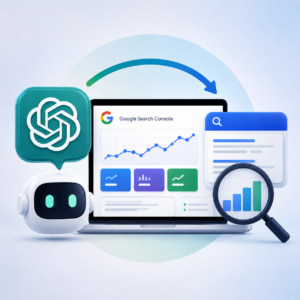
How I Used ChatGPT with Google Search Console to Improve My Website SEO

How I Used ChatGPT with Google Search Console to Improve My Website SEO

How I Used ChatGPT with Google Search Console to Improve My Website SEOI have been building websites and writing content for years.

I understand the basics of SEO. I know that page titles matter, that Google needs to be able to index your website and that creating useful content around the things your potential customers search for is important.

But Google Search Console?

Until recently, I was largely in the dark.

I had Google Search Console connected to my website. I occasionally looked at it. I could see graphs, clicks, impressions, indexed pages and lots of terminology that appeared to be telling me something important.

The problem was that I didn’t really know what to do with any of it.

Then I tried something different.

Rather than attempting to become a Google Search Console expert, I used ChatGPT to help me interpret what Google was telling me.

The result was one of the most useful SEO exercises I have done on my website.

And I suspect there are a lot of other small business owners in exactly the same position.

The problem with Google Search Console isn’t the data

Google Search Console contains an enormous amount of useful information about how Google sees your website.

It can show you:

  • Which pages Google has indexed
  • Which pages it hasn’t indexed
  • The searches that cause your website to appear
  • How many times your pages appear in search results
  • How many people click through
  • Your average position in Google
  • Which pages are gaining or losing visibility
  • Potential technical and indexing problems

Google itself describes the Performance report as a way of seeing how search traffic changes over time, where that traffic comes from and which queries are most likely to show your website.

Google Search Console Performance Report

That’s incredibly useful.

But there’s a big difference between having data and understanding what the data is telling you.

That was my problem.

What started my investigation

I noticed something in Search Console that concerned me.

The number of pages from my website being indexed by Google appeared to have fallen significantly.

My immediate reaction was:

Why is Google dropping my pages?

Was something wrong with the website?

Had I accidentally changed something?

Had Google decided that my content wasn’t good enough?

Was this damaging my rankings?

Previously, I would probably have looked around Search Console, become increasingly confused by the terminology and eventually left it alone.

This time, I gave the information to ChatGPT.

Instead of asking ChatGPT for SEO advice, I gave it my actual Google data

This is the important distinction.

I didn’t simply ask:

“How can I improve my SEO?”

That would probably have produced the usual generic advice about keywords, backlinks, page titles and quality content.

Instead, I exported the actual data from Google Search Console and gave it to ChatGPT to analyse.

I also shared screenshots as we worked through the different sections.

That changed the conversation completely.

ChatGPT wasn’t trying to guess what might be wrong with my website.

It could look at the evidence.

And, crucially for me, it could explain what the information meant in plain English.

First lesson: fewer indexed pages isn’t necessarily bad

This was probably my biggest misconception.

I had assumed that:

More indexed pages = better SEO.

Therefore, if the number of indexed pages fell:

Something must be wrong.

That’s not necessarily the case.

Google’s own Search Console documentation specifically warns that “Not indexed” is not necessarily bad. The important question is why a URL isn’t indexed and whether you actually want that URL appearing in Google.

Google Search Console Page Indexing Report

That changed how I looked at the problem.

The objective isn’t to get every URL your website happens to generate into Google.

The objective is to get the right pages indexed.

We discovered that my WordPress site had accumulated clutter

Like many WordPress users, over the years I had created tags fairly freely.

If I wrote an article about a particular subject, I might create another tag.

And another.

And another.

I hadn’t really considered what WordPress was doing behind the scenes.

Each tag can potentially create another archive page.

Categories can create archive pages.

Authors can create archive pages.

Dates can create archives.

Before long, a relatively straightforward website can generate a surprising number of URLs.

Many of those pages provide little additional value because they simply reorganise content that already exists elsewhere on the site.

Google recommends reducing unnecessary duplicate content because search engines can otherwise spend resources crawling URLs you don’t particularly care about.

Google’s guidance on SEO and AI search

In my case, I had already recently simplified my tags down to just two that genuinely made sense for my website:

HighLevel and MarketerM8.

But there was still some housekeeping to do.

ChatGPT walked me through Yoast

This was where using AI became particularly useful.

Rather than saying:

“Go and optimise your WordPress taxonomies.”

ChatGPT could work with me screen by screen.

I opened Yoast.

I shared what I could see.

We looked at the relevant settings.

We dealt with unnecessary archives and made decisions about which parts of the site actually deserved to be available to search engines.

We also discovered old sitemap entries that were no longer required and removed them.

None of these individual changes was particularly complicated.

The difficult part was knowing what should be changed and why.

That’s where I found AI particularly useful.

Then we stopped

This is an important part of the story.

Once we had made the changes, the temptation was to keep fiddling.

SEO doesn’t work like that.

Google needs time to recrawl pages and process changes. Indexing itself isn’t guaranteed simply because a page technically meets Google’s requirements.

Google Search Essentials

So rather than continually changing things, we decided to leave the website alone and monitor what happens over the coming weeks.

That is now part of my plan.

Make the changes. Record what was changed. Wait. Then compare the Search Console data.

The Performance report uncovered something even more interesting

Once I was beginning to understand the indexing side, we looked at the Search Console Performance data.

This is where things became much more commercially interesting.

Search Console gives you four particularly useful numbers:

Clicks. How many people clicked through to your website.

Impressions. How often your website appeared in Google’s search results.

CTR. The percentage of impressions that resulted in a click.

Average position. Roughly where your result appeared.

Google also lets you analyse this by individual search query and by individual page.

Learn more about the Search Console Performance report

On their own, those numbers don’t necessarily tell you much.

Together, they can uncover opportunities.

One of my biggest sources of impressions wasn’t actually particularly useful

When we analysed my data, something initially looked impressive.

One of my pages was generating a very large number of Google impressions.

Great.

Except it was my login page.

Suddenly those thousands of impressions didn’t look quite so exciting.

They were distorting my perception of how the website was performing.

This was a valuable lesson.

Not all impressions are equal.

A thousand impressions for something irrelevant to your business may be worth considerably less than 100 impressions from people searching for exactly the service you provide.

This is where having ChatGPT interrogate the data rather than simply summarise it became useful.

The question wasn’t:

“Which pages have the most impressions?”

It was:

“Which impressions actually matter?”

Then we found the opportunities hiding around positions 8 to 11

This was probably the most exciting discovery.

Some of my HighLevel-related content was already appearing for commercially relevant searches.

But some of it was sitting around positions 8, 9, 10 and 11.

Think about what that means.

I’m not trying to take an article that Google currently ranks at position 83 and somehow magically get it onto page one.

Google already appears to think some of this content is relevant.

I’m knocking on the door.

Moving from position 11 to position 7 could potentially make considerably more difference than creating another ten articles from scratch.

That gives me a completely different content strategy.

Instead of always asking:

“What should I write next?”

I can also ask:

“What content does Google already nearly rank highly, and how could I make it better?”

Search Console itself recommends looking at queries with high impressions and low click-through rates as potential opportunities to improve titles, descriptions and how well the page matches the search.

Google guidance on improving Search performance

And then there is AI Search

This is where the exercise gets particularly interesting for me.

I am not only interested in traditional Google SEO.

I also want my content to be discovered and referenced by AI systems.

Google itself is increasingly blending conventional search with generative AI through AI Overviews and AI Mode.

Interestingly, Google’s guidance is not that website owners need an entirely separate bag of tricks for AI.

Google says that its existing SEO best practices remain relevant to generative AI search. It recommends technically accessible websites and, importantly, unique, useful, expert-led content rather than commodity content that simply repeats information already available elsewhere.

Google’s guidance for AI search optimisation

That makes this experiment rather circular.

I am using AI to analyse how my website performs in search so that I can create better, more useful content that has a greater chance of being found through both traditional and AI-powered search.

Search Console is also beginning to tell us more about AI visibility

This area is developing quickly.

Google is increasingly providing website owners with more information about how their content appears in AI-powered search experiences.

That makes Search Console potentially even more important.

We’re moving towards a situation where website owners need to think about two related questions:

How visible am I in traditional Google Search?

and

How visible is my content within AI-generated search experiences?

The encouraging part is that the fundamentals overlap considerably.

How I would recommend doing this yourself

You don’t need to become an SEO expert before opening Google Search Console.

In fact, based on my experience, I’d approach it differently.

Open Search Console and use ChatGPT alongside it as your interpreter.

Start with the Page Indexing section.

Don’t immediately panic about the number of pages that aren’t indexed.

Ask:

Which important pages aren’t indexed?

Then look at the reasons Google provides.

If you don’t understand a term, don’t disappear down a two-hour SEO rabbit hole.

Show it to ChatGPT and ask:

“Explain what this means in plain English and tell me whether I actually need to do anything about it.”

Next, look at Performance.

Export the data if necessary.

Then start asking questions such as:

  • Which search queries are generating the most useful impressions?
  • Which pages are appearing frequently but getting few clicks?
  • Which commercially relevant keywords are ranking between positions 5 and 15?
  • Which pages have gained visibility recently?
  • Which pages have lost visibility?
  • Are any irrelevant pages distorting the figures?
  • Which existing articles should I improve before creating new ones?
  • What subjects does Google already appear to associate my website with?

That last question is particularly interesting.

Because Search Console isn’t just telling you what you want to rank for.

It’s showing you what Google already thinks your website is relevant for.

That is incredibly valuable intelligence.

Don’t blindly do everything AI tells you

There is an important caveat.

I wouldn’t recommend simply uploading Search Console data and saying:

“Fix my SEO.”

AI can misunderstand data.

It can make assumptions.

And SEO isn’t an exact science.

My approach was much more conversational.

ChatGPT would identify something.

I would look at it.

We would discuss what it meant.

I would show another screenshot.

We would investigate further.

Only then would I make a change.

In other words, I wasn’t handing my website over to AI.

I was using AI to help me understand my own website.

That’s an important distinction.

My biggest takeaway

For years I thought Google Search Console was really something for SEO specialists.

I now think I was looking at it the wrong way.

Search Console contains information that is incredibly valuable to any business owner with a website.

The problem is that Google presents that information using the language of search engines.

AI can act as the translator.

And once somebody translates things such as:

  • Crawled, currently not indexed
  • Duplicate without user-selected canonical
  • Impressions
  • CTR
  • Average position

into normal business language, Search Console becomes considerably less intimidating.

More importantly, it becomes actionable.

What I’m doing next

For the moment, very little.

And that’s deliberate.

We’ve cleaned up some of the indexing signals on my website.

We’ve simplified some of the WordPress archive structure.

We’ve removed old sitemap entries.

We’ve identified irrelevant data that was distorting the picture.

And we’ve found existing HighLevel content sitting tantalisingly close to stronger page-one positions.

Now I’m going to give Google time to process those changes.

Then I’ll go back into Search Console and compare the results.

That’s when this gets really interesting.

Because rather than SEO being something mysterious happening in the background, I now have a process:

Measure. Understand. Change. Wait. Measure again.

And ironically, it took ChatGPT to finally make Google Search Console make sense to me.

A final thought

If you’ve connected Google Search Console to your website but rarely look at it because you don’t really understand what you’re looking at, you may already have far more useful SEO information than you realise.

You don’t necessarily need another SEO tool.

You may simply need a better way of interpreting the information Google is already giving you.

That was certainly true for me.

And it has completely changed the way I intend to use Google Search Console from now on.

Julian Mills HighLevel Consultant and Marketing Automation Strategist

About the Author

Julian Mills

HighLevel Consultant & Marketing Automation Strategist

Julian Mills helps business owners automate lead generation, sales follow-up, customer communication and business processes using HighLevel and MarketerM8. Since 2009 he has helped businesses implement CRM, marketing automation and AI-powered systems that save time, improve customer experience and generate more sales.

About Julian
Book a Discovery Call
Join a Free HighLevel Workshop
Learn About HighLevel with MarketerM8

How Independent Park Home Dealerships Can Generate More Sales with HighLevel. Without Replacing the Software They Already Use

How Independent Park Home Dealerships Can Generate More Sales with HighLevel. Without Replacing the Software They Already Use

How Independent Park Home Dealerships Can Generate More Sales with HighLevel. Without Replacing the Software They Already UseBuying a residential park home, luxury lodge or static caravan home is one of the biggest lifestyle decisions many people will ever make.
Unlike buying a car or booking a holiday, customers rarely make a decision after one enquiry.

Instead, they might:

  • Search Google for park homes for sale
  • Browse Rightmove and specialist park home websites
  • Download brochures from several dealerships
  • Visit one or more showgrounds
  • Compare manufacturers and models
  • Discuss finance options
  • Visit again with their partner or family
  • Think about the decision for several months
  • Eventually place an order

That journey can last six to twelve months, and sometimes considerably longer.

Which raises one important question.

How do you stay in touch without becoming a nuisance?

For many independent park home dealerships, the honest answer is that they do not.

After a few follow-up calls and emails, many enquiries simply go quiet.

Some prospects buy from a competitor. Others postpone their move. Some forget which dealership they originally contacted.

That is exactly where HighLevel can help.

Your Existing Software Already Runs Your Dealership

One of the biggest misconceptions about HighLevel is that it is designed to replace your existing systems.

It is not.

If you are already using software such as:

  • Elite Dynamics
  • Microsoft Dynamics 365
  • HubSpot
  • Zoho CRM
  • Pipedrive
  • A specialist dealership management system
  • A well-organised spreadsheet

Keep using it.

These systems can be very good at managing:

  • Customer records
  • Quotations
  • Orders
  • Home specifications
  • Production updates
  • Delivery information
  • Warranties
  • After-sales support

HighLevel has a completely different job.

It helps your dealership with the marketing and sales:

  • Generate more enquiries
  • Respond faster
  • Automate follow-up
  • Convert more prospects into showground visits
  • Stay in touch throughout a long buying journey
  • Generate more customer reviews
  • Create more referrals

Your dealership software runs your business.

HighLevel helps you grow your business.

Where Most Park Home Dealerships Lose Sales

Independent dealerships spend a considerable amount of money generating enquiries.

Those enquiries may come from:

  • Google Ads
  • Facebook and Instagram
  • Rightmove
  • Park Home Living
  • Quickmove Properties
  • Specialist park home directories
  • Printed brochures
  • Local exhibitions
  • Open days
  • Search engine optimisation
  • Customer referrals

The problem is not always generating the initial enquiry.

The bigger problem is following up every enquiry consistently.

A typical park home buying journey might look like this:

Google search
↓
Website visit
↓
Brochure request
↓
Telephone enquiry
↓
Showground appointment
↓
Second visit with partner or family
↓
Discussion about finance and site fees
↓
Selection of manufacturer and model
↓
Optional upgrades and specifications
↓
Order placed
↓
Factory build
↓
Delivery and installation
↓
Customer moves in
↓
Review request
↓
Referral campaign

Most dealerships are good at managing the middle of this journey.

Once someone is actively discussing a particular home, requesting a quotation or preparing to place an order, the sales team normally takes control.

However, many dealerships struggle to manage the beginning and the end of the journey.

That means brochure requests are not always followed up, older leads are forgotten, completed customers are not asked for reviews and referral opportunities are missed.

Capture Every Park Home Enquiry Automatically

Whether someone finds you through Google, Rightmove, Facebook, a specialist park home website or your own website, HighLevel can help capture the enquiry and begin the follow-up process immediately.

A new prospect could automatically receive:

  • A personalised welcome email
  • A text message confirming their enquiry
  • A downloadable brochure
  • Directions to your showground
  • A link to book an appointment
  • Information about available homes and developments
  • A reminder for a member of your sales team to call

No enquiry has to sit in an inbox until someone notices it.

No prospect has to wait until Monday morning for a response.

HighLevel can ensure that the conversation begins within seconds.

Your AI Receptionist Can Work While You Sleep

One of the biggest opportunities for independent park home dealerships is handling enquiries outside normal opening hours.

Imagine a potential customer browsing Rightmove at 5pm on Sunday.

They have decided it might be time to downsize. They have found one of your homes and have a question about the development, the site fees or whether pets are allowed.

As they are keen, then take a chance and call the dealership office on Sunday at 5pm to ask if pets are allowed.

Normally, nobody answers.

They may leave a voicemail. They may call another dealership. They may simply forget to call back the following morning.

With HighLevel’s AI Voice Receptionist, the call can be answered immediately.

Your AI receptionist can:

  • Answer frequently asked questions (eg tell them there and then that pets are allowed)
  • Explain your opening hours
  • Capture the caller’s name and contact details
  • Ask what type of home they are looking for
  • Qualify the enquiry
  • Arrange a callback
  • Book a showground appointment
  • Send the details to your sales team

Your dealership can effectively continue capturing enquiries 24 hours a day, seven days a week.

Use Website Chat to Start More Conversations

Not every potential buyer wants to make a telephone call.

Some people would prefer to ask a quick question through website chat.

HighLevel’s Conversation AI can respond to enquiries, collect contact details and help potential buyers find the right information.

For example, a website visitor might ask:

  • Do you have any park homes available now?
  • Can I live in the home all year?
  • What are the monthly site fees?
  • Are pets allowed?
  • Do you offer part exchange?
  • Can I choose the interior specification?
  • How long does delivery take?
  • Can I book a visit this weekend?

The AI can provide an immediate response, collect the visitor’s details and notify your team when human follow-up is required.

Turn Brochure Requests into Showground Appointments

A brochure request should not be treated as a simple administrative task.

It should be treated as the beginning of a carefully planned customer journey.

Instead of sending one email containing a brochure and hoping the customer gets back in touch, HighLevel can automatically send a sequence of helpful communications.

Day One

  • Welcome email
  • Downloadable brochure
  • Text message confirming the request
  • Link to book a showground visit

Day Three

  • Video walkthrough of a popular model
  • Information about available layouts

Day Seven

  • Invitation to visit the showground
  • Directions and opening hours

Day Fourteen

  • Customer success story
  • Information about downsizing to a park home

Day Thirty

  • Information about finance, part exchange or purchasing options
  • Answers to common questions about site fees and residential licences

Day Sixty and Beyond

  • New homes and developments
  • Show home availability
  • Open day invitations
  • New video tours
  • Customer stories
  • Special offers

The prospect remains engaged without your sales team having to remember every follow-up.

Book More Showground Visits

For many independent dealerships, getting a prospective buyer onto the showground is the most important step in the sales process.

Once customers can walk around the homes, experience the space and speak to an adviser, the opportunity becomes far more tangible.

HighLevel can automate the complete appointment booking process.

Prospective buyers can:

  • Select an available date and time
  • Book directly through your website
  • Receive an immediate confirmation
  • Receive email and text reminders
  • Receive directions and parking information
  • Reschedule their appointment online

Your sales team can also receive automatic notifications, ensuring they are prepared for the visit.

This can reduce missed appointments and create a more professional customer experience.

Follow Up After Every Showground Visit

The follow-up after a showroom or showground visit is just as important as the visit itself.

HighLevel can automatically send a personalised message thanking the customer for attending.

It could then send:

  • Details of the models they viewed
  • Floor plans
  • Video walkthroughs
  • Optional extras and specifications
  • Information about finance or part exchange
  • A link to arrange a second visit
  • A reminder for a sales adviser to call

This helps keep the conversation moving without relying entirely on manual follow-up.

Stay Front of Mind Throughout a Long Buying Journey

Buying a residential park home is a major financial and lifestyle decision.

Customers may be:

  • Selling their current property
  • Downsizing after retirement
  • Comparing several residential parks
  • Considering different manufacturers
  • Discussing the move with their family
  • Waiting for a property sale to complete
  • Considering finance or part exchange

It is normal for the decision to take months.

The dealership that stays in touch in a helpful and professional way is far more likely to be remembered when the customer is ready to proceed.

HighLevel can send regular, useful communications without making the prospect feel pressured.

These could include:

  • Guides to choosing a residential park
  • Explanations of site fees
  • Advice about downsizing
  • Information about park home maintenance
  • Energy-efficiency information
  • Customer video testimonials
  • Updates about new developments
  • Invitations to open days
  • New show home announcements

Use WhatsApp, Email and Text Messaging

Different customers prefer different ways of communicating.

Some want email. Some prefer a phone call. Others are far more responsive through WhatsApp or text messaging.

HighLevel brings these conversations together.

Your dealership can use:

  • Email marketing
  • SMS messaging
  • WhatsApp messaging
  • Telephone calls
  • Website chat
  • AI voice conversations
  • Social media messaging

This makes it easier for prospects to communicate through the channel they find most convenient.

Help Customers Understand the Complete Buying Process

Many potential buyers are new to the park home industry.

They may not understand how purchasing a park home differs from buying a traditional property.

HighLevel can help educate customers throughout the process.

You can automatically send information about:

  • The difference between residential and holiday use
  • Pitch fees and site fees
  • Park rules
  • Residential licences
  • Choosing a park home manufacturer
  • Customising a new home
  • Delivery and installation
  • Part exchange
  • Finance options
  • Energy efficiency
  • Maintenance
  • Warranties
  • After-sales support

Instead of waiting for customers to ask every question, you can proactively build their confidence.

Integrate HighLevel with the Software You Already Use

Using HighLevel does not mean you throw away your existing systems.

It is designed to work alongside them.

Your dealership or manufacturing software can continue managing:

  • Customer records
  • Quotations
  • Specifications
  • Orders
  • Stock
  • Production
  • Factory build schedules
  • Delivery
  • Installation
  • Warranties
  • After-sales support

HighLevel can manage:

  • Websites
  • Landing pages
  • Forms
  • Brochure requests
  • Live chat
  • AI receptionists
  • Email marketing
  • Text messaging
  • WhatsApp
  • Appointment booking
  • Long-term lead nurturing
  • Review requests
  • Referral campaigns

Information can often be passed between systems using APIs, webhooks or third-party integration platforms.

Each platform continues doing the job it was designed to do.

Generate More Google Reviews

Reviews are particularly important when someone is making a major lifestyle decision.

Potential buyers want reassurance that your dealership is trustworthy, that your homes are well built and that your team provides good after-sales support.

HighLevel can automatically request a review after a home has been delivered, installed or handed over.

Review requests can be sent by:

  • Email
  • SMS
  • WhatsApp

HighLevel can also use AI to help draft professional replies to reviews, making it easier for your team to maintain an active and responsive online presence.

The review itself should always be written and submitted by the genuine customer.

Turn Happy Customers into Referrals

Park home communities can be close-knit.

A happy customer may have friends, neighbours or family members who are also considering downsizing or moving to a residential park.

HighLevel can automatically launch a referral campaign after a successful sale.

For example, a customer could receive:

  • A thank-you message after moving in
  • A request for feedback
  • An invitation to recommend a friend
  • A link to a simple referral form
  • A reminder several months later

One satisfied customer can become the source of several new enquiries.

Reactivate Older Park Home Enquiries

Most dealerships already have a valuable database of older enquiries.

These may include people who:

  • Previously downloaded a brochure
  • Visited the showground
  • Requested a quotation
  • Asked about a particular development
  • Delayed their plans because their property had not sold
  • Decided the timing was not right

These prospects may still be interested.

HighLevel can help you run reactivation campaigns inviting them to:

  • View newly available homes
  • Attend an open day
  • Download an updated brochure
  • Book another appointment
  • Discuss part exchange
  • Speak to an adviser

One well-planned campaign could revive opportunities that would otherwise remain forgotten in your database.

Your Dealership Software Runs Your Business. HighLevel Grows It.

Think of your existing dealership software as the system that manages your business.

Think of HighLevel as the system that helps you win more business.

One manages quotations.

The other generates and nurtures enquiries.

One manages orders.

The other keeps prospective buyers engaged.

One helps coordinate the production and delivery of the home.

The other helps you sell the next one.

Used together, they can create a more complete customer acquisition, sales and after-sales process.

Could HighLevel Work for Your Park Home Dealership?

If you run an independent UK park home dealership and want to increase enquiries, improve follow-up and convert more visitors into buyers, HighLevel could help.

There is no need to replace the software you already use.

Instead, we can explore how marketing automation and AI could work alongside your existing systems to:

  • Generate more enquiries
  • Respond more quickly
  • Book more showground appointments
  • Follow up prospects for longer
  • Save your sales team time
  • Generate more reviews
  • Create more customer referrals

Book a discovery call and let us explore how HighLevel could work for your park home dealership.

Frequently Asked Questions

Do I need to replace Elite Dynamics or my existing CRM?

No. HighLevel can complement your existing dealership software rather than replace it.

Continue using your CRM, ERP or dealership management system for quotations, specifications, orders, production and customer records. HighLevel can focus on marketing automation, lead nurturing, appointment booking and customer communications.

Can HighLevel capture enquiries from Rightmove and my website?

HighLevel can directly capture enquiries from your own website, landing pages, forms, advertising campaigns and chat tools.

Enquiries from third-party platforms such as Rightmove may also be passed into HighLevel, depending on the integration options available. This could be through email parsing, APIs, webhooks or third-party integration software.

Is HighLevel suitable for a small independent dealership?

Yes. Smaller dealerships can often gain the greatest benefit because automation allows a small team to provide consistent follow-up without employing additional administrative or marketing staff.

Can HighLevel integrate with our existing software?

In many cases, yes.

HighLevel supports APIs and webhooks and can also connect with other platforms through integration tools. The exact integration will depend on the software you already use and the information you want to share between the systems.

Can HighLevel help generate more Google reviews?

Yes. After a completed sale, delivery or installation, HighLevel can automatically invite customers to leave a Google review through email, SMS or WhatsApp.

It can also use AI to help draft responses to submitted reviews. The customer should always write and submit the actual review themselves.

Can AI really answer customer enquiries?

Yes. HighLevel’s AI Voice Receptionist and Conversation AI can answer common questions, capture contact details, qualify prospects, arrange callbacks and book showground appointments.

More complex or sensitive enquiries can be passed to a member of your team.

Can HighLevel follow prospects for several months?

Yes. This is one of its biggest strengths.

You can create long-term nurture campaigns containing emails, SMS messages, WhatsApp messages, appointment invitations, videos, brochures and helpful buying guides.

The communications can continue for as long as the typical buying journey requires.

Can HighLevel help us promote open days?

Yes. You can use HighLevel to build registration pages, promote the event by email and text, send reminders, collect attendee information and automatically follow up everyone who attends.

Can we use HighLevel across several dealership locations?

Yes. HighLevel can be configured to support multiple branches, showgrounds or dealership locations.

Enquiries can be assigned to the correct location, salesperson or sales pipeline based on geography, model interest or availability.

Julian Mills HighLevel Consultant and Marketing Automation Strategist

About the Author

Julian Mills

HighLevel Consultant & Marketing Automation Strategist

Julian Mills helps business owners automate lead generation, sales follow-up, customer communication and business processes using HighLevel and MarketerM8. Since 2009 he has helped businesses implement CRM, marketing automation and AI-powered systems that save time, improve customer experience and generate more sales.

About Julian
Book a Discovery Call
Join a Free HighLevel Workshop
Learn About HighLevel with MarketerM8

How to Get More Google Reviews. 5 Proven Strategies That Actually Work (Including How to Automate the Entire Process)

How to Get More Google Reviews. 5 Proven Strategies That Actually Work (Including How to Automate the Entire Process)

How to Get More Google Reviews. 5 Proven Strategies That Actually Work (Including How to Automate the Entire Process)Quick Answer

If you’re looking for the fastest way to generate more Google reviews, the answer is surprisingly simple.

Ask every happy customer at the right moment, make leaving a review effortless, and build a system that asks consistently instead of relying on memory.

Most businesses don’t struggle because customers are unwilling to leave reviews. They struggle because they ask too late, make the process difficult, or simply forget to ask.

The businesses that consistently collect five-star Google reviews don’t necessarily provide a better service than everyone else. They simply have a better review process.

Throughout this guide I’ll show you how to build a repeatable review generation system using HighLevel automation, while staying firmly within Google’s review guidelines.

Key Takeaways

  • Google rewards businesses that receive a regular stream of authentic reviews.
  • Ask customers immediately after delivering value, while the experience is still fresh.
  • Remove as much friction as possible by using direct review links, QR codes and NFC review cards.
  • Customers should always write and submit reviews in their own words.
  • Avoid using AI to generate customer reviews, as this could breach Google’s review policies.
  • AI is extremely effective for automating review requests, replying to reviews and managing your review workflow.
  • The best businesses don’t just collect reviews. They turn happy customers into long-term advocates.

Why Google Reviews Matter More Than Ever

Twenty years ago people asked friends, neighbours and colleagues for recommendations.

Today they ask Google.

Increasingly, they also ask AI assistants such as ChatGPT, Gemini, Claude and Perplexity.

Whether someone is looking for a plumber, accountant, dentist, solicitor, consultant or software provider, one of the very first things they look at is your online reviews.

Your Google Business Profile has become your digital shop window.

Potential customers often decide whether to contact you before they’ve even visited your website.

That’s why Google reviews influence far more than just your reputation.

  • Local search rankings
  • Google Maps visibility
  • Click-through rates
  • Customer trust
  • Enquiry rates
  • Sales conversions
  • Repeat business

Two businesses offering almost identical services can receive dramatically different numbers of enquiries simply because one has hundreds of recent reviews while the other has only a handful.

Reviews have become social proof at scale.

Google Isn’t Looking for Perfect Businesses

Here’s something many business owners misunderstand.

Google doesn’t expect perfection.

It expects authenticity.

A business with 400 reviews averaging 4.8 stars often appears more trustworthy than one with 12 reviews averaging 5.0 stars.

Why?

Because customers understand that no business can please everybody all of the time.

A steady flow of genuine reviews tells both Google and potential customers that your business is active, trusted and continuing to serve real people.

That steady flow is far more valuable than collecting twenty reviews one month and then none for the next year.

Consistency beats intensity.

The Rise of AI Search

Something else has changed over the last couple of years.

People are no longer simply typing questions into Google.

They’re asking ChatGPT.

They’re asking Gemini.

They’re asking Claude.

They’re asking Perplexity.

Instead of searching:

Best accountant near me

People increasingly ask:

Which accountant in Manchester has the best reviews for small businesses?

AI assistants are becoming another layer between customers and search engines.

That makes your online reputation even more valuable.

The businesses that consistently receive authentic, descriptive reviews are creating signals that benefit both traditional search engines and the rapidly growing world of AI search.

Important. Don’t Use AI to Write Customer Reviews

Before we go any further, it’s important to address something that has become increasingly common.

Many businesses are experimenting with AI to draft reviews for customers before asking them to copy and paste them into Google.

Personally, I don’t recommend this approach.

Google expects reviews to reflect the genuine opinions and experiences of the customer who actually received the product or service.

Although AI can be an incredibly useful business tool, using it to generate reviews on behalf of customers risks falling outside Google’s review policies.

If Google believes reviews have been artificially generated or manipulated, the consequences could include:

  • Individual reviews being removed.
  • Large numbers of reviews being filtered out.
  • Your Google Business Profile being restricted or suspended.
  • Serious or repeated breaches putting your online visibility at significant risk.

My advice is simple.

Always encourage customers to write honest reviews based on their own experience and in their own words.

Where AI really shines is helping your business, not writing reviews for your customers.

Throughout this guide I’ll show you how HighLevel uses AI safely and effectively to automate review requests, reply to reviews, analyse customer sentiment and trigger intelligent follow-up automations.

The Biggest Mistake Most Businesses Make

Whenever I ask business owners how they collect Google reviews, I usually hear something like this.

“We ask when we remember.”

Or…

“We send an email every few months.”

Or perhaps…

“We mention it on our invoices.”

None of those approaches are really a system.

They’re good intentions.

Unfortunately, good intentions don’t produce consistent results.

The businesses collecting dozens or even hundreds of Google reviews every year aren’t necessarily asking more persuasively.

They’re asking more consistently.

That’s a huge difference.

Stop Asking Occasionally. Start Building a System.

Imagine two dentists.

Both provide excellent treatment.

Both have friendly staff.

Both genuinely care about their patients.

Dentist A asks for reviews whenever the receptionist remembers.

Dentist B has an automated process that requests feedback after every completed appointment.

Who do you think collects more reviews?

Exactly.

The quality of the dentistry may be identical.

The quality of the process isn’t.

Introducing The Review Journey

Most businesses think review generation looks like this.

Complete the work

↓

Ask for a review

That’s far too simplistic.

I prefer to think of it as The Review Journey.

Deliver Outstanding Service

↓

Confirm Customer Satisfaction

↓

Collect Feedback

↓

Request a Review

↓

Customer Writes Genuine Review

↓

Reply to the Review

↓

AI Identifies the Most Likely Customer

↓

Update Contact Record

↓

Referral Campaign

↓

Case Study Request

↓

Generate Repeat Business

↓

Build a Customer Advocate

Notice something important.

The review isn’t the destination.

It’s simply another milestone in building a long-term relationship with your customer.

That’s an important mindset shift.

Strategy 1. Make Leaving a Review Effortless

One of the biggest misconceptions about Google reviews is that people are unwilling to leave them.

In reality, most happy customers are perfectly willing to help.

The real problem is friction.

Every extra click, every extra search and every extra decision dramatically reduces the chances of someone actually completing the review.

Think about the traditional process.

“If you get chance, could you leave us a Google review?”

The customer agrees.

They get back to work.

A few days later they vaguely remember.

Now they have to search for your business, find the correct listing, click Reviews and decide what to write.

It’s no surprise that many good intentions never become published reviews.

The businesses generating large numbers of reviews have one thing in common.

They remove almost every obstacle.

A direct review link is better than asking someone to search.

A QR code is better than asking someone to type a website address.

And there’s something even better.

NFC Review Cards

This is still one of my favourite ways of collecting Google reviews because it’s so simple.

Instead of asking someone to scan a QR code, you simply tap a credit card-sized NFC review card against their phone.

Your Google review page opens instantly.

No typing.

No searching.

No confusion.

They’re perfect for:

  • Tradespeople
  • Dentists
  • Estate agents
  • Consultants
  • Personal trainers
  • Hairdressers
  • Restaurants
  • Retail businesses
  • Networking events
  • Exhibitions

I’ve been so impressed with these cards that I’ve produced my own version.

If you’d like to try one yourself, I’m happy to send you one free of charge. Simply cover the postage and packing.

Claim your free NFC QR Google Review Card here.

The important thing isn’t the card itself.

It’s reducing friction.

Every second you save your customer increases the likelihood they’ll actually leave a review.

Strategy 2. Don’t Rely on Memory

I often ask business owners a simple question.

“Who asks your customers to leave Google reviews?”

The answers are usually something like:

  • “My receptionist.”
  • “My office manager.”
  • “One of the engineers.”
  • “Me.”

Then I ask another question.

“What happens when they’re on holiday?”

Usually there’s a smile.

Because everyone knows what happens.

Review requests stop.

The reality is that people are inconsistent.

We’re busy.

We forget.

We get distracted.

That’s exactly why systems outperform good intentions every single time.

Enter HighLevel Automation

This is where HighLevel becomes incredibly powerful.

Instead of relying on someone remembering to ask for a review, HighLevel remembers for you.

Imagine a customer has just completed a job.

Job Completed

↓

Wait 2 Hours

↓

Send Thank You Email

↓

Wait 3 Days

↓

Send SMS Reminder

↓

Wait 4 Days

↓

Send WhatsApp Message

↓

Still No Review?

↓

Create Task For Team Member to personally reach out

Every customer receives exactly the same professional experience.

No spreadsheets.

No sticky notes.

No relying on someone’s memory.

Just a consistent process running automatically in the background.

Go Beyond a Single Email

Many businesses stop after sending one review request.

If the customer misses the email, the opportunity disappears.

HighLevel allows you to build far more intelligent workflows.

For example:

  • If they don’t open the email, send an SMS.
  • If they don’t reply to the SMS, send a WhatsApp message.
  • If they still don’t respond, notify a member of staff to make a personal follow-up call.

Everything can happen automatically.

Your team only gets involved when they genuinely need to.

Even Direct Mail Can Become Automated

One feature many HighLevel users overlook is direct mail.

Imagine your customer hasn’t responded to your digital reminders.

Instead of giving up, HighLevel could automatically trigger a professionally printed postcard.

The postcard could include:

  • A personalised request.
  • A QR code linking directly to your Google review page.
  • A handwritten-style design.
  • Your branding.

Receiving something physical is unexpected.

Because very few businesses do it, it often gets noticed.

Sometimes old-fashioned marketing still works brilliantly.

Strategy 3. Make Writing a Review Easy

One of the biggest barriers to collecting more Google reviews isn’t that customers don’t want to help.

It’s that they simply don’t get around to doing it.

Life gets busy.

People have good intentions.

Then something else comes along.

The answer isn’t to write the review for them.

The answer is to make writing their own review as easy as possible.

For example:

  • Ask while the experience is still fresh.
  • Provide a direct review link.
  • Keep your request short and friendly.
  • Explain that honest feedback really helps your business.
  • Thank them for taking the time.

Simple changes like these can dramatically improve response rates while ensuring every review remains authentic.

Avoid Review Gating

There’s another practice that’s worth avoiding.

It’s known as review gating.

Review gating is where a business tries to filter customers before inviting them to leave a public review.

For example, you might ask:

“Were you happy with our service?”

If they answer “Yes”, they’re sent to Google to leave a review.

If they answer “No”, they’re sent to a private feedback form instead.

While this might sound like a sensible way to protect your online reputation, it isn’t something I’d recommend.

Google wants businesses to collect genuine, honest reviews from real customers, not just the customers most likely to leave five-star ratings.

If your review process is designed to selectively encourage positive reviews while discouraging less favourable ones, you risk falling outside Google’s review policies.

A better approach is to invite every customer to leave an honest review.

At the same time, give customers an easy way to contact you directly if they have concerns or feel you’ve fallen short.

Many businesses include a simple message such as:

“We genuinely value your feedback. If there’s anything we could have done better, we’d love the opportunity to put things right. If you’d like to share your experience publicly, we’d also really appreciate an honest Google review.”

This approach is transparent, ethical and much more likely to build long-term trust with both customers and Google.

What About AI?

This is where there’s often confusion.

Some people assume AI should write reviews for customers.

I don’t believe that’s the right approach.

Instead, I believe AI should help your business manage the review process more efficiently.

Think of AI as your digital assistant rather than your customer’s copywriter.

Used in the right places, it can save hours every week while keeping you safely within Google’s review guidelines.

Strategy 4. Reply to Every Review

Collecting reviews is only half the story.

Responding to them is just as important.

Google likes to see businesses actively engaging with customers.

More importantly, future customers notice.

Imagine two businesses.

Business A never replies.

Business B thanks every customer personally.

Which business feels more approachable?

Exactly.

Replies demonstrate that there are real people behind the business.

HighLevel AI Can Help You Reply to Reviews

This is one area where AI really comes into its own.

Rather than writing reviews for customers, HighLevel’s AI Employee can help your business reply to the reviews you’ve received.

Google actively encourages businesses to engage with customer feedback.

The challenge for many business owners is simply finding the time.

That’s where AI can make a genuine difference.

You can create different AI Employees depending on the personality of your business.

For example:

  • Professional and corporate.
  • Friendly and approachable.
  • Luxury brand.
  • Fun and humorous.
  • Local family business.

The AI can draft thoughtful responses that thank customers for their feedback while maintaining a consistent brand voice.

Instead of spending half an hour every evening replying to reviews, the process can take just a few minutes.

Don’t Treat Every Review the Same

Although AI is excellent at replying to reviews, I’d still recommend using a little human judgement.

For example:

★★★★★

AI replies automatically.

★★★★☆

AI replies automatically.

★★★☆☆

Manager reviews before publishing.

★★☆☆☆

Create internal task.

★☆☆☆☆

Notify business owner immediately.

Launch customer recovery process.

Sometimes your greatest marketing opportunity isn’t a five-star review.

It’s how professionally you recover from a poor experience.

A thoughtful response to a negative review can often impress future customers just as much as a glowing testimonial.

Identifying Which Customer Left the Review

One of the biggest frustrations with Google reviews is that Google doesn’t tell your CRM exactly which customer left the review.

If you’ve ever wanted to automatically trigger a referral campaign or thank-you journey after a review has been published, you’ll know this is the missing piece of the puzzle.

This is where AI becomes genuinely exciting.

Instead of analysing the wording of the review, AI can analyse context.

For example, it could look at:

  • The reviewer’s display name.
  • Customers who were asked to leave a review during the previous seven days.
  • Appointment history.
  • Completed jobs.
  • Previous conversations.
  • Timing.

Based on all of that information, AI can determine the most likely customer who submitted the review.

Will it be right every single time?

Probably not.

But if the AI is able to assign a high confidence score, it becomes possible to automate what has traditionally been a completely manual process.

Imagine receiving a notification like this:

“AI believes there is a 94% probability this review was submitted by Sarah Jones following her boiler installation last Tuesday.”

That level of confidence is often more than enough to automate the next stage of your customer journey.

The Review Doesn’t End With Google

This is something I think many businesses miss.

They celebrate receiving another five-star review.

Then they move on.

I see the review as the beginning of another automation.

Customer Leaves Review

↓

AI Identifies Most Likely Customer

↓

Update Contact Record

↓

Send Thank You

↓

Invite Referral

↓

Request Case Study

↓

VIP Customer Journey

Suddenly your review process becomes much more than reputation management.

It becomes a customer advocacy engine.

Strategy 5. Turn Reviews Into One of Your Most Valuable Marketing Assets

Here’s another mistake I see businesses making.

They celebrate receiving a new Google review.

Then they move on.

That review has far more value than simply sitting on your Google Business Profile.

Every genuine review is another piece of social proof that can be used throughout your marketing.

Think about where your best reviews could appear.

  • Your website homepage.
  • Service pages.
  • Landing pages.
  • Email newsletters.
  • Sales proposals.
  • Social media posts.
  • Printed brochures.
  • Presentation slides.
  • Exhibition stands.
  • Recruitment pages.

Your happiest customers have already written some of your best marketing copy.

Don’t leave it hidden away on Google.

Build a Review Library

One idea I recommend to clients is creating a central testimonial library.

Every time a new review arrives, categorise it.

For example:

  • Customer service.
  • Value for money.
  • Speed of response.
  • Quality of workmanship.
  • Communication.
  • Reliability.
  • Technical expertise.

Very quickly you’ll build an incredible collection of real customer stories that your marketing team can use throughout the year.

Because they’re genuine customer reviews, they often carry far more credibility than anything your business could write about itself.

The Review Flywheel

When businesses think about reviews, they often see them as the finish line.

I see them as the beginning of another cycle.

Outstanding Service

↓

Happy Customer

↓

Google Review

↓

Business Reply

↓

Website & Marketing

↓

More Trust

↓

More Enquiries

↓

More Customers

↓

More Reviews

↓

Higher Visibility

↓

Repeat

Every review strengthens your reputation.

A stronger reputation generates more enquiries.

More enquiries create more customers.

More customers create more reviews.

Eventually the process develops its own momentum.

That’s what I call the Review Flywheel.

The Role of AI in Modern Reputation Management

Throughout this guide I’ve deliberately separated where I believe AI adds value from where I believe businesses should be cautious.

In my opinion, AI should never replace your customer’s voice.

Their review should always be their own.

However, AI can become an invaluable assistant behind the scenes.

For example, HighLevel AI can help you:

  • Automate review requests.
  • Choose the best communication channel.
  • Send follow-up reminders.
  • Draft personalised replies to reviews.
  • Analyse customer sentiment.
  • Highlight unhappy customers.
  • Identify the most likely customer who left a review.
  • Trigger referral and customer advocacy campaigns.

Used this way, AI isn’t replacing human interaction.

It’s making your business more responsive, more consistent and more efficient.

Julian Mills’ View

I’ve been helping businesses automate their marketing and customer journeys for over twenty-five years.

One lesson has remained constant.

The businesses with the strongest reputations aren’t always the ones providing the very best service.

They’re the ones with the best systems.

When I first started exploring the possibilities of AI within review management, I was excited by the idea of AI helping customers draft reviews.

However, after researching Google’s latest guidance in more detail, I changed my view.

Today I believe the safest and most sustainable approach is straightforward.

Customers should always write and submit their own reviews based on their genuine experience.

Where AI becomes incredibly powerful is everywhere else.

It can automatically ask for reviews at exactly the right moment.

It can ensure no customer is forgotten.

It can help your business reply consistently to every review.

It can identify trends in customer feedback.

It can even determine, with a high degree of confidence, which customer most likely left a review so your CRM can trigger the next stage of their journey.

For me, that’s where the real opportunity lies.

Not using AI to create reviews.

Using AI to build a complete reputation management system that helps businesses earn more authentic reviews, strengthen customer relationships and generate more referrals.

That’s exactly why I’m so excited about what HighLevel is making possible.

Frequently Asked Questions

How many Google reviews should my business have?

There isn’t a magic number. A steady stream of recent, authentic reviews is generally far more valuable than a large number of older reviews.

Can I ask customers to leave Google reviews?

Absolutely. Google encourages businesses to ask customers for honest feedback, provided you don’t pressure customers or attempt to manipulate the outcome.

Can I offer incentives for Google reviews?

Generally no. The safest approach is to ask for honest feedback without offering rewards or incentives in exchange for positive reviews.

Should every review receive a reply?

Yes. Responding to reviews demonstrates that you value customer feedback and helps build trust with future customers.

Can AI reply to Google reviews?

Yes. This is one of the most valuable uses of AI. HighLevel’s AI Employee can draft thoughtful replies that reflect your brand’s tone of voice, helping businesses respond consistently while saving significant time.

Can AI write Google reviews for my customers?

I wouldn’t recommend it. Customers should always write and submit reviews in their own words. This helps ensure reviews remain authentic and avoids unnecessary risks under Google’s review policies.

Can HighLevel automate review requests?

Yes. HighLevel can automatically request reviews using email, SMS and WhatsApp, send reminders, notify your team and build sophisticated multi-step review workflows.

Can HighLevel identify who left a Google review?

Google doesn’t identify the customer directly. However, AI can often determine the most likely reviewer by comparing names, timing and recent review requests. While this isn’t guaranteed to be 100% accurate, it can provide sufficient confidence to trigger automated customer journeys.

What is an NFC Review Card?

An NFC Review Card is a credit card-sized card containing a small NFC chip. Tapping it against a compatible smartphone instantly opens your Google review page, making it much quicker and easier for customers to leave feedback.

What is the Review Journey?

The Review Journey is my framework for turning satisfied customers into long-term advocates by combining review requests, review replies, CRM automation, referrals, testimonials, case studies and repeat business into one connected process.

Final Thoughts

If there’s one message I’d like you to take away from this guide, it’s this.

Businesses don’t receive more Google reviews because they ask harder. They receive more Google reviews because they build a better review system.

By removing friction, asking at exactly the right moment, automating your follow-up and making it as easy as possible for customers to leave genuine reviews, you can create a reputation strategy that delivers results year after year.

AI has an important role to play.

Not by replacing your customers’ voices.

But by helping your business automate, analyse and manage the entire review journey more effectively.

That’s exactly what we’ve built into our HighLevel Review Journey system.

If you’d like to see it in action, I’d be delighted to show you how it works.

Useful Links

Julian Mills HighLevel Consultant and Marketing Automation Strategist

About the Author

Julian Mills

HighLevel Consultant & Marketing Automation Strategist

Julian Mills helps business owners automate lead generation, sales follow-up, customer communication and business processes using HighLevel and MarketerM8. Since 2009 he has helped businesses implement CRM, marketing automation and AI-powered systems that save time, improve customer experience and generate more sales.

About Julian
Book a Discovery Call
Join a Free HighLevel Workshop
Learn About HighLevel with MarketerM8

Browse AI and HighLevel: A Beginner’s Guide to AI-Powered Lead Generation, Research and Business Intelligence

browse ai highlevel integration use cases

browse ai highlevel integration use cases

If you saw that HighLevel recently added integration support for Browse AI, there is a good chance your first reaction was:

“What is Browse AI?”

That would be perfectly normal.

Unlike tools such as Mailchimp, Calendly, Stripe or Zapier, Browse AI is not yet a mainstream business tool that most business owners have heard of.

However, I believe this integration gives us a fascinating glimpse into where HighLevel is heading as an AI-powered business operating system.

Because Browse AI gives HighLevel something it has traditionally lacked:

The ability to automatically gather information from websites across the internet.

Combined with HighLevel’s new AI Extract Data action, AI Agent capabilities and Agent Studio, things become even more interesting.

What starts as web scraping quickly evolves into automated research, lead generation and business intelligence.

browse ai highlevel integrationWhat Is Browse AI?

Browse AI is an AI-powered website scraping and monitoring platform.

In simple terms, it allows you to:

  • Extract information from websites automatically
  • Monitor websites for changes
  • Collect data without coding
  • Train AI robots to gather information
  • Feed that information into systems such as HighLevel

Traditionally, web scraping required developers, APIs and custom code.

Browse AI changes that.

You simply:

  1. Visit a website
  2. Select the information you want
  3. Train the Browse AI robot
  4. Let it collect and monitor data automatically

No coding required.

For many HighLevel users, this opens up an entirely new category of automation opportunities.

highlevel logoWhat Has HighLevel Added?

HighLevel recently introduced Browse AI workflow integration.

Read the HighLevel Browse AI changelog here.

This allows workflows to:

  • Run Browse AI tasks
  • Run bulk tasks
  • Retrieve results
  • Trigger automations when tasks complete

At a basic level, Browse AI becomes a data collection tool that feeds information into HighLevel.

However, that is only part of the story.

Why This Matters

HighLevel is already excellent at:

  • CRM
  • Email marketing
  • SMS
  • WhatsApp
  • Pipelines
  • Automation
  • AI conversations
  • Appointment booking
  • Lead nurturing

Historically, HighLevel automated what happened inside the CRM.

Browse AI allows HighLevel to react to information gathered from outside the CRM.

That is a significant shift.

Think of Browse AI as:

An AI employee that spends all day researching websites and reporting back to your CRM.

Once you understand that concept, the opportunities become much clearer.

1. Lead Generation and Prospect Data Extraction

This is probably the biggest and most commercially valuable use case.

Most businesses still generate prospect lists manually.

That often involves:

  • Searching Google
  • Copying information into spreadsheets
  • Visiting websites one at a time
  • Looking for email addresses
  • Checking reviews
  • Researching prospects manually

It is slow and time-consuming.

Browse AI can automatically collect:

  • Business names
  • Contact names
  • Email addresses
  • Phone numbers
  • Website URLs
  • Social media profiles
  • Review counts
  • Locations
  • Services offered
  • Team member information
  • Pricing information

Imagine you run a marketing agency targeting accountants.

Browse AI monitors:

  • Accounting directories
  • Professional bodies
  • Local business listings
  • Accountancy websites

It extracts:

  • Firm name
  • Contact details
  • Website
  • Location
  • Services offered

HighLevel can then:

  • Create contacts automatically
  • Create company records
  • Add opportunities
  • Trigger nurture campaigns
  • Assign follow-up tasks
  • Launch outreach sequences

Instead of manually building prospect lists, your CRM effectively starts feeding itself.

Browse AI + AI Extract Data: The Real Opportunity

When I first saw the Browse AI integration, I thought it was interesting.

When HighLevel then released the AI Extract Data workflow action, I realised something much bigger might be happening.

Read the HighLevel AI Extract Data changelog here.

On their own, both features are useful.

Together, they become extremely powerful.

Browse AI gathers information.

AI Extract Data understands that information and converts it into structured CRM data.

That might sound like a small difference.

It isn’t.

It completely changes what is possible.

Example

Imagine Browse AI discovers this information:

Acme Dental Practice in Manchester has recently launched Invisalign treatment. Contact Sarah Jones on 0161 123 4567 or sarah@acmedental.co.uk. Free consultation available until 31 July.

Useful.

But it is still just text.

Now imagine Browse AI passes that information into a HighLevel workflow.

AI Extract Data automatically identifies:

  • Business Name = Acme Dental Practice
  • Contact Name = Sarah Jones
  • Phone Number = 0161 123 4567
  • Email Address = sarah@acmedental.co.uk
  • Service = Invisalign
  • Offer = Free Consultation
  • Expiry Date = 31 July

Those values can then populate:

  • Contacts
  • Companies
  • Opportunities
  • Custom fields
  • Tasks
  • Workflows

Automatically.

Why This Is Exciting

Browse AI finds the information.

AI Extract Data structures the information.

HighLevel acts on the information.

This is where HighLevel starts moving beyond traditional CRM automation.

Building an AI Research Assistant Inside HighLevel

This is where I think things become genuinely exciting.

Imagine the workflow:

Browse AI → AI Extract Data → AI Agent → CRM → Automation

Browse AI gathers information.

AI Extract Data structures it.

AI Agent evaluates it.

HighLevel takes action.

For example:

  1. Browse AI discovers a newly opened dental practice.
  2. AI Extract Data identifies the owner, services, phone number and location.
  3. AI Agent determines whether it fits your ideal client profile.
  4. HighLevel creates an opportunity.
  5. A personalised outreach campaign begins automatically.
  6. Follow-up tasks are assigned to your sales team.

At that point you are no longer simply automating follow-up.

You are automating research, qualification and business development.

That is a very different proposition.

10 Real-World Browse AI + HighLevel Workflows You Could Build Today

One of the challenges with new technology is that it can sometimes feel abstract.

So here are ten practical examples of how Browse AI, AI Extract Data and HighLevel could work together today.

1. Accountant Prospecting System

Browse AI monitors:

  • Accounting directories
  • New accountancy firms
  • Professional bodies

AI Extract Data identifies:

  • Firm name
  • Contact details
  • Location
  • Services offered

HighLevel:

  • Creates the contact
  • Creates an opportunity
  • Starts a nurture campaign

2. Dentist Market Monitoring System

Browse AI monitors:

  • Dental practice websites
  • Invisalign providers
  • Competitor offers

AI Extract Data identifies:

  • New services
  • Pricing
  • Promotions

HighLevel:

  • Alerts the practice owner
  • Creates review tasks
  • Generates competitor reports

3. Recruiter Business Development System

Browse AI monitors:

  • Job boards
  • Careers pages
  • Recruitment websites

AI Extract Data identifies:

  • Company name
  • Hiring roles
  • Contact details

HighLevel:

  • Creates prospects
  • Assigns opportunities
  • Starts outreach campaigns

4. Estate Agent Property Alert System

Browse AI monitors:

  • Property portals
  • Commercial listings
  • Auction websites

AI Extract Data extracts:

  • Address
  • Asking price
  • Property type

HighLevel:

  • Matches properties to buyers
  • Sends alerts
  • Creates opportunities

5. Web Design Lead Generation System

Browse AI identifies:

  • Outdated websites
  • Broken pages
  • Missing SSL certificates

HighLevel:

  • Creates prospects
  • Sends website audit offers
  • Books consultations

6. Local Business Discovery System

Browse AI monitors:

  • New business registrations
  • Local directories
  • Chamber of Commerce listings

HighLevel:

  • Builds prospect lists
  • Launches welcome campaigns
  • Creates follow-up tasks

7. Review Monitoring System

Browse AI monitors:

  • Google Reviews
  • Trustpilot
  • Industry review sites

HighLevel:

  • Alerts management
  • Creates support tickets
  • Launches customer recovery workflows

8. Trade Show Intelligence System

Browse AI monitors:

  • Industry events
  • Exhibitor lists
  • Conference websites

HighLevel:

  • Creates opportunities
  • Starts invitation campaigns
  • Schedules follow-up

9. Supplier Monitoring System

Browse AI monitors:

  • Product availability
  • Price changes
  • New product launches

HighLevel:

  • Alerts customers
  • Updates sales teams
  • Creates follow-up tasks

10. Dream 100 Prospecting System

This is one I am particularly excited about.

Imagine using Browse AI to continuously monitor your Dream 100 target accounts.

Browse AI identifies:

  • New staff members
  • New offices
  • New services
  • Website updates
  • Press releases

AI Extract Data structures the information.

HighLevel automatically:

  • Updates CRM records
  • Creates opportunities
  • Triggers personalised outreach
  • Suggests direct mail campaigns

Instead of researching your Dream 100 manually, the system researches them for you.

2. Competitor Monitoring

Browse AI can monitor competitors automatically.

It can track:

  • Pricing changes
  • New services
  • Website updates
  • Promotions
  • Team changes
  • New locations
  • Review growth

Most monitoring systems simply tell you:

A page has changed.

Browse AI combined with AI Extract Data can tell you exactly what changed.

For example:

A competitor launches a new Invisalign offer.

Browse AI identifies the page update.

AI Extract Data identifies:

  • New pricing
  • New offer
  • Launch date
  • Promotion details

HighLevel can then generate an internal report and notify the relevant team members.

3. Monitoring Job Listings

A clever lead generation strategy.

Browse AI can monitor:

  • Indeed
  • LinkedIn Jobs
  • Careers pages
  • Industry recruitment websites

When a company starts recruiting, HighLevel can:

  • Create a lead
  • Trigger outreach campaigns
  • Notify sales teams
  • Create opportunities

Businesses hiring staff are often investing in growth.

That can make them excellent prospects.

4. Reputation Monitoring

Browse AI can monitor:

  • Google Reviews
  • Trustpilot
  • Industry review websites

When reviews appear:

  • Create support tickets
  • Notify staff
  • Trigger recovery workflows
  • Escalate complaints

This can become a valuable reputation management tool.

5. Property and Investment Opportunities

Property investors could monitor:

  • Property portals
  • Commercial listings
  • Price reductions
  • Auction websites

Browse AI gathers information.

AI Extract Data identifies:

  • Address
  • Asking price
  • Agent details
  • Property type
  • Listing dates

HighLevel can then match opportunities to investor databases automatically.

6. Content Research and Market Intelligence

Browse AI can monitor:

  • Industry blogs
  • Competitor websites
  • News websites
  • Industry publications

HighLevel can then:

  • Generate summaries
  • Create newsletters
  • Trigger social media content
  • Feed AI knowledge bases

This could become an incredibly powerful research tool.

7. Supplier Monitoring

Useful for:

  • Ecommerce businesses
  • Trades
  • Manufacturers

Monitor:

  • Stock availability
  • Delivery updates
  • Price changes
  • Product launches

HighLevel can then notify customers and internal teams automatically.

Things To Be Careful About

Before you start scraping everything in sight, there are some important considerations.

Website Terms and Conditions

Not all websites permit scraping.

Always review the website’s terms and policies.

GDPR and Compliance

If you are collecting prospect information:

  • Consider GDPR
  • Consider legitimate interest
  • Manage consent correctly
  • Respect opt-outs

Data Quality

Websites change regularly.

Scraping robots may occasionally break when page layouts change.

Always monitor important workflows.

Costs

Browse AI has its own pricing model.

Heavy usage can increase costs, especially when combined with AI processing and workflow activity.

Beginner Projects to Try

If you are new to Browse AI, start with simple projects.

For example:

  • Scrape local business directories
  • Monitor competitor pricing
  • Track Google Reviews
  • Monitor job listings
  • Watch for new business openings
  • Monitor industry blogs

These projects are easy to understand and demonstrate the value quickly.

Final Thoughts

Most HighLevel users are still only scratching the surface of what automation can do.

Browse AI is interesting on its own.

AI Extract Data is interesting on its own.

AI Agents are interesting on their own.

But the real opportunity appears when you start connecting them together.

Browse AI gathers information.

AI Extract Data understands and structures it.

AI Agents evaluate it.

HighLevel workflows act upon it.

At first glance, these may look like separate features.

In reality, they are beginning to form the foundations of something much larger.

In this article, you have only seen a glimpse of what may be possible.

Imagine a system where:

  • Browse AI continuously researches the internet
  • AI Extract Data turns unstructured information into usable CRM data
  • AI Agents analyse that information
  • Agent Studio orchestrates multiple specialised AI agents
  • HighLevel workflows take action automatically
  • Voice AI, Conversation AI and Ask AI communicate with prospects and customers
  • Opportunities, pipelines and tasks are updated automatically

That starts to look very different from a traditional CRM.

It starts to look like a digital workforce.

HighLevel’s Agent Studio takes this concept even further.

Read the HighLevel Agent Studio overview here.

Rather than a single AI agent performing one task, Agent Studio allows multiple specialised agents to work together, access knowledge bases, use tools, interact with external systems and make decisions across entire business processes.

Viewed individually, Browse AI, AI Extract Data, AI Agents and Agent Studio simply appear to be new features.

Viewed together, they begin to resemble an AI-powered operating system for business.

In fact, I recently wrote an article exploring this exact idea:

HighLevel Is Becoming the AI Operating System for Your Marketing and Business

In some organisations, these systems could replace repetitive administrative work.

In others, they could replace parts of research, prospecting, lead qualification, customer service and operational support.

We are still in the early days.

But if you look closely at the direction HighLevel is moving, it is becoming increasingly clear that the future is not simply CRM automation.

The future is autonomous business systems powered by AI.

Businesses that start experimenting with these technologies today may find themselves with a significant competitive advantage tomorrow.

Julian Mills HighLevel Consultant and Marketing Automation Strategist

About the Author

Julian Mills

HighLevel Consultant & Marketing Automation Strategist

Julian Mills helps business owners automate lead generation, sales follow-up, customer communication and business processes using HighLevel and MarketerM8. Since 2009 he has helped businesses implement CRM, marketing automation and AI-powered systems that save time, improve customer experience and generate more sales.

About Julian
Book a Discovery Call
Join a Free HighLevel Workshop
Learn About HighLevel with MarketerM8

Why Klaviyo and HighLevel Could Become Your Ultimate AI-Powered Ecommerce Marketing Stack

klavio and highlevel the ultimate ecommerce tech stack

klavio and highlevel the ultimate ecommerce tech stackOver the past couple of years I have increasingly seen ecommerce businesses wanting more than just email marketing.

They want operational automation, conversational AI, WhatsApp communication, AI voice systems, better customer lifecycle management, smarter retention marketing and more personalised customer experiences.

And increasingly, ecommerce businesses are realising that email marketing alone is no longer enough.

This is why the new integration between GoHighLevel and Klaviyo is potentially such a big development.

Because this is no longer just about connecting two software tools together.

It is about combining ecommerce intelligence, operational automation, conversational AI, omnichannel communication and customer lifecycle management into one connected ecosystem.

And this is where things get very interesting.

The New Native Klaviyo Integration

HighLevel recently introduced native Klaviyo workflow actions and triggers, allowing the two platforms to communicate directly inside HighLevel workflows.

You can read the official changelog announcement here: Klaviyo Workflow Actions & Triggers for HighLevel.

This is a major development because previously businesses often needed Zapier, Make, complex APIs, middleware or custom webhooks to create meaningful synchronisation between ecommerce data and operational workflows.

Now much of this can happen natively inside HighLevel CRM workflows.

HighLevel Is Becoming an AI Operating System

This is the big picture many people are still missing.

HighLevel is no longer simply a CRM, funnel builder, email platform or agency tool.

It is increasingly becoming an AI-powered business operating system.

That matters enormously for ecommerce businesses using Klaviyo.

Because while Klaviyo is extremely strong at ecommerce lifecycle marketing, it historically lacked AI voice systems, conversational AI, operational CRM automation, pipelines, AI receptionists, appointment booking systems, advanced workflow orchestration, document signing, internal operational workflows, reputation management, communities and memberships.

This is where HighLevel changes the game.

The integration effectively allows ecommerce brands to layer HighLevel’s AI and operational capabilities on top of Klaviyo’s ecommerce intelligence engine.

First. What Is Klaviyo Best At?

Klaviyo remains one of the strongest ecommerce marketing platforms available.

It excels at ecommerce email marketing, SMS marketing, customer segmentation, abandoned cart recovery, purchase behaviour tracking, customer lifetime value analysis, product recommendations, ecommerce retention campaigns and Shopify integrations.

Klaviyo deeply understands ecommerce customer behaviour. It knows what customers buy, when they buy, how often they buy, what products they browse, what they abandon and how much they spend.

This makes it exceptional at ecommerce retention marketing.

What Is HighLevel Best At?

HighLevel CRM focuses on operational automation and customer communication.

Its strengths include AI voice agents, AI receptionists, CRM pipelines, appointment scheduling, WhatsApp messaging, WhatsApp voice calling, workflow automation, funnels and websites, review management, document signing, communities and memberships, customer onboarding, multi-channel conversations and sales automation.

Rather than replacing Klaviyo, HighLevel extends it into areas ecommerce businesses previously struggled to automate properly.

Why These Platforms Complement Each Other So Well

Klaviyo handles ecommerce intelligence.

HighLevel handles operational automation and AI-driven customer experience.

Together they can create a genuinely advanced ecommerce ecosystem.

And importantly, businesses do not necessarily need to replace the ecommerce tools they already love. Instead they can extend them.

Why This Matters In 2026

Ecommerce is becoming more competitive every year.

Customer acquisition costs continue to rise. Email inboxes are crowded. Paid advertising is more expensive. Margins are tighter.

And customers increasingly expect instant communication, personalised experiences, conversational support, omnichannel communication, faster responses and seamless onboarding.

This is why conversational commerce is becoming so important.

The businesses that win over the next few years are likely to be the ones that combine ecommerce intelligence, AI automation, human-style communication and operational efficiency into one connected customer experience.

Ironically, the future of ecommerce may involve more human-feeling communication, not less.

AI voice, WhatsApp and automated direct mail could make ecommerce brands feel more personal than many traditional businesses.

Below are some examples and possible ways that Klavio and HighLevel can compliment each other:

Example 1. VIP Customer Concierge System

A Shopify customer spends over £750.

Klaviyo detects the behaviour.

This triggers a HighLevel workflow that creates a VIP sales opportunity, alerts a sales representative, sends a personalised WhatsApp message, launches a VIP onboarding sequence, offers a private consultation booking, triggers an AI voice outreach call and sends digital onboarding documents for signing.

Imagine a luxury skincare brand, jewellery company or premium fitness brand offering this kind of personalised experience automatically.

This moves ecommerce beyond transactional selling into relationship marketing.

Example 2. AI WhatsApp Customer Service

A customer visits your store repeatedly but has questions before purchasing.

Instead of relying only on email, HighLevel AI responds via WhatsApp, voice conversations can happen directly through WhatsApp voice calling, AI answers product questions, support tickets are generated automatically, appointments can be booked directly from chat and conversations are logged inside the CRM.

Meanwhile Klaviyo continues product nurturing, abandoned cart flows, promotional campaigns and ecommerce retention marketing.

This creates a far more modern conversational ecommerce experience.

Example 3. High-Ticket Ecommerce Sales Pipelines

A customer repeatedly views a £2000 product but never checks out.

Klaviyo identifies high intent behaviour.

HighLevel then creates a pipeline opportunity, assigns the lead to a salesperson, sends a WhatsApp message, triggers an AI outbound voice call, sends a calendar booking link, offers a free strategy consultation, automatically sends quotation documents and handles digital signatures through HighLevel.

This could work extremely well for luxury furniture, solar companies, fitness equipment, cosmetic clinics, premium coaching and home improvement companies.

Example 4. Ecommerce + Contracts + Document Signing

Many ecommerce businesses are evolving into hybrid service businesses.

For example, subscription services, coaching programmes, premium product onboarding, wholesale partnerships, reseller agreements and franchise systems.

Using HighLevel document signing, contracts can be generated automatically, reseller agreements can be signed digitally, onboarding paperwork can be automated and invoices and proposals can be approved online.

Triggered directly from Klaviyo customer events, this takes ecommerce far beyond simply selling products online.

Example 5. AI-Powered Win-Back Campaigns

Customer has not purchased for 120 days.

Klaviyo detects inactivity.

HighLevel workflow then sends a WhatsApp message, triggers an AI voice call, creates a reactivation pipeline, alerts the sales team, offers a loyalty incentive, books a consultation if required, sends personalised offers and tracks all engagement centrally.

This creates a genuinely multi-channel AI-driven retention strategy.

Example 6. Communities, Courses & Customer Ecosystems

Imagine ecommerce brands building customer communities, VIP groups, educational memberships, onboarding portals, customer academies and loyalty programmes inside HighLevel.

Examples include supplement companies, martial arts brands, fitness businesses, hobby retailers, beauty brands and coaching companies.

Klaviyo continues driving ecommerce campaigns, promotional offers and repeat purchases, while HighLevel builds long-term customer engagement and retention.

Example 7. WhatsApp Commerce & Conversational Selling

WhatsApp is becoming a major ecommerce communication channel globally.

Now ecommerce businesses can send WhatsApp broadcasts, run WhatsApp nurture campaigns, handle customer support, enable WhatsApp voice conversations, trigger WhatsApp automation from ecommerce behaviour and move customers from email into conversational selling.

Example 8. Trade Shows, QR Codes & Offline Sales

An ecommerce business attends a trade show.

Using HighLevel, QR codes capture leads, WhatsApp opt-ins are collected, pipelines track conversations, AI workflows score prospects, appointments are booked live at the event, contracts can be signed digitally on-site and AI follow-up begins immediately after the event.

Then Klaviyo continues nurturing those leads with ecommerce campaigns afterwards.

Example 9. AI-Driven Direct Mail Automation

Most ecommerce marketing today focuses almost entirely on email, SMS, paid ads and social media.

But physical direct mail is quietly becoming powerful again because fewer businesses are using it well.

Using HighLevel workflows, ecommerce businesses can sync with digital direct mail fulfilment companies such as Stannp in the UK to automatically send letters, postcards, vouchers, catalogues, welcome packs and VIP gifts at key moments in the customer journey.

High Value Customer Thank You Packs

A customer spends over £1000 online. Klaviyo detects the purchase behaviour. HighLevel workflow then creates a VIP customer opportunity, sends a personalised WhatsApp message, triggers an AI thank you call, sends a physical handwritten-style thank you card through Stannp and mails a VIP voucher pack automatically.

Abandoned Cart Recovery By Post

A customer abandons a high-ticket basket but does not respond to email, SMS or WhatsApp.

After several days, HighLevel automatically pushes the customer into a direct mail workflow, generates a personalised printed letter, includes a discount code and adds a QR code linking back to checkout.

Subscription & Replenishment Campaigns

For subscription ecommerce businesses such as supplements, skincare, pet products and coffee subscriptions, HighLevel can automate renewal reminders, loyalty gifts, personalised product recommendations and physical promotional mailings based on Klaviyo purchase behaviour and lifecycle triggers.


How HighLevel Could Transform Ecommerce Affiliate Programmes

Affiliate marketing is hugely important to many ecommerce companies.

For some brands, affiliates and influencers generate a significant percentage of total revenue.

But surprisingly, many ecommerce affiliate programmes still operate very manually.

Typically, affiliates apply through a form, applications are reviewed manually, approval emails are sent manually, affiliate resources are shared via Google Drive or Dropbox, affiliates are given a tracking link and then communication becomes inconsistent.

Some larger ecommerce brands employ dedicated affiliate managers to keep affiliates engaged and productive.

But this quickly becomes labour intensive and difficult to scale.

This is where HighLevel can dramatically enhance what ecommerce businesses are already doing with Klaviyo.

Turning Affiliate Marketing Into An Automated System

Using HighLevel workflows, ecommerce companies can automate large parts of the affiliate lifecycle.

Potential affiliates can apply through HighLevel forms, book discovery calls, attend onboarding webinars, complete qualification surveys and be automatically segmented by niche or audience size.

AI workflows can then score applicants, assign approval pipelines, notify affiliate managers and trigger onboarding automations.

Automated Affiliate Onboarding

Once approved, affiliate agreements can be digitally signed, welcome sequences can begin automatically, WhatsApp onboarding can start instantly, training videos can be delivered through HighLevel memberships, onboarding tasks can be automated and affiliate links and promotional resources can be delivered automatically.

But this can go much further.

Using integrations with direct mail fulfilment companies such as Stannp in the UK, ecommerce businesses could also automate physical affiliate welcome packs.

Influencer applications arrive, affiliates are approved automatically, agreements are digitally signed, onboarding begins through WhatsApp and email, then a physical affiliate welcome pack is posted automatically.

This could include printed guides, branded materials, discount cards, QR codes, product samples and promotional assets.

Very few ecommerce businesses currently automate affiliate onboarding at this level.

AI-Powered Affiliate Engagement

One of the biggest problems with affiliate programmes is keeping affiliates engaged long term.

Many affiliates sign up, promote once, disappear and forget the programme exists.

Using HighLevel, ecommerce businesses can automate ongoing engagement through WhatsApp messaging, email workflows, SMS campaigns, AI voice outreach, affiliate coaching calls, leaderboard campaigns, competitions and milestone rewards.

Affiliate Communities & Training Portals

Using HighLevel Communities and Memberships, ecommerce brands could create private affiliate communities, training academies, live coaching workshops, product launch briefings, swipe copy libraries and video training portals.

This helps affiliates become better promoters while increasing loyalty to the brand.

AI Voice & WhatsApp Support For Affiliates

Imagine affiliates being able to message support on WhatsApp, ask AI questions about promotions, receive instant onboarding assistance and book strategy calls automatically.

This creates a far more scalable affiliate support model.

Affiliate Pipelines & Performance Tracking

HighLevel pipelines could also track new affiliate applications, onboarding progress, activation stages, top-performing affiliates, inactive affiliates, commission opportunities and partnership renewals.

This turns affiliate marketing into a fully managed operational system rather than just a referral link programme.

Frequently Asked Questions

Can HighLevel replace Klaviyo?

For some businesses, possibly. But for many ecommerce brands, the better strategy may be combining the two platforms.

Klaviyo remains exceptionally strong at ecommerce lifecycle marketing and customer segmentation. HighLevel adds AI automation, CRM pipelines, conversational commerce, WhatsApp communication, AI voice, document signing, onboarding systems and operational workflows.

Does HighLevel integrate with Shopify?

Yes. HighLevel supports Shopify integrations and now also supports native Klaviyo workflow actions and triggers.

Can HighLevel send WhatsApp messages?

Yes. HighLevel supports WhatsApp messaging and WhatsApp voice calling, allowing ecommerce businesses to move beyond email-only communication.

Can HighLevel automate affiliate onboarding?

Yes. Using workflows, forms, memberships, document signing and communication automation, businesses can automate affiliate recruitment, onboarding, training, engagement, communication and performance tracking.

Can HighLevel automate direct mail?

Yes. Using integrations with fulfilment providers such as Stannp, ecommerce businesses can automate postcards, letters, catalogues, welcome packs and promotional mailings triggered directly from customer behaviour.

Why This Matters So Much

This integration changes the conversation completely.

It is no longer: “Should I use Klaviyo or HighLevel?”

Instead it becomes: “How do I combine ecommerce intelligence with AI-powered operational automation?”

That is a much bigger opportunity.

Klaviyo remains the ecommerce intelligence engine.

HighLevel becomes the AI operating system sitting on top of the business.

And together they can create conversational commerce, AI-driven customer journeys, WhatsApp selling systems, automated onboarding, sales pipelines, digital document workflows, AI voice support, customer communities and operational automation at scale.

Final Thoughts

The native Klaviyo integration inside HighLevel may become one of the most important developments for ecommerce businesses wanting to modernise their customer experience.

Klaviyo still does what it does brilliantly: ecommerce email marketing, SMS marketing, retention marketing and customer segmentation.

But now HighLevel can add AI voice, WhatsApp messaging, WhatsApp voice calling, CRM pipelines, AI workflows, document signing, appointments, communities, onboarding systems, conversational commerce and operational automation.

This is no longer just marketing automation.

It is the beginning of a fully connected AI-powered ecommerce operating system.

Julian Mills HighLevel Consultant and Marketing Automation Strategist

About the Author

Julian Mills

HighLevel Consultant & Marketing Automation Strategist

Julian Mills helps business owners automate lead generation, sales follow-up, customer communication and business processes using HighLevel and MarketerM8. Since 2009 he has helped businesses implement CRM, marketing automation and AI-powered systems that save time, improve customer experience and generate more sales.

About Julian
Book a Discovery Call
Join a Free HighLevel Workshop
Learn About HighLevel with MarketerM8

What Are My Options for Answering Phone Calls in My Business?

highlevel support julian mills

highlevel support julian millsIf you run a small business, there is a good chance you have experienced this problem.

You are busy. You are with a customer. You are driving. You are in a meeting. You are trying to focus.

Then the phone rings.

You miss the call and think: “I’ll call them back later.”

But often, later is too late. Did you know that the chances of winning the business drop significantly if it takes you over 10 minutes to return a potential customers call?

Many businesses do not realise how much revenue is quietly lost through missed calls. Especially service businesses where speed matters. If someone cannot get through to you, they often simply call the next business on Google. Find out how much missed calls are costing your business. Click here.

Over the last few years I have seen a major shift in how businesses are handling inbound calls. Traditionally the options were limited to hiring staff or using a telephone answering service. Now there are newer AI-powered options that are dramatically changing the landscape.

So what are your options if you need help answering the phone in your business?

Let’s break them down.

Option 1. Hire a Receptionist

This is the traditional approach.

You hire somebody to answer calls, take messages, transfer calls, and handle customer enquiries.

For many businesses this still works very well.

A good receptionist can:

  • build rapport
  • reassure customers
  • handle complex situations
  • represent your business professionally

Typical costs

A full-time receptionist in the UK will often cost:

  • £22,000 to £35,000+ per year salary
  • plus National Insurance
  • pension contributions
  • holidays
  • recruitment costs
  • training
  • sick pay
  • office space and equipment

That can easily mean a real business cost of £2,000 to £3,500+ per month.

The downsides

  • expensive for small businesses
  • holidays and sickness
  • limited opening hours
  • scaling issues
  • recruitment headaches

For smaller businesses especially, hiring a full-time receptionist is often difficult to justify financially.

This is why many businesses started looking at outsourced solutions.

Option 2. Use a Telephone Answering Service

This is a very common solution in the UK.

Companies such as Moneypenny and AnswerConnect provide outsourced call handling using real people.

Typically:

  • your calls divert to them
  • they answer in your business name
  • they take messages
  • they may book appointments
  • they email or text you updates

For many businesses this can be a major improvement over missed calls.

Typical costs

Telephone answering services vary hugely depending on call volumes.

Typical pricing models include:

  • £15 to £50/month entry packages
  • £1 to £2.50+ per answered call
  • or £1 to £1.50+ per receptionist minute

For many growing businesses, realistic monthly costs often end up around £150 to £550+ per month.

The advantages

  • cheaper than full-time staff
  • professional call handling
  • extended hours
  • overflow support
  • no recruitment headaches

The disadvantages

  • costs can rise quickly with volume
  • usually charged per minute or per call
  • scripts can feel generic
  • limited integration with your CRM
  • weak automation
  • difficult to personalise deeply

This is where things are beginning to change rapidly.

Option 3. AI Receptionists

This is one of the fastest-growing areas in business technology right now.

AI receptionists can now answer calls in a surprisingly natural way.

Modern AI systems can:

  • answer calls instantly
  • answer FAQs
  • qualify leads
  • book appointments
  • transfer calls
  • send follow-up texts
  • capture customer details
  • update CRM systems automatically
  • work 24/7

Platforms like HighLevel now make this technology accessible to small businesses and agencies, not just large corporations.

A few years ago this type of technology felt futuristic.

Now it is becoming mainstream.

One of the biggest advantages of AI receptionists is consistency.

Unlike human teams:

  • they do not get tired
  • they do not take holidays
  • they do not call in sick
  • they do not forget scripts
  • they do not stop at 5pm

An AI receptionist works 24 hours a day, 7 days a week.

This is especially useful for:

  • trades businesses receiving emergency enquiries
  • clinics receiving evening appointment requests
  • businesses running Facebook or Google advertising campaigns
  • companies receiving calls outside normal office hours

Another major advantage is scalability.

Traditional reception teams can become overwhelmed during busy periods.

An AI receptionist can comfortably handle over 100 calls simultaneously.

That becomes extremely valuable during:

  • advertising campaigns
  • promotions
  • peak seasonal demand
  • event registrations
  • radio or TV exposure
  • service outages or emergencies

For example, if a plumbing company suddenly receives a surge of inbound calls during freezing weather, an AI receptionist can continue answering calls consistently without customers hearing engaged tones or going to voicemail.

Teams of AI Agents

This is where things become particularly interesting.

Many people imagine a single AI receptionist trying to answer everything.

In reality, modern systems can use multiple specialist AI agents working together.

For example:

  • one AI agent handles bookings
  • another handles support questions
  • another qualifies sales enquiries
  • another routes urgent calls
  • another handles after-hours emergencies

This is often far more effective than having one “jack of all trades” receptionist trying to cover everything.

At MarketerM8 we build AI receptionist systems using HighLevel, where businesses can effectively create teams of AI staff tailored to different parts of the customer journey.

That means businesses can create:

  • specialist booking assistants
  • support agents
  • lead qualification agents
  • appointment reminder agents
  • overflow call handlers
  • out-of-hours receptionists

All working together inside one connected system.

Example AI Receptionist Pricing

There are now many AI receptionist providers entering the market.

Typical pricing in the UK ranges from:

  • £20 to £100+ per month for basic systems
  • plus usage charges depending on minutes and features

At MarketerM8 typical pricing includes:

  • £97 per month subscription
  • £1,000 setup fee
  • £0.17 per minute for live AI call handling

The setup fee covers:

  • AI configuration
  • call flow design
  • integrations
  • CRM setup
  • appointment booking logic
  • knowledge base training
  • testing and optimisation

Unlike many traditional answering services, the AI receptionist can also integrate directly into your CRM and marketing automation system.

That means:

  • calls can create opportunities automatically
  • follow-up texts and emails can be triggered
  • appointments can be booked automatically
  • missed calls can generate workflows
  • conversations can be summarised into contact records

This is one of the reasons AI receptionists are becoming increasingly attractive to growing businesses.

Hear It for Yourself

If you are curious what this technology actually sounds like in the real world, you can try our AI receptionist demo.

Give Jenny, our AI Receptionist Demo, a call on:

07458 008 090

highlevel_voiceai_receptionist_demo_marketerm8

Jenny will role play how an AI agent could answer the phone for your business, including:

  • answering enquiries
  • capturing customer details
  • booking appointments
  • transferring calls
  • handling common questions

Many people are surprised by how natural modern AI phone systems now sound.

Where AI Receptionists Work Particularly Well

I have found AI receptionists work especially well in businesses where:

  • speed matters
  • calls are repetitive
  • many calls are simple enquiries
  • missing calls loses revenue

Examples include:

  • plumbers
  • electricians
  • estate agents
  • clinics
  • dentists
  • gyms
  • therapists
  • roofers
  • cleaning companies
  • consultants
  • trades businesses

For example:

  • “How much do you charge?”
  • “Are you open?”
  • “Can I book an appointment?”
  • “Do you cover my area?”
  • “Can somebody call me back?”

These are all tasks AI can now handle very effectively.

The Biggest Misunderstanding About AI Receptionists

Many people think the goal is: “replace humans”.

I do not think that is the best approach.

The strongest systems I am seeing now are hybrid systems.

Option 4. AI + Human Hybrid Reception

This is where things get interesting.

Instead of replacing staff completely:

  • AI handles first-line enquiries
  • AI covers evenings and weekends
  • AI captures missed calls
  • AI handles overflow
  • humans take over to handle sensitive or complex conversations

This creates a much stronger customer experience while dramatically reducing missed opportunities.

For many businesses this is the sweet spot.

Typical costs

Hybrid systems vary significantly depending on:

  • human involvement
  • call volume
  • hours covered
  • integrations

But many businesses find they can dramatically reduce receptionist costs while still maintaining a human touch where it matters most.

Option 5. Just Forward Calls to Your Mobile

A huge number of small businesses still operate this way.

Especially:

  • trades
  • sole traders
  • consultants
  • mobile businesses

Typical costs

Usually low direct cost.

But often very high hidden cost.

The hidden costs are:

  • missed opportunities
  • interruptions
  • poor customer experience
  • work/life balance issues
  • inability to scale

This approach creates problems:

  • interruptions
  • missed calls while driving
  • no consistency
  • no reporting
  • poor lead tracking

Many business owners become prisoners to their phones.

Option 6. Voicemail

Honestly, voicemail is becoming less effective.

Many customers simply do not leave messages anymore.

Especially younger customers.

If somebody urgently needs help and gets voicemail, there is a strong chance they simply move on to the next business.

Typical costs

Very cheap financially.

Potentially very expensive in lost business.

Why This Matters More Than Ever

Consumers increasingly expect:

  • fast responses
  • immediate answers
  • convenience
  • 24/7 availability

The businesses winning today are often not necessarily the best businesses.

They are simply the easiest businesses to contact.

That is a very important distinction.

Final Thoughts

If your business struggles to answer calls consistently, you now have far more options than you did a few years ago.

Those options range from:

  • hiring staff
  • outsourced answering services
  • virtual receptionists
  • AI receptionists
  • hybrid AI + human systems

The right solution depends on:

  • your business type
  • call volume
  • budget
  • customer expectations
  • how important speed is in your industry

But one thing is becoming increasingly clear.

Businesses that respond quickly and consistently are gaining a significant advantage over businesses that still rely purely on missed calls and voicemail.

And as AI tools continue to improve, I believe we are only at the beginning of this shift.


Written by Julian Mills. HighLevel consultant and marketing strategist helping businesses automate lead generation, follow-up and customer communication using AI-powered systems.

Learn more about Julian Mills.

You can also explore the free weekly MarketerM8 HighLevel Workshops.

How to Capture and Follow Up Trade Show Leads with HighLevel: A Complete Guide for Exhibitors

How to Capture and Follow Up Trade Show Leads with HighLevel A Complete Guide for Exhibitors

How to Capture and Follow Up Trade Show Leads with HighLevel A Complete Guide for Exhibitors

Trade shows and expos are incredible opportunities to meet potential customers face-to-face, but all too often exhibitors fail to convert leads because their follow-up systems are weak. Research shows that only 32 % of exhibitors can effectively follow up with their leads after a show. If you want to make every interaction count, you need a system for capturing, organising, and nurturing your leads. This guide covers exactly how to do that – and how platforms like HighLevel and MarketerM8 can streamline the process.

1. Pre-Show Preparation: Setting Up to Capture Leads

Key steps before you hit the floor:

  • Define your lead capture goal – decide how many leads you want and which information you must collect (name, email, phone, company, role, interest level).
  • Choose your lead capture tools – consider badge scanners, QR code forms, mobile sign-ins, or tablets. Lightweight digital tools like HighLevel forms can replace manual methods.
  • Integrate with your CRM – pre-configure your system so leads flow automatically into a database. With MarketerM8, your sub-account can capture leads directly into HighLevel and trigger follow-up sequences immediately.

Pro tip: Test your capture system at least a week before the show to avoid technical issues on the day.

2. Capturing Leads on the Booth

Best practices for stand interactions:

  • Use competitions to attract visitors – a simple prize draw can increase booth traffic and encourage opt-ins. Ensure you capture all entrant details digitally so follow-up is automated.
  • Book meetings immediately – use HighLevel calendar scheduling to secure appointments with stand visitors while they’re still engaged. Automated reminders and prep emails mean that by the time of the call or meeting, your lead is primed and ready.
  • Qualify leads instantly – score each lead (e.g., 1–5 for purchase readiness) and capture contextual details such as interests, session attended, or questions asked.
  • Capture business cards on the spot – some exhibitors use the HighLevel mobile app to scan business cards directly on the stand. One client used this method and ultimately won a £1.1M contract through timely, automated follow-up.

HighLevel allows all of these steps to feed directly into your CRM, so you can segment leads and trigger personalised follow-up workflows automatically.

3. Post-Show Follow-Up: Convert Leads to Customers

Fast follow-up is critical. Ideally, leads should be contacted within 24–48 hours. Here’s how to make it seamless:

  • Segment your leads – separate hot, warm, and cold leads based on engagement or scoring.
  • Automate personalised sequences – emails, SMS, and calls can be triggered automatically using HighLevel. For example:
    • Day 1: Thank-you email with personalised content
    • Day 2: SMS reminder with link to a relevant resource
    • Day 5: Offer demo or consultation
  • Leverage HighLevel Sales Pipelines & Opportunities – assign leads to your sales pipeline so your team knows exactly which stage each lead is at. Mobile apps make it easy for salespeople on the go to see upcoming appointments, track conversations, and update opportunities in real time.

Pro tip: Create separate workflows for leads from different shows, campaigns, or product lines. Automation ensures nothing slips through the cracks.

4. Tools and Systems That Make It Work

Method Pros Cons How HighLevel / MarketerM8 Fits
Manual business cards Simple Easy to lose, no tracking Digitise via HighLevel app and trigger follow-up workflows
QR code forms Fast, contactless Requires phone/tablet HighLevel forms + MarketerM8 capture instantly; integrates into automated sequences
Badge scanners Accurate Hardware cost, setup Data can be imported automatically; follow-up sequences start in HighLevel
Mobile sign-in apps Flexible Requires staff training HighLevel app supports live data capture, scoring, calendar scheduling, and automatic assignment

5. Measure and Optimise

Tracking performance is critical. Use HighLevel dashboards to monitor:

  • Lead capture rates per event
  • Follow-up completion within 48 hours
  • Conversion rates per segment
  • ROI of automation workflows

Refine your workflow after each event. Automation makes testing different sequences fast and measurable.

6. Why Automation Wins for Exhibitors

Exhibitors who rely on manual follow-up often miss opportunities or waste time. Using HighLevel with a MarketerM8 sub-account allows you to:

  • Capture leads instantly at the stand
  • Assign scoring and segmentation automatically
  • Book meetings there and then while leads are hot
  • Trigger multi-channel follow-up without manual effort
  • See every interaction in one place, including email, SMS, phone calls, and calendar activity
  • Manage sales pipelines and opportunities easily, with mobile app access for field sales

Even small exhibitors can replicate enterprise-level follow-up systems with these tools.

Key Takeaways

  • Plan your capture system before the show
  • Use digital tools and automation to avoid lost leads
  • Book meetings and appointments immediately using HighLevel calendars
  • Follow up quickly with personalised, segmented sequences
  • Track engagement and optimise every campaign
  • HighLevel and MarketerM8 provide a complete ecosystem for capturing, following up, and converting leads efficiently

Next Steps: Book a free demo of MarketerM8 and see how your trade show leads can flow directly into automated follow-up campaigns: https://www.marketerm8.com/demo


Author: Julian Mills – HighLevel consultant, marketing strategist, and founder of MarketerM8
Website: https://www.julianmills.co.uk
Free Weekly HighLevel Workshops: https://www.marketerm8.com/workshops-main
Book a Discovery Call: https://www.julianmills.co.uk/discovery