Yesterday I was thinking about the upcoming Shout Expo in Lancaster where I will be exhibiting. What I am looking to do is use my book – The Entrepreneurs Marketing System as a tripwire offer and sell it for £5.
So how do I collect offline credit card payments?
I could ask for cash – a hassle for me and the buyer during a busy exhibition.
I could use an Infusionsoft order form and ask the buyer to complete it and enter their card details – a hassle for the buyer on a busy exhibition stand.
I could get one of those portable terminals from say SumUp for about £30. A hassle for me to carry around at the exhibition.
Use the app “Charge for Stripe”. No hassle for me to set up or for the customer to make payment.It took me only 5 minutes to set up “Charge for Stripe“, download the mobile phone app and then it guides you through connecting/ creating a Stipe account. Then to take a
payment just scan the customer’s credit card with your phone camera to easily get the card details, enter the amount, then the customer’s name, and press the button to collect payment from the card. No hassle for me or the customer and the money drops into my Stripe account. No monthly charges, you pay a 1% fee plus any regular Stipe charge. So I guess it is not the cheapest commission rate, but for doing offline, low volume/ occasional card collects then it’s a very convenient solution.
Then to take it to the next level, which you cannot do with SumUp (option 3 above) I will set up my Zapier so that for every £5 book payment it will push the contact into my Xero to automatically create and send an invoice for the customer, so making the accounting reconciliation easy. At the same time I will have Zapier push the contact in to my Keap / Infusionsoft Max and then I will plug them into my automated marketing follow-up.
Claim a free Marketing Critique by Julian Mills of your marketing piece worth £197.
To submit your marketing piece please complete the form below.
This form entitles you to one full marketing critique for a single marketing piece (advert, sales letter, web page etc). Critiques will normally be completed and returned within 5 days from receipt.
It isn’t possible to ‘fast-track’ that time – you need to allow 5 days for this to be scheduled and critiqued properly.
Critiques must be submitted by uploading a PDF, along with this form.
(No form, no critique!). Limited to one submission per company.
An Indoctrination campaign could also be called a Welcome campaign, but I’d argue that calling it an Indoctrination campaign forces you to think far more strategically. A typical Welcome email usually goes something like: “Thanks for subscribing to our list, we look forward to keeping in touch with news and offers.” You know the sort of thing.
But people are joining your email list from all sorts of places – maybe they’re a new customer, responded to a Facebook ad, found your landing page via a Google search, filled in the contact form on your website, or perhaps you met them at a networking event.
A well-crafted Indoctrination campaign – that every new contact goes through once (and only once – make sure your email platform can handle that) – helps guide them along their customer journey. You’ll notice an uplift in open and click-through rates on future emails because they’ve been properly introduced. They know you. They like you. They trust you. And people buy from those they know, like, and trust.
Indoctrination campaigns typically run for the first few days or week after someone joins your list. They usually consist of a short series of one to three emails that introduce your brand on a deeper level. If your marketing automation setup allows, you might also include a follow-up via SMS or even a piece of lumpy direct mail.
These campaigns are your chance to make a strong first impression – to say, “Here’s who we are, what we stand for, and how we can help.”
Your Indoctrination Campaign Should:
Welcome and introduce new subscribers to your brand and personality (without pitching or pushing an offer).
Reaffirm the benefits of being on your list and provide immediate value.
Set expectations about what they’ll receive from you.
Encourage a next step or action.
Drive engagement – such as clicks to blog posts, videos, or replying to the email (a tip made popular by Neil Patel) – which also helps with deliverability at both the individual and list level.
If you’re a HighLevel user, I’ve created a free Indoctrination campaign template that makes setting this up quick and easy. If you’d like a copy, feel free to schedule a free Discovery Call.
Use The Alligator email to re-engage with prospects who have “gone dark” and fail to respond to your emails and phone calls.
Every time I deploy this crafty email from The Entrepreneurs Circle it makes me smile – because it works.
Each time I send it to a prospect who is failing to respond to my emails or phone calls it works – because it stands out in the inbox, it’s engaging and makes the prospect smile, so they cannot fail to respond one way or the other.
**************************************
Hi FirstName,
I’ve been trying to get in touch for a while now about [insertwhat ever service/ product you sell] but can’t seem to get through to you…
I figured either you’ve been eaten by alligators or you’re just plain swamped.
If you have been eaten by alligators, my deepest sympathy goes out to your family members.
If you’re still alive however, one of the following is more likely to have happened.
I hate to keep pestering you, so please pick one response and let me know what our next step should be.
A – Yes, I’ve been eaten by alligators. Please send flowers.
B – No, I haven’t been eaten by alligators, but you may wish I had been, because I have decided I have no interest in [insertwhat ever service/ product you sell]. Sorry, you’re sunk (thanks for your frank honesty. I can handle it.)
C – Yes, I’m still interested I’ve just been busy – get in touch and let’s talk.
I’d really appreciate it if you could just ping me a quick reply with either A, B, C to let me know where you stand!
Thanks in advance,
**************************************
As an Entrepreneurs Circle member, you can access all the copy and instructions on how to use this powerful email from the Entrepreneurs Circle Vault. If you are not a member, then do not worry, take up the free 1-month trial membership and you can access the documentation to enable you to set up this winning campaign.
FREE BONUS FOR KEAP /INFUSIONSOFT USERS
If you use Keap / Infusionsoft (and are an EC member) then I have created a campaign template to enable this email to be easily imported into your app. To get this campaign installed for free please schedule a Discovery Call with me and have your EC membership details handy.
Turn your older prospects into paying customers in 3 and a half days.
This is a tried and tested 3 step email campaign designed to turn non-buyers into customers.
If you have lists of old enquirers and prospects then this campaign is the ideal way too to extract the gold from your older lists.
As an Entrepreneurs Circle member, you can access all the copy and instructions on how to set up the campaign from the Entrepreneurs Circle Vault. If you are not a member, then do not worry, take up the free 3-month trial membership and you can access the documentation to enable you to set up this winning campaign.
“Sounds good, send me a proposal.” How many times have you heard that? Too many?
So you run back to your office, put together a proposal, send it to the prospect, and start the follow-up process (and the prayer vigil)…
Or do you?
I mean the sale should be solidified BEFORE the proposal is written.
Your proposal, or quote, should be the essence of what has been decided by you and your prospect.
It should solidify the sale.
It should be the image of your business.
It should be a window as to how business is conducted by your company…
Is it?
Here’s a five-part “Proposal/Quote Package” that will lock in more deals for you…
Part One: The Preparation…
When your prospect says, “Send me a proposal,” you should have 25 standard questions that completely tie down the deal so that the proposal is more of a formality than a deal maker.
Be sure that you have every fact of the deal written down before you leave their office or home.
Get the price right the first time.
Go in with your best price.
If you have a standard proposal, ask someone impartial to look at it.
Is it the best you could possibly give?
Does it reflect the quality of your company and product?
If it’s not the greatest, change it.
Part Two: The Content…
State the purpose of your proposal in the first sentence.
You can even use a headline.
Define the present situation.
Paint a clear picture that implies the necessity of this sale. Just state the facts – from the customers perspective.
List all the objectives.
If you’ve done your information gathering upfront, then you know what your customer’s needs are, and you have a solid plan to help that person. State the objectives of the purchase using the customer’s exact words, if possible. That way, your customer knows that you cared enough to listen.
Give your background if needed.
If other decision-makers will be looking at your quote/ proposal, use this background information to clarify who you are.
Write your background in terms of how you help others – not in terms of how great you are.
Define how the process will take place.
List exactly who will do what and when it will be done.
Reference dates and include copies of other documents if necessary.
Have an itemised list of all products and/or services.
List these items in an order that makes sense to the customer.
State the cost AND the value attached to the cost (return on investment or productivity payback, say).
State the terms.
Be sure they are stated exactly as you discussed them before the proposal was written.
Leave no room for misinterpretation.
Have an approval page for the prospect to sign with your signature already on it.
Put your mission statement on the last page of the proposal.
Testimonial letters and references should be an integral part of your Proposal/Quotation Pack, especially if others, who did not hear your sales presentation, are going to be involved in making a decision.
Part Three: The Format…
The format makes your proposal outstanding or ordinary.
At this point, you’ve invested time and money in the marketing and time on the prospect to get to this stage – so why not give yourself the best possible chance of success.
I mean, you can send a plain old email if you want but shouldn’t your Quote or Proposal be somewhere between mind-boggling and memorable?
What would you have to do for the person who gets it to call someone from another office to, “come look at this proposal.”
That’s your yard-stick.
The cover: Should be the graphic grabber that leads to a great proposal.
Make me want to open it and see what’s inside. Get a copy of the prospect’s logo and put it on the cover. It’s a small touch, but, providing it’s done well, adds a lot of punch.
The graphics: 14 point type is ideal for body text. Serif fonts (with little squiggles) are easier on the eyes and so easier to read – although a sans serif font can look ‘cleaner’ and more modern.
My favourite fonts are Calibri or Museo.
The paper: must be heavy enough that the type does not show through.
(And yes, you should print and post it. You know that you only get one chance to make a first impression and your beautifully produced, eye-catching quote will hang around way longer, and make you look way better than that easy-to-send, and easy-to-delete and-forget-about email version!
Use a high-quality binding: Don’t just staple it. It’s too easy for the thing to start coming apart and awkward to flip back and forth between pages. Use a clear, heavy plastic on the front, and a piece of cover stock on the back.
Laser printing is a must: If you don’t own a laser printer, get to know someone who does. Many printers will do laser printing for you.
Don’t look at your proposal with your eyes. Look at it through the eyes of your prospect.
Why all this attention to detail? Two simple truths:
1. You want the order, don’t you? Why chance it with a less than a great proposal?
2. The image created by your proposal is the image your prospect has of your company.
Your proposal is the last step of a long courtship. Put your best foot forward without stubbing your toe!!
Part Four: The Style…
The skill of drafting sales words on a proposal is an integral part of the process.
Some people have a hard time coming up with the appropriate words. Not because they can’t write, but because they don’t know the rules of writing. Here are some writing rules and guidelines to help turn your proposals into sales:
1. Use a headline above the body of the text to state your objective.
2. Use short sentences and short paragraphs. (for emphasis)
3. Edit, edit, edit. Take out every word not integral to the purpose or objective of the communication. Avoid heavy syrup. Half the number of adjectives, half the prepositional phrases, and most adverbs can be eliminated. Look behind commas to see if the entire phrase is worthy of keeping. Usually, it’s not.
4. Keep the proposal short. The shorter it is, the better chance you have of the proposal being read and understood.
5. Use bullets to break up the monotony.
They make the proposal easy to read for
your customer.
• Use bullets to make the proposal seem (or be) short and sweet.
• Use bullets to emphasise the most important points.
• Indent the bullets.
6. Don’t bold your name, bold what’s important to the prospect. Your name is among the least important words in the proposal.
7. Bold stu to get attention but only when absolutely necessary.
8. Edit out (almost) all words that end in “ly”.
9. Avoid superlatives (“est”).
10. Avoid the word “unique.” And “exciting”. Almost certainly neither is true, and you don’t want to lie in your proposal/quote.
11. Don’t misspell a word. One man misspelt “potato”, and he paid for it dearly. Luckily he didn’t have a very important job.
12. Include the extra; the unexpected. Enclose an article or something pertaining to your business. Something that makes your prospect think
you went beyond the norm to serve and communicate with them.
13. Write a great (short and sweet) cover letter…
• Don’t make the prospect vomit when he reads your cover letter. Make the letter easy to digest.
• Keep it to one page, and it will be most effective.
• Don’t say “thank you for the opportunity,” instead try “we are proud to offer.”
• Don’t resell your product just sell the next action step in the sales cycle and build some confidence and rapport. Don’t use the letter as a sales pitch; just use it as a sales tool.
• Never say “thanks again”. It’s not necessary to thank anyone again. Once is enough, twice is grovelling.
• Ask for a response by a certain date.
• Use a nice, non-beg, professional closing like: “Thank you for your time and consideration. I’ll call you on Tuesday.”
• Sign your first name only. It’s more friendly.
• P.S. If you want to make your plea or point twice, use a P.S.
14. It must read like a book. It must be totally understandable without anyone explaining anything. It must be compelling. It shouldn’t read like advertising copy, but it is a selling tool. A critical tool. It’s your ‘close’ and the reasons why they should buy restated on paper.
Part Five: The Delivery…
When possible, hand deliver.
This is the best way to be sure that your proposal will get into the hands of your prospect.
Think about it, wouldn’t you be impressed if that important proposal was personally delivered to you?
Royal Mail will do a fine job though as second-best.
And a nice envelope, don’t forget.
Here’s the toughest rule:
Ask someone smart and impartial to critique your proposal. Accept their constructive criticism and use it as a learning tool.
Knowing the rules and practising them will lead to effective proposals.
There is one thing more annoying than when your website goes offline. And that is when you do not realise for days (or even longer) that there is a problem and you have had visitors and prospects trying to find you that have been lost forever. It costs you in lost opportunities and gives a really bad first impression. Common causes are unreliable hosting or a pesky hacker that needs sorting out.
I use this free service that will ping me an email to notify me when there is a problem and my website goes offline and it gives me reassurance that if there should be a problem, then I will be the first to know.
Most people buy into marketing automation systems like Keap and ActiveCampaign before they have even considered what they actually want to automate in their marketing.
When you visually map out what you require then it becomes much easier to select the right marketing automation platform and to build an organised and integrated system from the start.
Check out my 12 minute video below which outlines how I work with clients to map out their Sales and Marketing system.
Transcript
Julian Mills 0:00
Hi, Hi there. My name is Julie Mills, I’m a small business marketing automation expert. I’m joined today by one of my clients said, Paul, Greg Smith, Paul’s a business coach, and runs a travel business as well.
What I wanted to show you guys today was how I work with my clients and prospective clients to first of all, work out which marketing automation platform they need, and how they would use it for their business. So we must have known each other for over four years now.
So we understand each other quite well. We have regular conversations. And I thought, having Paul on this conversation, he’d be able to interject with questions and bring the presentation to life. Fantastic. So I’ll start with, I’ll just share my screen.
Paul Greig Smith 0:53
So again, this is for anyone listening, this is this is for a kind of any business owner who wants to almost get a bird’s eye view of their entire marketing process. And what Julian did for me is, it’s wonderful because he is able to kind of take the information that you may have in your head, extrapolate it, put it on, you know, a lucid chart and show you just exactly what you’re doing with your with your marketing. And I found that so helpful. It identified areas where I needed to improve, and areas where I needed help.
Julian Mills 1:28
So the way I work is that prospective clients will approach me or find me online. And they’ll as can I help them automate a business with Infusionsoft or whatever system it is. And I’ll say, Well, before you buy anything or buy into any system, let’s see where you are, and see where you want to be, and then match the right solution for you. Okay, so this is how I do it, as Paul mentioned, using a tool called lucid chart it is a paid service, lucid chart, there is a free tool, which is very good as well called www.draw.io. And get that one, okay. So what are these tools, I like to compare them to a whiteboard, you might have in your office wall, where you can map things out, you can map the flow of things. This has a number of advantages over a whiteboard. Firstly, it doesn’t get rubbed out at the end of each meeting. Yeah, you can share it with others. So you start to work as a team on this, especially nowadays, ever working more remotely. And this chart This is just show you that when you systemize it this way, it grows with the business, you can update it, it’s not like the whiteboard where you might take a photograph of it this this evolve with you making it super powerful. I’ll show you how. So so might come up to approach me and we’ll start a conversation I said, Okay, tell me about your marketing. And this is just a very simple example, give you the concept here. But imagine, well, I’ve got a website. So I’ll say okay, so you’ve got your website there is what happens is people come onto my website from the internet, they have a look around, and we go to contact us thought fill that in. And then the website design he set up. So every term that forms filled in your phone, send me or my staff an email, I get an email in my inbox. And then it’s our job to remember it hopefully, remember, to follow up, we might use post it notes or calendar, Excel, whatever do from memory. And we close some sales from that. That’s great. I know this sounds familiar, Paul, if you’ve been there before.
Paul Greig Smith 3:37
Yeah, and this is, for many people. This is this is almost like the starting point of many kind of simple businesses. But yeah, it’s good to see it from a bird’s eye kind of point of view and actually say, Well, okay, let’s say for example, you know, are you generating traffic to that website, you know, maybe your contact us form is not very well designed. And it’s not optimised for conversions. And maybe there’s a delay in you know, that email to staff member and the staff member picking it up. So, almost being able to kind of look at the exact process and say, Okay, well, what can be improved? And what can we automate? What can we kind of remove? unburden the conscious mind as it were, and allow the sales and marketing professionals to do their job properly. So yeah, it’s a wonderful tool.
Julian Mills 4:26
Okay, exactly. So this is the starting point. And Paul very few yesterday so that then other conversation with my marketing hat, another technical stuff of the automation of the platform, whatever. So what what marketing Do we need do just like Paul was saying, so that’s the phase two comes in. Love the conversation, and then you can start to map out now what’s the ideal for you so for instance, now, yeah, someone fills in the Contact Us form, and two things is gonna happen. The first thing I do is, job I have a central database, a CRM, system a database. Yep, be it. Whatever system Infusionsoft keep Active Campaign MailChimp. Now we’ve got a store for our data, where we can start to do things in the future, maybe send a regular newsletter, send out an email broadcast selling a product or service. In the future, set up whole new marketing campaigns, we’ve got the data stored somewhere, not so spreadsheet or post it notes. So click back here. So it takes us all safe. The contact us form will send straightaway thank you for inquiry email, getting pushing straightaway, yep. Then going to create an opportunity record, so that either you or your sales team can manage that opportunity to sell something proactively rather just in post it notes, as I mentioned, we’ll go through a sales process with you. And ultimately come to a decision. Yep. Either the sale is one, which is great. Yep, we can move them into an automated campaign to followup with your customers. Yeah, a sale is lost. Now. For me. These tend to be the tire kickers. So before we fills in your form, I want something free, or salesperson trying to sell you something you never sell them and move them to last. But everyone else goes into the maybe in the future. And this is where you find the gold is and it’s often neglected. People are interested, but not ready to buy today. So I’ll typically set up a campaign and this campaign could run for something like four years. And maybe every six months, we drop a very casual, informal email. Hey, how we look in on whatever you sell. Are you interested at the moment? And people come back to me 234 years later, say, Hey, I’m ready to buy now. That’s my thought exactly, where they say, How do I buy
Paul Greig Smith 6:44
Just to add the longest I’ve had, I’ve had someone on my list for 10 years. And literally when they when they finally purchased, they said Paul have been on your list for years, I’ve always loved the look of your wildlife tours and trips, I’ve always wanted to go but I’ve never had the money, then they had a bereavement in the family, they got the money, but it was something like 8000 pounds sales. So just goes to show the power of keeping these lists going.
Julian Mills 7:14
Yep. So now it’s time to get a framework and prospective client or the client, we start to get a feel for how we’re working this and it becomes a joint sort of process, evolving the marketing. They’ve got phase three here. You see here now now it’s really starting to take shape the plan. So I’ve also added in now to say you got you have a lead magnet on your website, okay? Now you might be offered a free guide or free book or whatever, it might be a free consultation. So it fills in that form. Again, straightaway, the data goes into our CRM our database, so that we can follow up with them. Yeah, and what I’m doing here, as soon as they fill in the form to go into CRM database, their prospect equally as ease of prospects straightaway and putting them into an evergreen campaign. Okay, this campaign never ends. Yeah, the only way to escape from this campaign is either unsubscribed or they’ve come through here, they become a client. In that case, automatically, the system feeds back and stops the prospect campaign, because now they’re a customer, there’s no point sending them prospect emails anymore. That’s all happening on autopilot, you the salesperson don’t need to worry about that sort of stuff in the lead magnet office, we’ve got a little campaign to deliver the lead magnet, maybe reminders are all built in man, etc. At some point, they might put the hand up and say please give me a call the filler for me, please give me a call, I’m ready to be taught. As soon as they put the hand up. We can drag them into here create sales opportunity and feed them into the sales teams to follow up. So make sense, Paul yet.
Paul Greig Smith 8:54
I love it. I never cease to be amazed whenever I look at your lucid chart.
Julian Mills 9:00
Okay, so that’s giving us the 30,000 foot view of your sales and marketing system. But let’s get down to the granularity, the nitty gritty. How does it work? in practice? How do we build out the campaigns in the futures of key Active Campaign or whatever. So here now, we will focus here on this part of the campaign. I’ve called it campaign one that would match the campaign that you would build in your automation platform. You see here, Polo stars on here, which actually say live in them. So what are we doing with clients is as we’re building out the whole system, I’ll be completing each section, I put a little star on here to show it live, and a little bit of gamification. And over time, it builds out and we build the whole system. If campaign one and they’ll be mapping out here. Watch is going to happen in campaign one. Before we before I even bought a system to do this. You can map it all out and have a clear idea as to exactly what you require your system to do. Here’s the Contact Us webform built in the system and build out a system. First Name, Email typically takes your thank you page. Yep, there’s no delay. And immediately I’m going to start assigning to a wreck might be on the same to a rep. Yep. There’s no delay then. And straightaway, I’m going to create a sales opportunity in that sales pipeline. And it’ll be in specifically, and this pipeline for him to follow up, he will start working that lead. And they’re gonna wait three minutes. Listen, the thank you email, thank you for your inquiry. And guess what, by email is going to call for Monday. So straightaway, we’ve started to build relationships, so that when the calls the respective call, this start to build build relationship, really, rather than just will call you shortly. Yeah, that’s all part of this, I’m coding everything up. So that when you go to your ad campaign or your key campaign, you can exactly go straight to that campaign, straight to that partner campaign and edited or updated or whatever, in the future in the future. You can manage the whole system. It cooks it as a building out the emails here, since we’ll be making notes to the copywriter. What’s the purpose of that email, what’s the call to action, etc, etc. So the time all that’s ready, and everything’s complete, me as a campaign builder, in the automation platform, as ever, this is a this is a blueprint for building, we just go in and build a campaign, dropping the copy of the email, the job’s done. Often you find with these platform if people say or they wonder, the stole the sizzle, but then when it comes to the actual implementation, they’re left with a blank canvas. And they go, Why don’t I like Star? Because the first two problems First of all, they’ve done what they want. Why is this solves it. And secondly is the technicalities. To sort of bridges to cross captures a lot of people out on it. But this was you know what you want, you can ask the right questions and build out what you
Paul Greig Smith 11:58
want. I love that. And certainly as a business owner, being able to tailor make the copywriting content to the specific client as well as is super powerful.
Julian Mills 12:09
Okay, so just to finish off, I’ll give you a couple of examples to show you how we can start to look at tags if these as a measure of the star, these plans are these systems built up over time, and you’re constantly tweaking, constant refining. You got to keep them up to date, because the only way you know how everything is fitting together. Here’s a simple automation planet clients. Here you see here. Have job drill down to too far. Yeah. Traffic Sources, where are you advertising? What are you doing to attract people onto your website here, in this case, I’ve got a lead magnet, landing pages Contact Us form, even a third party online store, you can integrate with third party, third party tools. You see here, when you fill in lead magnet to get a campaign to go into an evergreen campaign. The whole point of the campaign is to get people to come back onto the website and not forget about those. Hey hates your sales pipeline we got going. So you know, when you have a new member of staff starting say as a salesperson. He said the sales person on the first day. But here’s where every morning you only see new opportunities you deal with those opportunities to look at the close them. Yeah, but they can see straightaway. Well, these are all the things that are feeding those opportunities to me. And part of the big picture here. Now you see how everything fits together like a jigsaw. Yeah, the sales person might close the sale. But then maybe there’s an account management team that handle the client onboarding that can all be automated and managed. And all Hey, see, here’s where he started to see here, the campaign detail started to map out what each part of the system needs to do in a logical manner. So as you can understand it, and for whoever is building the campaign for you, they’ve got clear idea for the start, what they’re doing, and how it all fits together as a complete system. Awesome. Making sense for you. And then finally, show you what this is, this is what mine looks like you know you’ve you’ve run this webinar, you follow this video rather, you’ve probably coming up here when you’re feeling down my my funnel here which is what it is is a sales funnel. Though the automation or the third party tools is support that with my my goal here is to make my job as easy as possible. Without without using my time to do manual mundane stuff.
Paul Greig Smith 14:36
Yes. And that’s such a valuable point you you’ve touched on that it’s saving yourself that time energy and attention. Now Julian is obviously he’s an expert at it and he makes this look easy. For someone like me, this looks really hard. And but it’s like you know from someone who and along business owners sometimes their marketing and sales process can sometimes be ad hoc and reactive. This is very much proactive, but building out the correct systems over time to ultimately save yourself that time, energy and attention but also ultimately improve your productivity and profitability over time as well.
Julian Mills 15:19
That’s all I’ve got to say today. Really, Paul, that’s just how I, how I work with clients to map out the marketing, before we even look at implementing in until
Paul Greig Smith 15:31
Julian’s been really helpful in my businesses. And you know, I highly recommend for anyone who has has, you know, seen the value that the Julian’s able to create through these kind of funnels and so on, you know, give him give him a shout on what’s the next step for people to get in contact with you, Julian?
Julian Mills 15:50
Yeah, well, I’ll typically do is organise a discovery call. And when we start to map out these processes and happy to give you study insights, and get you started your even if you want to do it yourself, do it yourself. We’re happy to help. Just go to our website, Julian mills.co. UK and schedule a discovery call. He says it’s all automated. So just check the discovery call. And we’ll be talking soon. That’s it. Thank you for your time today political freedom, Julian. Thanks, bye bye.
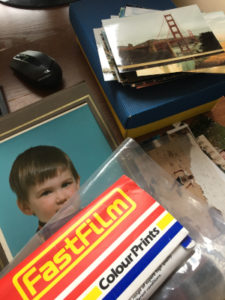
I presume that most families will be like mine. They have hundreds, if not thousands of old photo prints stashed away in draws, boxes, albums and in those paper sleeves/folders you used to get your photo prints in. And all the while they get forgotten about they deteriorate to a point where those valued memories get binned by future generations.
My father has thousands of printed family photos and I finally bit the bullet and decided to solve the issue and make them digital and available to all family members.
So how do you do this – easily and quickly?
You could use your phone to take pictures of the pictures and process them one by one. If you have ever tried this you will know how arduous this process can be.
You could pay someone to do this for you. (But as you will see later this takes away the enjoyment of re-looking at and thinking about all those past memories.)
Or you could do it the way I have figured out. With this method, I can process about 100 photos in half an hour.
What you will need:
A good stack of old photos, ideally flat and not bent.
Your SmartPhone
An App – Pic Scanner (it’s not free, about £3, but worth every penny. You do not need the Gold version)
A Google Account – and so you then have Google Photos.
A black background
A comfy chair
Time – about half an hour per 100 photos.
The phone app – Pic Scanner is the key here and it was the best photo scanner app that I have found. You basically take a photo of the photo, its AI then works out the borders etc and auto crops the image (you can even scan multiple images at once and it auto creates separate images, but you will lose a bit on the resolution).
What I do is sit on the sofa (in a well-lit room, natural daylight is best and try to avoid reflections from any high gloss photos) and lay the black background on the floor. Then in turn scan each photo with the app – as you do this be sure to keep the photos in order.
When I have done about 100 photos I go through the images and check them for quality – that are they in focus, that they have not been accidentally distorted as the AI has done its work (I think bent photos and high gloss photos cause these odd effects). Any images that are not of good quality I can easily re-do from the ordered stack of original printed photos. (As I inspect each image I make sure it is orientated the right way as this saves time later when in Gooogle Photos).
OK, so now we have a hundred (or so) images we are happy with stored in the Pic Scanner App. As you look at each photo you will see the option to Export it. You could do this, but if you are doing large batches of photos this will take ages, and I want to avoid any unnecessary work.
So what I do is go to the app settings and there is an option to “Back Up” – take ALL 100 or so images and back them up to your Google Drive as a zipped folder. So now I have all the images backed up on my Google Drive I can safely delete all the Cropped and Original images on the Pic Scanner App. So the app is empty of images and ready for the next batch.
Now we can dispense with the phone and switch to the computer. Firstly we download the Zip file from your Google Drive, unZip the file with the 100 (or so) images into a folder.
Then provided you are logged into your Google Account if you do a search for Google Photos you can access your Google Photos.
You could just start uploading your photos. But a much better idea is to create separate albums in Google Photos and then you can upload the images based on a theme. (obviously, it is best to organise your photos around themes before you start scanning)
Once you have your photos in the album you can rearrange them and then share them online with family members and everyone can comment and add notes to the photos for future reference.
As I mentioned at the start. I have been processing printed photos at the rate of about 100 per half hour and this process forces you to look and review the images and it is quite a satisfying process. In addition, Google Photos is quite smart, with its AI it can automatically pick out elements of photos, and then you can search them. So, for instance, you can easily search your photos for “dog” or “clock” and amazingly it will show you your pictures with a dog or a clock in the picture. I have even seen Google recognise handwritten words on the photos.
And at the end of the day, those family photos and memories are preserved in a readily accessible media for the future.
If you have any tips or better ways to digitise, in bulk, printed photographs please ping me a message and let me know.
For the past 12 years I have been helping clients to automate their marketing and to sell stuff.
But business automation tools can be used to streamline some areas of business that you would not expect. For instance when recruiting staff.
If you have ever had to recruit staff you will know how time-consuming the interview process can be. Especially 1 stage interviews where you have to spend hours conducting the preliminary selection process.
But there are tools that can make this process much more efficient for the interviewer and interviewee. Rather than have a one-to-one interview you can create a video where you ask the questions and the applicant records their responses.
This has a number of advantages – invites can be sent to large numbers of candidates and each is asked exactly the same questions. The interviewee does not need to travel and can complete the questions at a time that suits them. Their responses can be stored and reviewed at a time to suit the interviewer. If the interviewee is a “no show” then you have not wasted an hour of your time. Then when the interviewer has a batch of responses they can make a selection of all those they would like to invite in for a traditional style 2nd interview.

 Yesterday I was thinking about the upcoming Shout Expo in Lancaster where I will be exhibiting. What I am looking to do is use my book – The Entrepreneurs Marketing System as a tripwire offer and sell it for £5.





 Turn your older prospects into paying customers in 3 and a half days.
 So you run back to your office, put together a proposal, send it to the prospect, and start the follow-up process (and the prayer vigil)…
 There is one thing more annoying than when your website goes offline. And that is when you do not realise for days (or even longer) that there is a problem and you have had visitors and prospects trying to find you that have been lost forever. It costs you in lost opportunities and gives a really bad first impression. Common causes are unreliable hosting or a pesky hacker that needs sorting out.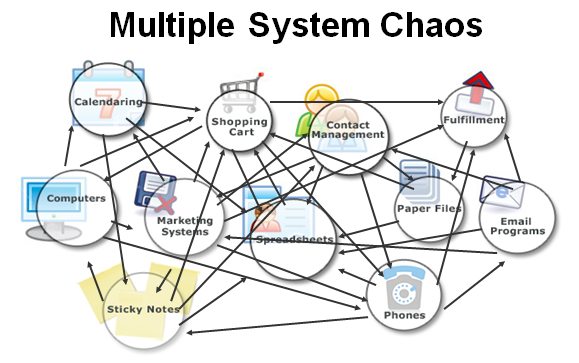

 The phone app – Pic Scanner is the key here and it was the best photo scanner app that I have found. You basically take a photo of the photo, its AI then works out the borders etc and auto crops the image (you can even scan multiple images at once and it auto creates separate images, but you will lose a bit on the resolution).
 For the past 12 years I have been helping clients to automate their marketing and to sell stuff.