Blog

🕵️ Chrome Incognito Mode Isn’t What You Think: Why It Doesn’t Make You Anonymous Online

chrome incognito does not pretect your privacy. How it works

chrome incognito does not pretect your privacy. How it worksIf you’ve ever opened Chrome’s Incognito mode thinking it’s some kind of online invisibility cloak, you’re definitely not alone.

Most people believe Incognito makes them anonymous online — but in reality, it’s nowhere near as private as it sounds.

Here’s what it actually does, what it doesn’t do, and how it compares to using a VPN.


What Incognito Mode Actually Does ✅

Incognito mode is designed to keep your browsing private from other people who use your device — not from the wider internet.

What it does ✅ What it doesn’t do ❌
Stops your browser from saving history, cookies, or search data on your device Doesn’t hide your IP address
Lets you browse without leaving local traces Doesn’t stop your ISP, employer, school, or hotel Wi-Fi from seeing the sites you visit
Creates a temporary browsing session Doesn’t make you anonymous to websites or Google
Useful for logging into multiple accounts Doesn’t protect you from malware or phishing

👉 In simple terms: If someone else uses your laptop after you, they won’t see what sites you’ve been on. But Google, your Wi-Fi provider, and the websites themselves still can.


What Incognito Mode Can’t Protect You From ❌

This is where the confusion comes in. Incognito doesn’t:

  • Hide your IP address
  • Make your online activity invisible to your Internet Service Provider
  • Block tracking from websites or advertisers
  • Stop Google from collecting certain data (especially if you’re logged in)
  • Offer any real protection on public Wi-Fi

So, if your goal is online anonymity or security, Incognito mode alone simply isn’t enough.


How Incognito Mode Compares to a VPN

This is where a VPN (Virtual Private Network) comes in. It doesn’t replace Incognito mode — it does something completely different.

Feature Incognito Mode VPN
Hides browsing history on your device ✅ ✅
Hides your IP address ❌ ✅
Encrypts your internet connection ❌ ✅
Prevents ISP and network tracking ❌ ✅
Keeps sites from linking activity to your real IP ❌ ✅
Deletes cookies and local data after session ✅ ❌
Helps protect against hackers on public Wi-Fi ❌ ✅

👉 Key point:
Incognito protects your privacy locally.
VPN protects your privacy on the network.
Using both together gives you a much stronger layer of protection.


A Practical Example

  • Incognito only: You open a private window on hotel Wi-Fi. Nobody else on your laptop can see your browsing history… but the hotel network, your ISP, and Google still can.
  • VPN only: You turn on a VPN. Your traffic is encrypted and your IP is hidden, but your browser will still save history and cookies.
  • VPN + Incognito: You use both. No local traces, and your traffic is encrypted and masked. That’s the closest most people get to true online privacy without specialist tools.

So, Should You Still Use Incognito Mode?

Yes — just understand what it actually does.

Incognito is great for:

  • Checking something quickly without cluttering your history
  • Logging into multiple accounts at the same time
  • Doing research without personalised search results

But it’s not a security tool. If you want to protect your identity, location, and activity online, you’ll need a VPN or other privacy tools alongside it.


Final Thought

Incognito mode is like closing your curtains at home. It stops people inside your house seeing what you’re up to — but everyone outside can still see your front door, your car, and where you live.

A VPN, on the other hand, is like moving the whole house behind a gate. People can’t see what you’re doing or exactly where you are.

Use Incognito when you want local privacy.
Use a VPN when you want online privacy.
Use both if you want to stay one step ahead.


✅ If you found this guide useful, share it with someone who still thinks Incognito mode makes them invisible online — they’ll thank you later.

Here is Googles Help Doc.

Selfie-Style Video Ads: A Step-By-Step Guide For Business Owners (That Actually Brings In Leads)

how to create selfie video ads
how to create selfie video adsIf you scroll through Reels or TikTok, you’ll notice something: the videos that stop you aren’t glossy, they’re human. That’s exactly why selfie-style ads work so well — they look and feel like native content, not adverts. Combine that with short-form feeds and algorithms that reward creative variety, and you’ve got the perfect format for consistent lead generation.

Why Selfie-Style Ads Work

  • Your audience lives in short-form feeds. Ads that look like Reels or TikToks perform better than overly polished brand videos.
  • Algorithms love creative diversity. Testing lots of hooks and angles pays off — selfie videos make that easy.
  • They don’t look like ads. Shot on a phone with native captions, they blend into the feed and interrupt the pattern.
  • Zero faff to produce. No studio or crew — just you, your phone, and a simple script, allowing faster testing.

The 5-Step System To Create High-Converting Selfie Ads

1) Plan Your Message With The “12–2–2” Modular Script

Build each ad from three parts: Hook → Body → CTA. Draft multiple options for each so you can mix and match. Aim for 12 hooks, 2 bodies, 2 CTAs — that’s 48 variations from one filming session.

Hook (first 3–10 seconds)

Call out the problem, promise a result, or share a provocative insight. Try these:

  1. If your diary’s full of time-wasters, watch this.
  2. Three words to cut your lead cost this week.
  3. Local service owners — you’re missing this one booking fix.
  4. I halved our no-shows with a 20-second tweak.
  5. Stop boosting posts. Do this instead.
  6. If you hate being on camera, this will help.
  7. The ad style that’s quietly beating studio videos…
  8. Want more quotes without more ad spend?
  9. Here’s the fastest way to test 40 ad ideas in an hour.
  10. The #1 mistake I see in small-biz video ads.

Body (20–30 seconds)

  • Intro + credibility: who you are and why listen.
  • Offer: what you’re giving (guide, audit, quote, booking).
  • Benefit: the outcome (more leads, lower CPA, fewer no-shows).

CTA (≈5 seconds)

  • Tap the link to get the free guide now.
  • Book a quick call using the link.

Pro tip: Draft scripts in a doc with clear sections (Hook/Body/CTA). Later, stitch different options together to create your 40 variants.

2) Film It (The “Walking Rule”)

Use your phone. Flip to selfie camera. Walk while you talk. Movement keeps your delivery natural and consistently outperforms static desk shots. Film outside if possible — natural light is your friend. Capture 2–3 takes per variation.

  • Confidence helper: speak from bullet points (more natural) or use a teleprompter app to keep your eye-line.
  • Visual hooks: pick interesting backdrops — trees, architecture, street art, bright skies. Holiday spots work brilliantly too.
  • Checklist while filming: steady hand, look at the lens, good energy, multiple takes.

3) Add Native Captions (Don’t Over-edit)

Open Instagram as if posting, upload your video, turn on auto-captions, tidy typos, then export the video and use that file in Ads Manager. Native captions make your ad look like user content — over-designed caption styles scream “advert”.

Caption flow: Instagram → Add captions → Edit → Export → Upload to ads. Done.

4) Launch & Track The Right Numbers

  • Primary metric: your Cost per Result (lead, booking, download). Decide the ceiling in advance and stick to it.
  • Hook quality metric: Thumb-Stop Rate (what % watched 3+ seconds). Add a custom column in Ads Manager. High thumb-stop = strong hook.
  • Iterate on what wins: duplicate angles with new hooks, keep winning backdrops, and test a second CTA.

5) Keep The Creative Flywheel Turning

  • Standard budgets: film every 2 weeks, creating ~48 variations per session.
  • Higher spend: film weekly. Platforms reward steady creative variety.

Copy-Paste Script Template (Use This)

Hook: Call out audience + problem or promise.

Intro: “I’m [Name]. We help [who] get [result].”

Offer: “I’ve put together [guide/demo/audit/booking] to help you [benefit].”

Benefit: “It’ll help you [result] without [pain].”

CTA: “Tap the link to [next step] now.”

Quick Ideas You Can Film Today

  • The £0 tweak that lifted our enquiry rate last week.
  • Hate being on camera? Here’s how I film in one take.
  • If your leads ghost you, try this message.
  • One hook that halved our cost per lead.

The Selfie-Ad Checklist (Print This)

Before filming

  • 12 hooks, 2 bodies, 2 CTAs drafted (40 combos).
  • Phone charged, mic clear, interesting route picked.
  • Teleprompter app ready (if using).

While filming

  • Walking, not static; natural light; direct eye-line.
  • 2–3 takes per variation; good energy.

After filming

  • Add Instagram native captions, edit, export.
  • Upload to Ads Manager with your 48-variant plan.

When live

  • Cost per Result thresholds set (kill points).
  • Thumb-Stop Rate column added; winners duplicated with fresh hooks.
  • Next shoot scheduled (weekly/fortnightly).

Want Help Turning This Into Leads Faster?

If you’d like me to review your scripts, set up your testing structure, or optimise your campaigns, book a discovery call with Julian and we’ll map it out together.


The Dream 100 Strategy: A Modern Look at Chet Holmes’ Classic Client Acquisition Concept, by Julian Mills

ultimate sales machine

dream 100 list concept ultimate sales machine. HighlevelThe Dream 100 strategy is one of the most powerful client acquisition methods ever developed. Originally created by Chet Holmes and documented in his book The Ultimate Sales Machine, it is built on focus, persistence, and relationship building. This article by Julian Mills explains how to execute the timeless Dream 100 method with modern tools, AI technology, and CRM automation to generate predictable growth in 2025 and beyond.


Where the Dream 100 Strategy Came From

The Dream 100 concept was created by Chet Holmes while working with Charlie Munger at a publishing company. He identified 167 key prospects who controlled the majority of ad spend in his market. Instead of chasing thousands of leads, he focused on that small group with disciplined, structured follow-up.

Within a year, dozens of those companies became clients. This disciplined focus became known as the Dream 100 strategy.

Further reading: Chet Holmes – The Story of the Dream 100 Strategy.

Core Principles That Have Not Changed

  • Focus – zero in on your 100 most valuable prospects.
  • Research – understand their world before making contact.
  • Multi-channel contact – use varied touchpoints to build familiarity.
  • Persistence – it can take 8-12 touchpoints to get noticed.
  • Relationship building – trust and value over time win the deal.

The Modern Dream 100 Framework (2025 Edition)

  1. Identify your Dream Clients using segmentation and the 80/20 rule.
  2. Research deeply with AI tools and data platforms.
  3. Map a multi-channel campaign across email, social, phone, events, and direct mail.
  4. Personalise messaging and outreach.
  5. Nurture relationships over time with automated yet human-feeling touchpoints.
  6. Build micro-commitments that lead to larger engagements.
  7. Systemise everything with a CRM to make it repeatable and scalable.

Building Your Dream 100 List with AI

Chet’s team built lists manually. Today, that step is faster and smarter.

  • Use Outscraper or similar tools to extract targeted business data from Google Business.
  • Use ChatGPT or enrichment tools like Clay or Apollo to find senior decision makers and append job titles, emails, and LinkedIn profiles.
  • Segment by priority, geography, industry, or revenue. Score and rank for tiered outreach.

Why CRM Is Now Essential

Chet Holmes was obsessive about structured follow-up. He relied on call sheets and sales discipline. In 2025, a CRM does the heavy lifting.

HighLevel – and by extension MarketerM8 (UK agency, setup and support) – is ideal for Dream 100 because you can:

  • Create a dedicated Dream 100 pipeline with clear stages.
  • Automate personalised follow-up via email, SMS, calls, WhatsApp, and social prompts.
  • Log every interaction and handoff so nothing is missed.
  • Trigger nurture workflows when prospects engage.
  • Report on activity, conversion rates, and ROI with dashboards for accountability.

Lumpy Mail 2.0 – Offline Meets Online

Chet popularised “lumpy mail” to cut through the noise. Today, merge offline impact with online tracking:

  • Add QR codes linked to personalised landing pages.
  • Trigger CRM workflows the moment a scan occurs.
  • Sync follow-up emails, calls, and LinkedIn messages automatically.
  • Track delivery and engagement in real time.

10 Modern Innovations That Supercharge the Dream 100

  1. AI enrichment – ChatGPT, Clay, Apollo to build rich profiles quickly.
  2. Advanced CRM – HighLevel automates follow-up and pipeline control.
  3. Hyper-personalised video – Loom or Bonjoro to introduce yourself at scale.
  4. Retargeting ads – stay visible after the first touch on Google, Meta, and LinkedIn.
  5. LinkedIn Sales Intelligence – warm up prospects before outreach.
  6. Voice AI receptionists – never miss inbound calls and qualify 24-7.
  7. Smart direct mail – QR codes and triggers make post fully measurable.
  8. AI follow-up agents – persistent outreach without extra headcount.
  9. Workshop funnels – webinars, replays, and calendar booking to build authority. (Check out my free ebook on how to run live workshops using HighLevel)
  10. Zapier or Make integration – connect enrichment, CRM, campaigns, and reporting.

Execution Rhythm and Sales Cadence

The tools are powerful, but the cadence wins deals. Turn your strategy into a repeatable rhythm:

  • Run a weekly Dream 100 pipeline review.
  • Schedule automated and manual touchpoints.
  • Layer digital retargeting with human contact.
  • Treat this as a rhythm – not a one-off campaign.

Common Mistakes to Avoid

  • Targeting too many prospects – the clue is in the name: 100.
  • Insufficient research before outreach.
  • Stopping after one or two touchpoints.
  • Treating it as a short campaign rather than a long-term play.
  • Failing to align sales and marketing inside the CRM.

FAQs

What is the Dream 100 strategy?

The Dream 100 strategy is a focused marketing approach developed by Chet Holmes. It targets your 100 most valuable prospects with persistent, personalised outreach to build trust and win business.

How can AI help with Dream 100?

AI tools like ChatGPT and Outscraper can automate list building, contact enrichment, and research, so you can spend more time on strategy and follow-up.

Why use a CRM for Dream 100?

A CRM like HighLevel structures your pipeline, automates touchpoints, and ensures no opportunity slips away. It bakes discipline into your system.

Does direct mail still work in 2025?

Yes. When paired with QR codes, personalised URLs, and automated follow-up, direct mail becomes highly measurable and effective.

How do I modernise Chet Holmes’ method?

Layer AI enrichment, CRM automation, retargeting, LinkedIn intelligence, and workshop funnels on top of his proven focus and persistence.

Resources and References


Written by Julian Mills – HighLevel consultant and marketing automation strategist. About Julian Mills.


Book Review: Scorecard Marketing by Daniel Priestley

review scorecard marketing daniel priestley

review scorecard marketing daniel priestleyEvery now and then a business book comes along that’s refreshingly simple, immediately useful, and easy to put into action — and Scorecard Marketing is one of those books.

It’s a small, straightforward read that you can get through in a single sitting, but it punches well above its weight. Daniel Priestley gets straight to the point: he explains how using a “scorecard” — essentially an online assessment or quiz — can transform the way you generate and qualify leads. It’s about moving beyond just collecting email addresses and instead gathering valuable data and insight about each potential customer right from the start.

The concept is brilliantly explained, and Priestley’s approach is clear, practical, and actionable. It’s also backed up by real-world examples, many of which use his own software, ScoreApp, which is woven throughout the book. And to be fair, it’s an excellent tool. I’ve implemented ScoreApp with several clients and have seen first-hand how it can generate leads and sparking meaningful conversations with prospects.

If I had one observation, it’s this: the book is focused almost entirely on the front end of the process — generating and scoring leads — and while Daniel touches on the importance of follow-up and building a sales team, there’s less emphasis on how technology and AI can support that next step. For me, that’s the missing piece of the puzzle.

That’s where I see huge potential in integrating a CRM and automation platform like HighLevel alongside ScoreApp. The two together are a perfect match — ScoreApp brings in the leads and delivers rich insight about them, while HighLevel can nurture those leads automatically, personalise follow-ups, and turn conversations into clients at scale.

Overall, Scorecard Marketing is an excellent, easy-to-read guide that demystifies one of the smartest lead generation strategies around. It’s well worth a place on your bookshelf — and even more valuable when combined with the right tools to handle what happens after the leads come in.

Check out my other post on this topic. How to Build Daniel Priestley-ScoreApp Style Scorecards in HighLevel

Free Workshop Training: Build Your Own AI Assistant In Under An Hour : ChatGPT – Custom GPTs For Beginners.

ChatGPT – Custom GPTs For Beginners free workshop training
ChatGPT – Custom GPTs For Beginners free workshop trainingMost people use ChatGPT for quick tasks – writing a social media post, answering a question, or drafting a paragraph. It’s useful, but if that’s all you’re doing, you’re barely scratching the surface of what’s possible.The real power of ChatGPT lies in Custom GPTs. With them, you can create your own AI assistant that works exactly how you want it to. It can follow your tone of voice, use your templates, and help with specific jobs inside your business. And the best part? You can build one in under an hour. No coding required.

What is a Custom GPT?

Think of a Custom GPT as your own version of ChatGPT, trained to think and respond like you. You set the rules. You decide how it should write, what knowledge it should have, and what tasks it should focus on. Once you do, it becomes an assistant that’s tailored to your business.

Here are just a few examples of what a Custom GPT can become:

  • A proposal writer that uses your language and structure every time
  • An email creator that understands your workflows and tone
  • A support assistant that answers questions about your products
  • A content helper that drafts posts that sound like you wrote them
  • And do much more

Once set up, it will do around 95% of the work. All you have to do is review, tweak, and approve.

Real-world example: Proposal writing without the pain

Writing proposals from scratch can eat up hours every week. In reality, most proposals are 95% the same as the last one. It’s only small details that change. Yet many businesses still start from a blank page every time.

With a Custom GPT, you can upload your structure, your tone, and your key messages. Then, when you need a new proposal, the AI drafts it for you. You review the final details and it’s ready to send.

It’s like having an assistant who already knows your style and never gets tired.

Another powerful use: Evergreen email campaigns

At MarketerM8, we build automated email campaigns that run all year round. We call them evergreen campaigns because they keep sending valuable messages to people who haven’t yet said yes or no.

The biggest barrier for most businesses is writing enough emails to power these workflows. It’s time-consuming and often gets pushed to the bottom of the list.

That’s where Custom GPTs change the game. We’ve built one that writes 36 evergreen nurture emails based on your brand, tone, and topic ideas. It asks you a few questions and then builds the whole sequence for you. All that’s left is to review and schedule.

It takes a job that used to take days and reduces it to minutes.

What you’ll learn in our free workshop training

We’re running a free session called ChatGPT – Custom GPTs For Beginners, where we’ll walk you through the process step by step.

You’ll learn:

  • What Custom GPTs are and how they work
  • How to build one from scratch without writing a line of code
  • Real examples you can copy for sales, marketing, support, and admin
  • How to upload templates, knowledge files, and prompts
  • Mistakes to avoid when creating your first GPT

Join the free workshop training

Friday 3rd October at 12:00 PM
Live on Zoom

When you join, you’ll get:

  • Access to the live session
  • A replay if you can’t make it live
  • Practical templates to help you build your first Custom GPT quickly

Stop thinking of ChatGPT as a one-size-fits-all tool and start building an assistant that works exactly how you need it to.

Click here to register for the free Custom GPTs for Beginners workshop

How to Close and Cancel a HighLevel Account

how to close and cancel a highlevel account

how to close and cancel a highlevel accountWhen it comes to closing down and cancelling a HighLevel account, the first thing you need to know is that there are actually two types of account:

1. An Agency Account

If you’ve been selling HighLevel sub-accounts to clients, then you have what’s known as an Agency account. I’ve already written a detailed guide on how to close an Agency account here: How to Close a HighLevel Agency.

or…

2. A Sub Account

If you’ve simply been using HighLevel for your own marketing and running campaigns, then you have a Sub Account.

How you close and cancel your Sub Account depends on where you purchased it from. Most people don’t buy directly from HighLevel — they get their access via a HighLevel reseller (also called a HighLevel White Label Agency).


How to Cancel a HighLevel Sub Account

Step 1: Check Your Account Settings

Go to:
Settings → Company Billing → Manage Billing → Cancel Account

If your HighLevel reseller has left this option enabled, you may be able to request a cancellation directly from within your account.

Or…

Step 2: Contact Your White Label Agency

If you don’t see the cancellation option in your billing settings, that means your account is managed directly by the HighLevel White Label Agency that provided it. In this case, you’ll need to:

  • Contact the agency directly to request account cancellation.
  • Check whether your contract includes a notice period or minimum term.
  • Request cancellation in writing so you have a clear record.

Each agency sets its own cancellation terms, so the process will vary.


Before You Cancel…

Here’s my question to you: what exactly are you looking to cancel?

HighLevel is an incredible all-in-one tool. If you’re feeling frustrated, it’s often not the software that’s the problem — it’s knowing how to get the best out of it.

  • Are you missing the right marketing strategies?
  • Do you need help with the technical setup?
  • Are you aware of all the features you might not be using yet?

Before you “throw the baby out with the bathwater”, I’d be happy to jump on a Discovery Call with you to see if we can resuscitate your HighLevel setup and get it working to grow your business.

👉 Book a Discovery Call with Julian
👉Check out MarketerM8 – White Label Agency

HighLevel Starter vs Unlimited vs Founder Plan: What’s the Difference and What Changed in 2026?

Compare HighLevel Starter, Unlimited and Founder. Discover pricing, features, SaaS Mode and which plan is right for your business.

Updated October 2026
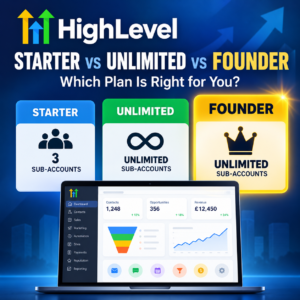
Compare HighLevel Starter, Unlimited and Founder. Discover pricing, features, SaaS Mode and which plan is right for your business.If you’ve been researching HighLevel (also known as GoHighLevel), you may have noticed something confusing.

For several years, HighLevel offered three main agency subscription plans:

  • Starter: $97 per month
  • Unlimited: $297 per month
  • Agency Pro / SaaS Pro: $497 per month

At the HighLevel Summit in Dallas in October 2026, HighLevel announced that its $497 Agency Pro plan, often referred to as SaaS Pro, was being renamed the HighLevel Founder Plan.

The price remains $497 per month, but the plan now includes an expanding range of exclusive features and benefits.

This is more than a change of name. It also highlights something that has become increasingly important when choosing HighLevel: the agency plan you subscribe to can affect which advanced features are available to the businesses using your sub-accounts.

As a UK-based HighLevel consultant and founder of MarketerM8, an agency supporting more than 100 HighLevel sub-accounts, I regularly help businesses and agencies decide which HighLevel setup is right for them.

In this guide, I’ll explain the difference between HighLevel agency accounts and sub-accounts, compare the three plans, explore the new Founder-exclusive features and help you decide which option makes sense for your business.

First, Understand the Difference Between a HighLevel Agency Account and a Sub-Account

Unlike conventional CRM software, HighLevel operates on two levels.

The agency account is the administrative umbrella. The sub-accounts are where the actual marketing happens.

What Is a HighLevel Sub-Account?

Think of a HighLevel sub-account as having your own separate installation of marketing software, similar to having your own Mailchimp, HubSpot or Keap account.

It’s where a business actually does its marketing and sales activities. Inside a sub-account, a business can:

  • Store and manage contacts and customer records.
  • Build sales pipelines and track opportunities.
  • Send marketing emails, SMS and WhatsApp messages.
  • Create websites, landing pages and sales funnels.
  • Build automated marketing and follow-up campaigns.
  • Manage appointments and calendars.
  • Collect payments and issue invoices.
  • Use AI tools and other available features.

Each sub-account has its own contacts, workflows, pipelines, calendars and business data.

For example, imagine an accountant, a dentist and a removals company all using HighLevel. Each business would typically have its own sub-account, operating independently of the others. They could all use HighLevel to run their marketing, but their contacts, campaigns and customer information would remain separate.

A sub-account is the working CRM and marketing system. It is not simply a user login or a folder within an agency account.

What Is a HighLevel Agency Account?

The agency account sits above the sub-accounts. Think of it as the administrative umbrella that allows an agency to create, configure and manage separate HighLevel systems for its clients.

An agency account is used to:

  • Create and administer client sub-accounts.
  • Manage account access and permissions.
  • Configure agency-wide settings.
  • Manage subscriptions and billing where supported.
  • Provide software access and services to clients.
  • Deploy templates and systems across multiple sub-accounts.

The Starter, Unlimited and Founder subscriptions are all agency-level plans. They determine how many sub-accounts you can manage and which administrative, commercial and advanced capabilities are available.

Why Does This Matter?

Because the difference between the plans is not simply the number of sub-accounts.

As HighLevel develops, an increasing range of advanced functionality is being differentiated by agency subscription. That means a sub-account under a Starter agency may not have access to every capability available to a sub-account under an Unlimited or Founder agency.

However, it is important to distinguish between features that operate inside a sub-account and features that are only available to the agency administrator. Some advanced capabilities may also require additional subscriptions or separate activation.

This is why you should compare the actual capabilities available to the business using the sub-account, rather than judging a plan solely by its price or number of sub-accounts.

Two Ways to Buy HighLevel. Which Is Right for You?

Once you understand the distinction between agency accounts and sub-accounts, there are two main ways to access HighLevel.

Option 1. Buy a Sub-Account Through an Existing Agency

This is often the simplest option if you’re a business owner who wants to use HighLevel for marketing, sales, customer management and automation.

You purchase access to a HighLevel sub-account through an agency. The agency may provide the software under its own brand, often with training, support, consultancy and other services included.

For example, my agency, MarketerM8, provides HighLevel sub-accounts to businesses that want the software without needing to operate their own HighLevel agency.

The important point is that you are purchasing access to a sub-account, not your own HighLevel agency subscription.

My Strong Recommendation: Choose a Founder-Level Agency

If you only want one HighLevel sub-account to market your own business, I strongly recommend choosing a provider operating on HighLevel’s Founder Plan.

Here’s why. The agency subscription sitting above your sub-account can determine which advanced features you can access.

HighLevel is increasingly differentiating its agency subscriptions by functionality, not simply by the number of sub-accounts. As new capabilities are introduced, some may only be available to sub-accounts managed by Founder agencies.

For example, HighLevel Industries is positioned as a Founder Plan capability, bringing industry-specific operational tools into HighLevel.

If you buy HighLevel’s $97 Starter Plan directly, you get your own agency account and can create up to three sub-accounts. But those sub-accounts do not necessarily have access to the same advanced capabilities as those managed under a Founder agency.

You could therefore find yourself wanting to use a new HighLevel feature in the future, only to discover that your agency subscription doesn’t support it.

This is one of the biggest reasons I recommend considering an established Founder-level agency if all you need is a single sub-account for your business.

At MarketerM8, we operate on HighLevel’s Founder Plan. This means our customers can benefit from the relevant advanced capabilities supported by our agency subscription, subject to feature availability, configuration and any applicable additional charges.

Before buying any HighLevel sub-account, ask the provider which HighLevel agency plan they operate on and whether the features you need are supported.

Interested in a HighLevel Sub-Account for Your Business?

You don’t necessarily need your own HighLevel agency subscription. If you’re looking for a HighLevel sub-account to manage your contacts, automate marketing, follow up enquiries and grow your business, let’s discuss your requirements.

Interested in a HighLevel sub-account for your business?

Option 2. Buy HighLevel Direct

When you buy directly from HighLevel, you purchase an agency-level subscription. This gives you the ability to create and manage sub-accounts for your own businesses or clients, subject to the limits and capabilities of your chosen plan.

This is where Starter, Unlimited and Founder come in. You don’t necessarily need to be a marketing agency to buy directly, but you will be responsible for managing your agency account.

If you’re looking to operate multiple businesses, manage HighLevel for clients or resell the software, a direct agency subscription may be the appropriate route.

HighLevel Pricing 2026: Comparing Starter, Unlimited and Founder

Here are the main differences following the Founder Plan announcement.

Feature Starter Unlimited Founder
(previously called SaaS/Pro Plan)
Monthly price $97 $297 $497
Annual price $970 $2,970 $4,970
Sub-accounts 3 Unlimited Unlimited
Contacts and users Unlimited Unlimited Unlimited
Core CRM and marketing tools Yes Yes Yes
Basic API access Yes Yes Yes
Advanced API access No No Yes
Advanced sub-account management Limited Expanded Expanded
Phone/email rebilling at cost No Yes Yes
Usage rebilling with markup No No Yes
SaaS Mode No No Yes
Automated SaaS account creation No No Yes
Founder-exclusive features No No Yes
Founders Club No No Yes

All prices are in US dollars. Additional usage charges and optional add-ons may apply.

All three plans provide access to HighLevel’s core marketing capabilities. You do not need the Founder Plan simply to build marketing automations, create websites, manage contacts or run sales pipelines.

However, Starter is not simply Unlimited with fewer sub-accounts, and Unlimited is not simply Founder without SaaS Mode. There are additional differences in advanced features, administration, API capabilities and the tools available to individual sub-accounts.

HighLevel Starter Plan. $97 per Month

The Starter Plan is HighLevel’s entry-level agency subscription. It includes up to three sub-accounts, with unlimited contacts and users.

Each sub-account can be used for a separate business, brand or client. For example, a consultant could use one sub-account for their own business and the other two for clients.

What Can You Do With Starter?

You can access HighLevel’s core marketing and CRM tools, including:

  • Contact management and sales pipelines.
  • Websites and sales funnels.
  • Email and SMS marketing.
  • Workflow automation.
  • Appointment calendars.
  • Forms and surveys.
  • Reputation management.
  • Social media management.
  • Payments and invoicing.
  • Courses and memberships.

Some capabilities have additional usage costs or optional subscriptions.

What Are the Limitations of Starter?

The most obvious limitation is the three-sub-account allowance. But Starter also has restrictions beyond the number of sub-accounts.

As HighLevel introduces more advanced features, some capabilities are reserved for higher-tier agency subscriptions. For example, Starter does not provide the advanced API access available on Founder, nor the same advanced agency-management capabilities available on Unlimited and Founder.

It also does not include SaaS Mode or the Founder-exclusive industry tools.

This matters because the agency subscription can affect the functionality available to the businesses using its sub-accounts.

If you are building a business around reselling HighLevel, you will quickly find these restrictions limiting.

Who Should Choose Starter?

Starter makes sense if you’re running a small number of businesses or starting a HighLevel agency and don’t yet need unlimited client accounts.

My advice is not to spend more than necessary at the beginning. You can upgrade as your requirements grow.

HighLevel Unlimited Plan. $297 per Month

Unlimited is designed for agencies that need to manage more than three sub-accounts. The most important difference from Starter is that you can create unlimited sub-accounts.

For example, you might manage HighLevel for 10, 30 or 100 clients. You pay the same $297 monthly platform subscription, although usage charges and other applicable costs remain separate.

What Else Does Unlimited Include?

Unlimited builds on Starter with additional agency capabilities, including:

  • Unlimited sub-accounts.
  • Basic API access.
  • Phone and email rebilling at cost.
  • Agency white-labelling capabilities.
  • Expanded agency and sub-account management functionality.

The API access is particularly important. Older comparisons, including the previous version of this article, suggested that Unlimited had no API access. That is no longer an accurate description of HighLevel’s published plan comparison.

However, basic API access should not be confused with the advanced API capabilities available on Founder. If you’re planning an integration with another business system, check the specific API endpoints and authentication requirements before choosing your plan.

What Are the Limitations of Unlimited?

Although Unlimited removes the restriction on the number of sub-accounts, it does not unlock every advanced feature available on HighLevel.

For example, Unlimited does not include:

  • The full SaaS Mode functionality available on Founder.
  • Advanced API access.
  • Usage rebilling with markup.
  • The new Founder-exclusive industry capabilities.
  • Certain Founder-specific administrative and business development benefits.

This means that even though you can create unlimited sub-accounts, those sub-accounts may not have access to the same advanced features as sub-accounts operating under a Founder agency.

This distinction is becoming increasingly important as HighLevel continues to expand its functionality.

Who Should Choose Unlimited?

Unlimited makes sense for an agency that manages HighLevel on behalf of clients but doesn’t need to operate a fully automated SaaS subscription business.

For example, if you’re selling marketing consultancy, implementation and ongoing support, you might not need all the capabilities of Founder.

HighLevel Founder Plan. $497 per Month

This is where the October 2026 announcement becomes particularly interesting.

The Founder Plan is the new name for the old $497 SaaS / Pro agency subscription.

Existing Agency Pro subscribers are automatically moved to Founder without needing to take action. The monthly subscription remains $497.

However, HighLevel is expanding what subscribers receive.

Historically, the main reasons to upgrade to Agency Pro were SaaS Mode, advanced API access, automated client account creation and the ability to add margins to usage charges.

Those capabilities remain important, but Founder introduces a broader set of exclusive features.

What Is SaaS Mode, and Has It Disappeared?

No. SaaS Mode has not disappeared. This is an important distinction because HighLevel’s terminology can be confusing.

Founder Plan is the name of the $497 agency subscription. SaaS Mode is a feature available within that subscription.

SaaS Mode allows an agency to package HighLevel into its own software subscriptions.

For example, you could create three packages for different types of customers, decide which features each package includes, and charge recurring monthly subscriptions.

When a customer signs up, HighLevel can automatically provision the appropriate sub-account and configure the relevant access.

This is the model behind many white-label HighLevel agencies. Rather than developing an entirely new CRM platform, you build a business around HighLevel’s existing technology.

Of course, running a successful SaaS agency still requires marketing, sales, customer onboarding, support and ongoing customer retention. The technology is only one part of the business.

The New Founder-Exclusive Features

This is the area that deserves particular attention following the Summit. HighLevel is positioning Founder as more than simply the plan for people who want SaaS Mode.

Its published Founder feature list includes several potentially significant additions.

1. HighLevel Industries: Potentially One of the Biggest Developments for Business Owners

One of the most significant announcements at the October 2026 HighLevel Summit was HighLevel Industries.

Until now, HighLevel has primarily been known as a powerful CRM, sales and marketing automation platform.

But many businesses need specialist software to manage the day-to-day operations of their particular industry.

For example, a plumbing company might use separate software for managing engineers and scheduling jobs. A restaurant might need another system for table reservations and orders. A coach or consultant might rely on specialist tools for delivering services to clients.

These additional systems often come with their own monthly subscriptions. And if you want information to flow between them and your CRM, you may need to pay for integrations or spend time building and maintaining them.

HighLevel Industries aims to change this.

At the October 2026 Summit, HighLevel outlined three initial industry areas:

  • Field Services: For businesses such as plumbers, electricians, heating engineers, cleaning companies and other trades. Planned and emerging capabilities include job management, scheduling, dispatching, estimates, invoicing and route optimisation.
  • Restaurants: Bringing together capabilities such as reservations, menu management and ordering alongside HighLevel’s existing CRM and marketing tools.
  • Coaches and Consultants: Industry-specific capabilities aimed at helping coaches and consultants manage and deliver their services.

And this is just the beginning.

HighLevel outlined an ambition to expand to 30 industry-specific modules over the following 12 months.

The implications could be enormous.

Imagine running a business where your CRM, marketing automation, customer communications and industry-specific operational software all work together inside the same platform.

Rather than paying separately for several software systems, you could potentially manage much more of your business within HighLevel.

There would also be less need for complicated integrations between systems, fewer places where customer information becomes fragmented, and fewer software subscriptions to manage.

Of course, this doesn’t mean every specialist software product can immediately be replaced. Businesses should assess the actual functionality available before switching away from an established system.

Some of these industry modules are still being developed or rolled out, and the 30-industry expansion is a roadmap ambition rather than 30 completed products.

Nevertheless, this is a major reason why I believe businesses should pay attention to the HighLevel agency plan sitting above their sub-account.

HighLevel Industries is positioned as a Founder Plan capability.

If you purchase a sub-account through an agency operating on a lower-tier plan, you may find that you cannot access the new industry-specific functionality as it becomes available.

And if you’re a business owner considering HighLevel today, you should think not only about what the software can do now, but also about what it may be able to replace over the next year.

2. Custom Navigation

Founder subscribers can customise the main navigation experience, including arranging menu items, creating groups and setting defaults.

For an agency supporting multiple clients, this could make HighLevel easier to use. One of the challenges with a platform containing so many features is that clients can become overwhelmed. Being able to present a more focused interface could improve adoption.

3. Workflow Maps

HighLevel’s automation capabilities have become increasingly sophisticated. But as the number of workflows increases, understanding how they interact can become difficult.

Workflow Maps provides a visual way to inspect relationships between automations and troubleshoot more complex systems. For agencies managing substantial marketing automation installations, this could become a particularly valuable feature.

4. Project Management

HighLevel is also introducing project management capabilities within Founder. These are designed to help teams organise work, allocate responsibilities, manage deadlines and track progress.

For agencies, there are obvious applications in client onboarding, campaign implementation and ongoing service delivery.

5. Events

HighLevel’s event capabilities cover activities such as registrations, ticket sales and attendee check-in. This is potentially useful for training businesses, event organisers, membership organisations and agencies supporting these sectors.

6. Support Ticketing

The Founder feature list includes ticketing capabilities for managing customer support requests. For an agency with dozens or hundreds of clients, a structured ticketing system can be useful for assigning, prioritising and tracking support enquiries.

7. Meeting Rooms

HighLevel is introducing integrated video meeting rooms. Think of this as an alternative to a paid Zoom account, why pay for individual Zoom user accounts, when HighLevel offers unlimited user accounts as part of the sub account subscription? The attraction is being able to conduct certain client or team meetings within the same environment used for CRM and customer management.

8. Loyalty and Rewards

Loyalty and rewards capabilities create opportunities for businesses that depend on repeat purchases. Examples might include restaurants, salons, retail businesses and other customer-facing services.

9. A2P Console

For agencies serving customers in the United States, A2P registration and compliance can be an operational challenge. The Founder A2P Console is designed to provide a central view of client registration progress.

This is less directly relevant to many UK businesses but potentially valuable for agencies with US customers.

10. Custom Onboarding and Email Health Console

Two further features are particularly interesting.

Custom Onboarding is intended to let agencies create tailored onboarding experiences for their clients.

The Email Health Console is intended to provide centralised visibility of email deliverability and related indicators across clients.

At the time of writing, HighLevel labels both of these features as coming soon.

They should therefore be treated as announced capabilities rather than assumed to be available in every Founder account today.

Founder Plan Benefits Beyond the Software

Another significant change is that HighLevel is adding benefits beyond software functionality.

  • Founders Club: An exclusive community with live sessions, masterminds and other activities.
  • HighLevel Partner Network: Opportunities for eligible Founder subscribers to participate in a network connecting businesses with HighLevel service providers.
  • Founder Support Plan: An additional support offering specifically for Founder subscribers.
  • Event Benefits: Announced discounted event tickets and opportunities to attend activities at HighLevel headquarters.
  • Commercial Programmes: HighLevel has also announced initiatives involving payment commissions and promotional advertising opportunities.

Some of these programmes are subject to eligibility, availability and additional conditions.

I would not choose the Founder Plan solely on the assumption that every announced commercial benefit will immediately generate revenue.

However, for an established agency, the combination of software capabilities, support and business development opportunities could make the $200 difference over Unlimited worthwhile.

Interested in Reselling HighLevel or Managing Multiple Businesses?

If you’re thinking of starting a HighLevel agency, reselling the software or managing HighLevel for several businesses, it’s worth discussing the options before committing to a subscription.

There are different ways to get started, and the right approach depends on your experience, target market and business objectives.

Interested in reselling or managing multiple businesses?

Is the Founder Plan Worth an Extra $200 per Month?

This is the question I would encourage anyone considering the upgrade to ask.

Don’t simply buy the most expensive plan because it has the most features. Start with what you’re trying to achieve.

If you only need three sub-accounts and the core marketing tools, Starter may be sufficient.

If you’re managing many client accounts but selling consultancy and implementation services rather than software subscriptions, Unlimited may be a sensible choice.

But if you want to build a scalable white-label SaaS business, automate account provisioning, add margins to supported usage costs or use the exclusive Founder tools, the additional $200 may be justified.

And remember, software subscription costs are only part of the equation. A successful agency needs systems for acquiring customers, onboarding them, training them, supporting them and retaining them.

What About Starting Your Own HighLevel SaaS Agency?

If your ambition is to build a recurring-revenue software business, the Founder Plan is particularly relevant. But don’t underestimate the work involved.

HighLevel provides the technology, yet you still need a proposition that customers want to buy. You need to identify your target market, package your services, acquire customers and provide support.

At MarketerM8, we also help people who want to establish their own HighLevel SaaS businesses through our SaaS Entrepreneur Programme.

The objective is to help people understand both the technology and the commercial model behind running a successful agency.

Frequently Asked Questions

Has HighLevel SaaS Pro been discontinued?

The $497 Agency Pro subscription, commonly referred to as SaaS Pro, has been renamed the Founder Plan. SaaS Mode remains available within Founder.

Is the HighLevel Founder Plan more expensive?

No. The monthly subscription remains $497, the same price as the former Agency Pro plan.

Do existing Agency Pro customers need to upgrade?

No. HighLevel confirms that existing $497 Agency Pro subscribers automatically transition to Founder.

Does Founder include unlimited sub-accounts?

Yes. Both Unlimited and Founder include unlimited sub-accounts.

Does HighLevel Unlimited have API access?

Yes. HighLevel currently lists basic API access on Unlimited. Founder includes advanced API access. The specific integration requirements should be checked before subscribing.

Can I still run a SaaS agency using HighLevel?

Yes. SaaS Mode remains part of the Founder Plan.

Do I need Founder to use HighLevel’s marketing automation?

No. HighLevel’s core workflow automation tools are available on the lower-priced plans.

Are all the new Founder features available now?

Not necessarily. HighLevel has identified some announced features as coming soon, and individual capabilities may be released or expanded over time.

Should I buy a HighLevel sub-account from a Founder agency?

If you only want a sub-account to market your own business, I recommend considering obtaining a sub account from a Founder-level agency. The agency subscription can affect access to certain advanced capabilities, although not every Founder feature automatically becomes available to every sub-account.

Can I upgrade from Starter or Unlimited later?

Yes. HighLevel allows subscribers to change plans as their requirements develop.

Can I buy HighLevel through a reseller instead?

Yes. You can subscribe to a HighLevel sub-account through an agency such as MarketerM8 rather than purchasing your own agency-level subscription.

Final Thoughts. Which HighLevel Plan Would I Choose?

The October 2026 Founder announcement makes HighLevel’s three-plan structure more interesting.

Starter remains an accessible way to begin using the platform. Unlimited is attractive for agencies managing multiple client accounts. Founder combines the previous Agency Pro and SaaS Mode capabilities with an expanding range of exclusive software features and business benefits.

But my advice remains the same.

Choose the plan that supports your business model, not simply the one with the longest feature list.

And if you only want one HighLevel sub-account to run the marketing for your own business, don’t automatically assume that buying a Starter agency subscription directly is your best option. Consider buying through an established Founder-level agency instead to ensure you get a fully featured sub account.

If you’re unsure which option is appropriate, I’m happy to discuss your requirements and help you work through the practical differences.

Information based on HighLevel’s published pricing, Founder Plan announcement and support documentation in October 2026. Features, eligibility and pricing may change.

Julian Mills HighLevel Consultant and Marketing Automation Strategist

About the Author

Julian Mills

HighLevel Consultant & Marketing Automation Strategist

Julian Mills helps business owners automate lead generation, sales follow-up, customer communication and business processes using HighLevel and MarketerM8. Since 2009 he has helped businesses implement CRM, marketing automation and AI-powered systems that save time, improve customer experience and generate more sales.

About Julian
Book a Discovery Call
Join a Free HighLevel Workshop
Learn About HighLevel with MarketerM8

How to Connect a Physical Desk Phone to HighLevel (VoIP Desk Phone)

how to connect a physical phone (VOIP) to HighLevel

how to connect a physical phone (VOIP) to HighLevelWhen most people think about HighLevel, they imagine a cloud-based system that handles everything — SMS, WhatsApp, email, pipelines, and even phone calls — all from your laptop or mobile. And for many teams, that’s enough.
But in some offices, there’s still a need for a physical desk phone. Reception staff, sales teams, and business owners often prefer a handset on the desk: it’s reliable, tactile, and familiar. Having a VoIP phone that rings in the office ensures nobody misses a call, and it can make call-handling smoother than relying on headsets or mobile apps alone.

The good news? You can connect a standard SIP VoIP desk phone to HighLevel — so inbound and outbound calls flow through the CRM, are recorded, and can trigger automations, while your team gets the comfort of a handset.


Why bother with a desk phone?

Here are a few practical benefits of connecting HighLevel to a VoIP handset:

  • Professional call handling: Pick up a handset, transfer calls, and manage conversations without fumbling for headsets.
  • Reliability: Desk phones are always plugged in, so you don’t rely on laptop batteries, mobile signals, or whether someone has the app open.
  • Shared office use: A ringing phone in reception or a shared workspace means calls won’t be missed.
  • Consistency: Staff can answer the phone in the same way as they always have, while still logging every call into HighLevel automatically.

What you’ll need

Before diving into setup, here’s the checklist of hardware and services you’ll need:

Services

  • HighLevel account with telephony enabled (using LeadConnector/Twilio).
  • Either:
    • The HighLevel VoIP Deskphone wizard (simplest method).
    • Or direct access to Twilio Console (for manual SIP configuration).

Hardware

  • An open SIP-compatible desk phone, such as:
      • Yealink T54W / T58W
      • Poly VVX 250/350/450
      • Grandstream GXP2170
      • Snom D785
    • Alternatively, a softphone app (e.g., Zoiper or Bria) can act like a desk phone on your computer.

    Network

    • A reliable internet connection.
    • Router configured to allow:
      • SIP traffic on ports 5060/5061
      • RTP media on ports 10000–20000/UDP
      • SIP ALG disabled (to prevent audio problems).

    How to connect your VoIP phone to HighLevel

    There are two main ways to get a desk phone talking to HighLevel.

    Path A (Recommended): HighLevel’s VoIP Deskphone Wizard

    This is the easiest option because it keeps all your calls inside HighLevel — including call logs, recordings, and automations.

    1. Open the wizard
      Go to HighLevel → Settings → Phone Numbers → Advanced Settings → VoIP Deskphone (SIP) → Get Started.
    2. Confirm your SIP domain
      HighLevel will suggest a SIP domain (something like yourlocation.sip.ashburn.twilio.com). Save this — you’ll need it in your phone.
    3. Create an extension
      Choose an extension (e.g. 201) and set a strong password.
    4. Assign the extension to a staff member
      Go to Settings → My Staff → [User] → Call & Voicemail Settings and enable Deskphone.
    5. Configure your phone
      On the phone’s admin page, enter:

      • Registrar/Server: your SIP domain.
      • Username/Auth ID: the extension number.
      • Password: the SIP password.
      • Transport: TLS (preferred) on port 5061.
      • Codecs: G.711 µ-law/a-law.
    6. Test your calls
      Use HighLevel’s built-in test feature to check inbound and outbound.

    Your handset will now ring alongside the HighLevel app, and all calls will still be tracked inside your CRM.

    Path B: Manual Setup via Twilio

    If you prefer to work directly with Twilio (or need more flexibility), you can register your handset with Twilio and keep HighLevel in the loop.

    1. Log into the correct Twilio sub-account
      Make sure you’re in the same sub-account that HighLevel uses.
    2. Create a SIP Domain
      Twilio Console → Programmable Voice → SIP Domains → Create New Domain.
    3. Enable SIP Registration
      Add a Credential List (username and password) and attach it to your domain.
    4. Configure your phone
      On the handset, enter:

      • SIP Server: your Twilio SIP domain.
      • Username/Password: from the Credential List.
      • Transport: TLS on port 5061.
      • Codecs: G.711.
    5. Keep HighLevel in control
      Make sure your Twilio number’s webhook still points to HighLevel, so inbound calls flow through the CRM.

    Using Interactive Voice Response (IVR) Menus with Desk Phones

    One of HighLevel’s most powerful and free telephony features is the ability to build IVR menus inside workflows. This means you can create professional call-routing systems without needing a separate PBX.

    • Inbound call flow:
      • Caller rings your HighLevel number.
      • The IVR workflow answers with a greeting (recorded or AI voice).
      • “Press 1 for Sales, 2 for Support, 3 for Accounts…”
      • Based on their choice, the call routes to the right staff member.
    • Where desk phones come in:
      • If “Sales” is mapped to your sales team member in HighLevel, and that user has a desk phone registered, the desk phone will ring.
      • Calls are still logged, recorded, and can trigger follow-up automations.
      • The caller experience is professional and streamlined, while your team get the familiarity of a handset.

    This gives you the best of both worlds: a modern CRM-driven phone system with advanced routing and automation, plus the reliability and simplicity of a ringing phone on the desk.


    Troubleshooting tips

    • Can’t register the phone? Double-check the SIP domain, extension, and password.
    • Call connects but no audio? Open RTP ports (10000–20000) and turn off SIP ALG.
    • Outbound calls not logging in HighLevel? Use the HighLevel Deskphone wizard (Path A) — Twilio-only registrations may bypass CRM logging.

    Final thoughts

    For most businesses, using HighLevel’s web and mobile apps is enough. But if your office needs the reliability and comfort of a physical phone on the desk, integrating a VoIP handset is straightforward.

    The easiest method is to use HighLevel’s VoIP Deskphone wizard. This way, you get the best of both worlds — calls logged in your CRM, recordings available for review, and the familiar feel of a handset ringing on your desk.

    Better still, you can combine desk phones with IVR menus built in HighLevel workflows. This lets you route calls professionally — press 1 for sales, 2 for support — while still logging everything in the CRM and making sure the right physical phone rings.

    HighLevel isn’t just a marketing platform — it can also serve as a fully functioning business phone system – which can save you hundreds of pounts per month. And for many offices, that’s exactly what’s needed.

Recommedned link to purchase VOIP Desk Phones

HighLevel Help Documentation

Book a Discovery Call with Julian

How to Use the New HighLevel Xero Integration

how to use the highlevel xero integration

how to use the highlevel xero integrationIf you’ve been running your business using GoHighLevel and handling your finances separately, the brand-new Xero integration is here to change that. It bridges GoHighLevel and Xero so you can keep better accounting records, reduce manual work, and streamline your invoicing and compliance — especially useful if you operate globally.
Below I’ll walk you through what the integration offers, what’s still to come, how to set it up, and how you can make the most of it.


What the GoHighLevel ↔ Xero Integration Brings

Here are the key features currently live:

Feature What It Means for You
Contact Sync (Xero → GoHighLevel) Your active contacts in Xero import automatically into GoHighLevel. If a contact has no first/last name but has a company name, the company field is used. Existing GoHighLevel contacts get updated if matched by email or phone.
Invoice Sync (GoHighLevel → Xero) Invoices you create in GoHighLevel show up in Xero. This includes invoice numbers, line items, discounts, taxes. Statuses such as Sent, Partially Paid, or Void are synced in real time.
Tax & Currency Handling Tax rates map across automatically; if a tax rate doesn’t already exist in Xero, GoHighLevel will create it (including multi-component taxes). Also supports multi-currency invoicing, if your Xero plan allows.
Accounts Visibility Only accounts in Xero that are marked “Enable payments to this account” show up for mapping in GoHighLevel (excluding standard bank accounts). This helps ensure that invoices are posting to accounts that are enabled for payments.

What’s Not Included (Yet)

  • Receipts from GoHighLevel do not yet sync over into Xero.
  • Item catalogue (inventory list) doesn’t sync. Line items show up on invoices, but the products/items are not added into Xero’s product/inventory list automatically.

Why This Matters Especially if You’re Operating Globally

  • You can map each GoHighLevel sub-account to its own Xero organisation. So agencies can manage clients more cleanly.
  • Complex tax rules and multiple currencies are supported, so you spend less time manually converting or aligning things.
  • Overall fewer duplications and errors in your bookkeeping. Cleaner compliance and less back-and-forth.

Step-by-Step: How to Set It Up

  • Go to Settings → Integrations → Xero in GoHighLevel.
  • Log into your Xero account, and select which organisation you want to connect. Approve the permissions.
  • Choose your default posting account in Xero. Note: it has to be one that is marked “Enable payments to this account” (non-bank accounts only).
  • Map your tax rates. If some are missing in Xero, GoHighLevel will create them automatically.
  • Recommended: Send a test invoice from GoHighLevel to confirm that it appears correctly in Xero—line items, amounts, status, etc.

WARNING: When you enable this sync it will automatically pull in all your Xero contacts into your HighLevel account – customer AND suppliers. I recommend before syncing the two systems you tag all your existing HighLevel contacts. The after the sync you can easily locate the non tagged contacts in HighLevel and deal with them as required. If you fail to tag existing HighLevel contacts then you could have a very manual and time consuming clean up job to do. Also be careful that you do not have any automation set up that runs when a new contact is created. It could result in unintended emails etc going out to your existing customers and suppliers that are not already in Highlevel.


Tips to Get the Most out of It

  • Start with clean data: If your contacts in GoHighLevel or Xero are messy (duplicates, missing fields), tidy them before turning on sync so mapping works well.
  • Check your tax configurations: Because GoHighLevel creates missing tax rates automatically, double check they match your local/regional tax laws.
  • Use test invoices often: To verify that discounts, currency, tax, and item lines are being carried across correctly.
  • Plan for emerging features: Since items like receipts syncing or selective contact import are still pending, design your workflows so that adding these later won’t cause disruptions.

What’s Next? What’s on the Roadmap

  • Syncing receipts from GoHighLevel to Xero is coming.
  • More granular control over which contacts import from Xero into GoHighLevel (selective import) is also expected.

Bottom Line

The GoHighLevel ↔ Xero integration is a big step forward for anyone currently juggling manual data transfers, reconciliation headaches, or multiple systems.

If you already use or want to use GoHighLevel + Xero, this saves time, improves accuracy, and helps ensure your accounting is more trustworthy. For global businesses especially, with multiple currencies and tax jurisdictions, this makes scaling easier.

Book a Discovery call with Julian to learn more
HighLevel news release on HighLevel Xero integration

Alternative to ScoreApp for Survey Funnels. Check Out HighLevel Surveys, Quizzes and Automated Follow Up

daniel priestly scoreapp highlevel quiz

Alternative to ScoreApp. HighLevel quizzes, surveys and automated follow up
If you’ve come across Daniel Priestley or Dent Global, you’ll know that
Scorecards are one of their signature marketing tools. In fact,
Daniel co-founded
ScoreApp,
a platform designed to create diagnostic quizzes that engage prospects, deliver personalised insights, and position your business as the expert.

The good news? If you’re using HighLevel, you already have the
building blocks to create your own alternative version of ScoreApp—without paying for another subscription.


Why Scorecards Work

Scorecards are powerful because they:

  • Engage prospects interactively instead of passively asking for an email address.
  • Provide immediate value by giving tailored results or feedback.
  • Segment leads so your follow-up marketing is more relevant.
  • Position you as an authority, since you’re the one offering insight and diagnosis.

This approach is central to Daniel Priestley’s philosophy: show expertise, create assets, and build trust before you sell.


HighLevel vs ScoreApp: Key Considerations

✅ Similarities

HighLevel includes quizzes and surveys that can be customised to replicate the scorecard experience. With them you can:

  • Ask multiple choice, scale-based, or open-ended questions.
  • Capture contact details seamlessly.
  • Trigger automations based on answers (emails, SMS, pipeline updates, task creation).

⚖️ Differences

  • ScoreApp comes with more bells and whistles out of the box—beautiful reporting dashboards, polished visuals, and advanced personalisation.
  • HighLevel’s quizzes are simpler in design, but for most businesses that isn’t a major drawback. The core lead-gen and segmentation benefits are all there.

💰 Pricing & Value

  • ScoreApp will typically cost £200+ per month for a tool that does one job.
  • HighLevel (via MarketerM8)
    costs just £97/month—and it’s not a one-trick pony. Alongside quizzes, you get at least 19 other tools: email marketing, SMS, WhatsApp, funnels, websites, AI chat, calendars, pipelines, memberships, social media planning, and more.

In other words, HighLevel is the better choice if you want your quiz to sit inside a full business-growth system.


How to Build a Scorecard in HighLevel

Here’s a simple process:

  1. Design your framework
    • Like Daniel’s Key Person of Influence method, break your topic into categories or pillars.
    • Write 3–5 questions per pillar.
  2. Set up a Quiz in HighLevel
    • Use the “Surveys & Forms” section to build your quiz.
    • Add scoring logic or tags to track responses.
  3. Automate the results
    • When someone completes the quiz, trigger a workflow to:
    • Send them a personalised results email.
    • Tag them based on their answers.
    • Deliver a tailored call to action (book a call, download a guide, join a webinar).
  4. Nurture and convert
    • Follow up with targeted campaigns based on their score.
    • Position your service as the natural next step.

The Best of Both Worlds

Here’s the kicker: HighLevel can also integrate directly with ScoreApp. So if you want the polish and reporting of ScoreApp and the power of HighLevel’s automation, you can combine them for the perfect system.

That means:

  • ScoreApp handles the front-end quiz experience.
  • HighLevel handles the CRM, automation, and conversion engine behind the scenes.

Final Thoughts

Daniel Priestley has shown how effective ScoreApp can be as a marketing tool. With HighLevel, you can replicate the same interactive experience, keep costs low, and connect everything to your marketing system. And if you ever need more polish, you can still integrate ScoreApp for a hybrid solution.

👉 Want help setting up your own Scorecard-style quiz in HighLevel?
Book a discovery call with Julian