
10 Ways to Improve Your Webinar Conversions

10 ways to improve your webinar conversions

10 ways to improve your webinar conversionsWebinars are still one of the most effective ways to attract leads and build authority. The challenge? Turning attendees into clients. Many businesses see plenty of registrations, but struggle to get real conversions.

Here are 10 practical ways to improve your webinar conversions.

1. Start with a clear purpose

Conversions won’t happen by chance. Decide what you want people to do at the end of the session: book a call, sign up for a trial, or download a resource. Shape your content to guide them there.

2. Keep the registration simple

Don’t over-engineer the sign-up form. A name and email is usually enough. Every extra field will reduce your conversion rate before the webinar even starts.

3. Use automated reminders

The best content won’t help if nobody shows up. Send a confirmation email and at least two reminders (24 hours and one hour before). Email and SMS together work best.

4. Make the opening engaging

Conversions drop if people switch off early. Start strong. Explain what they’ll get by staying until the end, and set the expectation that you’ll share a clear next step. Even think about building part of your webianr right onto the sign up thank you page – so they get value right off the bat after signing up – so after getting early value they are much more likely to show up for the main event.

5. Focus on outcomes, not features

Attendees don’t want a feature tour; they want to know how you can solve their problem. Shift the focus from “what it does” to “what it delivers.”

6. Encourage interaction

Engagement leads to conversions. Use polls, questions, or short exercises. People who type in the chat or answer a poll are far more likely to take action later.

7. Keep it concise

Don’t lose momentum by dragging on. Aim for 30–40 minutes of content plus 10–15 minutes for Q&A. Shorter, sharper sessions improve conversion rates.

8. Stop doing webinars

This sounds counter-intuitive, but one-off webinars rarely deliver consistent conversions. A smarter approach is to run a series of workshops. Each workshop builds on the last, creating trust and giving your audience reasons to come back. This structured format converts better than stand-alone webinars because it positions you as a trusted advisor, not just a sales guy.

I’ve written a guide on this approach — Workshop Marketing With HighLevel – which shows you how to design a repeatable workshop series that generates clients week after week.

9. Have a strong call to action

Never end a webinar with a vague “get in touch.” Tell people exactly what to do and why it matters. Whether it’s booking a discovery call or downloading a guide, be clear and direct.

10. Record and repurpose

Your webinar isn’t just a live event. Record it, edit highlights, and use the content across social media, email nurturing, and your website. Repurposing helps keep conversions ticking long after the live session ends.


Improving webinar conversions isn’t about flashy slides or perfect delivery. It’s about guiding people through a clear journey, showing them the value you offer, and giving them a structured way to take the next step.

Download the Workshop Marketing Guide to learn how to turn one-off webinars into a repeatable workshop system that consistently generates new clients.


Get the Workshop Marketing Guide here »

How Online Business Managers Can Add ÂŁ1,000+ Recurring Income Without More Clients

MarketerM8 - HighLevel Consultancy & Agency UK

If you’re an Online Business Manager (OBM) or Virtual Assistant (VA), you’ll know the constant balancing act: keeping clients happy, juggling multiple projects, and making sure systems are running smoothly. But no matter how good you are, there’s one big limitation — there are only so many hours in the day.

Most OBMs and VAs charge by the hour or on a retainer, which means income is tied directly to workload. If you want to earn more, you usually have to take on more clients or increase your rates — both of which add pressure.

But what if there was a way to add a ÂŁ1,000+ monthly recurring income stream without taking on extra client work?


The problem with the “time-for-money” model

  • Your time is capped. There are only so many hours you can work each week.

  • Client churn is real. Even happy clients eventually move on, which can cause sudden income drops.

  • Raising rates is tricky. Many OBMs worry about pricing themselves out of reach for their existing clients.

Recurring income is the holy grail because it gives you stability — something most OBMs and VAs don’t have.


The solution: Earning through tech recommendations

Here’s the thing: you already help your clients choose and set up software. You’re the trusted advisor they turn to when they need systems to run better. But every time you recommend a tool, the client pays the software company — and you get nothing.

That’s where the MarketerM8 HighLevel affiliate programme changes the game.

Instead of simply pointing clients towards a CRM or marketing tool, you can recommend MarketerM8 — our flexible CRM and automation platform, built on HighLevel. When a client signs up through you:

  • You earn a ÂŁ1,000 finder’s fee after onboarding

  • Plus 20% recurring revenue for the lifetime of that account

  • And once you reach 5 referrals, that increases to 40% recurring

That means even a handful of client sign-ups could add £1,000+ per month to your income — without you taking on more projects or working longer hours.


Why this works for OBMs

  • No extra workload: MarketerM8 handles the tech setup, client onboarding, and support.

  • You look good to clients: You’ve solved their biggest problem — finding the right CRM.

  • You build long-term income: Your referrals keep paying you as long as the client stays.

It’s about working smarter, not harder.


Debbie’s Experience as a VA Partner

Debbie Russell - Online Business Manager (OBM) and Virtual Assistant (VA)“Working with Julian and the MarketerM8 team to get one of my clients set up on HighLevel has been a game-changer. HighLevel has removed so much of the manual work I was doing, which frees me up to focus on higher-value support. I’ve really enjoyed learning the platform and the process has been smooth and enjoyable thanks to the guidance I received.
I’m especially excited about exploring the AI features, like VoiceAI for call handling, which I know will make a huge difference for my clients. Based on this experience, I’m looking forward to onboarding more clients with HighLevel in partnership with MarketerM8.”

— Debbie Russell, The Modern Day VA

Debbie’s story is a great example of how OBMs and VAs can benefit — both by helping their clients and by creating new recurring revenue streams for themselves.


Final thought

As an OBM, you’ve already built trust with your clients. You’re perfectly placed to introduce them to the tools that will help their business grow. With MarketerM8, you finally get rewarded for it — with recurring income that doesn’t rely on your time sheet.

👉 Check out the MarketerM8 HighLevel Affiliate Programme here

👉or Book a Discovery Call with Julian to explore your options

“Comment to DM Automation” in HighLevel – Just Like ManyChat Does

comment to dm in highlevel just like Manychat

comment to dm in highlevel just like ManychatFor years, tools like ManyChat have been popular with businesses wanting to turn Facebook and Instagram engagement into private conversations. You’ve probably seen it: “Comment [keyword] below and we’ll send you the details!”

Until recently, that sort of automation required an external chatbot platform like ManyChat. But the good news is — you can now build the same type of comment to DM automation directly inside HighLevel.

That means fewer tools, one central inbox, and a much smoother experience for both your team and your leads.


What Is Comment to DM Automation?

In simple terms:

  • A user comments on your Facebook or Instagram post.

  • HighLevel automatically detects the comment.

  • The system then sends that person a direct message straight to Messenger or Instagram DM.

It’s a proven strategy because:

  • It converts casual engagement into private conversations.

  • It avoids your sales team missing leads who never check back on the post.

  • It feels natural and conversational, not “salesy.”


Why Use It in HighLevel Instead of ManyChat?

ManyChat is a strong tool, but it only does one job: chatbots. HighLevel goes much further by combining:

  • CRM – every lead who comments goes straight into your database.

  • Conversations Inbox – manage texts, emails, calls, DMs, and comments all in one place.

  • Automation – trigger follow-up sequences, tags, and pipelines, not just a single message.

  • Plus Many Other Tools for instance Social Media Planner, Paid Ad Manger, Websites, Funnels, Online Courses to name a few. Check out MarketerM8.com for the full list.
  • Fewer Subscriptions – no need to pay for multiple platforms.

So instead of “bolt-on chatbots”, you’re building a fully integrated system that joins the dots between marketing, sales, and service.


How to Set It Up in HighLevel

Here’s the step-by-step approach:

  1. Connect Your Facebook & Instagram Accounts

    • In HighLevel, go to Settings → Integrations and link your social media accounts.

  2. Create a Workflow

    • Head to Automation → Workflows.

    • Add a trigger: Facebook/Instagram Comment on Post.

  3. Set Conditions (Optional)

    • For example, only trigger if the comment contains a certain word like “info” or “yes please.”

  4. Send the DM

    • Add a workflow action: Send Message.

    • Choose Facebook or Instagram DM as the channel.

    • Write your message in a natural, friendly tone.

  5. Add CRM Actions

    • Tag the contact.

    • Add them to a pipeline stage.

    • Trigger follow-up emails or SMS if appropriate.


Examples You Can Use

  • Local Business: “Comment YES for a free voucher – we’ll DM it to you.”

  • Coaches & Consultants: “Comment INFO and I’ll send you the link to my free workshop.”

  • E-commerce: “Comment COUPON for your discount code.”

The beauty is that HighLevel not only sends the DM but also keeps that new lead in your CRM for ongoing follow-up.


Final Thoughts

Comment to DM automation is one of those simple tactics that can dramatically increase lead generation. With HighLevel, you don’t just send a message — you trigger an entire customer journey that can include reminders, nurturing campaigns, and even online booking.

If you’ve been using ManyChat (or thinking about it), it’s worth knowing that you can now do the same and more inside HighLevel — without needing yet another subscription.

👉 Want to see how this works in practice? Book a discovery call with Julian

How to Migrate from Monday.com to HighLevel

monday.com to highlevel

monday.com to highlevelMonday.com is a well-known project management tool. It’s great for planning tasks, collaborating with your team, and keeping projects moving. But for many businesses, managing projects is only part of the story.
If you also need to track sales, manage client communications, run marketing campaigns, and automate your follow-up, Monday.com quickly starts to feel limited. That’s where HighLevel comes in.

HighLevel isn’t designed to be another project management platform. Instead, it replaces and centralises your CRM, sales pipeline, calendars, client conversations, marketing automation, websites, funnels and more — all in one system. Check out the current list of tools and features at MarketerM8.com. For a lot of businesses, that means you can cut down the number of tools you’re paying for and remove the multi system chaos caused by many unconnected systems.

Here’s how to successfully migrate from Monday.com to HighLevel.


Step 1: Review What You’re Using Monday.com For

Before moving anything, take stock. Are you using Monday.com just for internal project tracking, or have you also bent it into a CRM or sales tracker? Many small businesses end up using it to manage leads and clients — and that’s the part HighLevel is built to replace (and improve).


Step 2: Decide What Stays and What Goes

  • If you’re mainly using Monday.com for client pipelines, tasks linked to sales, or lightweight automations, then these can all be moved into HighLevel.

  • If you’re using Monday.com for detailed internal project management (think Gantt charts, resource allocation, or deep team project planning), this is not what HighLevel does (as of Aug 2025) and you may still want to keep a project tool alongside HighLevel — but you’ll no longer need it for client-facing processes.


Step 3: Export Your Data from Monday.com

Most Monday.com boards can be exported as Excel or CSV files. From here, clean your data — remove duplicates, outdated info, and decide what’s worth bringing across.


Step 4: Import into HighLevel

HighLevel allows you to import:

  • Contacts (your clients, leads, prospects).

  • Pipelines & Opportunities (to replace sales boards you may have in Monday.com).


Step 5: Rebuild Your Workflows in HighLevel

This is where the migration becomes an upgrade. HighLevel allows you to automate far more than Monday.com:

  • Move leads automatically through pipeline stages.

  • Trigger emails, texts, or reminders based on activity.

  • Assign tasks automatically when new opportunities appear.


Step 6: Train Your Team

Show your team how HighLevel consolidates everything:

  • Conversations → All calls, texts, and emails in one inbox.

  • Pipelines → Visual sales tracking.

  • Automations → No more manual follow-up.


Step 7: Phase Out Monday.com

Once you’re confident your client processes are running smoothly in HighLevel, you can reduce (or fully cancel) your Monday.com subscription. If you still need project management features for internal projects, you might switch to a lighter-weight tool alongside HighLevel, but for most businesses, HighLevel will cover 80–90% of what matters.


Final Thoughts

Migrating from Monday.com to HighLevel isn’t just about swapping tools — it’s about shifting from a project-first mindset to a client-first, all-in-one business system.

Instead of managing projects in isolation, you’ll be able to:

  • Keep every client communication in one place.

  • Automate your follow-up and marketing.

  • Streamline your sales pipeline.

  • Cut down on the number of separate tools you’re paying for.

If you’d like help making the switch, I work with UK businesses to migrate smoothly and set up HighLevel so it fits the way you work.

👉 Want to learn more? Book a discovery call with Julian

Is HighLevel the Right CRM and Marketing Automation Platform for Counsellors and Therapists?

CRM and marketing automation for counsellors and therapists using HighLevel

CRM and marketing automation for counsellors and therapists using HighLevelIf you’re a counsellor or therapist running your own practice, you’ve probably asked yourself some version of this question:
“How can I attract more ideal clients without spending hours every week on admin and marketing?”

You’re not alone — and there’s a smarter way forward. Let’s talk about CRM, automation, and how HighLevel could transform the way you run your private practice.


Why Counsellors Are Turning to CRM and Marketing Automation

The demand for therapy and counselling is growing. That’s the good news.

But the not-so-good news? Clients expect fast replies, seamless bookings, and a professional experience from the first click. If you’re still juggling appointment reminders, client intake forms, follow-up emails, and social media posts manually
 you’re burning time and risking missed opportunities.

A CRM (Customer Relationship Management) system like HighLevel helps you:

✅ Capture leads from your website or social media
✅ Automatically follow up with new enquiries
✅ Send appointment reminders via email or SMS
✅ Maintain professional client communication
✅ Set up AI tools to respond instantly when you’re unavailable

And it’s not just about tech for tech’s sake. It’s about giving you more time to focus on clients — while your system takes care of the rest.


What Makes HighLevel a Good Fit for Mental Health Professionals?

HighLevel isn’t some generic marketing platform. It’s a fully customisable system that can be tailored to the specific needs of private practices and clinics.

Here’s how it’s already helping other professionals in the mental health field:

  • Client onboarding forms that auto-send after a booking

  • Secure reminders to reduce no-shows

  • Automated follow-ups for new enquiry forms

  • Reputation management tools to gather and display reviews

  • Social media planners so you can stay visible without stress

  • AI assistants that can answer FAQs or book clients when you’re in session

Best of all? Everything lives in one place — no more juggling Calendly, Mailchimp, Typeform, and Google Sheets.


What About Data Privacy and Security?

This is a crucial concern, and rightly so. As a HighLevel consultant, I work with clients to ensure:

  • Your system is GDPR-compliant

  • Forms and communications are encrypted

  • Intake processes are secure and professional

  • Access is controlled and confidential

You remain in control — and your clients’ data stays protected.


Do You Need to Be “Techy” to Use HighLevel?

Absolutely not.

HighLevel is powerful, but it doesn’t have to be complicated. Whether you want a fully “done-for-you” setup or prefer to learn the ropes with some support, I offer flexible help tailored to your needs.

You’re the expert in mental health. I’m here to help with the systems that support you.


Book a Discovery Call

If you’re curious about how HighLevel could help streamline your private practice, attract more ideal clients, and save you time — let’s have a chat.

👉 Book a free discovery call here


Final Thought

You didn’t start your practice to spend your evenings writing follow-up emails or chasing no-shows. With the right system in place, you don’t have to.

Let’s explore how HighLevel could support your growth — without the overwhelm.

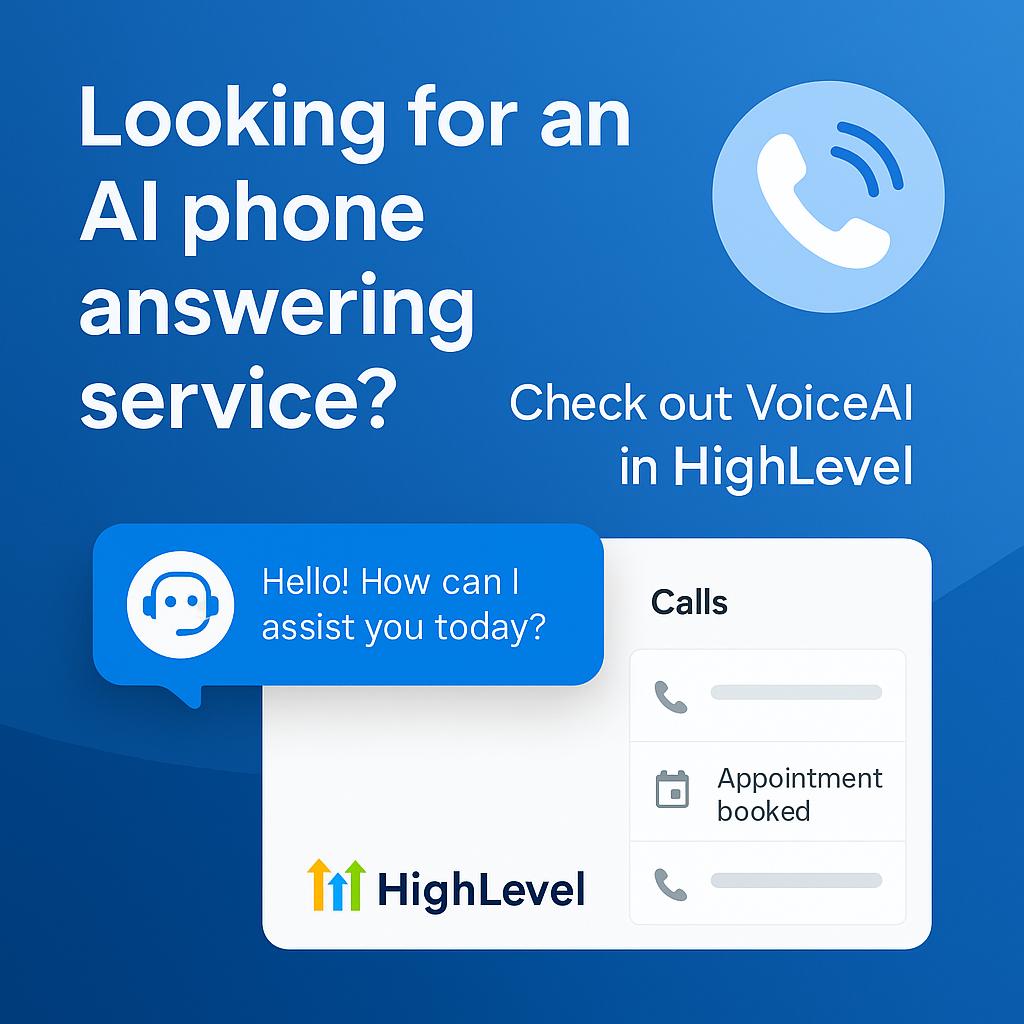
Looking for an AI Phone Call Answering Service? Check Out VoiceAI in HighLevel

looking for an ai call answering system. VoiceAI in HighLevel coudl be the solution

looking for an ai call answering system. VoiceAI in HighLevel coudl be the solutionIf you’re a small business owner, chances are you’ve missed more than a few calls. And with every missed call, there’s the potential for lost business — whether it’s a new enquiry, an appointment request, or a returning customer with a time-sensitive need.

That’s where AI phone answering solutions come into play — and HighLevel’s VoiceAI might just be the game-changer you’ve been looking for.

✅ What is VoiceAI in HighLevel?

VoiceAI is HighLevel’s built-in AI answering service that can automatically answer your business calls, respond to customer questions, take messages, and even book appointments – all without human intervention.

Think of it like having a 24/7 virtual receptionist that never gets sick, never takes a break, and always answers on the first ring.

đŸ’Œ Why Business Owners Are Turning to VoiceAI

Here’s what makes VoiceAI so useful for service-based businesses, clinics, agencies, and trades:

  • Never miss a call again – Every call is answered instantly, even outside of business hours.

  • Book appointments directly over the phone – VoiceAI can integrate with your calendar to handle bookings and reduce manual admin.

  • Customised scripts – Tailor your AI receptionist to greet callers just like a real member of your team.

  • Instant call logging – Every interaction is logged automatically into your HighLevel CRM.

  • Voicemail fallback – If the AI can’t answer a question, it still takes a message and tags it for follow-up.

  • Massively scalable – Unlike a human receptionist or even most virtual call centres, VoiceAI can handle up to 200 simultaneous calls. That means if 10, 50 or 100 people call at once – every single one will still be answered.


🧠 HighLevel – More Than Just an AI Receptionist

Most “AI receptionist” tools are limited. They answer calls, maybe log them, and that’s it.

But HighLevel is a complete all-in-one sales and marketing system. That means once VoiceAI has answered the call and booked the appointment, the rest of the journey can be automated too:

  • Trigger follow-up SMS or emails

  • Add contacts to nurture workflows

  • Automatically tag or assign leads to team members

  • Track conversations and deal progress in your pipeline

From lead capture to conversion – everything is handled in one place.


💾 Better Value Than Piecing Together Tools

VoiceAI in HighLevel doesn’t require separate third-party subscriptions, complicated integrations, or costly per-minute billing models. It’s simply part of the HighLevel ecosystem, which replaces tools like Calendly, Mailchimp, ClickFunnels, Typeform, and yes – traditional phone answering services.


🚀 Is VoiceAI Right for You?

If your business depends on incoming calls and you’re losing opportunities because no one’s picking up – it’s time to upgrade. AI phone answering is no longer a “nice to have.” It’s becoming a competitive advantage.

Whether you’re a dental clinic, an agency, a plumber, a coach, or a consultant, HighLevel’s VoiceAI helps you look professional, stay responsive, and win more business – without needing to grow your headcount.


📞 Want to See VoiceAI in Action?

We’ll show you how it works inside a live HighLevel account – including booking flows, scripts, and follow-up automation.

👉 Book a Discovery Call with Julian

Let’s make sure your business never misses another opportunity – even if 200 people call at once.


Prediction: HighLevel = The WordPress of CRM Systems

highlevel the wordpress of crm systems

highlevel the wordpress of crm systems

You may have heard the phrase “HighLevel is the WordPress of CRM systems.”
It’s a comparison I often make — and for good reason.

Just like WordPress transformed how websites are built and managed, HighLevel is redefining what’s possible in lead management, marketing automation, appointment scheduling, and client communication — all inside one unified platform.

For businesses, agencies, and consultants looking to streamline their systems, it’s a game-changer.


Why the WordPress Comparison Makes So Much Sense

The term “the WordPress of CRM systems” is increasingly being used to describe GoHighLevel (or HighLevel, as it’s also known). It’s an apt analogy that highlights HighLevel’s ability to provide a comprehensive, all-in-one platform for customer relationship management, marketing automation, and operational efficiency — much like how WordPress revolutionised website creation and management.

Here’s why the comparison works so well:


đŸ§± It’s a box of Lego, not a pre-built toy
HighLevel gives you the building blocks — automations, emails, pipelines, calendars, forms, funnels — but how you assemble them is entirely up to you.

Think of it like a big box of Lego: all different shapes, sizes, and colours. That flexibility gives you infinite combinations to create the exact sales and marketing system your business needs.

Need a client onboarding journey? A live event registration system? A 6-month nurture sequence? No problem. If you can imagine it, you can build it.


🎹 Snapshots = WordPress Themes
Want to hit the ground running? Start with a Snapshot — HighLevel’s version of a theme.

A Snapshot is a complete marketing system in a box:

  • Funnels

  • Web pages

  • Email campaigns

  • Automation workflows

  • Calendars

  • Pipelines

All pre-built and ready to deploy. Just like installing a WordPress theme gives you structure and styling fast, Snapshots let you launch with a fully working setup you can tweak and brand.


đŸ§© The Marketplace = Plugin Ecosystem
HighLevel features a growing Marketplace where developers can build and offer free or sell third-party tools and integrations that plug directly into the platform.

Much like WordPress has plugins (or Shopify has extensions), HighLevel’s Marketplace is enabling rapid innovation — from industry-specific apps to powerful automation tools.


⚙ All-in-one platform
WordPress allows users to build websites, run ecommerce stores, and manage content through plugins and themes. HighLevel mirrors this with a unified system for CRM, automation, appointment booking, social media planning, email, SMS, funnels, forms, memberships, ecommerce, payments, and more — all under one roof.


đŸ–± Ease of use and customisation
HighLevel is designed to be user-friendly. It allows businesses to manage powerful workflows without deep technical knowledge — much like WordPress is a no-code solution that empowers non-coders  to run websites with ease.


📈 Scalability and flexibility
Whether you’re a solo service provider or a multi-location agency, HighLevel can scale with you. It’s modular, adaptable, and built for growth — just like WordPress is used for everything from personal blogs to enterprise websites.


⏱ Focus on automation and efficiency
HighLevel streamlines your sales and marketing with automation that saves serious time — from instant lead responses to personalised nurture journeys. WordPress did the same for content publishing and SEO workflows.


🌍 Community and support
HighLevel has a rapidly growing global user base, supported by training, documentation, snapshots, and a strong community — much like the ecosystem that made WordPress thrive.


🌍 It’s rapidly evolving
Like WordPress, HighLevel is not a stagnent bit of software with a one or twice a year update. It’s evolving on a daily basis with new feaures and updated. Check out the changelog here.


đŸ€– Built-in AI, not bolted on
HighLevel isn’t just reacting to AI — it’s embracing it.

AI is now integrated into core features across the platform:

  • AI assistants in workflows

  • Smart content generation (emails, SMS, landing pages)

  • AI-driven lead scoring and segmentation

  • Voice AI for inbound calls

  • Intelligent conversation routing

This isn’t hype — it’s already saving users time and improving conversion rates.


My Prediction

WordPress now powers over 43% of all websites — astonishing for a platform that started as a blogging tool.

I believe we’ll see a similar trajectory in the CRM and marketing automation space with HighLevel. It’s already replacing dozens of fragmented tools for thousands of businesses — and we’re still early.

It won’t be long before HighLevel is challenging the likes of Salesforce and HubSpot — long-established players now seen by many as expensive, complex, and slow to adapt.

As more businesses realise they can run their entire customer journey inside one platform, HighLevel’s dominance feels inevitable.


Want Help Building Your HighLevel Setup?

Like WordPress, HighLevel gives you incredible flexibility — but that power can be overwhelming without the right setup.

That’s where I come in.

I help businesses and agencies build clean, strategic HighLevel systems through my UK-based HighLevel agency:
👉 MarketerM8

Whether you want:

  • A full setup

  • Hands-on training

  • Or a smarter, simpler way to automate your sales and marketing

I can help.


Final Thought

HighLevel really is the WordPress of CRM systems.
And like WordPress before it, it’s on track to become the foundation for how modern businesses market, sell, and scale online.

👉 Book a discovery call here

Eventbrite Too Costly? Try This Zero-Ticket Fee Eventbite Alternative: HighLevel

eventbrite alternative highlevel marketerm8

eventbrite alternative replacement highlevelIf you’re organising in-person events chances are you’ve used or thought about using Eventbrite.

And while it’s a familiar name, it comes with a hefty price tag.

In the UK, Eventbrite charges 6.95% of the ticket price plus ÂŁ0.59 per ticket.

That adds up quickly.

Let’s break it down:

Say you charge ÂŁ99 for an event ticket that means Eventbrite take ÂŁ6.88 in fees per attendee.

Now if you sell 100 tickets? You’ve just handed over £688!

Run events throughout the year? That’s potentially ÂŁ’000s+ gone—for basic ticketing functionality

If you’re looking for an Eventbrite alternative that gives you more control, more automation and zero per-ticket fees, it’s time to look at HighLevel.

Check out this article on the specifics of the HighLevel Events & Ticketing module.

Why HighLevel Is the Smarter Eventbrite Alternative

HighLevel is like the “WordPress of CRM systems”—flexible, powerful and endlessly customisable. Unlike Eventbrite (a bit of a “one-ticket” pony), HighLevel gives you an all-in-one platform that handles your entire event funnel and everything beyond.

Here’s what you can customise HighLevel to do:

✅ Sell or Give Away Tickets (Without the Fees)
Set up a branded sales page, connect Stripe (plus other gateways), and take payments or registrations seamlessly—no 6.95% fee, no £0.59 per ticket charge. Even issue invoices to collect payment before delivering tickets.

✅ Deliver Tickets Your Way: Email, Text, WhatsApp or via the Post
HighLevel lets you send beautiful, check-in QR code, branded event tickets via:

  • Email
  • SMS
  • WhatsApp
  • Direct mail – print letters than incude the ticket image with your office printer or integrate directly with a digital, print on-demand mailing house (in the UK we use STANNP). That’s something Eventbrite simply doesn’t offer.

✅ Send Smart Reminders That Actually Get Read

Build automated workflows to send timely reminders—by email, text or WhatsApp—days or hours before your event. Reduce no-shows, improve attendance and impress your guests.

✅ Check-In attendees at the Door

Use scannable QR codes and simple check-in forms to track who’s arrived—no need for external apps or paper lists.

✅ Automate Follow-Up and Convert More Leads

After your event, you can automatically:

  • Send thank-you emails
  • Share video replays of the event
  • Collect feedback
  • Offer your next step (another event, a paid offer, a free call, etc.)

All without lifting a finger.

Compare That to Eventbrite


With Eventbrite:

  • You pay for every ticket sold
  • You get generic emails and limited branding
  • You can’t control the follow-up journey
  • You’ll need Zapier or another integration tool just to push ticket buyers into your CRM

It’s a one-trick pony for ticketing. And if you’re running events as part of a bigger marketing strategy, you’ll quickly outgrow it.

HighLevel: The WordPress of CRMs (customisable to enable Event Management)

HighLevel gives you everything Eventbrite does—and much, much more. It will take some customisation to set up – but it’s a no code solution – no developers required. HighLevel is an all-in-one marketing and CRM platform that’s used by businesses worldwide to:

  • Capture leads
  • Nurture prospects
  • Book appointments / classes / Workshops
  • Run SMS/email campaigns
  • Sell digital products and memberships
    
and yes, with a little customisation, manage events

So instead of bolting Eventbrite onto your tech stack (and paying extra for Zapier just to make it talk to your CRM), HighLevel does it all natively.

It’s your website, funnel, CRM, marketing automation, event manager and sales engine—all in one platform.

Want to See It in Action?

At MarketerM8 we run free, live, HighLevel training workshops every week to show business owners and marketers exactly how to build systems like this.

Check out our programme of Live HighLevel Workshops that we run for HighLevel users  (and potential users).  And before you ask, this entire year long program of Workshops is all sheduled and managed within a HighLevel account – we have even written a book on “Online Workshop Marketing with HighLevel” – feel free to download a free copy.

👉 Check out our workshops here

Final Thought

If you’re tired of giving away nearly 7% of your revenue just to issue tickets—and then having to cobble together tools just to follow up—then HighLevel could be the Eventbrite replacement you’ve been waiting for.

If you would like to book a Discovery call to discuss your use case then – Book a Discovery Call here.

Why You Can’t Find HighLevel in Zapier (And What to Search Instead)

Can’t find HighLevel in Zapier? Here’s why it doesn’t show up—and what to search for instead so you can connect your automations.

Can’t find HighLevel in Zapier? Here’s why it doesn’t show up—and what to search for instead so you can connect your automations.If you’ve searched Zapier trying to connect your HighLevel account and come up empty, you’re not alone. It’s a common frustration for HighLevel users—but the good news is, the solution is simple once you know where to look.
In this post, I’ll explain exactly why HighLevel doesn’t appear in Zapier’s app list, what you need to search for instead, and how to connect your automations without hitting a brick wall.


So
 Is HighLevel on Zapier?

Yes, it is—but it doesn’t go by the name “HighLevel”. That’s because HighLevel is primarily a white-label platform. When it connects with Zapier, it does so under the name:

👉 LeadConnector

That’s the grey-label version of HighLevel that shows up in integrations like Zapier, Make, and even in some third-party tools like WordPress.


Why Can’t You Find “HighLevel” in Zapier?

Zapier’s app list doesn’t include “HighLevel” by name because:

  • The public-facing Zapier integration is branded LeadConnector.

  • If you’re using a white-labelled version of HighLevel (like MarketerM8 or GenieAI), it might appear under your agency’s custom name.

  • HighLevel itself focuses on agencies and consultants who rebrand it—so the app name reflects that.


What to Search for Instead

To connect your account on Zapier:

  1. Go to Zapier.com

  2. Start creating a new Zap

  3. In the app search box, type: LeadConnector

  4. Choose it from the dropdown and follow the prompts to log in

✅ You’ll now be able to create automations like:

  • When a new lead is added in HighLevel, create a task in ClickUp

  • When an appointment is booked, send a Slack notification

  • When a pipeline stage is changed, update a Google Sheet

💡 Tip: This naming applies across other tools too. For example, when connecting to Make (formerly Integromat), you’ll also need to search for “LeadConnector”, not “HighLevel”.


Still Can’t Find It? Here’s a Bonus Tip

If your agency runs a white-labelled version of HighLevel with a custom Zapier integration, the name might be completely different.

In that case, check with your provider (or agency admin) to ask:

“What’s the Zapier app name for our HighLevel account?”

It might be something like MyAgencyCRM, GenieAI, or another custom name set up for your version.


Final Thoughts

It’s a small but frustrating detail—especially when you’re eager to automate your workflows—but now you know:

If you’re looking for HighLevel in Zapier, search for LeadConnector.

And if you’re managing a white-label version, always double-check what your version is branded as in integrations.


📞 Need Help Automating HighLevel?

If you’re running HighLevel (or a white-labelled version) and want help connecting it to your tech stack with Zapier or beyond, I can help.

👉 Book a discovery call with Julian

How to Set Up and Use the HighLevel WordPress Plugin: Features, Benefits, and a Step-by-Step Guide

highlevel wordpress plugin integration

highlevel wordpress plugin integrationIf you’re using WordPress as your main website or blog platform, you’ll be pleased to know that HighLevel offers an official WordPress plugin to make integration seamless. This plugin connects your WordPress site to your HighLevel account—making it easy to embed funnels, forms, calendars, and more without touching a line of code.

Whether you’re a HighLevel user running your main site on WordPress, or you’re an agency managing multiple client sites, this plugin will save you time and effort.

Here’s what it does, why it matters, and how to set it up.


What Is the HighLevel WordPress Plugin?

The HighLevel WordPress plugin is a lightweight tool that bridges your WordPress site with your HighLevel (or white label) account. Once installed, it allows you to:

✅ Add your funnels to any WordPress page or post
✅ Embed HighLevel forms and surveys
✅ Embed appointment calendars
✅ Enable the LeadConnector Chat Widget
✅ Add the HighLevel tracking script (Pixel) sitewide
✅ Create and manage tracking from within your HighLevel account

You get the flexibility of WordPress’s design and content management features, while taking advantage of HighLevel’s CRM, automation, and lead capture tools—all on one site.


Why Use the HighLevel Plugin?

Here are some practical benefits:

1. Speed Up Funnel Launches

You can publish a HighLevel funnel as a native WordPress page—ideal if you’re running campaigns or offers.

2. Cleaner Embeds

Rather than copying and pasting form or calendar code, you can add these items via simple shortcodes or block elements.

3. Accurate Tracking

Install the HighLevel tracking code (Pixel) on your entire WordPress site without editing the theme. That means better visibility into contacts, visits, and conversions.

4. Agency Friendly

If you’re an agency using HighLevel with multiple clients, it standardises the connection between the CRM and each client’s WordPress website.


🔍 Heads-Up: Branding May Vary

Depending on how you access HighLevel, the plugin may appear under different names in the WordPress plugin library:

  • “HighLevel” – if you’re using the core, branded version

  • “LeadConnector” – the generic grey-label version

  • Your agency’s name – if you’re using a white-labelled version from a provider

The functionality is the same, but the name and branding may differ. So don’t be confused if you can’t find “HighLevel” directly—check for these other labels.

⚠ Bonus Tip for Zapier Users:
Just like with the plugin, HighLevel won’t appear under that name in Zapier either. Instead, search for LeadConnector to set up automations. Again, it’s the same platform—just under a different name.


How to Set Up the HighLevel WordPress Plugin

Setting up the plugin is quick and straightforward. Here’s a step-by-step guide:

🔧 Step 1: Install the Plugin

  1. Log in to your WordPress admin dashboard. (or download it here  https://wordpress.org/plugins/leadconnector/)

  2. Go to Plugins > Add New.

  3. Search for HighLevel, LeadConnector, or your white-label provider’s name.

  4. Install and activate the plugin.

🔐 Step 2: Connect Your HighLevel Account

  1. Once installed, go to HighLevel WP > Settings in your WordPress menu.

  2. Paste your Agency or Sub-Account API Key (found in your HighLevel account under Settings > API Keys).

  3. Choose the correct Sub-Account you want to link.

💡 Note: If you’re an agency, make sure you select the correct sub-account for the site you’re connecting.

đŸ§© Step 3: Add Funnels, Forms, Calendars, or Chat Widgets

You can now use the plugin to embed:

  • Funnels: Choose your funnel and assign it to a WordPress page slug.

  • Forms/Surveys: Use shortcodes like [gohighlevel-form id="FORM_ID"] or block elements in the editor.

  • Calendars: Use the provided shortcode or block element.

  • Chat Widget: Toggle the Chat Widget ON or OFF in the plugin settings.

  • Tracking Pixel: Simply toggle tracking ON to apply your HighLevel pixel to the entire site.


Final Thoughts

The HighLevel WordPress plugin is a smart addition for anyone running their main website on WordPress but managing marketing funnels, forms, and CRM through HighLevel. It simplifies embedding, speeds up deployment, and helps unify your tech stack—especially useful if you’re managing multiple client accounts as an agency.


Need help setting it up?
If you’re a MarketerM8 user or need guidance connecting your WordPress site to HighLevel, book a discovery call with Julian and we’ll walk through it together.