Blog

Is Your Business Suitable for Digital Franchising With HighLevel?

How to Capture and Follow Up Trade Show Leads with HighLevel A Complete Guide for Exhibitors

digital franchise marketing software highlevel saas

In a recent article, I discussed how HighLevel is increasingly becoming the WordPress of CRM and marketing automation, helping power a new generation of digital franchises, SaaSpreneurs and AI-powered operational systems.

That article explored the bigger market trend and why more entrepreneurs are moving away from traditional service delivery and towards scalable recurring revenue models built around systems, automation and AI.

If you have not read that article yet, I would recommend starting there first: The Rise of the Digital Franchise. How HighLevel Agencies Are Packaging AI-Powered Business Systems.

But this raises an important question:

Could YOUR business or niche actually be suitable for digital franchising?

At MarketerM8, this is a conversation we are increasingly having inside our HighLevel SaaS Entrepreneur Programme.

Many people assume digital franchising only applies to tech startups or software companies.

In reality, many service businesses already have the foundations of a scalable digital franchise model without realising it.

What Makes a Business Suitable for Digital Franchising?

The simplest way to think about digital franchising is this:

Can parts of your expertise, workflow or operational process be packaged into repeatable systems?

If the answer is yes, there may be an opportunity.

Typically, the best digital franchise opportunities involve businesses that:

  • solve repeatable problems
  • onboard clients in similar ways
  • repeatedly answer similar questions
  • rely heavily on communication and follow-up
  • use templates, processes or SOPs
  • have workflows that could be automated
  • could benefit from AI handling repetitive admin

This is why many service-based businesses are actually excellent candidates.

The 7 Signs Your Business Could Become a Digital Franchise

1. You Solve the Same Problem Repeatedly

Many businesses think their service is highly customised.

But often, underneath, the same core problems appear repeatedly.

For example:

  • missed calls
  • poor follow-up
  • inconsistent onboarding
  • weak lead nurturing
  • appointment no-shows
  • manual admin
  • lack of automation

If you repeatedly solve similar operational problems, there may be an opportunity to systemise that solution.

2. Your Business Already Uses Processes or Checklists

If your business already has onboarding documents, templates, checklists, workflows, scripts, email sequences or operational procedures, then you are already part-way towards building a digital franchise model.

Many successful SaaSpreneurs are simply packaging and improving systems they already use internally.

3. Clients Frequently Ask the Same Questions

This is a huge clue.

Repeated questions often indicate opportunities for automation, AI chat, AI voice systems, onboarding sequences, knowledge bases and workflow triggers.

In many cases, repetitive communication can be partially automated using HighLevel workflows and AI tools.

4. Your Niche Relies Heavily on Follow-Up

Some industries depend massively on communication and follow-up.

Examples include:

  • estate agents
  • mortgage brokers
  • recruitment agencies
  • martial arts schools
  • med spas
  • consultants
  • accountants
  • trades businesses

These types of businesses are often ideal for automation-led operational systems.

This is one reason why HighLevel works so well in these industries.

5. You Already Deliver Similar Outcomes to Multiple Clients

This is one of the strongest indicators.

If multiple clients are essentially buying variations of the same solution, there may be an opportunity to standardise, template, automate, duplicate and license rather than rebuilding everything manually each time.

This is where digital franchising starts becoming commercially interesting.

6. AI Could Replace Repetitive Admin in Your Business

AI is dramatically changing what can now be systemised.

For example:

  • AI receptionists
  • AI appointment booking
  • AI lead qualification
  • AI chat
  • AI follow-up
  • AI-generated content
  • AI workflow triggers

Many operational tasks that once required staff can now be partially automated.

That changes the economics of scalability significantly.

7. Your Expertise Could Be Productised

This is perhaps the most important question of all.

Could your expertise become a framework, system, template, repeatable workflow, business-in-a-box or subscription-based operational platform?

If so, you may already have the foundations of a digital franchise.

Industries That Are Especially Suitable

Some industries naturally lend themselves to digital franchising.

Examples include:

  • accountants
  • estate agents
  • mortgage brokers
  • recruitment consultants
  • martial arts schools
  • coaches and consultants
  • trades businesses
  • med spas
  • membership organisations
  • sports clubs
  • marketing agencies

Why?

Because many of these businesses rely heavily on repeatable communication, onboarding, appointments, lead management, client nurturing and operational consistency.

These are exactly the kinds of workflows that platforms like HighLevel are designed to support.

What Could a Digital Franchise Actually Include?

A modern digital franchise might include:

  • a fully configured CRM
  • onboarding workflows
  • AI receptionist systems
  • missed-call text back
  • automated lead nurturing
  • pipeline management
  • appointment booking
  • review generation
  • email campaigns
  • SMS automation
  • reporting dashboards
  • SOPs and training
  • AI chat systems
  • marketing templates

And because HighLevel supports white labelling, snapshots and SaaS Mode, these systems can often be packaged into recurring subscription-style business models.

This is one of the reasons the HighLevel ecosystem is evolving so quickly.

Why HighLevel Makes This Easier

One of the reasons this trend is accelerating is because HighLevel provides much of the operational infrastructure required to build these systems.

For example:

  • snapshots
  • workflows
  • automation
  • white labelling
  • SaaS Mode
  • Voice AI
  • AI Studio
  • calendars
  • CRM systems
  • reporting
  • memberships and communities

This dramatically lowers the technical barrier.

Earlier this year, HighLevel also introduced AI Studio, bringing vibe coding concepts directly into the platform.

Combined with lightweight AI and no-code tools like Lovable.dev, entrepreneurs can now prototype operational systems far faster than before.

This is one of the reasons we are seeing growing interest in digital franchising and SaaSpreneurship.

Learn How to Build Your Own HighLevel SaaS Business

At MarketerM8, we run the HighLevel SaaS Entrepreneur Programme specifically for agency owners, consultants, freelancers, marketers, SaaSpreneurs and entrepreneurs wanting recurring revenue.

The Programme is designed to help people move from simply using HighLevel to building scalable software-style businesses powered by automation, AI and operational systems.

Inside the Programme we help members:

  • set up their HighLevel agency correctly
  • understand SaaS Mode and white labelling
  • onboard their first clients
  • build recurring revenue
  • package repeatable systems
  • stay updated with HighLevel developments
  • attend regular workshops and SaaS Entrepreneur Zoom calls

We also run weekly live HighLevel workshops covering workflows, automation, Voice AI, funnels, calendars, AI tools, CRM setup and SaaS systems.

The goal is not simply to learn software.

It is to help people build scalable operational businesses around it.

Final Thoughts

Not every business is suitable for digital franchising.

But many more businesses are than people initially realise.

If your business relies on repeatable processes, communication, onboarding, operational systems, follow-up, templates, workflows and recurring client problems, then there may already be opportunities to automate, package, systemise, scale and license parts of what you do.

That is one of the biggest shifts currently happening inside the HighLevel ecosystem.

The future is increasingly moving from selling services to packaging systems, automation and operational infrastructure.

And for the right businesses, that creates enormous opportunities.


Written by Julian Mills. HighLevel consultant, marketing strategist and founder of MarketerM8.

Learn more about Julian Mills at julianmills.co.uk.

You can also join our free weekly HighLevel workshops at MarketerM8 Workshops.

What Is a Digital Franchise? How to Turn Your Expertise Into a Repeatable Business System With HighLevel

digital franchise marketing software highlevel saas

Learn what a Digital Franchise is and how to turn your expertise, systems and processes into a repeatable HighLevel-powered business model

For years, franchising has allowed successful businesses to replicate what works.

Build the business. Develop the processes. Create the brand. Train other people. Then give franchisees a proven model to follow.

But what if you could apply some of those same principles to a digitally driven business?

That’s the idea behind what I call a Digital Franchise.

Instead of simply selling your time, consultancy or access to software, you package your knowledge, processes, marketing, sales, training and technology into a repeatable business system that other people can use.

HighLevel can provide much of the technology behind it.

But HighLevel isn’t the real product.

The real product is the business system you build around it.

What Is a Digital Franchise?

My simplest definition is:

A Digital Franchise is a repeatable business system that packages expertise, processes, marketing, sales, training and technology so somebody else can use that system to operate a business or deliver a service.

That doesn’t automatically make it a franchise in the legal sense. I’ll come back to that distinction later.

The important concept is replication.

Imagine you’ve spent ten years working in a particular industry.

You know how to find customers, convert enquiries, price the service, follow up quotations, onboard customers, deliver the work, generate reviews and encourage repeat business.

Traditionally, much of that value lives in your head.

You make money from it by doing the work yourself, employing people or selling consultancy.

A Digital Franchise asks a different question:

Could you package what you know into a system somebody else could use?

A Digital Franchise Is More Than Software

Giving somebody access to a CRM doesn’t give them a business.

Neither does giving them a collection of automations or templates.

A stronger Digital Franchise proposition might combine:

  • industry expertise
  • a defined target market
  • a brand or proposition
  • marketing and sales processes
  • operational procedures
  • training
  • scripts and templates
  • CRM and marketing automation
  • customer onboarding
  • ongoing support
  • AI and other technology where useful

The exact combination will vary.

The objective is the same:

Turn knowledge and processes into a repeatable business system.

From Selling Your Time to Selling a System

Suppose you’re an experienced consultant.

You could continue selling consulting days.

A client hires you. You analyse the business. You give them advice. You finish the project. Then you find another client.

There’s nothing wrong with that. I’ve worked as a consultant for many years myself.

But the model depends heavily on you continuing to do the work.

Now imagine you’ve developed a particularly effective system for one industry.

You understand where their leads come from, how those leads should be followed up, what the sales process looks like, which communications work and how customers should be onboarded.

Instead of repeatedly selling that knowledge one client at a time, could you package the system itself?

That’s the shift:

From repeatedly selling your expertise to building something repeatable from your expertise.

Where Does HighLevel Fit Into a Digital Franchise?

HighLevel provides a broad platform for building CRM, marketing, sales, communication and automation systems.

That makes it particularly interesting for a Digital Franchise because you don’t need to develop the underlying technology from scratch.

But I wouldn’t start by asking:

“Which HighLevel features can I include?”

Start with:

“What does somebody need to successfully operate this business or deliver this service?”

Then use HighLevel where it helps.

Technology should support the business model, not dictate it.

What Types of Businesses Could Become Digital Franchises?

The opportunity isn’t limited to software companies.

In fact, some of the most interesting possibilities may come from experienced people in traditional service industries.

For example:

  • marketing consultants
  • business coaches
  • recruitment consultants
  • accountants
  • property consultants
  • trades businesses
  • training providers
  • HR consultants
  • specialist agencies
  • industry consultants

The question isn’t whether you can turn your profession into software.

It’s:

Do you know how to repeatedly solve a valuable problem?

If you do, there may be something worth packaging.

Is Your Business Suitable for Digital Franchising?

I’ve written a separate article specifically about this:

Is Your Business Suitable for Digital Franchising With HighLevel?

Some of the strongest indicators are:

  1. You repeatedly solve the same problem. Your customers may differ, but the underlying problem is similar.
  2. You already have processes. You use checklists, scripts, templates, documents or established ways of working.
  3. Somebody else could be trained to follow your methodology. If success depends entirely on your personal judgement, replication becomes much harder.
  4. There is a clear market. Systemising something nobody wants doesn’t create a business.
  5. The economics work. There needs to be sufficient value for both you and the person using the system.
  6. Technology can remove repetitive work. Marketing, sales, administration and communications may be partially systemised or automated.
  7. You possess knowledge that takes time to acquire. This could be your biggest advantage.

HighLevel isn’t the scarce resource.

Anyone can buy HighLevel.

Your years of experience may be the scarce resource.

Your Expertise Is the Important Part

This is why I wouldn’t approach Digital Franchising as:

“I’ll build a HighLevel setup and sell copies of it.”

That’s relatively easy for somebody else to imitate.

The stronger proposition is everything surrounding the technology:

Your methodology. Your processes. Your positioning. Your niche expertise. Your marketing. Your training. Your customer journey. Your operating knowledge. Your brand. Your ongoing improvements.

Someone else can buy HighLevel.

They can’t instantly acquire ten or twenty years of your experience.

Could a Consultant or Agency Create a Digital Franchise?

Potentially, yes.

Consultants often possess valuable methodologies, processes and industry knowledge, but traditionally monetise them through time.

Agencies have another advantage.

If you’ve worked with 30 dentists, 50 estate agents or 20 accountants, you should know considerably more about marketing that type of business than somebody starting from scratch.

Look at what keeps repeating.

Do clients have the same problems?

Do you recommend similar solutions?

Do you use similar processes?

Could somebody else be trained in your methodology?

Could the marketing, sales and customer management around it be systemised?

If so, you may have the beginnings of something more scalable than conventional consulting or agency work.

Don’t Build the Whole Thing Before You Have Customers

A Digital Franchise doesn’t have to start big.

In fact, I wouldn’t recommend building an enormous system before proving that people want it.

Start with the problem.

Find a customer.

Solve the problem.

Then solve it again.

Look at what repeats.

Improve it.

Document it.

Systemise it.

Your first customers will probably teach you more about what the system should become than months spent building it in isolation.

What Are You Actually Selling?

You’re not necessarily selling HighLevel.

You’re selling an outcome.

For example:

A complete marketing and enquiry management system for independent accountants.

Or:

A proven lead generation and customer follow-up system for window cleaning businesses.

Or:

A business development system for independent HR consultants.

HighLevel may provide the infrastructure.

But the customer buys what the system helps them achieve.

How Does a Digital Franchise Make Money?

There isn’t one compulsory revenue model.

Depending on what you’ve created, revenue might come from:

  • an initial setup or joining fee
  • recurring software or system access
  • training
  • ongoing support
  • consultancy
  • marketing services
  • membership
  • licensing
  • revenue share

Some businesses may combine several.

But recurring revenue only works when there is recurring value.

Don’t just ask:

“How can I charge every month?”

Ask:

“Why will somebody still want this system in three years?”

Perhaps you continue improving the marketing, adding campaigns, introducing new technology, providing training or developing the underlying business system.

That’s what supports sustainable recurring revenue.

Is a Digital Franchise the Same as a HighLevel SaaS Agency?

Not necessarily.

A HighLevel SaaS agency might sell software access, implementation and related services.

A Digital Franchise goes further by packaging more of the business methodology, processes, training and expertise.

Think of it as a spectrum:

Software → software + service → niche system → business system → potentially a formal franchise.

A HighLevel SaaS agency could gradually move along that spectrum as its proposition becomes more specialised and systemised.

Want to Build a Business Around HighLevel?

If you’re thinking:

“I could build something like this around my expertise.”

then it’s worth understanding the HighLevel SaaS agency model.

At MarketerM8, we run the HighLevel SaaS Entrepreneur Programme for people who want to build their own HighLevel-powered agency, SaaS business or repeatable niche system.

MarketerM8 operates on the HighLevel Founder (previously called the SaaS/ Pro) plan with 100+ sub-accounts, and we’re currently assisting more than 25 other HighLevel agencies on their own journeys.

I’ve worked with CRM and marketing automation since 2009, and we’ve operated a HighLevel Agency since 2023.

The programme isn’t simply about learning HighLevel. It’s about building a business around it.

Read: HighLevel SaaS Entrepreneur Programme: Build Your Own HighLevel SaaS Agency

What If I Already Operate a Traditional Franchise?

Then you’re approaching the opportunity from the other direction.

You already have the business model, brand and processes.

Your question may be:

Could HighLevel help us provide every franchisee with a proven CRM, marketing and sales system?

We’ve recently been involved in building exactly this type of system for a childcare consultancy franchise.

Rather than each franchisee having to find their own CRM and work out their own marketing processes, the system can become part of what the franchisor provides.

I’ve written a separate guide specifically for this:

Read: HighLevel for Franchises: Build a CRM, Marketing and Sales System for Your Franchisees

So there are two different opportunities.

A Digital Franchise can start with expertise and a repeatable system.

An existing franchise can use HighLevel to strengthen and standardise the systems provided to its franchisees.

HighLevel can potentially support both.

Does a Digital Franchise Have to Become a Formal Franchise?

No.

I’m using the term Digital Franchise to describe the concept of packaging expertise, processes and technology into a repeatable business system.

That doesn’t automatically make the arrangement legally a franchise.

Your model might ultimately operate as a SaaS business, licensing arrangement, membership, agency, consultancy network, reseller model or formal franchise.

Those are separate commercial and legal decisions.

If you’re moving towards a formal franchise model, take appropriate professional franchise and legal advice.

Do I Need HighLevel to Build a Digital Franchise?

No.

The Digital Franchise is the business model, not the software.

But HighLevel is particularly interesting because it combines many of the CRM, marketing, sales, communication and automation capabilities a repeatable business system may require.

Its Agency model also creates an opportunity for entrepreneurs who want to provide those systems to other businesses.

That’s why I see such a strong connection between HighLevel SaaS entrepreneurship and Digital Franchising.

Do I Need MarketerM8 to Get HighLevel?

No.

If you already understand HighLevel, know which plan you need and simply want to open an account, you can go directly to HighLevel.

Go directly to HighLevel

If you’re interested in building a business around HighLevel, however, I’d suggest looking at the MarketerM8 HighLevel SaaS Entrepreneur Programme first.

The core programme is available without a separate programme fee to qualifying users who open their HighLevel Agency account through MarketerM8.

We’re not simply helping you buy software.

We’re helping you think about the business you could build around it.

Why I’m Interested in the Digital Franchise Model

I’ve been involved in direct-response marketing since the 1990s, working with CRM and marketing automation since 2009, and operating a HighLevel Agency since 2023.

One thing I’ve seen repeatedly is that technology changes, but the fundamental business questions don’t.

Who is the customer?

What problem are you solving?

Why should they buy from you?

How do you generate an enquiry?

How do you convert it?

How do you deliver consistently?

How do you retain the customer?

HighLevel can systemise and automate a great deal.

AI will undoubtedly automate even more.

But technology still needs a good business model around it.

That’s why the Digital Franchise concept interests me.

It combines technology with something much harder to replicate: experience, expertise and a proven way of doing things.

From Expert to System Builder

Perhaps this is the biggest mindset shift.

Instead of asking:

“What can I personally do for another client?”

ask:

“What have I learned that I could turn into a system?”

Perhaps you’ve spent 15 years becoming exceptionally good at something.

You already have the processes.

You already have the scripts and templates.

You know how to market the service.

You know what customers want.

You know the mistakes to avoid.

You may be much further towards creating a Digital Franchise than you realise.

The scarce ingredient may not be the technology. It may be what you already know.

How Do I Start Building a Digital Franchise?

Don’t start with HighLevel.

And don’t start by building dozens of automations.

Start with the business.

Ask yourself:

  • What do I know how to do really well?
  • Who would benefit from it?
  • Could somebody else be trained to follow my process?
  • Which parts repeat?
  • Which parts could be systemised or automated?
  • How would somebody using my system make money?
  • Why would they choose my system rather than starting from scratch?

Once those answers begin making commercial sense, you can decide how technology such as HighLevel should support the model.

Could Your Existing Business Be Suitable?

If this article has made you wonder whether your existing expertise, consultancy, agency or business could be packaged into something repeatable, that’s the next question to explore.

Read: Is Your Business Suitable for Digital Franchising With HighLevel?

Or, if you’d rather talk through your idea:

The Bigger Opportunity

HighLevel is important.

AI is important.

Automation is important.

But none of them is the real story.

The bigger opportunity is what these technologies allow experienced people to do with their knowledge.

A consultant can turn a methodology into a system.

An agency can turn years of niche experience into a repeatable proposition.

A service business can package the processes that made it successful.

An entrepreneur can build recurring revenue around solving one particular problem extremely well.

And an established franchisor can use the same technology to strengthen the systems provided to its franchisees.

We’re moving from simply selling time and software towards packaging knowledge, systems, processes and technology into repeatable business models.

For the right entrepreneur, that could create something considerably more valuable than another collection of HighLevel automations.

It could create a business.

Want to Explore the Opportunity?

If you already have expertise, a niche or an established business and want to explore whether it could become a repeatable HighLevel-powered system, book a discovery call.

Book a Discovery Call

Or explore the HighLevel SaaS Entrepreneur Programme if you want to build your own HighLevel-powered business.

Frequently Asked Questions About Digital Franchises

What is a Digital Franchise?

A Digital Franchise is a repeatable business system that packages expertise, processes, marketing, sales, training and technology so other people can use the system to operate a business or deliver a service. It doesn’t automatically mean the arrangement is legally a franchise.

Is a Digital Franchise the same as a traditional franchise?

No. A traditional franchise normally involves a formal franchise agreement, brand and defined franchisor-franchisee relationship. A Digital Franchise can use similar principles of replication and systemisation without necessarily becoming a formal franchise.

Is a Digital Franchise the same as a HighLevel SaaS agency?

Not necessarily. A HighLevel SaaS agency may sell software and related services. A Digital Franchise generally packages more of the underlying expertise, methodology, processes and training.

Do I need HighLevel to create a Digital Franchise?

No. HighLevel is the technology, not the business model. However, its CRM, marketing, sales, automation and Agency capabilities make it particularly useful for creating repeatable digital business systems.

Can consultants and agencies create Digital Franchises?

Potentially. Consultants and agencies often possess valuable methodologies, processes and niche expertise that could be packaged into repeatable systems rather than sold solely through their time.

Is a Digital Franchise passive income?

No. You still need to market, sell, support and improve the system. The opportunity is greater leverage and recurring revenue through making more of your expertise repeatable.

How does a Digital Franchise make money?

Potential revenue models include setup fees, subscriptions, licensing, training, support, consultancy, marketing services, membership and revenue share. The right combination depends on the business model.

What is the difference between a Digital Franchise and selling a HighLevel setup?

The technology is only one component. A stronger Digital Franchise includes the expertise, methodology, processes, training, positioning and support surrounding the technology.

Could my existing business become a Digital Franchise?

Potentially. Businesses that repeatedly solve similar problems, have valuable expertise and can systemise significant parts of their processes are particularly worth exploring.

Read: Is Your Business Suitable for Digital Franchising With HighLevel?

What if I want to build my own HighLevel business?

The MarketerM8 HighLevel SaaS Entrepreneur Programme is designed for people who want to build an agency, SaaS business or repeatable niche system around HighLevel.

Read about the HighLevel SaaS Entrepreneur Programme

What if I already own a franchise?

If you already operate a conventional franchise, HighLevel can potentially provide a standard CRM, marketing and sales system across your franchise network.

Read: HighLevel for Franchises

Can I just sign up for HighLevel directly?

Yes. If you already know what you need and don’t require help developing the business model, you can open an account directly.

Go directly to HighLevel

Can MarketerM8 help me develop a Digital Franchise?

Yes. If you have an existing business, niche, methodology or idea that could potentially become a repeatable HighLevel-powered system, the best starting point is to discuss the business model.

Book a Discovery Call with Julian

Julian Mills HighLevel Consultant and Marketing Automation Strategist

About the Author

Julian Mills

HighLevel Consultant & Marketing Automation Strategist

Julian Mills helps business owners automate lead generation, sales follow-up, customer communication and business processes using HighLevel and MarketerM8. Since 2009 he has helped businesses implement CRM, marketing automation and AI-powered systems that save time, improve customer experience and generate more sales.

About Julian
Book a Discovery Call
Join a Free HighLevel Workshop
Learn About HighLevel with MarketerM8

Why Can’t I Edit My HighLevel Dashboard?

highlevel training workshops with MarketerM8 Julian Mills

One of the most common frustrations for new HighLevel users is logging in and discovering they cannot edit their dashboard.

You may try to move widgets around, add reports, remove sections, customise layouts, or edit dashboard views, and nothing happens.

Most people assume this means something is broken.

Usually, it is not.

The issue is normally caused by permissions and, more specifically, confusion between an Agency Admin and an Account Admin.

The Important Thing Most Users Do Not Realise

Most business owners log into HighLevel and see that they are an “Admin” inside their account.

Naturally, they assume this means they have full unrestricted access to everything.

But in HighLevel there are actually two different levels of admin access:

  1. Agency Admin
  2. Account Admin, also known as Sub-Account Admin

This distinction is extremely important.

What Is an Agency Admin?

The Agency Admin sits at the very top level of HighLevel.

This is typically:

  • The marketing agency
  • The CRM provider
  • The white-label reseller
  • The person who owns the master HighLevel agency account

The Agency Admin has control over sub-accounts, user permissions, billing, SaaS settings, feature access, snapshots, global settings, and advanced permissions.

Think of the Agency Admin as the “super admin” for the entire HighLevel system.

What Is an Account Admin?

An Account Admin only controls the individual sub-account they have been given access to.

For example, this could be:

  • Your business CRM
  • Your company marketing account
  • Your own pipelines, contacts, calendars, and campaigns

An Account Admin can usually manage contacts, opportunities, calendars, workflows, emails, conversations, funnels, websites, and other day-to-day tools.

But only within the permissions granted by the Agency Admin.

This is the key point many users miss.

Why This Causes Confusion

A business owner logs in and sees:

Role: Admin

So they understandably think:

“I am the admin. Why can’t I edit my dashboard?”

But what they are actually seeing is:

Sub-Account Admin

Not Agency Admin.

The Agency Admin still controls the master permissions structure behind the scenes.

So even though you are an admin within your own business account, certain features may still be restricted.

Why You Cannot Edit Your Dashboard

If dashboard editing is disabled, it usually means the Agency Admin has restricted one or more permissions.

This may stop you from:

  • Editing dashboard layouts
  • Adding widgets
  • Removing widgets
  • Accessing reporting settings
  • Viewing advanced analytics
  • Changing account-level configurations

This is often done intentionally.

Why Agencies Restrict Dashboard Permissions

There are actually good reasons for limiting dashboard editing access.

1. Preventing Accidental Changes

Users can accidentally remove widgets or important reports.

2. Standardising the User Experience

Agencies often want all users to see the same layouts and reporting.

3. Reducing Support Requests

Locked dashboards help avoid situations where users accidentally “break” their workspace.

4. Protecting Advanced Settings

Some dashboard widgets connect to more advanced reporting and integrations.

How to Fix the Problem

The solution is normally simple.

You need to contact whoever manages your HighLevel account and ask them to review your permissions.

The Agency Admin can go into:

Settings > Team Management / My Staff > Edit Permissions

They can then decide whether your Account Admin user should also have dashboard editing permissions enabled.

A Simple Way to Think About It

A useful way to understand HighLevel permissions is this:

Agency Admin

Controls the entire HighLevel environment.

Account Admin

Controls the day-to-day running of a single business sub-account.

So while an Account Admin has a lot of power, they are still operating inside rules set by the Agency Admin.

Final Thoughts

If you cannot edit your HighLevel dashboard, the platform is probably working exactly as intended.

The real issue is usually that:

  • You are an Account Admin
  • Not an Agency Admin
  • And the Agency Admin has restricted dashboard customisation permissions

Once you understand the difference between Agency Admin and Account Admin, the behaviour makes much more sense.

It is one of those small HighLevel concepts that can initially confuse new users, especially business owners managing their own sub-account for the first time.

highlevel training workshops with MarketerM8Are you just starting out with HighLevel? Got other questions like this? Why not join us on our weekly, free, live workshops. Here is the full workshop calendar.


Written by Julian Mills. HighLevel consultant and marketing strategist.

How to Capture and Follow Up Trade Show Leads with HighLevel: A Complete Guide for Exhibitors

How to Capture and Follow Up Trade Show Leads with HighLevel A Complete Guide for Exhibitors

How to Capture and Follow Up Trade Show Leads with HighLevel A Complete Guide for Exhibitors

Trade shows and expos are incredible opportunities to meet potential customers face-to-face, but all too often exhibitors fail to convert leads because their follow-up systems are weak. Research shows that only 32 % of exhibitors can effectively follow up with their leads after a show. If you want to make every interaction count, you need a system for capturing, organising, and nurturing your leads. This guide covers exactly how to do that – and how platforms like HighLevel and MarketerM8 can streamline the process.

1. Pre-Show Preparation: Setting Up to Capture Leads

Key steps before you hit the floor:

  • Define your lead capture goal – decide how many leads you want and which information you must collect (name, email, phone, company, role, interest level).
  • Choose your lead capture tools – consider badge scanners, QR code forms, mobile sign-ins, or tablets. Lightweight digital tools like HighLevel forms can replace manual methods.
  • Integrate with your CRM – pre-configure your system so leads flow automatically into a database. With MarketerM8, your sub-account can capture leads directly into HighLevel and trigger follow-up sequences immediately.

Pro tip: Test your capture system at least a week before the show to avoid technical issues on the day.

2. Capturing Leads on the Booth

Best practices for stand interactions:

  • Use competitions to attract visitors – a simple prize draw can increase booth traffic and encourage opt-ins. Ensure you capture all entrant details digitally so follow-up is automated.
  • Book meetings immediately – use HighLevel calendar scheduling to secure appointments with stand visitors while they’re still engaged. Automated reminders and prep emails mean that by the time of the call or meeting, your lead is primed and ready.
  • Qualify leads instantly – score each lead (e.g., 1–5 for purchase readiness) and capture contextual details such as interests, session attended, or questions asked.
  • Capture business cards on the spot – some exhibitors use the HighLevel mobile app to scan business cards directly on the stand. One client used this method and ultimately won a £1.1M contract through timely, automated follow-up.

HighLevel allows all of these steps to feed directly into your CRM, so you can segment leads and trigger personalised follow-up workflows automatically.

3. Post-Show Follow-Up: Convert Leads to Customers

Fast follow-up is critical. Ideally, leads should be contacted within 24–48 hours. Here’s how to make it seamless:

  • Segment your leads – separate hot, warm, and cold leads based on engagement or scoring.
  • Automate personalised sequences – emails, SMS, and calls can be triggered automatically using HighLevel. For example:
    • Day 1: Thank-you email with personalised content
    • Day 2: SMS reminder with link to a relevant resource
    • Day 5: Offer demo or consultation
  • Leverage HighLevel Sales Pipelines & Opportunities – assign leads to your sales pipeline so your team knows exactly which stage each lead is at. Mobile apps make it easy for salespeople on the go to see upcoming appointments, track conversations, and update opportunities in real time.

Pro tip: Create separate workflows for leads from different shows, campaigns, or product lines. Automation ensures nothing slips through the cracks.

4. Tools and Systems That Make It Work

Method Pros Cons How HighLevel / MarketerM8 Fits
Manual business cards Simple Easy to lose, no tracking Digitise via HighLevel app and trigger follow-up workflows
QR code forms Fast, contactless Requires phone/tablet HighLevel forms + MarketerM8 capture instantly; integrates into automated sequences
Badge scanners Accurate Hardware cost, setup Data can be imported automatically; follow-up sequences start in HighLevel
Mobile sign-in apps Flexible Requires staff training HighLevel app supports live data capture, scoring, calendar scheduling, and automatic assignment

5. Measure and Optimise

Tracking performance is critical. Use HighLevel dashboards to monitor:

  • Lead capture rates per event
  • Follow-up completion within 48 hours
  • Conversion rates per segment
  • ROI of automation workflows

Refine your workflow after each event. Automation makes testing different sequences fast and measurable.

6. Why Automation Wins for Exhibitors

Exhibitors who rely on manual follow-up often miss opportunities or waste time. Using HighLevel with a MarketerM8 sub-account allows you to:

  • Capture leads instantly at the stand
  • Assign scoring and segmentation automatically
  • Book meetings there and then while leads are hot
  • Trigger multi-channel follow-up without manual effort
  • See every interaction in one place, including email, SMS, phone calls, and calendar activity
  • Manage sales pipelines and opportunities easily, with mobile app access for field sales

Even small exhibitors can replicate enterprise-level follow-up systems with these tools.

Key Takeaways

  • Plan your capture system before the show
  • Use digital tools and automation to avoid lost leads
  • Book meetings and appointments immediately using HighLevel calendars
  • Follow up quickly with personalised, segmented sequences
  • Track engagement and optimise every campaign
  • HighLevel and MarketerM8 provide a complete ecosystem for capturing, following up, and converting leads efficiently

Next Steps: Book a free demo of MarketerM8 and see how your trade show leads can flow directly into automated follow-up campaigns: https://www.marketerm8.com/demo


Author: Julian Mills – HighLevel consultant, marketing strategist, and founder of MarketerM8
Website: https://www.julianmills.co.uk
Free Weekly HighLevel Workshops: https://www.marketerm8.com/workshops-main
Book a Discovery Call: https://www.julianmills.co.uk/discovery

Vibe Coding With HighLevel. Where It Works Brilliantly. And Where It Can Go Very Wrong

julian Mills highlevel

highlevel support julian millsThere is a lot of excitement right now around “vibe coding”.

Using AI tools like Lovable, Bolt, Replit, Cursor, Windsurf or ChatGPT itself, non-developers can now create working software tools surprisingly quickly. In many cases, you can describe what you want in plain English and have a working prototype within hours.

As someone heavily involved with HighLevel and marketing automation systems, I think vibe coding is genuinely changing how businesses can build internal tools and automation.

Personally, I have become a big fan of Lovable.dev because I find it one of the easiest AI development tools to use for creating lightweight marketing and operational tools.

Using Lovable.dev alongside HighLevel, I have already built a number of lightweight tools including:

  • systems for capturing referrals from clients
  • tools that automatically update custom values inside HighLevel
  • automation tools to update workshop dates dynamically
  • lightweight landing pages
  • internal operational helper tools

One particularly interesting example involved a private surgeon I advised.

He wanted to connect his patient booking system into HighLevel using the API.

Traditionally, this would have involved hiring a developer, writing specifications, waiting days or weeks for development, then testing the integration.

Using Lovable.dev, he solved the problem himself in around 15 minutes.

That is the kind of operational acceleration that makes vibe coding genuinely exciting for small businesses.

But I also think there is a danger.

Just because you can build something quickly does not always mean you should.

There is a huge difference between creating a lightweight internal tool and trying to recreate a fully featured SaaS platform that has had years of development, testing, security hardening, support systems, and ongoing updates.

This article explains where vibe coding works brilliantly with HighLevel, and where you need to be more cautious.

What Is Vibe Coding?

Vibe coding is the term many people are using to describe building software using AI prompts rather than traditional coding skills.

Instead of manually writing every line of code yourself, you describe:

  • what the tool should do
  • how it should work
  • what data it should collect
  • what systems it should connect to

The AI then generates much of the code for you.

The result is that small businesses and agencies can now create custom tools far faster and cheaper than before.

Where Vibe Coding Works Extremely Well With HighLevel

This is where I think vibe coding becomes incredibly powerful.

Especially when you use HighLevel as the central CRM and automation engine.

1. Lightweight Marketing Tools

This is the sweet spot for vibe coding with HighLevel.

Lightweight tools that solve one specific marketing problem can often be created incredibly quickly and deliver immediate value.

  • A custom dashboard that pulls reporting data from HighLevel
  • A simplified contact entry screen for staff
  • A lead lookup tool
  • A booking management helper
  • A client onboarding form that pushes data into HighLevel
  • A QR code event check-in system
  • A simple quoting calculator
  • A review request trigger tool

These lightweight tools are often low complexity, internal facing, easy to test, easy to replace if needed, and relatively low risk.

This is where vibe coding can save huge amounts of time and money.

Instead of spending thousands on bespoke software development, you may be able to create a working operational tool in a day or two, or even within hours.

2. Lightweight Internal Process Automation Tools

Another excellent use case for vibe coding is building lightweight automation tools that connect systems and remove repetitive admin work.

  • connecting a third-party platform into HighLevel via API
  • automating repetitive admin tasks
  • syncing data between systems
  • creating lightweight operational tools for staff

Examples could include:

  • pulling order data into HighLevel
  • pushing form submissions into opportunities
  • creating support tickets automatically
  • updating custom fields from external systems
  • generating documents automatically
  • automating reporting workflows

In many cases, AI can help generate webhook handlers, API integrations, database logic, automation scripts, and front-end forms.

Again, these are usually controlled environments with limited scope.

That makes them ideal candidates for lightweight vibe coded tools rather than large complex software projects.

3. Rapid Prototyping

This is one of the biggest advantages of vibe coding.

You can test an idea incredibly quickly.

Instead of weeks of planning, long specification documents and expensive developer time, you can build a rough prototype and see if the idea even works.

This is especially useful for agencies.

You can validate ideas, demonstrate concepts to clients, test workflows, build proof-of-concept tools, and improve internal systems rapidly.

Then later, if the tool proves valuable, you can rebuild it properly using traditional development methods.

HighLevel’s AI Studio And The Rise Of The AI Operating System

This trend became even more significant in April 2026 when HighLevel introduced AI Studio.

AI Studio effectively brings vibe coding directly into the HighLevel ecosystem itself.

Instead of relying entirely on external development environments, businesses and agencies can now start building lightweight AI-powered tools, interfaces, workflows, and operational systems directly inside the platform.

This is another example of why many people now describe HighLevel as becoming the “AI Operating System” for small businesses.

The CRM is no longer just a contact database, a funnel builder, or an automation tool.

It is becoming the central operational layer that connects AI tools, workflows, communications, reporting, automations, websites, conversations, and custom operational interfaces.

This is where vibe coding becomes especially powerful.

Rather than replacing HighLevel, the opportunity is often to extend HighLevel with lightweight purpose-built tools that solve very specific operational problems.

  • a custom sales dashboard
  • a simplified admin interface for staff
  • an onboarding wizard
  • a reporting layer
  • a bespoke quoting tool
  • a workflow control panel
  • a customer self-service portal

In many cases, these tools do not need to become standalone software solutions.

They simply become operational extensions of your HighLevel system.

That is a very different mindset from trying to build and maintain a large independent software platform from scratch.

Where Vibe Coding Starts Becoming Risky

This is where many people get carried away.

Trying To Recreate Complex SaaS Platforms

This is where things often go wrong.

For example:

“Yes, technically I could recreate something like ScoreApp.”

But should you?

Probably not.

A sophisticated SaaS platform is not just a front-end interface, a database, some forms and some automations.

What you are really buying with a mature platform is years of refinement, UX design, testing, browser compatibility, scaling infrastructure, bug fixing, support systems, security updates, feature development, backups, maintenance, and reliability.

This is the part many people underestimate.

You may successfully create version 1.

But six months later, browsers update, APIs change, security vulnerabilities appear, integrations break, mobile layouts stop working, and users hit edge-case bugs.

Now you are maintaining software.

That is a completely different challenge.

The “Brittle Tool” Problem

One issue I see regularly with vibe coded apps is brittleness.

They often work brilliantly at first.

But because the codebase was AI-generated rapidly, documentation may be poor, architecture may be inconsistent, debugging becomes difficult, future edits can break existing functionality, and scaling becomes messy.

Sometimes fixing the app becomes harder than rebuilding it from scratch.

This is especially true when multiple AI tools were involved, prompts were inconsistent, there was no long-term planning, and no proper developer oversight existed.

A Better Hybrid Approach

I think there is a smarter middle ground.

Use vibe coding to prototype, validate ideas, test workflows, create MVPs, and demonstrate concepts.

Then if the tool proves commercially valuable, rebuild it properly, document it properly, secure it properly, architect it correctly, and involve experienced developers.

This can massively reduce development risk and cost.

Because now you already know the concept works, users want it, the workflow is correct, and the interface makes sense.

The expensive development work happens after validation.

Not before.

GDPR, Security, And Personal Data Concerns

This is the area many people completely overlook.

Especially in the UK and Europe.

If your vibe coded tool captures personal data, you now need to think carefully about GDPR compliance.

Questions you should ask include:

  • Where is the data stored?
  • Who is the data controller?
  • Who is the processor?
  • Is the data encrypted?
  • Who has access?
  • Is there an audit trail?
  • Are backups secure?
  • Is there proper authentication?
  • What happens if the app is compromised?
  • Is there a privacy policy?
  • Is there a lawful basis for processing?
  • Is the data being transferred outside the UK/EU?

This becomes especially important if you are storing contact records, capturing survey responses, handling customer enquiries, processing payments, collecting health information, or storing sensitive business data.

A quickly built internal prototype is one thing.

A public-facing application collecting customer data is another entirely.

There is also another practical consideration.

If it feels wrong to do something with customer data, it probably is.

That simple rule of thumb can prevent a lot of GDPR problems before they even start.

HighLevel As The Stable Foundation

One reason I think HighLevel works well alongside vibe coding is because HighLevel itself becomes the stable operational core.

You can use vibe coded tools as lightweight layers around HighLevel rather than trying to rebuild everything from scratch.

For example:

  • HighLevel manages the CRM
  • HighLevel manages permissions
  • HighLevel handles automations
  • HighLevel handles communications
  • HighLevel stores the contact records

Then your custom tool simply improves workflow, simplifies tasks, enhances reporting, creates better interfaces, and handles niche operational needs.

This is often far safer and more sustainable.

My Rule Of Thumb

Vibe coding works brilliantly when:

  • the tool is simple
  • the purpose is narrow
  • the workflow is clear
  • the risk is low
  • the tool is internal
  • failure is manageable

It becomes dangerous when:

  • the tool becomes mission critical
  • complexity increases
  • sensitive data is involved
  • scalability matters
  • uptime matters
  • security matters
  • long-term maintenance matters

In many cases, the smartest strategy is:

  1. Vibe code the prototype
  2. Validate the idea
  3. Use it internally
  4. Improve the workflow
  5. Then decide whether it deserves proper development

That is where I think the real power lies.

Not replacing developers entirely.

But massively accelerating innovation and experimentation for businesses using HighLevel.


Written by Julian Mills. HighLevel consultant and marketing strategist.

Learn more about Julian Mills at https://www.julianmills.co.uk/about-julian/

Book a discovery call with Julian at https://www.julianmills.co.uk/discovery

Learn more about MarketerM8 and join the free weekly HighLevel workshops at https://www.marketerm8.com/workshops-main

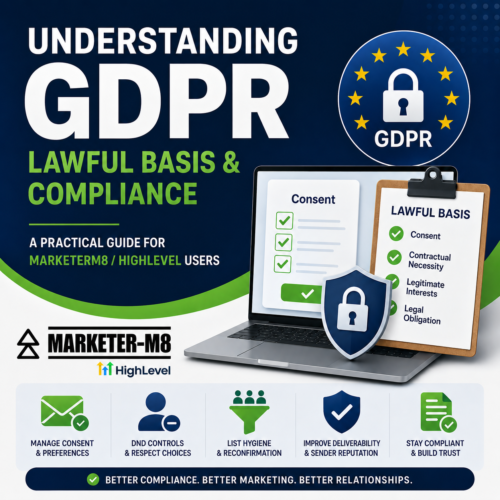
Understanding GDPR Lawful Basis & Compliance for MarketerM8 / HighLevel Users

GDPR Complaince HighLevel MarketerM8 UK

GDPR Compliance Guide HighLevel MarketerM8 UKA Practical Guide for MarketerM8 / HighLevel Users

Important Disclaimer:
The following information is provided for general educational and informational purposes only and does not constitute legal advice. GDPR compliance can vary depending on your business activities, industry, location, and how you collect and process data. You should seek professional legal advice from a qualified solicitor or GDPR specialist regarding your specific circumstances and compliance obligations.

If you use HighLevel through MarketerM8 to collect, store and manage customer or prospect data, then GDPR applies to how that information is used.

One of the most important GDPR concepts to understand is your “lawful basis” for processing personal data.

In simple terms, GDPR says you must have a valid legal reason every time you collect or use somebody’s personal information.

You cannot simply say:

“They gave me their email address.”

That alone is not enough.

For most MarketerM8 and HighLevel users, the four most relevant lawful bases are:

  • Consent
  • Contractual Necessity
  • Legitimate Interests
  • Legal Obligation

Below is a practical explanation of each.

1. Consent

Consent means a person has clearly agreed for you to process their personal data for a specific purpose.

This is the lawful basis most commonly used for marketing activity.

Valid Consent Must Be:

  • Freely given
  • Specific
  • Informed
  • Clear and unambiguous
  • Easy to withdraw

Good Example

A visitor completes a form and ticks a box saying:

“Yes, I would like to receive marketing emails and updates.”

Bad Examples

  • Pre-ticked checkboxes
  • Hidden consent in terms and conditions
  • Automatically adding all enquiries to marketing campaigns
  • Purchased contact lists

Common HighLevel / MarketerM8 Examples Using Consent

Consent is commonly used for:

  • Newsletter subscriptions
  • Webinar registrations
  • Lead magnet downloads
  • Promotional email campaigns
  • SMS marketing
  • Workshop registrations
  • Marketing automation nurture sequences

Recording Consent

It is important to keep records of consent.

HighLevel can help by storing:

  • form submission timestamps
  • source tracking
  • IP addresses
  • campaign information
  • opt-in fields

This creates an audit trail should you ever need to demonstrate how consent was obtained.

Withdrawal of Consent

Under GDPR, people must be able to withdraw consent easily.

If somebody unsubscribes from marketing:

  • you must stop sending promotional communications
  • you should not manually re-add them to workflows
  • you should not override unsubscribe settings

Transactional or service-related messages may still be permitted where appropriate.

2. Contractual Necessity

This lawful basis applies where processing personal data is necessary to fulfil a contract or provide a requested service.

This is extremely common for CRM users.

Common HighLevel / MarketerM8 Examples

  • booking appointments
  • client onboarding
  • delivering purchased services
  • membership access
  • customer support
  • sending invoices
  • appointment reminders

If somebody requests your services, you are allowed to process their information to provide those services.

Important Limitation

Contractual necessity does not automatically allow unlimited marketing.

For example:

  • a customer purchases a service from you

You may send:

  • service updates
  • appointment confirmations
  • onboarding information
  • customer support messages

However, this does not automatically mean you can add them to unrelated long-term marketing campaigns without another lawful basis.

3. Legitimate Interests

Legitimate interest is one of the most misunderstood lawful bases under GDPR.

It allows businesses to process personal data where:

  • there is a genuine business reason
  • the processing is necessary
  • the individual’s rights and privacy do not override that interest

This is commonly used for:

  • sales follow-up
  • customer relationship management
  • some forms of B2B communication

Legitimate Interest Is Not a Free Pass

Many businesses misuse legitimate interest to justify excessive marketing.

Before relying on legitimate interest, you should consider:

  1. Do we have a genuine business reason?
  2. Is this processing necessary?
  3. Would the person reasonably expect this?
  4. Could this be considered intrusive or harmful?

Common HighLevel / MarketerM8 Examples

Examples that may be reasonable include:

  • following up a sales enquiry
  • sending a requested quotation
  • calling back a missed call
  • short-term follow-up after an enquiry
  • relevant B2B communication

Example:

A business owner requests information about CRM software. A short follow-up email sequence may be considered a legitimate interest.

Higher Risk Examples

  • long-term automated marketing after a single enquiry
  • purchased lead databases
  • cold SMS campaigns
  • scraping online contact data
  • aggressive automation sequences

The more intrusive or unexpected the marketing becomes, the weaker the legitimate interest argument usually becomes.

Legitimate Interest and Automation

HighLevel makes automation extremely easy, but businesses should avoid over-automation.

Sensible Example

  • a short follow-up sequence after a quote request

Riskier Example

  • automated marketing campaigns continuing for many months after a single enquiry with little engagement

Businesses should regularly review workflows to ensure communications remain reasonable and proportionate.

4. Legal Obligation

This lawful basis applies where businesses are legally required to process or retain certain information.

Examples include:

  • tax records
  • financial records
  • insurance documentation
  • safeguarding records
  • anti-money laundering requirements

Common HighLevel / MarketerM8 Examples

You may need to retain:

  • invoices
  • contracts
  • payment records
  • important customer communications

…even if somebody later requests deletion, where another legal obligation requires those records to be retained.

How HighLevel Can Help Support GDPR Compliance

While using a CRM system does not automatically make a business GDPR compliant, HighLevel includes several useful features that can help businesses manage consent, communication preferences, and customer data more responsibly.

These tools can help reduce risk when used correctly as part of a wider GDPR process.

DND (Do Not Disturb) Settings

HighLevel includes built-in DND functionality which allows businesses to suppress certain types of communication to specific contacts.

For example, contacts can be marked as:

  • DND for email
  • DND for SMS
  • DND for calls
  • DND for Facebook messages
  • DND for all communications

This helps businesses:

  • respect unsubscribe requests
  • prevent accidental marketing
  • avoid repeatedly contacting people who no longer wish to hear from them

Email Preferences & Subscription Management

HighLevel also includes improved email preference management features which allow contacts to:

  • unsubscribe from marketing emails
  • manage communication preferences
  • selectively opt in or out of certain communication categories

This can improve:

  • GDPR compliance
  • customer experience
  • email engagement
  • sender reputation

List Hygiene & Reconfirmation Workflows

One highly recommended best practice is to run a regular list hygiene or reconfirmation workflow.

For example:

  • every 3 to 6 months
  • send a simple email asking contacts whether they still wish to remain subscribed

This has two major advantages.

1. Helps Support GDPR Compliance

A reconfirmation email helps demonstrate that:

  • consent remains current
  • contacts still wish to hear from you
  • your database is being actively maintained

2. Improves Email Deliverability

If large numbers of contacts:

  • never open emails
  • ignore campaigns
  • delete messages
  • mark emails as spam

…this can negatively impact your sender reputation with email providers and ISPs.

In simple terms:

  • if too many people ignore your emails, future emails are more likely to land in spam folders

Why Smaller, Engaged Lists Often Perform Better

A smaller list of genuinely engaged subscribers will usually outperform a much larger inactive list.

Using HighLevel Automation for List Hygiene

HighLevel workflows can help automate this process.

Examples include:

  • tagging inactive contacts
  • monitoring opens and clicks
  • triggering re-engagement campaigns
  • automatically applying DND status
  • unsubscribing inactive users after repeated non-engagement

Practical Examples for MarketerM8 / HighLevel Users

Activity Likely Lawful Basis
Newsletter signup Consent
Webinar registration Consent
Discovery call booking Contractual necessity
Customer onboarding Contractual necessity
Appointment reminders Contractual necessity
Following up an enquiry Legitimate interest
Existing client communications Contract / legitimate interest
SMS marketing Usually consent
Invoices and payment records Legal obligation

Recommended Best Practice

Use Consent For:

  • marketing emails
  • newsletters
  • SMS campaigns
  • promotions
  • long-term nurture campaigns

Use Contractual Necessity For:

  • active customers
  • appointments
  • service delivery
  • customer support

Use Legitimate Interest Carefully For:

  • short-term enquiry follow-up
  • relevant B2B communication
  • customer relationship management

Use Legal Obligation For:

  • financial records
  • compliance requirements
  • tax documentation

Final Thoughts

Owning a CRM system does not automatically make a business GDPR compliant.

HighLevel and MarketerM8 provide tools that can support compliance, but each business remains responsible for:

  • how data is collected
  • how consent is obtained
  • how automation is used
  • how customer data is stored and protected

Businesses should regularly review:

  • forms
  • workflows
  • email campaigns
  • SMS activity
  • user permissions
  • privacy policies

…to ensure they remain compliant with GDPR and related regulations such as PECR.

Good GDPR practice is not just about avoiding legal problems.

It is also about:

  • respecting customer preferences
  • improving communication quality
  • reducing spam complaints
  • protecting sender reputation
  • building trust with your audience

When used properly, HighLevel’s automation, DND controls, preference management tools, and list hygiene workflows can help businesses achieve both better compliance and better marketing performance at the same time.

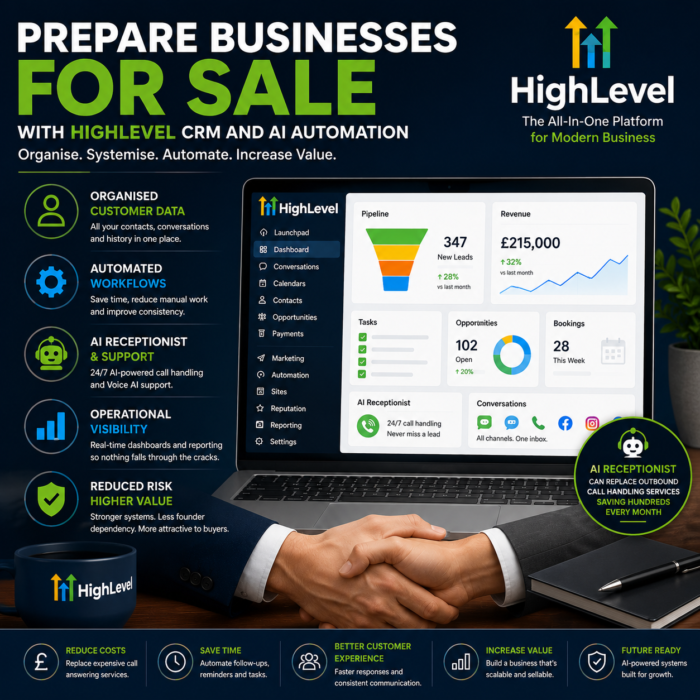
Why Exit Planning Consultants Are Using HighLevel to Prepare Businesses for Sale

highlevel business sale exit crm marketing automation

highlevel business sale exit crm marketing automation
If you spend time working with small and medium-sized businesses preparing for acquisition, succession, management buyouts, or eventual exit, you will already know this:

Most businesses are far less organised than they appear on the surface.

At first glance, the revenue may look healthy. The business may have a strong reputation, loyal customers, and a solid track record.

But once you start looking behind the scenes, the cracks often appear quickly:

  • Customer data spread across multiple systems
  • Sales processes living inside the owner’s head
  • No visibility of lead follow-up
  • Team communication fragmented across email, WhatsApp, phones, and notebooks
  • Poor reporting
  • Inconsistent onboarding
  • No automation
  • No documented workflows
  • Founder dependency everywhere

For buyers, these are red flags.

And for consultants helping businesses prepare for sale, these operational weaknesses can directly impact valuation, buyer confidence, and deal attractiveness.

This is one of the reasons more consultants are now introducing CRM and marketing automation systems much earlier in the business improvement process.

Increasingly, many are turning to HighLevel as part of that operational infrastructure.

Buyers Want Systems, Not Chaos

One of the biggest misconceptions amongst business owners is that buyers simply purchase revenue.

They do not.

Buyers purchase:

  • Systems
  • Predictability
  • Visibility
  • Transferability
  • Operational maturity
  • Recurring revenue
  • Customer relationships
  • Documented processes

A business that depends entirely on the founder is inherently risky.

If the owner is:

  • Handling all sales
  • Answering all calls
  • Remembering all customer history
  • Manually chasing leads
  • Managing workflows from memory

Then the business becomes difficult to transfer to a new owner.

This is where structured CRM and automation systems become commercially valuable.

They help transform businesses from person-dependent into system-dependent.

That transition can significantly improve scalability, operational efficiency, and buyer confidence.

Why CRM and Automation Are Becoming Part of Exit Planning

Historically, many businesses viewed CRM systems purely as sales tools.

Today, modern CRM and automation platforms have evolved into something much bigger.

They are now:

  • Operational hubs
  • Communications systems
  • Customer intelligence platforms
  • Workflow engines
  • AI infrastructure layers

For consultants helping businesses prepare for growth or exit, this matters enormously.

Because when implemented correctly, these systems create:

  • Consistency
  • Accountability
  • Visibility
  • Documented processes
  • Operational continuity

All of which become valuable during due diligence.

Why HighLevel Fits Particularly Well Into This Space

Many CRM systems are designed primarily for enterprise sales teams.

HighLevel is different.

It combines:

  • CRM
  • Marketing automation
  • Pipelines
  • Communication tools
  • Websites
  • Funnels
  • Calendars
  • Reputation management
  • AI tools
  • Reporting
  • Workflow automation

Inside one connected ecosystem.

For SMEs, that consolidation can be transformational.

Instead of businesses operating across:

  • Spreadsheets
  • Separate email platforms
  • Disconnected calendars
  • Multiple marketing tools
  • Scattered communication apps

They can centralise much of the business operation into one platform.

This creates cleaner systems, better visibility, and far more transferable operational processes.

Why Many Consultants Are Looking Beyond Traditional CRM Platforms

Traditionally, when businesses started looking at CRM and operational systems, the obvious enterprise choices were platforms like Salesforce and HubSpot.

Both are powerful systems and widely used across larger organisations.

However, for many SMEs preparing for growth or sale, these platforms can quickly become:

  • Expensive
  • Complex
  • Fragmented
  • Consultant-heavy
  • Difficult to fully implement internally

It is not uncommon for businesses to invest heavily in CRM software, only to end up using a small percentage of the functionality because the implementation becomes overwhelming.

This is one reason many consultants are now exploring more modern, integrated platforms like HighLevel.

Rather than stitching together multiple systems, HighLevel combines:

  • CRM
  • Marketing automation
  • Pipelines
  • Websites
  • Funnels
  • Calendars
  • Communication tools
  • Reputation management
  • AI functionality
  • Workflow automation

Inside one connected platform.

Importantly, businesses do not necessarily need to make an overnight switch.

HighLevel now includes tools that allow it to work alongside systems such as HubSpot during transition periods, helping businesses gradually centralise operations without immediately disrupting existing workflows.

For businesses ready to fully consolidate systems, HighLevel also offers import and migration tools that can help move contacts, pipelines, workflows, and operational processes directly into the platform.

For consultants helping businesses prepare for sale, this creates an interesting middle ground:

  • Improve operational maturity
  • Centralise systems
  • Reduce fragmentation
  • Introduce automation
  • Improve visibility

Without necessarily forcing clients into complex enterprise-level implementations from day one.

Reducing Founder Dependency

One of the biggest valuation killers in SME acquisitions is founder dependency.

It is extremely common to find businesses where:

  • Customer relationships exist only on the owner’s mobile phone
  • Sales conversations are buried in personal inboxes
  • Staff cannot see communication history
  • No one else understands the sales pipeline
  • Lead follow-up is inconsistent
  • Customer onboarding varies every time

This creates risk for buyers.

HighLevel helps reduce this risk by centralising communication and operational workflows.

For example:

  • Email conversations
  • SMS messages
  • Phone call recordings
  • Facebook messages
  • Instagram messages
  • WhatsApp conversations

Can all be viewed within the Universal Inbox in chronological order.

This creates continuity across teams and reduces reliance on one individual holding all the information.

From an acquisition perspective, this is extremely valuable.

Automation Creates Operational Consistency

Another major challenge in many SMEs is inconsistency.

Without systems:

  • Leads are missed
  • Follow-up varies
  • Onboarding becomes reactive
  • Customer communication depends on staff memory

Automation helps standardise these processes.

Examples include:

  • Automated lead nurturing
  • Missed call text back workflows
  • Appointment reminders
  • Onboarding sequences
  • Review request campaigns
  • Reactivation campaigns
  • Internal task notifications
  • AI-assisted customer communication

These systems help businesses become more process-driven and less reactive.

Again, this improves scalability and operational maturity.

A Modern Example. AI Receptionists and AI-Powered Customer Support

A good modern example of how HighLevel can help organise and systemise a small business is through the introduction of AI-powered phone answering and customer support using Voice AI.

Many small businesses still rely heavily on:

  • Missed calls
  • Voicemail
  • Staff remembering to call people back
  • Fragmented customer communication
  • Handwritten notes
  • Reactive support processes

This creates inefficiency and operational risk.

It also creates founder dependency, where key customer communication only exists inside one person’s phone or memory.

Using HighLevel’s Voice AI tools, businesses can introduce an AI receptionist that answers inbound calls 24/7.

For example, an AI receptionist can:

  • Answer common questions
  • Capture lead information
  • Qualify enquiries
  • Book appointments directly into calendars
  • Route calls to the correct team member
  • Log conversations automatically into the CRM
  • Trigger follow-up workflows
  • Summarise calls for staff review
  • Handle overflow and out-of-hours enquiries

This immediately creates more structure and consistency inside the business.

Instead of enquiries being missed or handled inconsistently, every interaction becomes:

  • Logged
  • Searchable
  • Trackable
  • Visible to the wider team

The same applies to technical support.

A small business can use Voice AI alongside automation workflows to:

  • Categorise support enquiries
  • Answer repetitive questions
  • Route urgent issues
  • Create tickets or tasks
  • Update customer records automatically
  • Maintain communication history centrally

Over time, this creates operational intelligence inside the business rather than relying on individual staff members remembering what happened previously.

From a business sale perspective, this is valuable because buyers can see:

  • Documented communication processes
  • Customer interaction history
  • Response systems
  • Operational workflows
  • Reduced key person dependency
  • Scalable support infrastructure

It demonstrates that the business operates through systems rather than memory.

There can also be a direct financial benefit.

Many SMEs currently use outsourced call answering or telephone handling services that can cost hundreds of pounds per month, particularly once call volumes increase.

In some cases, introducing an AI receptionist through HighLevel can partially or fully replace these services while also providing:

  • CRM integration
  • Automated follow-up
  • Conversation logging
  • Appointment booking
  • Workflow automation
  • AI-supported customer communication

For some businesses, that saving alone can cover a significant portion, or even all, of the monthly HighLevel subscription cost.

For many SMEs, this is one of the first practical examples of AI genuinely improving operational efficiency rather than simply being a marketing buzzword.

AI Is Now Entering the Conversation

Increasingly, consultants are also exploring how AI fits into business infrastructure.

This is another reason HighLevel is gaining attention.

Features such as:

  • AI conversational tools
  • AI chat
  • AI workflow support
  • AI voice systems
  • AI receptionists

Allow businesses to automate and support customer communication at scale.

For many SMEs, this is the first realistic opportunity to introduce AI into day-to-day operations without building expensive custom systems.

This is why many people are now beginning to describe HighLevel as:

The AI Operating System for SMEs.

Not because it replaces every specialist tool, but because it increasingly acts as the central operational layer connecting communication, marketing, automation, and customer management together.

The Opportunity for Exit Planning Consultants and Operational Advisors

There is also a growing opportunity here for:

  • Exit planning consultants
  • EOS implementers
  • Business coaches
  • Operational consultants
  • Fractional COOs
  • M&A advisors

Many understand the importance of systems and operational maturity, but do not necessarily want to become CRM implementation specialists themselves.

That creates a natural partnership opportunity with experienced HighLevel consultants who can implement the technical infrastructure behind the strategic recommendations.

Instead of simply advising businesses to “improve systems”, consultants can now help clients introduce:

  • Structured pipelines
  • Operational dashboards
  • Automation
  • AI-supported communication
  • Documented onboarding
  • Centralised customer management

In practical, measurable ways.

The Future of Sellable Businesses

As AI, automation, and operational visibility become more important, buyers are increasingly expecting businesses to have mature systems already in place.

The days of running growing businesses entirely from spreadsheets, inboxes, and memory are disappearing.

Businesses with:

  • Clean systems
  • Centralised customer data
  • Documented processes
  • Automation
  • Visibility
  • Recurring operational workflows

Are simply becoming more attractive acquisitions.

For consultants helping businesses prepare for growth, succession, or exit, CRM and automation are no longer optional operational tools.

They are becoming part of the value-building process itself.


Written by Julian Mills – HighLevel consultant and marketing strategist.
About Julian Mills

Book a Discovery Call with Julian

Learn more about HighLevel and the MarketerM8 platform at MarketerM8.com.

Join the free weekly HighLevel workshops at MarketerM8 Workshops.

How to Migrate From HubSpot to HighLevel in 2026 (And Why It Just Got Much Easier)

move and migrate from hubspot to highlevel

move and migrate from hubspot to highlevel

For years, HubSpot has been one of the best-known CRM systems in the world.

And honestly, that made complete sense.

HubSpot solved a huge problem for small businesses.

“Get started with a free CRM.”

It was a brilliant offer.

Businesses could organise contacts, track deals, manage pipelines and start bringing some structure into the sales process without needing a massive software budget.

For many SMEs, HubSpot became their first “proper” CRM system.

But over the years I have noticed a very common pattern.

Businesses sign up to the free CRM.

They like it.

The team gets comfortable using it.

The pipeline works nicely.

Then gradually the business wants to do more.

And this is where many businesses begin researching how to migrate from HubSpot to HighLevel.

Not because HubSpot is bad.

Far from it.

But because growing businesses eventually want:

  • more automation
  • AI functionality
  • SMS marketing
  • WhatsApp
  • social media scheduling
  • funnel building
  • Voice AI
  • lead nurturing
  • centralised communication
  • appointment booking
  • more users
  • more flexibility

And this is often the point where software costs can begin escalating quickly.

At the same time, HighLevel has been growing extremely quickly.

Originally known mainly as a platform for agencies, HighLevel has evolved into something much bigger.

Increasingly, businesses are using HighLevel as:

  • an AI Operating System for SMEs
  • the “WordPress of CRM systems”
  • an all-in-one marketing and communication platform
  • a central business automation ecosystem

But there has always been one obvious question if you are already established on HubSpot.

How difficult is it to move everything?

As of August 2026, the answer to that question has changed significantly.

NEW: HighLevel Can Now Import Directly From HubSpot

This is a major development for anybody considering moving from HubSpot to HighLevel.

HighLevel has introduced a native HubSpot Importer.

Rather than exporting multiple CSV files from HubSpot, preparing the data, importing it into HighLevel and manually trying to recreate the relationships between everything, you can now connect your HubSpot account directly to HighLevel.

And importantly, this isn’t limited to importing a basic contact list.

HighLevel can now import:

  • Contacts
  • Companies
  • HubSpot Deals as HighLevel Opportunities
  • Contact properties as Custom Fields
  • Company properties as Custom Fields
  • Deal properties as Custom Fields
  • Pipelines and stages
  • Notes
  • Emails
  • Tasks
  • Supported associations between records

That last point is particularly important.

A CRM isn’t simply a spreadsheet containing names and email addresses.

The real value is often in the history, relationships, opportunities, notes, tasks and information surrounding those contacts.

Being able to bring more of that structure across makes moving from HubSpot to HighLevel considerably more practical.

How to Import HubSpot Data Directly Into HighLevel

The new process is surprisingly straightforward.

Inside HighLevel, go to:

Contacts, Companies or Opportunities → Import

You can then select:

Connect HubSpot

HighLevel will ask you to sign into your HubSpot account.

From there you can choose which objects and information you want to migrate.

You can review the number of records that will be imported and select specific properties where required.

Once you’re happy, confirm the import.

The migration then runs in the background.

You Can Check What Has and Hasn’t Imported

This is another important part of the new importer.

HighLevel provides an Import History area where you can monitor the migration and see what happened.

You can see records that were:

  • successfully imported
  • skipped
  • imported with warnings
  • unsuccessful

You can also review the results by individual record or object, filter by status and see error messages explaining problems that occurred.

The results can also be downloaded as a CSV for further checking.

For anyone who has previously managed a CRM migration, this matters.

You don’t simply want HighLevel to tell you:

“Import complete.”

You need to know whether the 4,000 contacts you expected to migrate actually arrived and whether important records failed along the way.

A Few Important Things to Know Before You Import

The new importer makes the technical migration considerably easier, but there are still some important points to understand.

Firstly, existing matching records in HighLevel are not overwritten.

Secondly, HubSpot emails brought into HighLevel are imported as read-only records.

Thirdly, if you want HubSpot Deals to become HighLevel Opportunities, the associated contacts need to be imported as well.

And finally, HighLevel itself recommends testing your HubSpot import in a new or non-production sub-account first.

I strongly agree with that last point.

I wouldn’t recommend connecting a substantial HubSpot database to an established live HighLevel account and simply pressing the button to see what happens.

Test first.

Check your data.

Understand how your HubSpot structure maps into HighLevel.

Then plan the live migration.

Migrating the Data Is Only Part of Moving From HubSpot to HighLevel

This is perhaps the most important point in this article.

Importing your HubSpot data is not the same thing as migrating your business from HubSpot to HighLevel.

The new importer solves a big part of the data migration problem.

But there may still be lots of things to consider.

For example:

  • What HubSpot automations need recreating as HighLevel Workflows?
  • What forms are currently being used?
  • What landing pages need rebuilding?
  • What appointment calendars are connected?
  • What email templates need recreating?
  • What integrations are currently connected to HubSpot?
  • How are leads being assigned?
  • What reports does management rely upon?
  • What happens when a new lead enters the system?
  • What happens when a Deal changes stage?
  • Are there any Zapier or Make integrations?
  • Which HubSpot functionality do you actually still need?

This is why I don’t normally recommend treating a CRM migration as a simple lift and shift exercise.

It is actually an opportunity.

You’re changing the system.

So before rebuilding everything exactly as it was, ask:

Does it still need to work that way?

There may be workflows that haven’t been used for three years.

There may be custom properties nobody understands.

There may be old pipelines that are no longer relevant.

And there may be processes that required several pieces of software with HubSpot that can now be handled natively inside HighLevel.

Use the migration as an opportunity to simplify.

A Sensible HubSpot to HighLevel Migration Process

If I were planning a HubSpot to HighLevel migration today, I would break it into stages.

Step 1: Audit Your Existing HubSpot Account

Before touching anything, understand what you actually have.

Look at your:

  • contacts
  • companies
  • deals
  • pipelines
  • properties
  • forms
  • workflows
  • emails
  • landing pages
  • integrations
  • calendars
  • reporting
  • users

Separate what you genuinely use from historical clutter.

Step 2: Design Your HighLevel Account

Don’t start importing data into an empty HighLevel account without thinking about the destination.

Decide how your HighLevel account needs to operate.

What pipelines do you need?

What custom fields matter?

What automations will you build?

What calendars are required?

Who needs access?

What communication channels will you use?

Step 3: Run a Test HubSpot Import

Use HighLevel’s new HubSpot Importer in a test or non-production account.

Import a representative sample where possible and check the results carefully.

Pay particular attention to:

  • Contacts
  • Companies
  • Opportunities
  • Pipelines
  • Custom Fields
  • Notes
  • Tasks
  • Emails
  • Associations

Check whether the information appears where you expect it to appear.

Step 4: Build Your HighLevel Processes

Now recreate or, preferably, improve the processes that currently exist inside HubSpot.

This could include:

  • sales pipelines
  • automated follow-up
  • appointment reminders
  • lead nurturing
  • missed-call text back
  • forms
  • surveys
  • email campaigns
  • SMS
  • WhatsApp
  • review requests
  • Voice AI
  • Conversation AI

This is where you can start taking advantage of functionality you may not previously have been using.

Step 5: Test the Complete Customer Journey

Don’t just test whether the contact exists.

Test what happens next.

Submit an enquiry.

Book an appointment.

Reply to an email.

Move an Opportunity.

Complete a form.

Send an SMS.

Run through the process exactly as a real customer and salesperson would.

Step 6: Perform the Final Migration

Once you’re satisfied that the new system works properly, plan your final data import and cutover.

Then check the Import History carefully for failures, warnings or skipped records.

Only once you are satisfied that the data and processes have transferred correctly should you consider retiring the old system.

Why Businesses Initially Choose HubSpot

To be fair to HubSpot, they got a lot right.

The onboarding is polished.

The interface is clean.

The CRM is easy to understand.

The ecosystem feels professional.

And the free CRM genuinely provides value.

For many businesses it is the perfect introduction to CRM software.

Especially businesses previously managing leads using:

  • spreadsheets
  • notebooks
  • inbox folders
  • sticky notes
  • memory

HubSpot quickly brings structure and visibility into the sales process.

And for many companies, that works brilliantly for quite a long time.

But eventually most growing businesses begin wanting more advanced marketing and automation capability.

Questions start appearing like:

  • How do we automate follow-up?
  • How do we improve lead nurturing?
  • How do we text customers?
  • How do we use WhatsApp?
  • How do we manage social media?
  • How do we stop missing calls?
  • How do we add AI?
  • How do we centralise communication?
  • How do we automate reviews?
  • How do we build funnels and landing pages?

This is where businesses often begin moving beyond “basic CRM”.

And this is also where many SMEs begin exploring alternatives and researching how to move from HubSpot to HighLevel.

Where Costs Can Start Escalating

Again, this is not an anti-HubSpot article.

HubSpot is an excellent platform.

But many businesses discover that once they begin building a more sophisticated marketing and automation system, the monthly software costs can rise much faster than expected.

Typically this happens when businesses begin adding:

  • extra users or seats
  • marketing contacts
  • advanced automation
  • reporting functionality
  • additional Hubs
  • onboarding packages
  • third-party integrations
  • AI tools
  • communication tools

The business wants to improve its automation and communication systems.

But the cost jump can become difficult to justify commercially.

So instead of upgrading properly, the business can end up sitting in an awkward middle ground.

The CRM works.

But the business never fully implements the automation systems it actually needs.

This is one reason why SMEs start researching alternatives such as HighLevel.

Where HighLevel Fits Into the Picture

One of the biggest misconceptions about HighLevel is that it is “just for agencies”.

That may have been partly true a few years ago.

Even today, much of HighLevel’s own marketing focuses on agencies and SaaS resellers.

But that does not mean the software itself is only suitable for agencies.

Increasingly I see HighLevel being used directly by:

  • SMEs
  • consultants
  • service businesses
  • clinics
  • local businesses
  • trades businesses
  • sales teams
  • internal marketing departments

The reason is simple.

Modern businesses no longer just want a CRM.

They want:

  • communication tools
  • automation
  • AI
  • funnels
  • SMS
  • WhatsApp
  • email marketing
  • appointment booking
  • review generation
  • social media scheduling
  • websites
  • forms
  • reporting
  • unified communication

And increasingly they want it integrated together.

This is why I sometimes describe HighLevel as the “WordPress of CRM systems”.

It is flexible.

It is highly customisable.

And businesses can build very sophisticated automation systems around it.

Increasingly I see HighLevel acting as the central AI Operating System inside the business.

HubSpot OR HighLevel? It Doesn’t Have to Be an Overnight Decision

There is another important point.

Moving from HubSpot to HighLevel doesn’t necessarily mean switching HubSpot off tomorrow morning.

Depending on the complexity of your existing system, you could migrate in stages.

You could build and test HighLevel alongside HubSpot before making the final switch.

That gives your team time to learn the new system and gives you an opportunity to verify that important business processes have been recreated correctly.

For a more complex CRM migration, I would much rather have a controlled transition than a heroic Friday-afternoon migration followed by a stressful Monday morning.

The New HubSpot Importer Changes the Conversation

Until now, one of the barriers to moving CRM platforms has always been the migration itself.

“We’ve got years of information in HubSpot. How on earth do we move it?”

HighLevel’s new direct HubSpot importer doesn’t eliminate the need to properly plan a CRM migration.

But it does remove a significant amount of the technical friction.

You can now bring across much more than a basic contact CSV.

Contacts, companies, deals, pipelines, properties, notes, emails, tasks and supported relationships can all form part of the migration.

For me, that makes the conversation much more interesting.

Instead of asking:

“Can we get our HubSpot data into HighLevel?”

The more useful question becomes:

“What would we build differently if we moved to HighLevel?”

And that’s where the real opportunity is.

Need Help Moving From HubSpot to HighLevel?

If you are currently using HubSpot and considering HighLevel, don’t start by cancelling anything.

Start by understanding what you currently use, what you actually need and what a HighLevel version of your sales and marketing system could look like.

Through MarketerM8, we can help businesses plan, configure and implement HighLevel, including the process of moving away from an existing CRM.

My approach is Done With You rather than simply handing you a new piece of software.

The objective isn’t just to move your data.

It is to make sure your team understands the new system and that HighLevel is actually configured around the way your business works.

Final Thoughts

HubSpot remains an excellent platform.

For many businesses it will absolutely continue to be the right fit.

But the market is changing quickly.

Businesses increasingly want:

  • AI tools
  • automation
  • centralised communication
  • integrated systems
  • predictable pricing
  • flexible marketing ecosystems

And importantly, moving between platforms is becoming easier.

The introduction of HighLevel’s native HubSpot Importer is a significant step forward.

It doesn’t make proper migration planning unnecessary.

But it does make moving your CRM data from HubSpot to HighLevel considerably easier than it was before.

And for businesses that have previously looked at HighLevel but thought:

“Moving all our HubSpot data sounds like too much work.”

It may be time to take another look.

Book a Discovery Call with Julian

Explore the free weekly MarketerM8 HighLevel Workshops

You can also learn more about HighLevel and sign up through MarketerM8.com.

Julian Mills HighLevel Consultant and Marketing Automation Strategist

About the Author

Julian Mills

HighLevel Consultant & Marketing Automation Strategist

Julian Mills helps business owners automate lead generation, sales follow-up, customer communication and business processes using HighLevel and MarketerM8. Since 2009 he has helped businesses implement CRM, marketing automation and AI-powered systems that save time, improve customer experience and generate more sales.

About Julian
Book a Discovery Call
Join a Free HighLevel Workshop
Learn About HighLevel with MarketerM8
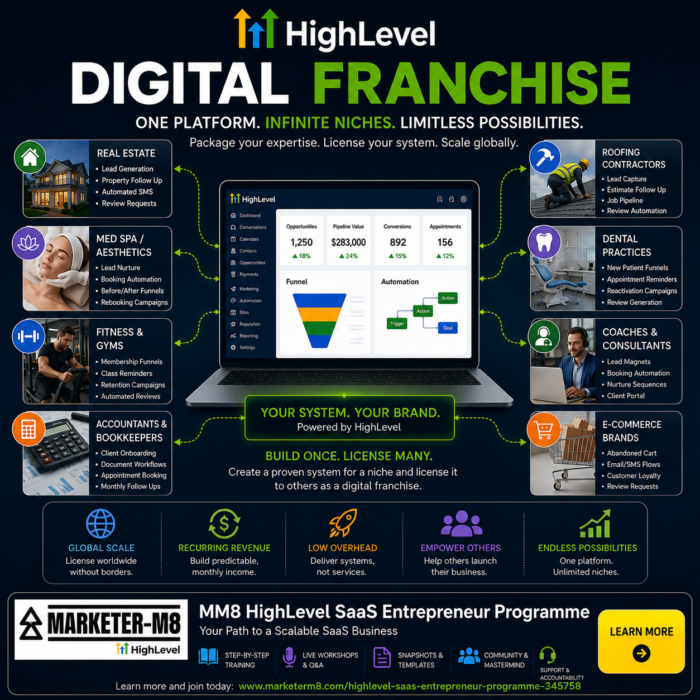
Social Marketing Automation with HighLevel in 2026 and beyond. Capture More Leads and Generate More Sales

social marketing automation with highlevel

social marketing automation with highlevelMost businesses do not actually have a social media problem.

They have a systems problem.

The average business today is trying to run its marketing using a disconnected collection of tools:

  • Mailchimp
  • Pipedrive
  • Google Sheets
  • Facebook Messenger
  • Instagram DMs
  • WhatsApp on the boss’s phone
  • post-it notes
  • separate booking systems
  • separate CRM systems

The result? Leads fall through the cracks. Follow-up gets forgotten. Customers are lost and money gets left on the table.

Social media marketing is no longer just about posting content and hoping somebody messages you. Modern marketing is about creating connected systems that capture leads, nurture prospects and automate follow-up across multiple channels.

That is where HighLevel comes in.

The Problem with Most Social Media Marketing

Most businesses are trying to do the right things:

  • create content
  • post on Facebook and Instagram
  • generate engagement
  • follow up with leads
  • build relationships

The problem is that their systems do not talk to one another.

A Facebook enquiry sits in Messenger. An Instagram conversation sits in DMs. An email lead ends up in Mailchimp. A sales conversation is tracked in a spreadsheet. WhatsApp messages are sitting on somebody’s mobile phone.

Everything becomes fragmented.

Over time, businesses end up building what can only really be described as a “Frankenstack” of disconnected marketing tools held together with digital duct tape and endless integrations.

And the bigger the business grows, the bigger the problem becomes.

Standalone Social Media Tools Create More Complexity

Most businesses already understand the value of automation.

For example, many businesses use standalone social media scheduling tools such as Hootsuite or Buffer to automate posting content across Facebook, Instagram and LinkedIn.

Then they discover they also need another separate platform such as ManyChat to automate comment replies, Messenger follow-up and lead capture workflows.

The problem is that each additional tool creates:

  • another subscription
  • another integration
  • another database
  • another learning curve
  • another potential point of failure

This is where HighLevel becomes particularly powerful.

The HighLevel Social Media Planner can replace tools such as Hootsuite and Buffer for scheduling and managing content.

At the same time, HighLevel Workflows and automation can replace many of the functions businesses use ManyChat for, including:

  • automated comment responses
  • DM automation
  • lead capture
  • follow-up workflows
  • CRM updates
  • conversation nurturing

But the real advantage is not simply replacing tools.

The real advantage is that everything operates inside one interconnected system.

Your social media activity, CRM, automation, AI conversations, pipelines, email marketing, WhatsApp messaging and follow-up workflows are all connected together rather than spread across multiple disconnected platforms.

Why Leads Fall Through the Cracks

This is where social marketing automation becomes critical.

Without automation and connected systems:

  • enquiries get missed
  • follow-up becomes inconsistent
  • team members forget to reply
  • no one knows where leads came from
  • opportunities disappear
  • businesses lose visibility of their sales process

One of the biggest problems with relying purely on social media messaging is that you do not truly own the relationship.

For example, Facebook and Instagram messaging windows can expire after periods of inactivity. A conversation that looked promising yesterday can quickly become difficult to continue.

More importantly, many businesses never properly capture the lead’s:

  • email address
  • phone number
  • interests
  • enquiry type
  • sales history

They simply have a Facebook profile name and a message trail.

That is not a marketing system.

The Power of the Universal Inbox

One of the most underrated features inside HighLevel is the Universal Inbox.

In many businesses, communication is spread everywhere:

  • emails in one system
  • Facebook messages somewhere else
  • Instagram DMs on somebody’s mobile phone
  • WhatsApp conversations on another device
  • text messages disconnected from the CRM
  • phone calls logged nowhere

This creates confusion, duplication and missed opportunities.

With HighLevel, businesses can see the entire communication history with a contact in one place, including:

  • emails
  • SMS messages
  • WhatsApp conversations
  • Facebook messages
  • Instagram messages
  • call recordings
  • voicemail drops
  • notes and internal updates

Everything appears in chronological order inside a single conversation feed.

That means if a customer messages on Instagram today, replies to an email tomorrow, calls the office next week and then sends a WhatsApp message later, the full history is still visible inside one connected system.

This is incredibly powerful for both sales and customer service.

Team members can instantly see:

  • previous conversations
  • promises made
  • previous enquiries
  • follow-up history
  • booked appointments
  • previous purchases

And because HighLevel works across desktop and mobile devices, business owners and staff can access these conversations whether they are in the office or out on the road using the mobile app.

Perhaps most importantly, communication no longer lives on one employee’s phone.

The whole team can access the customer journey, creating far better continuity, visibility and follow-up.

What Makes HighLevel Different?

HighLevel is not just another standalone marketing tool.

It is a connected suite of over 21 marketing, CRM and automation tools built into one platform.

You can manage:

  • CRM
  • email marketing
  • SMS marketing
  • WhatsApp messaging
  • calendars
  • websites
  • funnels
  • automation workflows
  • AI conversations
  • social media planning
  • reputation management
  • forms
  • surveys
  • pipelines
  • Voice AI
  • memberships
  • reporting
  • advertising campaigns
  • and much more

All from one system.

The built-in Ad Manager also allows businesses to manage and track advertising campaigns across:

  • Facebook
  • Instagram
  • LinkedIn
  • Google

Further reducing the need for disconnected third-party tools.

It is one of the reasons many people now describe HighLevel as:

“The WordPress of CRM and marketing automation systems.”

Unlike many traditional platforms which might release major updates every few months, HighLevel evolves incredibly quickly. New features and improvements are constantly being added.

More importantly, AI is built into the core of the platform. It is not simply a few isolated AI features bolted onto an older system.

That distinction matters.

Social Media Is Only the Starting Point

One of the biggest misconceptions about social media marketing is that the job ends when somebody comments on a post or sends a DM.

In reality, that is where the marketing system should begin.

And this is where the ecosystem approach becomes particularly powerful.

Businesses are no longer simply scheduling posts.

Using HighLevel, they can:

  • run advertising campaigns
  • schedule social media content
  • automate comment follow-up
  • capture leads
  • trigger workflows
  • nurture prospects
  • manage conversations
  • track sales pipelines
  • monitor customer communication

All from one interconnected platform.

For example, using HighLevel, businesses can automate interactions from Facebook and Instagram comments and direct messages.

Instead of manually replying to every enquiry, workflows can automatically:

  • respond to comments
  • trigger DMs
  • deliver lead magnets
  • capture email addresses
  • capture mobile numbers
  • add leads into the CRM
  • trigger follow-up sequences
  • notify sales teams
  • start AI conversations

This transforms social engagement into a real business asset.

The goal is no longer just engagement. The goal is building a marketing database and nurturing relationships automatically.

Example. Gym Free Trial Campaign

Imagine a local gym running a Facebook or Instagram campaign promoting a free trial session.

The post says:

“Comment FREE TRIAL below and we’ll send you the details.”

When somebody comments:

  1. HighLevel automatically sends a DM.
  2. The system asks for their email address and phone number.
  3. The lead is automatically added into the CRM.
  4. The free trial information is delivered instantly.
  5. A follow-up WhatsApp message is triggered the next day.
  6. Conversation AI continues engaging with the lead.
  7. Questions are answered automatically.
  8. The lead is nurtured toward booking a session.

The business owner does not need to manually chase every lead.

This is where social media, automation, CRM and AI begin working together as a connected ecosystem.

The Role of AI in Social Marketing Automation

AI is rapidly changing what businesses can achieve with marketing automation.

Within HighLevel, AI can already assist with:

  • creating social media content
  • writing emails
  • generating marketing copy
  • handling conversations
  • answering questions
  • qualifying leads
  • automating follow-up

One particularly exciting development is HighLevel AI Studio and the wider Agent Studio ecosystem.

Although still early in its development, the direction is becoming clear.

In the near future, businesses will likely have multiple AI agents working together inside connected workflows.

For example:

  • one AI agent engages with somebody commenting on Facebook
  • another researches the prospect online
  • another generates a personalised report
  • another emails the report
  • another follows up later using Voice AI

This is far beyond basic chatbot automation.

It is the beginning of connected AI systems operating together inside a single platform.

The 10-80-10 Model for AI Content Creation

AI can dramatically speed up content creation, but human input still matters.

One of the best ways to approach AI-assisted marketing is through the 10-80-10 model.

  • The first 10% is human creativity, ideas and strategy.
  • The next 80% is AI handling the heavy lifting and production work.
  • The final 10% is human refinement, editing and polishing.

This creates a much stronger result than simply asking AI to generate content in isolation.

The businesses that succeed with AI will not be the ones removing humans completely from the process. They will be the ones combining human creativity with AI efficiency.

Why Integrated Systems Will Replace Standalone Tools

The future is moving toward connected systems.

Businesses are becoming increasingly frustrated with:

  • multiple subscriptions
  • disconnected databases
  • complicated integrations
  • fragmented reporting
  • duplicated work

Many standalone tools will struggle as integrated platforms continue to expand.

Particularly now that “vibe coding” tools allow businesses to rapidly create their own:

  • dashboards
  • apps
  • automations
  • lead capture systems
  • internal tools

Without needing expensive development teams.

Interestingly, in April 2026, HighLevel AI Studio launched directly inside HighLevel itself, bringing AI-assisted app and workflow creation even closer to the core platform.

This is another reason why platforms like HighLevel are increasingly becoming the central operating systems for modern businesses.

The Future of Social Marketing Automation

Over the next few years, social marketing automation will become:

  • more AI-driven
  • more connected
  • more personalised
  • more automated
  • more conversational

Businesses will increasingly expect their marketing systems to:

  • capture leads automatically
  • follow up instantly
  • personalise communication
  • answer questions
  • book appointments
  • generate reports
  • trigger workflows
  • operate across multiple channels simultaneously

The businesses that continue relying on disconnected tools and manual processes will increasingly struggle to compete.

The future belongs to connected AI ecosystems.

And HighLevel is positioning itself right at the centre of that shift.

Learn More in Our Free Social Media & Reputation Management Workshop

social marketing automation with the social media planner and reputation managementIf you would like to see Social Marketing Automation with HighLevel in action, we also run a free live workshop covering:
  • social media scheduling
  • automation workflows
  • lead capture
  • reputation management
  • AI conversations
  • follow-up systems
  • practical real-world use cases

The workshop is called Social Media & Reputation Management.

You can register for the next live workshop or watch the latest replay here:


Book the Free Social Media & Reputation Management Workshop


Written by Julian Mills. HighLevel consultant and marketing strategist.

Book a Discovery Call with Julian.

Explore MarketerM8 and join the free weekly HighLevel Workshops.

🎓 HighLevel Live Training Workshop #6 : Database Management Workshop : 5 January 2027

highlevel database management workshop marketerm8

Your HighLevel database is the foundation of almost everything else you do in the platform.

Email marketing depends on it.

Workflows depend on it.

Sales pipelines depend on it.

Appointment follow-up depends on it.

AI and automation increasingly depend on it too.

So if your database is disorganised, duplicated, incomplete or badly structured, the rest of your HighLevel account becomes harder to manage.

That’s why our free HighLevel Database Management workshop isn’t simply about showing you where contacts are stored.

It’s about understanding how to create a database that helps your business find the right people, understand them and communicate with them appropriately.

This workshop is part of MarketerM8’s rolling programme of 13 free live HighLevel training workshops.


GoHighLevel CRM and database management training workshop

Is Your HighLevel Database Working for You?

Join our free live HighLevel Database Management workshop and learn how to organise contacts, Smart Lists, fields, tags and CRM data properly.

Register for the next Free HighLevel Database Management Training Workshop

What Is the HighLevel Contact Database?

At the heart of HighLevel is your contact database.

A contact record can contain far more than somebody’s name, email address and telephone number.

Depending on how your account is structured, it can also include:

  • company information;
  • custom fields;
  • tags;
  • communication history;
  • appointments;
  • opportunities;
  • forms and survey responses;
  • source information;
  • workflow activity;
  • and other information relevant to your business.

The more useful and accurate that information is, the more effectively HighLevel can help you market, sell and communicate.

Your CRM Is More Than a List of Names

This is one of the most important ideas to understand.

A spreadsheet containing 10,000 names is not automatically a useful CRM database.

The real value comes from knowing things such as:

  • Who are these people?
  • Are they prospects, customers or past customers?
  • What are they interested in?
  • Where did they come from?
  • What have they bought?
  • When did they last engage with us?
  • Who should we communicate with?
  • Who should we not communicate with?
  • What should happen next?

That context turns contact data into something commercially useful.

A good CRM database doesn’t just tell you who someone is. It helps you understand the relationship you have with them.

Start With What You Need to Know

Before creating lots of fields, tags and categories, ask:

“What information do we actually need in order to market, sell or serve people better?”

For example, a dentist may care about treatment interest.

An accountant may care about business type or service required.

A trades business may care about location and job type.

A training company may care about which course somebody attended.

A B2B consultancy may care about company size, role and opportunity value.

Your database should reflect the information that matters to your business.

Use Custom Fields for Structured Information

Custom fields are one of the most useful ways of storing information that is specific to your business.

For example, you might want to record:

  • service interest;
  • company size;
  • renewal date;
  • customer type;
  • preferred location;
  • budget;
  • industry;
  • membership level;
  • or another piece of information important to your process.

The benefit of structured information is that you can use it later.

You may want to segment contacts, personalise communication, trigger automation or create Smart Lists based on those values.

Don’t Create Custom Fields Without a Reason

It’s very easy to create fields.

That doesn’t mean you should create dozens of them simply because you can.

Every field should have a purpose.

Ask:

  • Who will populate this?
  • Where will the information come from?
  • Who will use it?
  • What decision will it help us make?
  • Will it trigger automation?
  • Will we report or segment using it?

If nobody can explain why a field exists, it may simply add clutter.

What Are Tags in HighLevel?

Tags are another way of identifying or grouping contacts.

They can be useful for marking events, interests, sources or temporary states.

For example:

  • Attended Webinar
  • Interested in Solar
  • Referral Partner
  • Downloaded Guide
  • Customer Reactivation 2026

But tags can become messy very quickly if there are no naming rules.

You can easily end up with several tags that all mean almost the same thing.

So use tags deliberately and keep your naming consistent.

Tags vs Custom Fields: Which Should You Use?

This is a common database design question.

A simple way to think about it is:

Custom fields are often best for information about the contact. Tags are often useful for labels, events or categorisation.

For example:

Industry = Accountancy might make sense as a custom field.

Attended August Workshop might make more sense as a tag.

There are exceptions, but having a simple rule helps keep the CRM cleaner.

What Are HighLevel Smart Lists?

Smart Lists allow you to view contacts that meet particular criteria.

This can be extremely useful because you don’t have to create a separate static list every time you want to find a group of people.

For example, you might want a Smart List showing:

  • all current customers;
  • all prospects interested in a particular service;
  • all contacts added in the last 30 days;
  • all contacts with no assigned salesperson;
  • all customers approaching renewal;
  • all people who attended a particular event;
  • or contacts who meet several conditions at once.

As the underlying data changes, the people appearing in that Smart List can change too.

That makes Smart Lists useful for both day-to-day CRM management and marketing segmentation.

Think in Segments, Not One Giant Database

Your HighLevel account may contain thousands of contacts.

That doesn’t mean they should all be treated identically.

A prospect is different from a customer.

A customer is different from a lapsed customer.

Someone interested in Service A may have little interest in Service B.

A hot opportunity should probably be treated differently from somebody who downloaded a guide two years ago.

Segmentation allows your marketing to become more relevant.

And relevance is usually more useful than simply sending more messages.

Database Segmentation Makes Automation More Powerful

Good data allows workflows to make better decisions.

For example:

Customer Type = Existing Customer → Send customer communication

Customer Type = Prospect → Send prospect nurture

Or:

Service Interest = Boiler Replacement → Boiler journey

Service Interest = Solar → Solar journey

The workflow only becomes intelligent because the database contains useful information.

Importing Contacts Into HighLevel

Many businesses start using HighLevel by importing contacts from another CRM, email platform or spreadsheet.

This is a point where good planning matters.

Before importing thousands of records, check:

  • which fields you actually need;
  • whether the data is accurate;
  • whether columns are consistently formatted;
  • whether duplicates exist;
  • whether you need to preserve categories or status information;
  • and whether you have a legitimate reason to continue communicating with those contacts.

Don’t simply take years of messy CRM data and import the mess into HighLevel.

A CRM migration is often an opportunity to clean up the database, not merely move it.

Watch Out for Duplicate Contacts

Duplicates are one of the most common database problems.

The same person may appear more than once because:

  • different email addresses were used;
  • telephone numbers were formatted differently;
  • data came from several systems;
  • somebody manually created another record;
  • or historical imports introduced duplication.

Duplicates can cause confusion.

Your team may update the wrong record.

Communication history may become fragmented.

Contacts may receive duplicate messages.

So database cleanliness matters.

Bad Data Can Damage More Than Your CRM

Poor-quality contact data isn’t merely an administrative nuisance.

It can affect your marketing performance.

For example, if your database contains lots of invalid or fake email addresses, repeatedly sending to them can damage email deliverability and sender reputation.

Spam form submissions can also create unwanted contacts and fill your database with rubbish.

The cleaner your database, the more confidently you can use it for marketing and automation.

Be Careful With Bulk Actions

HighLevel gives users the ability to make changes to groups of contacts.

That’s useful.

It’s also a reason to be careful.

A bulk action can affect hundreds or thousands of records very quickly.

Before applying changes, make sure:

  • you’ve selected the right contacts;
  • you understand exactly what the action will do;
  • the change can be reversed if necessary;
  • and you aren’t accidentally triggering unwanted workflows or communication.

Automation and bulk tools amplify both good and bad decisions.

Your Database Needs an Owner

A CRM database tends to deteriorate when everybody is responsible for it and nobody actually owns it.

This is one reason I like businesses to develop an internal CRM Champion.

That person doesn’t have to do every database task themselves.

But somebody should understand:

  • how the database is structured;
  • what fields and tags mean;
  • how new contacts enter;
  • how duplicates are handled;
  • which automations depend on the data;
  • and what standards the team should follow.

A little governance can prevent a huge amount of mess later.

Use Clear Naming Conventions

As your HighLevel account grows, naming conventions become increasingly important.

This applies to:

  • custom fields;
  • tags;
  • Smart Lists;
  • workflows;
  • forms;
  • pipelines;
  • and other assets.

If five people create things using five different naming approaches, the account becomes difficult to manage.

Choose a simple structure your team understands and use it consistently.

Don’t Collect Data Just Because You Can

HighLevel gives you plenty of ways to collect information.

That doesn’t mean you need to know everything about everybody.

Collect information because it serves a useful purpose.

If a field will never be used to improve the sales process, customer service, reporting, segmentation or automation, ask whether you really need it.

More data is not automatically better data.

Database Management and Marketing Go Hand in Hand

This is why database management shouldn’t be treated purely as an IT or administration task.

Your database directly affects your marketing.

If you know which contacts are customers, you can communicate differently with them.

If you know what somebody is interested in, you can send more relevant information.

If you know when a customer last bought, you can identify reactivation opportunities.

If you know where a prospect sits in the sales journey, you can tailor the follow-up.

Good CRM data creates better marketing opportunities.

HighLevel Database Training Backed by Real Marketing Experience

This is why my approach to database management isn’t simply about tidying contact records.

I’ve worked hands-on in direct marketing since 1996 and with CRM and marketing automation since 2009.

Since 2009, I’ve helped hundreds of businesses improve, automate and systemise their marketing.

I’m also a Certified Entrepreneurs Circle Marketing Coach and have helped Entrepreneurs Circle GenieAI subscribers implement AI and marketing automation within their businesses.

Through my own HighLevel agency, MarketerM8, I’ve personally onboarded more than 100 HighLevel users.

So when we look at a database, I’m not simply asking:

“Where should we store this information?”

I’m also asking:

  • What will we use it for?
  • How will it improve the customer journey?
  • Can it improve segmentation?
  • Can it support better sales follow-up?
  • Can it trigger useful automation?
  • Can it help us identify opportunities?

That’s the difference between simply storing data and building a useful CRM.

What Will You Learn in the HighLevel Database Management Workshop?

This free live workshop is designed to help you understand how to organise and manage your HighLevel CRM database effectively.

We’ll explore areas such as:

  • how HighLevel contact records work;
  • contact information and CRM structure;
  • custom fields;
  • tags;
  • Smart Lists;
  • segmentation;
  • contact imports;
  • data clean-up;
  • duplicates;
  • bulk actions;
  • database naming conventions;
  • how data supports workflows;
  • how data supports email marketing;
  • how CRM data works with sales pipelines;
  • and common database management mistakes to avoid.

The objective isn’t simply to have a tidy database.

It’s to create a HighLevel database that helps your team market, sell and communicate more effectively.


Free GoHighLevel CRM and database management training

Learn HighLevel Database Management Live

Join Julian Mills for this free live HighLevel CRM training workshop and learn how to organise contacts, Smart Lists, tags, custom fields and segmentation properly.


Register for the next Free HighLevel Database Management Training Workshop

Database Management Is Part of Our Free HighLevel Training Programme

The Database Management workshop is part of MarketerM8’s rolling programme of 13 free live HighLevel training workshops.

The programme is designed to help you learn HighLevel one practical area at a time.

If you’re completely new to HighLevel, start with our HighLevel Foundations for Beginners workshop.

Database Management also connects closely with our Simple Email Marketing, Sales Pipelines & Opportunities and Automation & Workflows workshops.

Good data makes all three considerably more useful.

Do I Need to Be a MarketerM8 Customer?

No.

You don’t need to be a MarketerM8 subscriber to attend our free live HighLevel training workshops.

You can attend whether you’re already using HighLevel, considering the platform or simply want to understand how to organise and manage CRM data more effectively.

What If I Need Help Cleaning Up My Own HighLevel Database?

A live workshop can teach you the principles.

But your own CRM may need more detailed work.

Perhaps you need help:

  • cleaning up an existing database;
  • planning a CRM migration;
  • mapping fields from another system;
  • removing or managing duplicates;
  • deciding between tags and custom fields;
  • creating useful Smart Lists;
  • improving segmentation;
  • restructuring your contact data;
  • preparing data for automation;
  • or training your team to manage HighLevel consistently.

That’s where I can provide remote HighLevel training and Done-With-You implementation.

For larger projects and teams, on-site HighLevel training and implementation is also available throughout the UK and internationally.

If you’re experiencing a technical issue rather than needing CRM consulting or training, take a look at my guide to HighLevel support in the UK.

Frequently Asked Questions About HighLevel Database Management

Does GoHighLevel Have a CRM Database?

Yes.

HighLevel includes contact and CRM functionality at the heart of the platform.

Contact records can hold standard information alongside custom data, communication history, opportunities, appointments and other information connected with that person.

What Is a Contact in HighLevel?

A contact is a person or record within your HighLevel database.

That person might be a prospect, customer, past customer, partner or another individual your business interacts with.

The contact record becomes the central place where information about that relationship is stored.

What Are HighLevel Custom Fields?

Custom fields allow you to store information that is specific to your business.

For example, you might create fields for service interest, company size, renewal date, industry or customer type.

Custom fields can then be used for segmentation, automation, personalisation and CRM management.

What Are Tags in HighLevel?

Tags are labels that can be attached to contacts.

They can be useful for marking interests, events, sources, campaigns or other classifications.

Use a consistent naming structure because uncontrolled tags can quickly become confusing.

Should I Use Tags or Custom Fields in HighLevel?

It depends on the information.

Custom fields are often better for structured information about the contact, while tags can work well for labels, events or classifications.

For example, Industry = Accountant might work well as a field, while Attended Webinar may work well as a tag.

What Is a HighLevel Smart List?

A Smart List is a way of viewing contacts who meet particular criteria.

For example, you could create a Smart List for existing customers, new leads, contacts interested in a particular service or customers approaching renewal.

This can make segmentation and day-to-day CRM management much easier.

Do HighLevel Smart Lists Update Automatically?

Smart Lists are based on filters and criteria, so the contacts displayed can change as the underlying data changes.

This makes them particularly useful for dynamic groups rather than manually maintaining static lists.

Can I Import Contacts Into HighLevel?

Yes.

Businesses commonly import contacts when moving from another CRM, email system or spreadsheet.

Before importing, take the opportunity to clean the data, check field mappings and remove obvious problems rather than simply transferring old CRM mess into a new system.

Can I Import a CSV Into HighLevel?

HighLevel supports contact imports from structured data files such as CSVs.

The quality of the import depends heavily on how well the source data is prepared and how fields are mapped.

Always test before importing a large database.

What Should I Do About Duplicate Contacts in HighLevel?

Duplicates should be managed carefully because they can fragment communication history and cause contacts to receive duplicate communication.

Try to understand why the duplicates are being created as well as cleaning up the existing records.

Otherwise the problem may simply return.

Can HighLevel Segment Contacts?

Yes.

HighLevel contact data, tags, fields and Smart Lists can be used to organise contacts into meaningful segments.

This allows you to communicate differently with different groups rather than treating your entire database as one audience.

Why Is CRM Segmentation Important?

Because relevance matters.

A customer should not necessarily receive the same communication as a prospect.

A person interested in one service may not care about another.

Good segmentation helps you send more appropriate messages and build more relevant automation.

Can HighLevel Data Trigger Workflows?

Yes.

Contact information and changes within the CRM can be used as part of workflow logic and automation.

This is one reason accurate and consistent data is so important.

Can HighLevel Automatically Update Contact Information?

Workflows and other processes can update contact information depending on how your account is configured.

This can reduce manual administration, but use automation carefully so incorrect information isn’t written across large numbers of records.

Can HighLevel Be Used for Customer Reactivation?

Yes.

If your CRM can identify past or inactive customers, you may be able to create appropriate reactivation campaigns.

The quality of the opportunity depends on having accurate information about who those people are and your relationship with them.

How Often Should I Clean My HighLevel Database?

There isn’t a single correct timetable.

Database quality should ideally be maintained continuously rather than left until the CRM becomes unmanageable.

Periodic reviews can help identify duplicates, outdated data, unused fields, unnecessary tags and contacts that need attention.

Can Bad CRM Data Affect Email Deliverability?

Yes.

If a database contains large numbers of invalid or low-quality email addresses, sending to them can negatively affect email performance and sender reputation.

Good database management therefore supports email marketing as well as CRM organisation.

Should I Delete Old Contacts From HighLevel?

Not automatically.

An old contact may still have commercial value or historical importance.

Before deleting data, understand why it is being retained, whether you still have a legitimate reason to keep it and whether it is useful to the business.

Database management should balance usefulness, accuracy and appropriate data handling.

Can HighLevel Replace My Existing CRM?

Potentially, yes.

But whether it should depends on what your existing CRM does, what integrations you rely on and how your business processes work.

A CRM migration should begin by understanding requirements rather than simply moving contact records.

Is the HighLevel Database Management Workshop Free?

Yes.

The Database Management workshop is part of MarketerM8’s programme of free live HighLevel training workshops.

There’s no charge to attend the live workshop.

Do I Need to Be a MarketerM8 Customer to Attend?

No.

You can attend our free HighLevel training workshops without being a MarketerM8 subscriber.

Can I Ask Questions During the HighLevel Database Workshop?

Yes.

That’s one of the advantages of live HighLevel training.

You can see how contacts and database tools work and ask questions about the CRM concepts we’re discussing.

What Should I Learn After HighLevel Database Management?

If you want to use your database for better segmentation and communication, our Simple Email Marketing workshop is particularly relevant.

If you want CRM data to trigger automation, move on to HighLevel Automation & Workflows.

And if you want to collect better data in the first place, our Forms, Surveys & Quizzes workshop is a natural next step.

You can explore all the subjects in our free HighLevel training programme.

Ready to Get Your HighLevel Database Under Control?

A useful CRM shouldn’t feel like a digital filing cabinet full of names.

It should help you answer questions.

Who is this person?

What is our relationship with them?

What are they interested in?

What should happen next?

And how can we communicate with them more effectively?

That’s what good database management should help you achieve.

And that’s exactly what our HighLevel Database Management workshop is designed to help you understand.


Register for free HighLevel CRM and Database Management training

Ready to Build a Better HighLevel Database?

Join our free live HighLevel Database Management workshop and learn how to organise contacts, improve segmentation and turn your CRM data into something genuinely useful.


Register for the next Free HighLevel Database Management Training Workshop

Julian Mills HighLevel Consultant and Marketing Automation Strategist

About the Author

Julian Mills

HighLevel Consultant & Marketing Automation Strategist

Julian Mills helps business owners automate lead generation, sales follow-up, customer communication and business processes using HighLevel and MarketerM8. Since 2009 he has helped businesses implement CRM, marketing automation and AI-powered systems that save time, improve customer experience and generate more sales.

About Julian
Book a Discovery Call
Join a Free HighLevel Workshop
Learn About HighLevel with MarketerM8