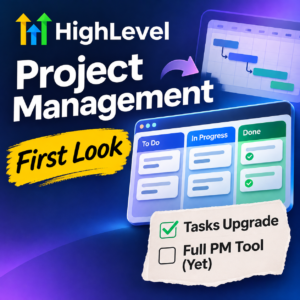
 HighLevel has introduced a new Project Management module, and at first glance it looks rather like Trello. But is it ready to replace a dedicated project management tool?
I’ve been testing the new HighLevel Project Management beta in November 2026, and I wanted to share my initial thoughts.
If you’ve used Trello, you’ll immediately recognise the concept. Tasks organised into boards, columns showing progress, and the ability to move work through different stages.
It’s a welcome addition to HighLevel, which is increasingly becoming a one-stop shop for marketing, sales and business management.
But having explored the beta, my conclusion is that HighLevel Project Management is currently more of an advancement on the existing HighLevel Tasks functionality than a fully fledged project management system.
And that’s not necessarily a bad thing.
Let’s take a look at what it offers, how it compares with Trello, and why I’m particularly interested in what HighLevel has planned next.
| Did you find this content useful? |
|---|
| Sign up for my free Marketing Hints, Tips and Hacks email newsletter every Tuesday at 11am. => Sign up here <= |
What Is HighLevel Project Management?
Until now, HighLevel users have had Tasks to help manage activities such as following up with prospects, contacting customers and completing internal jobs.
Useful, certainly. But fairly basic when it comes to organising a larger piece of work involving multiple people and activities.
The new Project Management module takes things further.
Rather than simply having a list of tasks, you can organise work into a more structured environment.
The module introduces:
- Spaces: Separate areas for organising work, perhaps by department, team or business function.
- Folders: Group related projects or activities.
- Lists: Organise tasks into manageable collections.
- Tasks and subtasks: Break larger jobs into individual activities.
- Kanban boards: Visually track tasks as they move through different stages.
- Team assignments: Allocate responsibility for individual tasks.
- Deadlines and priorities: Help everyone understand what needs doing and when.
- Comments and custom fields: Keep additional information alongside the work.
You can view tasks in a list or on a Kanban board.
For example, you might have columns labelled To Do, In Progress, Waiting for Client and Completed.
As work progresses, you move the tasks between the columns.
Simple, visual and easy to understand.
HighLevel Project Management vs Trello
If you’ve ever used Trello, you’ll recognise the similarity immediately.
Trello has built its reputation around a straightforward way of managing work using boards, lists and cards.
HighLevel’s new module follows a similar approach.
Both can help you organise tasks, assign responsibility, set deadlines and monitor progress.
But there’s an important difference.
Trello is an established project management and collaboration tool. HighLevel Project Management is a new module within a much larger CRM and marketing automation platform.
That gives each system different strengths.
Trello has had years to develop its project management capabilities, integrations and user experience.
HighLevel, on the other hand, has the advantage of being connected to the rest of your business systems.
And that’s where things get interesting.
The Big Advantage. Project Management Inside Your CRM
One of the things I particularly like about HighLevel is how its various modules can work together.
Your CRM, marketing automation, calendars, sales pipelines, email, SMS and WhatsApp communications all sit within the same platform.
Now we’re starting to see project management join that ecosystem.
Imagine a new customer signs up for your services.
Rather than someone manually creating a list of jobs in another system, you could use HighLevel’s workflows to start the onboarding process and create the relevant tasks.
For example:
- A customer accepts your proposal.
- Their opportunity moves to Won in the CRM.
- A workflow creates an onboarding task.
- That task is assigned to the appropriate team member.
- Once completed, another workflow can trigger the next activity.
HighLevel already provides workflow actions and triggers relating to project tasks, although the automation capabilities are still developing.
This is an important distinction.
With Trello, you can certainly automate tasks and connect external systems. But with HighLevel, the CRM and automation engine are already part of the same platform.
For businesses using HighLevel to manage their sales and customer relationships, that could be a significant advantage.
And potentially one less software subscription to pay for.
Is HighLevel Project Management a Replacement for Trello?
At the moment, I would say that depends on how you’re using Trello.
If you’re using Trello primarily to keep track of jobs, assign tasks to people and move them through different stages, then HighLevel Project Management could be a useful alternative.
Especially if you’re already paying for HighLevel.
But if you’re managing more complex projects with multiple stages, dependencies, resources and changing deadlines, I think HighLevel has some catching up to do.
Having tested the beta, I wouldn’t yet describe it as a fully fledged project management tool.
To my mind, HighLevel Project Management is currently a significant step up from HighLevel Tasks, rather than a complete replacement for dedicated project management software.
That’s how I would position it today.
And for many small businesses, that may be all they need.
What Really Interests Me. Gantt Charts and Task Dependencies
Now this is where things could become exciting.
I’ve been looking through the HighLevel Project Management roadmap, and there are some interesting features planned.
The one that particularly caught my attention is Gantt charts, alongside task dependencies.
For anyone unfamiliar with Gantt charts, they’re a way of displaying a project visually across a timeline.
You can see when activities are scheduled to start and finish, how long they’re expected to take, and how different tasks relate to one another.
But what really interests me isn’t simply having a pretty chart.
It’s the ability to understand how delays affect the rest of a project.
Here’s an Example
Imagine you’re building a new website for a client.
The project involves:
- Agreeing the website structure.
- Writing the content.
- Designing the pages.
- Building the website.
- Testing everything.
- Launching.
Some of these activities depend on others being completed first.
For example, you can’t finish building the website until the content and design are ready.
Now imagine the client is five days late supplying their content.
What happens?
In a basic task management system, someone needs to work out which other activities are affected and manually adjust the deadlines.
In a more advanced project management system, dependencies can help you identify the knock-on effects.
Ideally, I want to see how that five-day delay affects the rest of the schedule and whether the overall completion date needs to move.
That’s the sort of functionality that would make HighLevel Project Management genuinely exciting for me.
However, there’s an important distinction.
HighLevel has Gantt views and task dependencies on its roadmap, but that doesn’t necessarily mean we’ll get automatic rescheduling, critical-path analysis or full delay-impact calculations.
Those are the capabilities I’d particularly like to see.
We’ll have to wait and see exactly what HighLevel delivers.
What Else Is on the HighLevel Project Management Roadmap?
Alongside Gantt charts and task dependencies, HighLevel has identified several other areas for development.
These include:
- Project templates: The ability to reuse established project structures rather than starting from scratch each time.
- Client-facing project views: Allowing customers to see the progress of their projects.
- Workload management: Helping managers understand how much work has been allocated to individual team members.
- Project dashboards: Providing a broader overview of progress across multiple projects.
- Time tracking: Recording how long activities take.
- Mobile access: Making it easier to manage project work while away from the office.
Some of these are planned, while others are in progress.
Of course, a roadmap isn’t a guarantee that a feature will arrive, or that it will work exactly as we might expect.
But it gives us a useful indication of where HighLevel wants to take the module.
And I like the direction.
How I Could See Businesses Using HighLevel Projects
Even in its current form, I can see several practical applications.
1. Client Onboarding
This is an obvious one for businesses providing professional services.
When a new customer signs up, there are usually several things that need to happen.
Accounts need setting up, information needs collecting, systems need configuring and staff need assigning.
Having those activities organised in one place makes sense.
And when the tasks sit inside the same system as your customer records and automation, there’s the potential to make onboarding much more efficient.
2. Marketing Campaign Management
Another good example is managing marketing campaigns.
You might have tasks for writing copy, preparing graphics, building landing pages, setting up email sequences and testing everything before launch.
HighLevel already provides the tools to carry out many of these activities.
Now it can also help organise the work involved.
3. Managing Internal Business Activities
Not every project needs sophisticated project management software.
Sometimes you simply want to know who is responsible for something, when it needs completing and whether it’s been done.
For that sort of requirement, the new HighLevel module could be perfectly adequate.
And that’s why I think existing HighLevel Tasks users should take a look.
What About the Cost?
There’s another potentially important benefit.
One of the reasons I like HighLevel is that it brings so many different business tools together under one roof.
Rather than paying separately for a CRM, email marketing, appointment scheduling, automation and numerous other systems, you can manage much of this through HighLevel.
Project Management adds another piece to that jigsaw.
However, not every HighLevel plan includes access to the new advanced modules.
At MarketerM8, we offer two main plans:
Starter. £97 + VAT per Month
This is our Lite version of HighLevel, providing the essential CRM and marketing automation functionality.
It doesn’t include the advanced Project Management module.
Professional. £197 + VAT per Month
This includes the advanced HighLevel modules available through our Founder-level agency setup, including Project Management, subject to beta availability and rollout.
Both plans include unlimited contacts and users.
You can see the details on our MarketerM8 pricing page.
Of course, whether you can cancel a separate Trello subscription depends entirely on the features you’re currently using.
I wouldn’t recommend cancelling anything until you’ve tested HighLevel Projects against your own requirements.
My Verdict After Testing the November 2026 Beta
Having had a play with HighLevel Project Management, I think it’s a welcome addition.
But I also think we need to be realistic about what it currently offers.
If you’re already using Tasks in HighLevel, this is a step forward.
You can organise your work more effectively, see activities visually and give your team a clearer picture of what’s happening.
If you’re looking for a straightforward Trello-style task management system, it’s certainly worth exploring.
However, if you’re using a dedicated project management platform to manage complicated projects, dependencies, resources and deadlines, I wouldn’t be rushing to replace it just yet.
For me, the really interesting developments are still to come.
In particular, I’ll be watching the Gantt chart and task dependency features very closely.
If HighLevel can eventually provide a proper visual project schedule, show how tasks depend on one another and help managers understand the knock-on effects of delays, that would be a significant development.
And given how quickly HighLevel has been expanding its capabilities, I wouldn’t be surprised to see considerable progress.
My advice is simple.
If you’re already using HighLevel Tasks, take a look at the new Projects module. But if you need serious project management functionality, keep your existing system for now.
I’ll be keeping a close eye on developments over the next six months and will revisit this article as the module evolves.
You can also follow progress yourself on the official HighLevel Projects roadmap.
Want to Get More From HighLevel?
I’m a UK-based HighLevel consultant with over 25 years’ experience in direct response marketing and marketing automation.
Through MarketerM8, we help businesses get more from HighLevel, from the initial setup through to advanced automation and ongoing improvements.
If you’re interested in using HighLevel to bring more of your marketing, sales and business operations together, let’s have a chat.
Book a Free 20-Minute Discovery Call
Explore Our HighLevel Workshops

About the Author
Julian Mills
HighLevel Consultant & Marketing Automation Strategist
Julian Mills helps business owners automate lead generation, sales follow-up, customer communication and business processes using HighLevel and MarketerM8. Since 2009 he has helped businesses implement CRM, marketing automation and AI-powered systems that save time, improve customer experience and generate more sales.
About Julian
Book a Discovery Call
Join a Free HighLevel Workshop
Learn About HighLevel with MarketerM8